
FIFINE K688W
FIFINE AmpliTank K688W Dynamic USB/XLR Microphone User Manual
Model: K688W | Brand: FIFINE
1. Вступ
Дякуємо за покупкуasing the FIFINE AmpliTank K688W Dynamic USB/XLR Microphone. This microphone is designed for high-quality audio capture in various applications, including gaming, streaming, podcasting, and professional recording. Please read this manual carefully to ensure proper setup and operation.

Image: The FIFINE AmpliTank K688W microphone demonstrating its sound capture capabilities with a visual representation of sound waves.
2. Вміст упаковки
Перевірте, чи всі перелічені нижче предмети входять до вашої упаковки:
- FIFINE AmpliTank K688W Microphone Body
- USB-C to USB-A Cable (2.5m)
- 3/8" to 5/8" Screw Adapter
- Посібник користувача (японською мовою)
Note: A microphone stand and XLR cable are not included and must be purchased separately.

Image: The FIFINE AmpliTank K688W microphone and its included accessories: USB cable and screw adapter, alongside the user guide.
3. Продукт закінчивсяview (Components and Controls)
Familiarize yourself with the microphone's components and controls:

Зображення: Задня частина view з FIFINE AmpliTank K688W microphone, highlighting the XLR output terminal and USB connection port.
- XLR Output Terminal: For connecting to audio interfaces, mixers, or other professional audio equipment.
- USB Connection Port (USB Type-C): For direct connection to computers or game consoles.
- Гніздо для навушників 3.5 мм: Для моніторингу звуку в режимі реального часу.
- Microphone Volume Control (Gain Knob): Adjusts the microphone's input sensitivity. (USB mode only)
- Headphone Jack Volume Control: Adjusts the monitoring volume through the 3.5mm headphone jack. (USB mode only)
- Кнопка відключення звуку зі світлодіодним індикатором: Toggles microphone mute. LED indicates mute status. (USB mode only)
4. Налаштування
4.1 Підключення USB
For direct connection to a computer (Windows/Mac OS) or game console (PS4/PS5):
- Connect the USB-C end of the provided USB cable to the microphone's USB port.
- Connect the USB-A end of the cable to an available USB port on your computer or game console.
- The device will automatically recognize the microphone.
- Select "FIFINE K688W" as your input and output device in your system's sound settings or application settings.

Image: The FIFINE AmpliTank K688W microphone connected to a laptop via its USB-C port, illustrating plug-and-play functionality.
4.2 Підключення XLR
For connecting to professional audio equipment (audio interfaces, mixers):
- Connect a standard XLR cable (not included) to the XLR output terminal on the microphone.
- Підключіть інший кінець кабелю XLR до входу XLR на вашому аудіоінтерфейсі або мікшері.
- Ensure your audio interface or mixer is properly configured to receive input from the connected XLR channel.
- Adjust gain levels on your audio interface/mixer as needed.

Зображення: Детальний view з FIFINE AmpliTank K688W's connectivity panel, showing both USB and XLR ports for versatile audio setups.
5. Інструкція з експлуатації
5.1 Gain Control (USB Mode Only)
The gain knob on the microphone allows you to adjust the input sensitivity. Rotate the knob clockwise to increase gain and counter-clockwise to decrease it. Adjust this to achieve an optimal recording level without clipping or distortion.
5.2 Mute Function (USB Mode Only)
Press the touch-sensitive mute button on top of the microphone to instantly mute or unmute the audio input. The LED indicator will change color to show the microphone's status (e.g., green for active, red for muted).
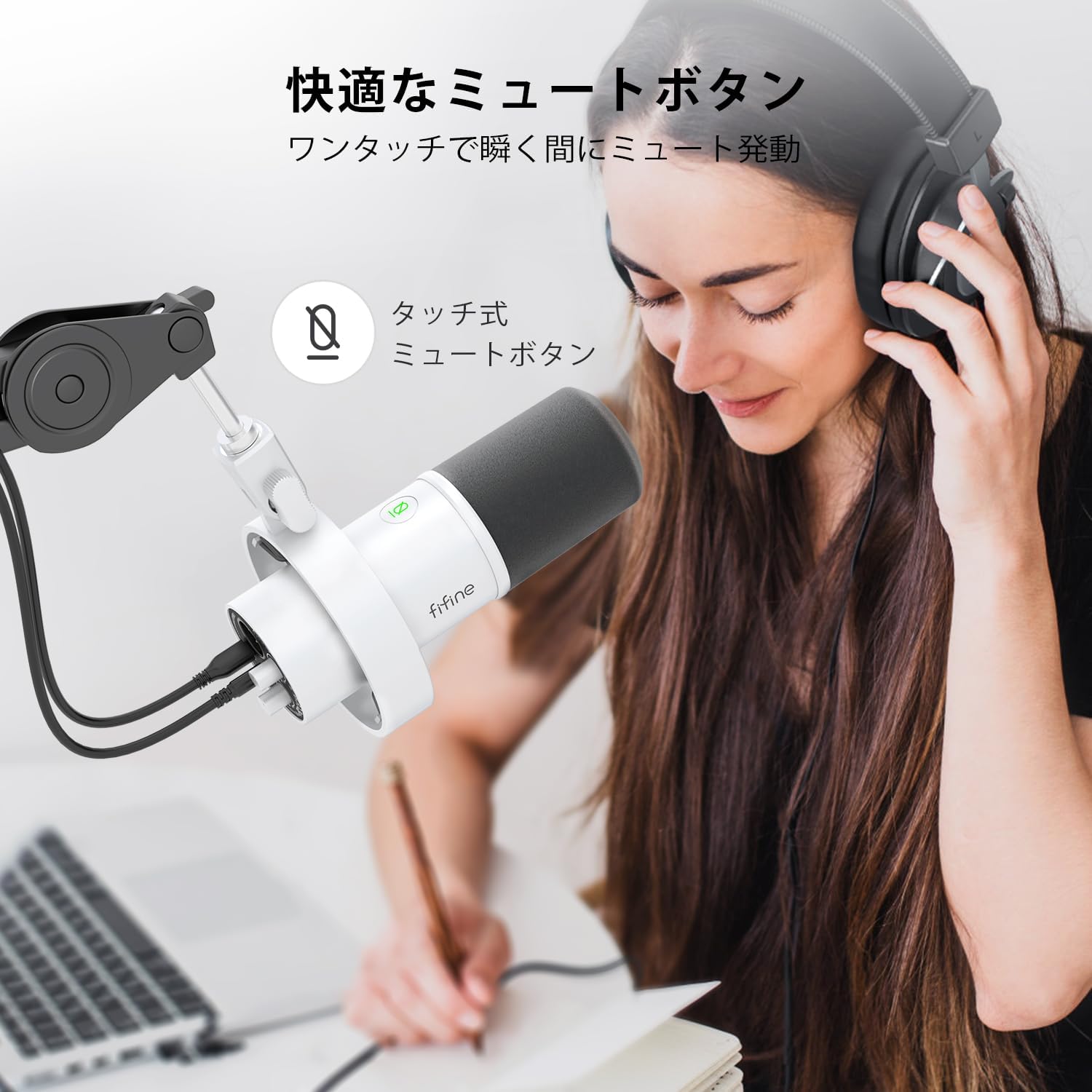
Image: A user interacting with the touch-sensitive mute button on the FIFINE AmpliTank K688W microphone, demonstrating its ease of use.
5.3 Headphone Monitoring (USB Mode Only)
Connect your headphones to the 3.5mm headphone jack on the microphone to monitor your audio in real-time with zero latency. Use the dedicated headphone volume knob to adjust the monitoring level to your preference.
6. Технічне обслуговування
- Тримайте мікрофон у чистоті, протираючи його м’якою сухою тканиною.
- Уникайте впливу екстремальних температур, вологості або прямих сонячних променів на мікрофон.
- Зберігайте мікрофон у захисному футлярі, коли він не використовується, щоб уникнути пилу та пошкоджень.
- Do not attempt to disassemble the microphone, as this will void the warranty.

Image: The FIFINE AmpliTank K688W microphone mounted on a boom arm, showcasing its integrated metal body design suitable for various recording environments.
7. Вирішення проблем
| проблема | Можлива причина | Рішення |
|---|---|---|
| No sound output (USB) |
|
|
| No sound output (XLR) |
|
|
| Спотворений звук |
|
|
| Надмірний фоновий шум |
|
|
8. Технічні характеристики
| Особливість | Деталь |
|---|---|
| Модель | K688W |
| Бренд | FIFINE |
| Тип мікрофона | Динамічний |
| Полярний візерунок | Однонаправлений (кардіоїд) |
| Підключення | USB (Type-C), XLR |
| АЧХ | 70Hz - 15KHz |
| Співвідношення сигнал/шум (S/N) | 75 дБ |
| Тип живлення | Дротовий електричний (живлення від USB) |
| Сумісні пристрої | PC (Windows/Mac OS), Game Consoles (PS4/PS5), Audio Mixers, Audio Interfaces, Smartphones (with adapter, not included) |
| Особливості | Volume Control, Mute Function, Headphone Monitoring |
| Колір | Білий |
| Матеріали | Пластик, Метал |
| UPC | 850052511821 |
9. Гарантія та підтримка
9.1 Інформація про гарантію
Цей продукт поставляється з a 1-річна гарантія виробника from the date of purchase. The warranty covers defects in materials and workmanship under normal use.
Гарантія не поширюється на:
- Пошкодження, спричинені неправильним використанням, зловживанням, нещасним випадком або недбалістю.
- Пошкодження внаслідок несанкціонованого ремонту або модифікацій.
- Нормальний знос.
9.2 Підтримка клієнтів
If you encounter any issues with your FIFINE AmpliTank K688W microphone, such as packaging damage, color discrepancies, or product defects, please contact FIFINE Japan customer support immediately. Provide your purchase details and a description of the issue for prompt assistance.
For further support, please visit the official FIFINE webсайт.

Image: Information regarding FIFINE's customer support process, including steps to contact them via Amazon and their operating hours.
Пов'язані документиK688W


Ask a question about this manual
Ask about setup, troubleshooting, compatibility, parts, safety, or missing instructions. Manuals+ will review the question and use this page’s manual context to help answer it.