
вступ
This manual provides essential information for setting up, operating, and maintaining your Amazon Basics 24-inch FHD 1080p monitor. Please read these instructions carefully before use and retain them for future reference.

The Amazon Basics 24-inch FHD 1080p monitor, featuring a sleek design and integrated speakers.
Налаштування
1. Розпакування та перевірка компонентів
Обережно вийміть усі компоненти з упаковки. Переконайтеся, що всі перелічені нижче елементи присутні:
- Дисплей монітора
- Підставка для монітора
- Підставка для монітора
- Адаптер живлення
- Кабель HDMI
- Посібник користувача (цей документ)

Included accessories: stand base, stand neck, power adapter, and HDMI cable.
2. Монтаж стенда
- Attach the stand neck to the stand base. Secure it with the screw provided, usually located on the underside of the base.
- Carefully attach the assembled stand to the back of the monitor panel. Ensure it clicks securely into place or is fastened with screws if applicable.
IMPORTANT: Remove the protective film (with the date code) from the panel surface before use. This film protects against scratches during shipping.
3. Підключення до пристрою
The monitor supports HDMI and DisplayPort (DP) connections. It also features integrated speakers and VESA compatibility for wall mounting.
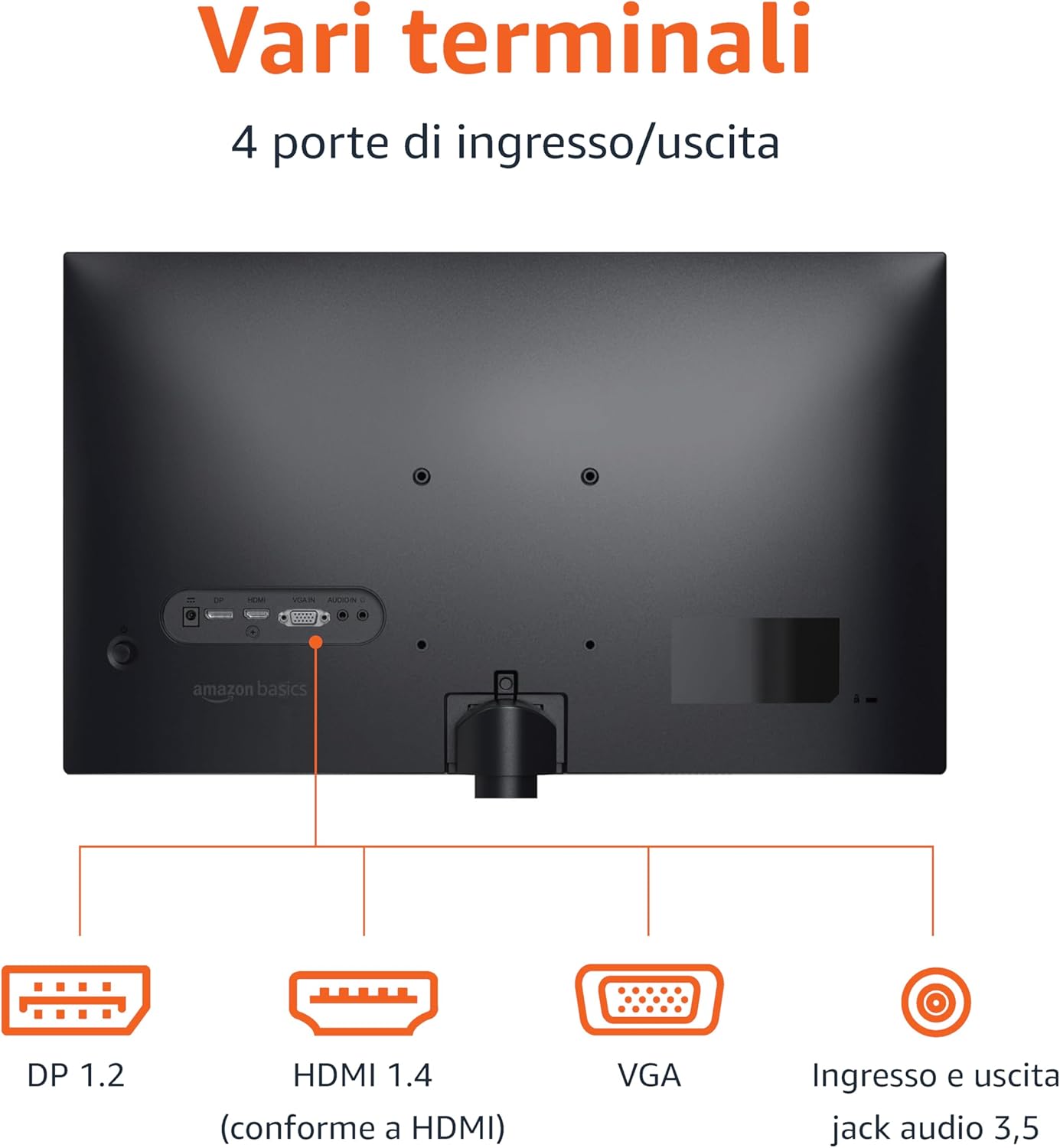
Rear panel connections: DP 1.2, HDMI 1.4, VGA, and 3.5mm audio input/output ports.
- Підключення HDMI: Connect one end of the HDMI cable to the HDMI port on your computer or device and the other end to the HDMI 1.4 port on the monitor.
- Підключення DisplayPort (DP): Connect one end of the DP cable (not included) to the DP port on your computer or device and the other end to the DP 1.2 port on the monitor.
- Підключення VGA: Connect one end of the VGA cable (not included) to the VGA port on your computer or device and the other end to the VGA port on the monitor.
- Аудіоз'єднання: If using a VGA connection or an external audio source, connect a 3.5mm audio cable from your device's audio output to the monitor's audio input.
- Підключення живлення: Підключіть адаптер живлення до входу живлення монітора, а потім увімкніть адаптер у розетку.
4. Кріплення VESA (додатково)
This monitor is VESA compatible, allowing it to be mounted on a wall or an adjustable arm. Refer to your VESA mount's instructions for installation. Ensure the mount supports the monitor's weight and VESA pattern.

The monitor stand allows for tilt adjustment from -5° to 20°.
Інструкція з експлуатації
1. Увімкнення/вимкнення живлення
Press the power button, usually located on the bottom right or rear of the monitor, to turn it on or off. The power indicator light will illuminate when the monitor is on.
2. Екранне меню (OSD).
Use the control buttons (typically located on the bottom right or rear) to navigate the OSD menu. The OSD allows you to adjust various settings:
- Яскравість/Контрастність: Налаштуйте рівні яскравості та контрастності зображення.
- Параметри кольору: Змінити колірну температуру, відтінок та насиченість.
- Вибір входу: Ручне перемикання між входами HDMI, DisplayPort та VGA.
- Параметри звуку: Control volume for the built-in speakers or connected headphones.
- Режим зображення: Select preset display modes (e.g., Standard, Movie, Game).
- Частота оновлення: Ensure your device is configured to output at 100Hz for the smoothest experience. This setting is usually adjusted in your computer's display settings.
3. Вбудовані динаміки
The monitor includes integrated speakers for audio output. Adjust the volume through the OSD menu or your connected device's audio controls.
Технічне обслуговування
1. Очищення екрана
- Завжди вимикайте монітор та від’єднуйте шнур живлення від мережі перед чищенням.
- Злегка протріть м’якою тканиною без ворсу dampводою або спеціалізованим засобом для чищення екранів.
- Не розпилюйте засіб для чищення безпосередньо на екран.
- Уникайте використання абразивних засобів для чищення, воску або розчинників.
2. Загальний догляд
- Тримайте монітор подалі від прямих сонячних променів, джерел тепла та надмірного запилу.
- Забезпечте належну вентиляцію навколо монітора.
- Не ставте важкі предмети на монітор або його кабелі.
Усунення несправностей
| проблема | Можливе рішення |
|---|---|
| Немає живлення |
|
| Немає сигналу / Порожній екран |
|
| Мерехтіння або спотворене зображення |
|
| No Audio from Built-in Speakers |
|
Технічні характеристики
| Особливість | Деталь |
|---|---|
| Бренд | Основи Amazon |
| Номер моделі | C24M2020DEU |
| Розмір екрана | 24 дюймів |
| роздільна здатність | FHD 1080p (1920 x 1080) |
| Частота оновлення | Макс. 100 Гц |
| Тип панелі | IPS |
| Співвідношення сторін | 16:9 |
| Коефіцієнт контрастності | 1500:1 |
| Поверхня екрана | Глянцевий |
| Підключення | HDMI, DisplayPort (DP), VGA |
| Особливості | Built-in Speakers, VESA Compatible |
| вага | 3 кілограма |
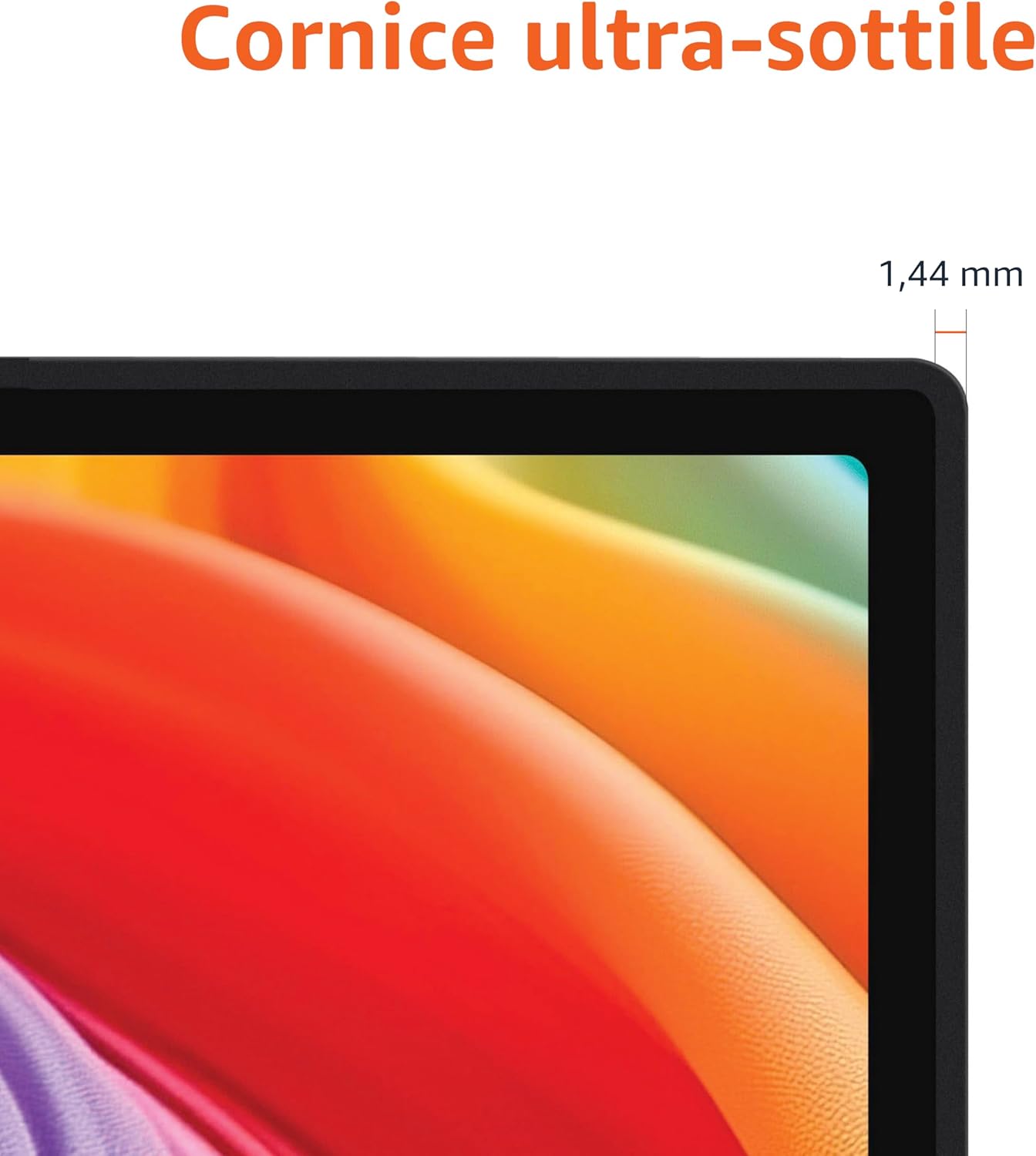
Approximate monitor dimensions (width x height x depth).
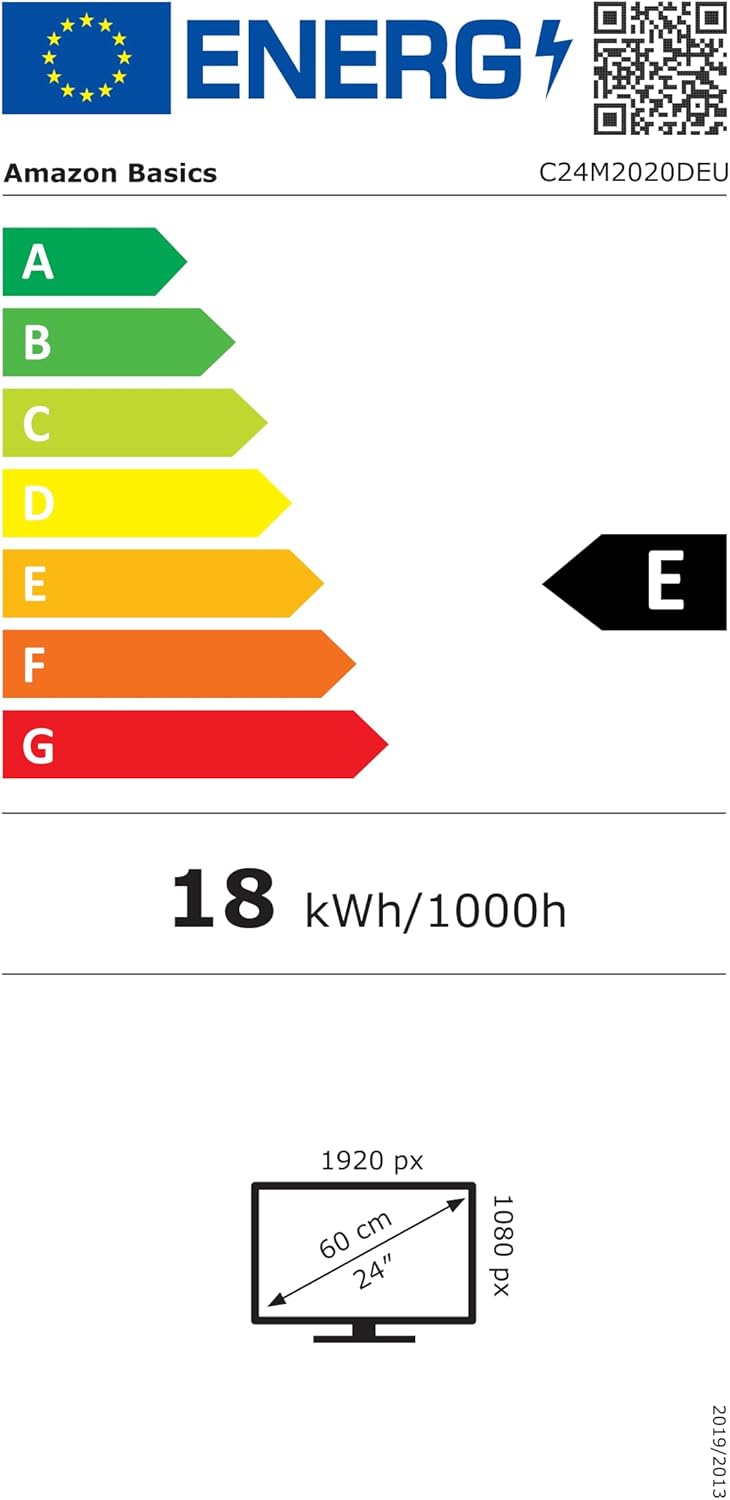
EU Energy Label for model C24M2020DEU. For more details, visit the База даних EPREL.
Інформація про гарантію
Цей продукт поставляється з a 1 рік обмеженої гарантії. For specific terms and conditions, please refer to the warranty documentation provided with your purchase or contact Amazon Basics customer support.
Підтримка
For technical assistance, troubleshooting, or warranty claims, please contact Amazon Basics customer support through the Amazon webсайт або ваша платформа для покупок.
You can also refer to the official Amazon Basics store for additional product information and support resources: Основи магазину Amazon


