
1. Вступ
This manual provides essential instructions for the proper installation, operation, and maintenance of your SP CONNECT Phone Case Xtreme for Samsung S24+. Please read this manual thoroughly before using the product to ensure optimal performance and longevity.
2. Продукт закінчивсяview
The SP CONNECT Phone Case Xtreme is engineered to provide robust protection for your Samsung S24+ smartphone. It features a durable design with military-standard certification for drop tests (MIL-STD 810) and IP68 material for water and dust resistance, offering 360-degree protection. The integrated magnetic mount allows for quick and secure attachment to compatible SP CONNECT mounting systems. It also supports wireless charging and is compatible with MagSafe accessories.

Малюнок 2.1: Задня частина view of the SP CONNECT Phone Case Xtreme, highlighting the integrated magnetic mounting mechanism.

Figure 2.2: Interior of the case, indicating its MIL-STD 810 drop protection, IP68 water resistance, and 360-degree protective capabilities.
3. Налаштування та встановлення
Follow these steps to properly install your Samsung S24+ into the SP CONNECT Phone Case Xtreme:
- Відкрийте кейс: Carefully separate the front and back sections of the phone case.
- Введіть номер телефону: Place your Samsung S24+ into the back section of the case, ensuring it sits flush and all edges are aligned.
- Безпечно закрити: Align the front section with the back section and press firmly around all edges until you hear a click, indicating a secure seal. Verify that all ports and buttons are properly covered and functional.
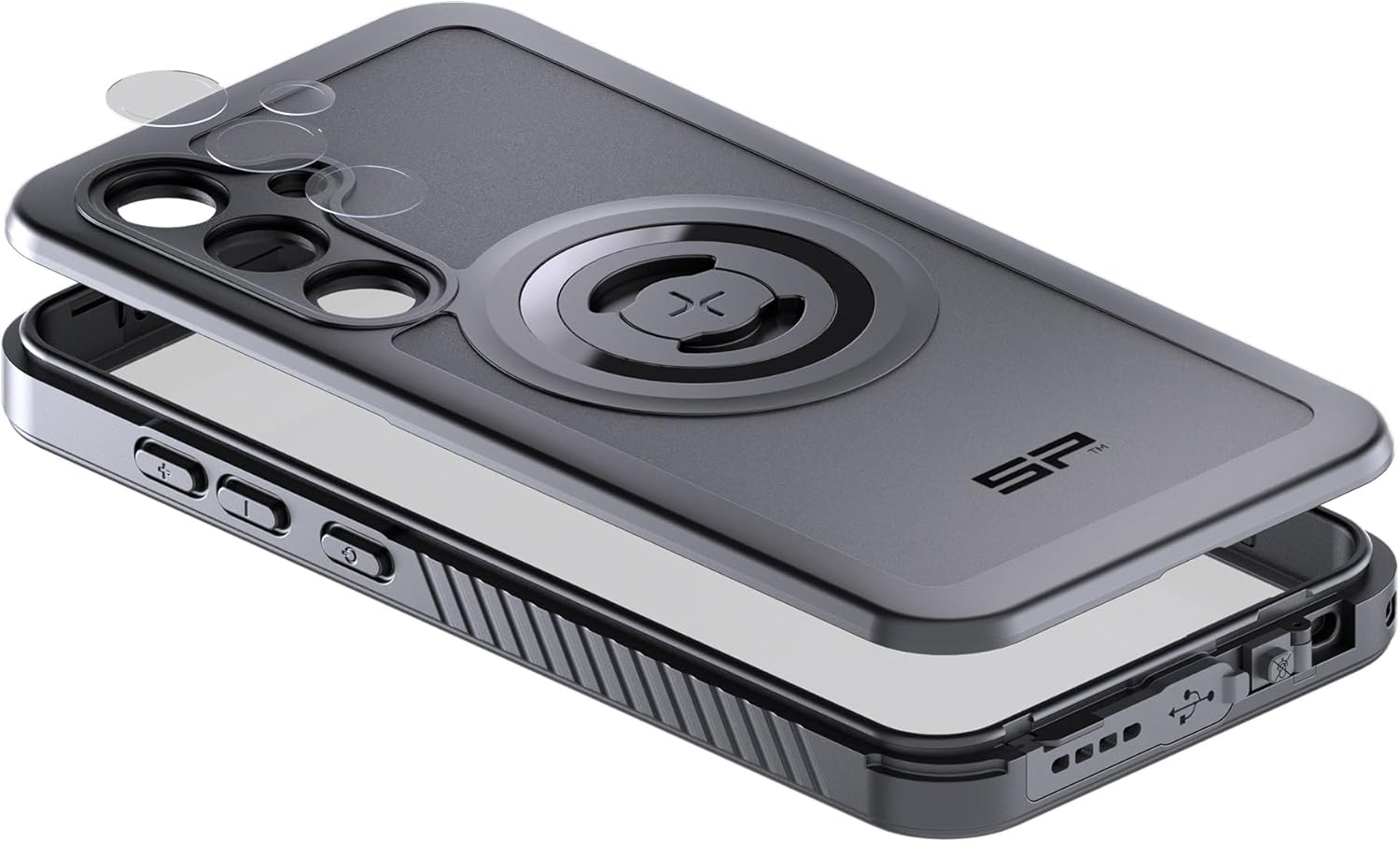
Figure 3.1: Illustration of the phone installation process, showing the two parts of the case and the phone being placed inside.
4. Операція
4.1 Магнітне кріплення
The integrated magnetic interface allows for quick attachment to any SP CONNECT magnetic mount. Simply align the case with the mount until it securely snaps into place. Ensure a firm connection before use, especially in dynamic environments.
4.2 Бездротова зарядка
The case is designed to be compatible with wireless charging. Place your phone, while in the case, onto a compatible wireless charging pad. Ensure proper alignment for efficient charging. Remove the phone from the case if wireless charging performance is hindered.
4.3 MagSafe Compatibility
The case supports MagSafe accessories, allowing for enhanced magnetic attachment and compatibility with MagSafe chargers and other accessories.
4.4 Button and Port Access
The case provides access to all essential buttons and ports. Ensure that the buttons operate smoothly and that the charging port is accessible when needed. The case's design maintains the waterproof integrity around the ports.
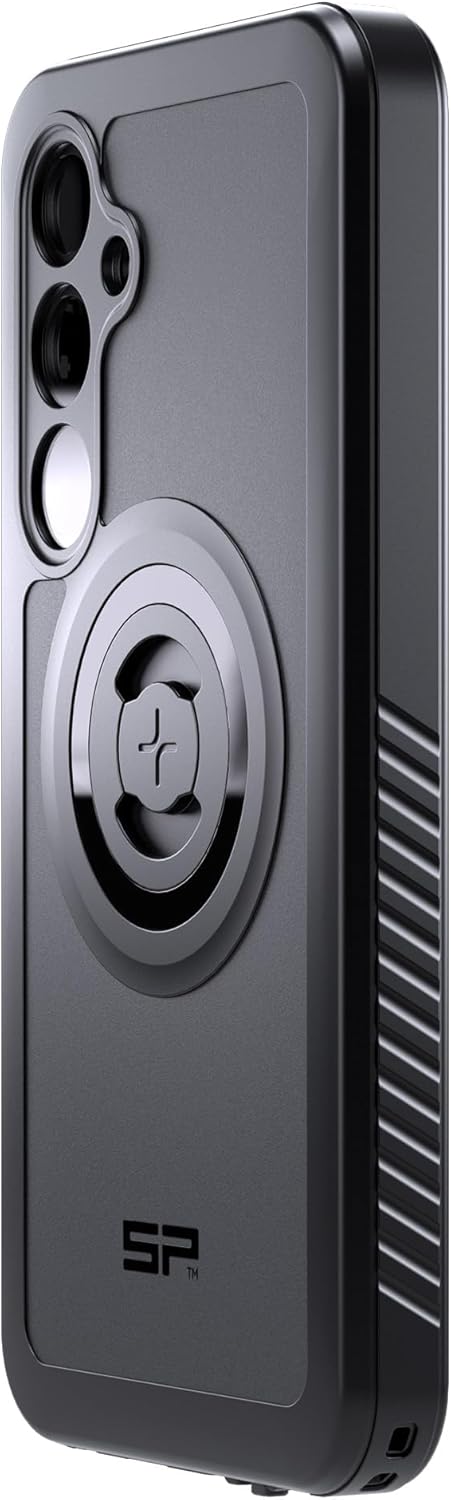
Рисунок 4.1: Бічний профіfile of the case, illustrating button covers and textured grip for enhanced handling.
5. Технічне обслуговування
To maintain the integrity and appearance of your SP CONNECT Phone Case Xtreme:
- Прибирання: Регулярно протирайте корпус м’якою серветкоюamp тканиною. Уникайте використання агресивних хімікатів або абразивних засобів для чищення, оскільки вони можуть пошкодити матеріал.
- Огляд: Periodically inspect the case for any signs of wear, cracks, or damage, especially around the seals and ports. If significant damage is observed, replace the case to ensure continued protection.
- Зберігання: Зберігайте футляр у прохолодному, сухому місці, захищеному від прямих сонячних променів, коли він не використовується.
6. Вирішення проблем
If you encounter issues with your SP CONNECT Phone Case Xtreme, consider the following:
- Difficulty with Buttons: Ensure your phone is correctly seated within the case. Re-open and re-seal the case, making sure all edges are properly aligned.
- Бездротова зарядка не працює: Verify that your wireless charger is compatible and properly aligned with the phone's charging coil through the case. Remove any metal objects or cards from between the phone and the case.
- Проблеми з монтажем: Check that the magnetic mount surface on the case and the SP CONNECT mount are clean and free of debris. Ensure the case is fully engaged with the mount.
- Вхід води: If you suspect water has entered the case, immediately remove your phone and allow both the phone and case to dry completely before reassembly. Ensure the case is properly sealed during installation to prevent future issues.
7. Технічні характеристики
| Особливість | Деталь |
|---|---|
| Розміри продукту | 3.94 x 3.94 x 3.94 дюймів |
| Вага товару | 10.6 унції |
| Сумісні моделі телефонів | Samsung S24+ |
| матеріал | IP68 rated material |
| Колір | чорний |
| Виробник | SP CONNECT |
8. Гарантія та підтримка
For warranty information and customer support, please refer to the official SP CONNECT webсайт або зверніться до продавця. Зберігайте чек про покупку для будь-яких гарантійних претензій.


