
Micool Y30
Micool Y30 Open Ear Headphones User Manual
Модель: Y30
1. Вступ
Thank you for choosing the Micool Y30 Open Ear Headphones. These wireless Bluetooth 5.3 earbuds are designed to provide a comfortable and safe listening experience by resting gently on your ears without blocking the ear canal. This design allows you to remain aware of your surroundings while enjoying high-quality audio, making them ideal for sports and daily activities.
2. Що в коробці
- Micool Y30 Open Ear Headphones (Left and Right)
- Чохол для бездротової зарядки
- Зарядний кабель USB-C
- Посібник користувача
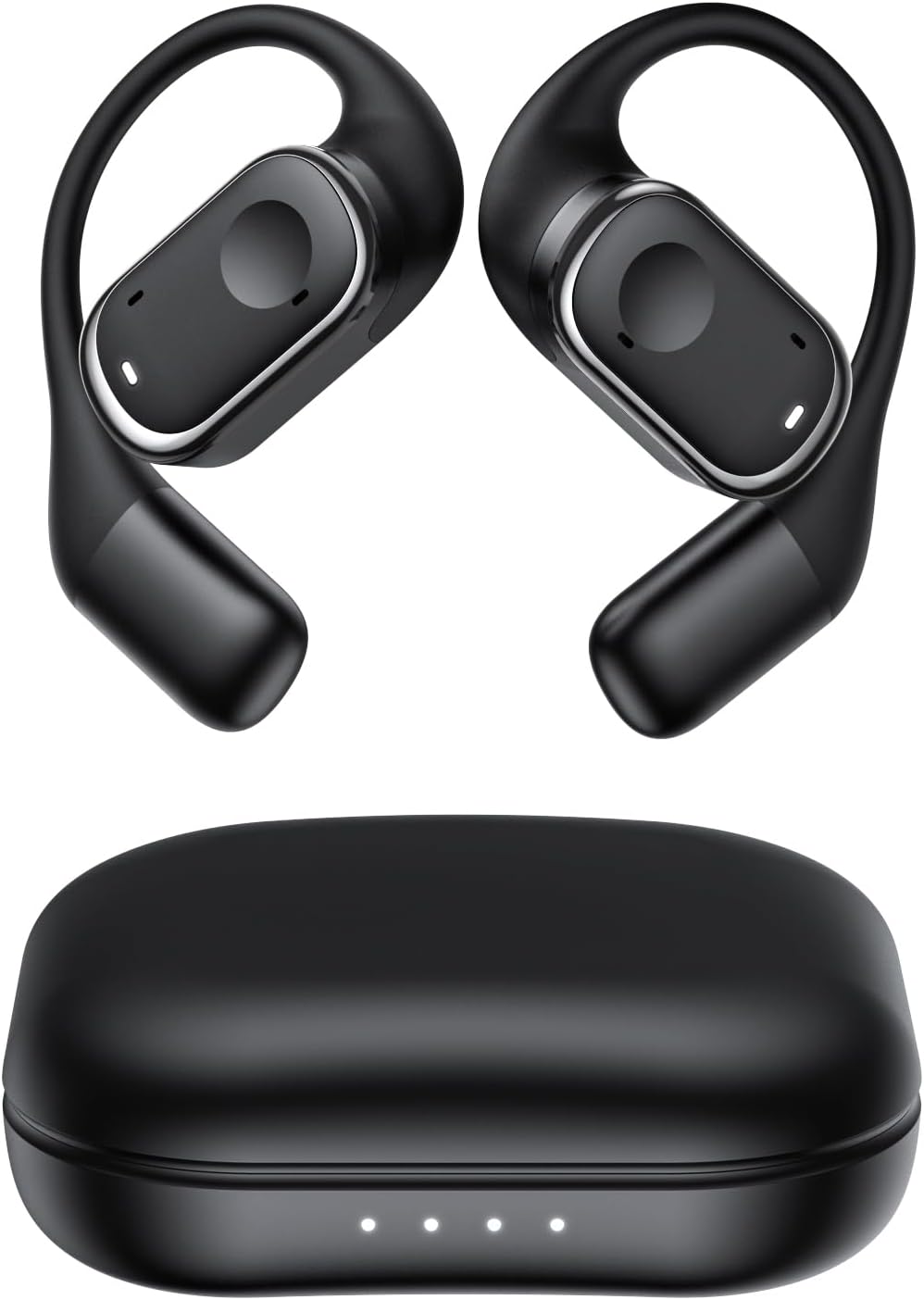
малюнок 2.1: Micool Y30 Open Ear Headphones and their charging case. The image shows two black open-ear earbuds with ear hooks, positioned above a sleek black charging case with four LED indicator lights on the front.
3. Продукт закінчивсяview
3.1 Компоненти навушників
Each earbud features an ergonomic design with a soft silicone ear hook for secure and comfortable placement. The main body houses the speaker and touch control area.

малюнок 3.1: Крупним планом view illustrating the ergonomic design of the Micool Y30 earbud. The image highlights the curved ear hook and the soft silicone material designed for comfort and secure fit, conforming to the ear's contour.
3.2 Зарядний чохол
The charging case protects the earbuds and recharges them. It has a USB-C charging port and LED indicators to show battery status.

малюнок 3.2: внутрішній view of the Micool Y30 charging case, showcasing the earbuds nestled inside. The image highlights the Bluetooth 5.3 technology and the digital display indicating battery levels, emphasizing fast response and stable connection.
4. Налаштування
4.1 Зарядка пристрою
Перед першим використанням повністю зарядіть навушники та зарядний футляр.
- Зарядка футляра: Connect the provided USB-C cable to the charging port on the case and to a USB power adapter (not included). The LED indicators on the case will show the charging status. A full charge takes approximately 1-2 hours.
- Зарядка навушників: Place the earbuds into the charging case. Ensure they are correctly seated. The earbuds will automatically begin charging. The case can charge the earbuds 4-5 times, providing up to 6 hours of playback per single earbud charge.
4.2 Створення пари Bluetooth
To connect your Micool Y30 headphones to your device:
- Переконайтеся, що навушники заряджені.
- Відкрийте зарядний футляр. Навушники автоматично перейдуть у режим сполучення.
- On your device (e.g., smartphone, tablet), go to Bluetooth settings and turn Bluetooth on.
- шукати available devices. Select "Micool Y30" from the list.
- Після підключення ви почуєте звуковий сигнал підтвердження, і навушники будуть готові до використання.
The headphones support Bluetooth 5.3 for stable and efficient connection.
5. Інструкція з експлуатації
5.1 Увімкнення/вимкнення живлення
- Увімкнення: Відкрийте зарядний футляр, і навушники автоматично ввімкнуться.
- Вимкнення живлення: Помістіть навушники назад у зарядний футляр і закрийте кришку. Вони автоматично вимкнуться та почнуть заряджатися.
5.2 Відтворення музики
The Micool Y30 headphones feature touch controls for media management.
- Відтворення/пауза: Натисніть один раз на будь -який навушник.
- Наступний трек: Двічі торкніться правого навушника.
- Попередній трек: Двічі торкніться лівого навушника.
- Збільшення гучності: Тричі торкніться правого навушника.
- Зменшення гучності: Тричі торкніться лівого навушника.
5.3 Керування викликами
- Відповісти/закінчити виклик: Натисніть один раз на будь -який навушник.
- Відхилити виклик: Натисніть і утримуйте будь-який навушник протягом 2 секунд.
5.4 Режим одного та двох навушників
The Micool Y30 headphones support seamless switching between using a single earbud or both earbuds.
- Режим одного навушника: You can use either the left or right earbud independently. Simply take one earbud out of the case, and it will connect to your device.
- Режим двох навушників: Take both earbuds out of the case, and they will automatically connect to each other and then to your device for a stereo audio experience.

малюнок 5.1: Illustration of the Micool Y30's flexible usage modes. The diagram shows how the earbuds can be used independently in "Single Earphone Mode" or together in "Dual Headphone Mode" for a synchronized connection.
6. Технічне обслуговування
6.1 Очищення
- Використовуйте м’яку, суху тканину без ворсу для очищення навушників та зарядного футляра.
- Не використовуйте агресивні хімікати, розчинники для чищення або сильні мийні засоби.
- The earbuds have an IPX6 waterproof rating, meaning they are resistant to strong jets of water. However, they are not designed for submersion. Wipe them dry after exposure to sweat or water.
6.2 Зберігання
- Зберігайте навушники в футлярі для зарядки, коли вони не використовуються, щоб захистити їх і підтримувати заряд.
- Уникайте зберігання пристрою за екстремальних температур (спекотних або холодних) або у вологому середовищі.
7. Вирішення проблем
| проблема | Рішення |
|---|---|
| Навушники не сполучаються з пристроєм. |
|
| Немає звуку в одному навушнику. |
|
| Навушники не заряджаються. |
|
| Погана якість звуку або перебої з'єднання. |
|
8. Технічні характеристики
| Особливість | Деталь |
|---|---|
| Назва моделі | Y30 |
| Технологія підключення | Бездротовий (Bluetooth) |
| Версія Bluetooth | 5.3 |
| Розташування вуха | Відкрите вухо |
| Ємність акумулятора навушника | 100mAh (кожен) |
| Ємність батареї зарядного футляра | 450 мАг |
| Playback Time (single charge) | До 6 годин |
| Загальний час відтворення (з футляром) | Up to 30 hours (4-5 full charges from case) |
| Час зарядки (корпус) | 1-2 годин |
| Порт зарядки | USB Type-C |
| Рейтинг водонепроникності | IPX6 |
| матеріал | пластик |
| UPC | 776584469303 |
9. Гарантія та підтримка
Micool products are designed with quality and reliability in mind. For warranty information or technical support, please refer to the warranty card included in your product packaging or visit the official Micool webсайт. Ви також можете звернутися за допомогою до свого продавця.
Для отримання додаткової допомоги, будь ласка, відвідайте Магазин Micool на Amazon.
Ask a question about this manual
Ask about setup, troubleshooting, compatibility, parts, safety, or missing instructions. Manuals+ will review the question and use this page’s manual context to help answer it.