
TYLT 4902Q
Бездротовий зарядний пристрій TYLT MagSafe із кільцем-підставкою, інструкція з використання
Модель: 4902Q
Бренд: TYLT
1. Вступ
Thank you for choosing the TYLT MagSafe Wireless Charger Ring Stand. This device combines powerful MagSafe wireless charging with the convenience of a built-in kickstand, designed to seamlessly power and prop up your iPhone 12, 13, 14, and 15 series devices. This manual provides essential information for the proper setup, operation, and maintenance of your new charger.
2. Продукт закінчивсяview
The TYLT MagSafe Wireless Charger Ring Stand is a compact and versatile charging solution. It features a magnetic charging pad with an integrated ring kickstand.
2.1 Компоненти
- Magnetic Wireless Charging Pad with Integrated Ring Stand
- 4-foot USB-C Cable (attached)
2.2 Продукт Views

Малюнок 2.2.1: Верх view of the TYLT MagSafe Wireless Charger Ring Stand. This image displays the circular charging pad with its black surface and the surrounding grey metallic ring. The TYLT logo and product information are visible on the black surface.

Малюнок 2.2.2: Спереду view of the TYLT MagSafe Wireless Charger Ring Stand. This image shows the smooth, unadorned black charging surface with a subtle TYLT logo, highlighting its sleek design.

Малюнок 2.2.3: Сторона view of the TYLT MagSafe Wireless Charger Ring Stand with the kickstand extended. This angle demonstrates how the integrated ring stand props up the charger, ready to support a phone for hands-free viewінж.

Рисунок 2.2.4: Кутовий view of the TYLT MagSafe Wireless Charger Ring Stand with the kickstand extended. This perspective highlights the charger's profile and the integrated USB-C cable connection point.

Figure 2.2.5: The TYLT MagSafe Wireless Charger Ring Stand magnetically attached to the back of an iPhone. This image illustrates the secure MagSafe connection and how the kickstand supports the phone in a vertical orientation.
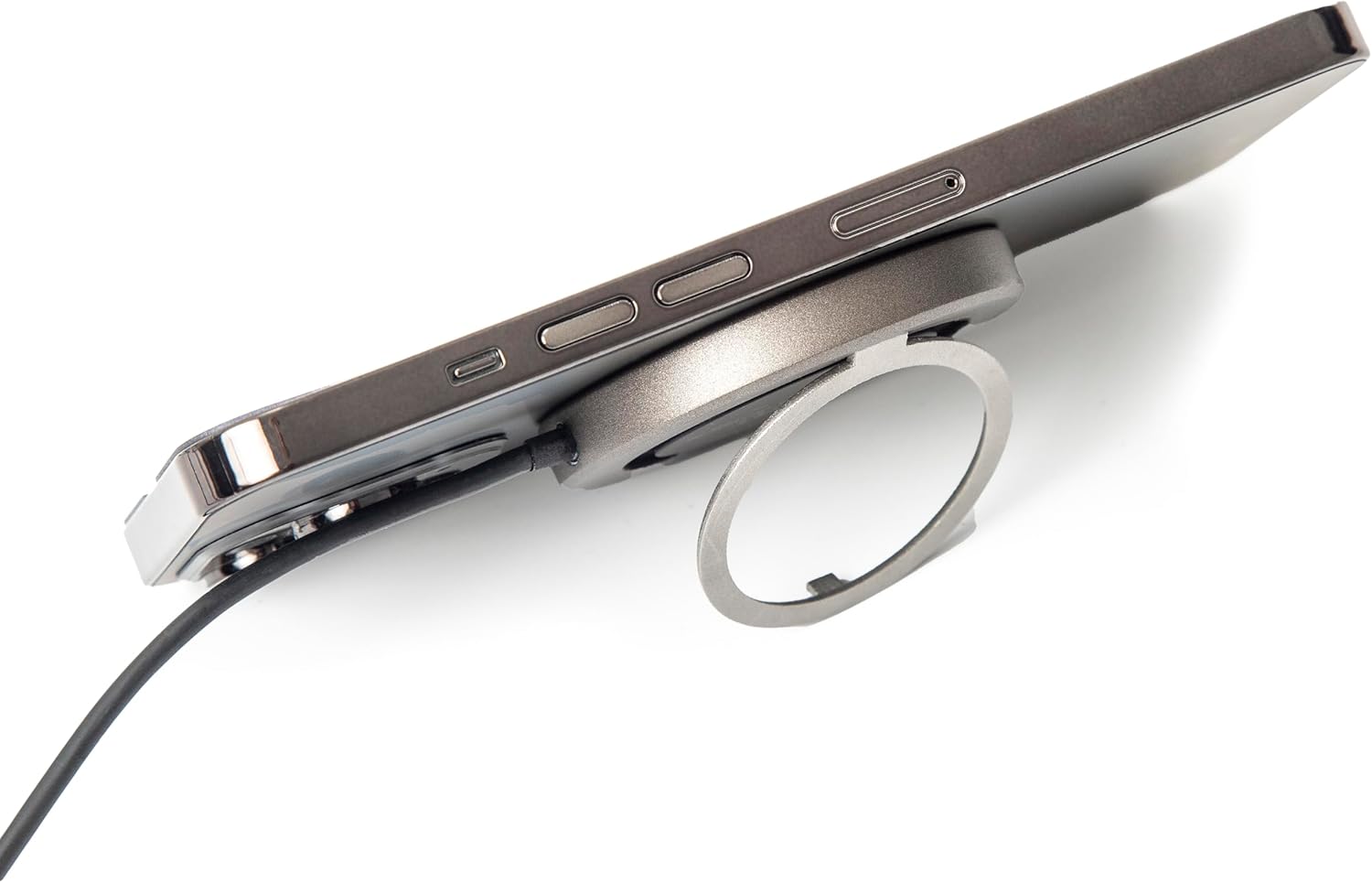
Малюнок 2.2.6: Сторона view of the TYLT MagSafe Wireless Charger Ring Stand attached to an iPhone. This image emphasizes the slim profile of the charger when connected to a device, maintaining portability.

Figure 2.2.7: The TYLT MagSafe Wireless Charger Ring Stand with an iPhone attached, positioned on a desk. This image showcases the charger's functionality as a stand for hands-free viewing in a typical usage scenario.
3. Налаштування
- Підключення до живлення: Plug the USB-C connector of the attached 4-foot cable into a compatible USB-C power adapter (not included). For optimal 15W fast charging, use a power adapter that supports Power Delivery (PD) with an output of at least 9V/1.8A or 12V/1.67A.
- Увімкнення: Once connected to a power source, the charger is ready for use. There is no power button.
4. Інструкція з експлуатації
4.1 Бездротова зарядка
- Align Your Device: Place your MagSafe-compatible iPhone (iPhone 12, 13, 14, or 15 series) onto the black charging surface of the TYLT charger. The charger will magnetically snap into place, ensuring proper alignment for efficient charging.
- Індикація зарядки: Your iPhone's screen will indicate that charging has begun. The charger is designed to work with most MagSafe-compatible phone cases, eliminating the need for case removal.
- Оптимальна зарядка: Ensure no foreign objects (e.g., metal plates, credit cards) are between your phone and the charger, as this can interfere with wireless charging.
4.2 Використання вбудованої підставки
- Розширити підставку: Gently pull out the integrated ring from the back of the charger.
- Налаштувати Viewкут нахилу: The ring can rotate and adjust to multiple viewing angles, allowing you to prop up your phone in either portrait or landscape orientation for hands-free viewing of videos, video calls, or other content.
- Складіть підставку: When not in use, fold the ring back into its recess on the charger for a compact and portable form factor.
5. Технічне обслуговування
- Прибирання: Disconnect the charger from the power source before cleaning. Use a soft, dry, lint-free cloth to wipe the surface of the charger. Do not use harsh chemicals, cleaning solvents, or strong detergents.
- Зберігання: Зберігайте зарядний пристрій у прохолодному сухому місці подалі від прямих сонячних променів і екстремальних температур.
- Обробка: Avoid dropping the charger or subjecting it to strong impacts. Do not disassemble the device.
6. Вирішення проблем
| проблема | Можлива причина | Рішення |
|---|---|---|
| Пристрій не заряджається або заряджається повільно. |
|
|
| Kickstand does not hold phone securely. |
|
|
| Зарядний пристрій нагрівається під час використання. |
|
|
7. Технічні характеристики
| Особливість | Деталь |
|---|---|
| Номер моделі | 4902Q |
| Введення | 5V–2A, 9V–1.8A, 12V–1.67A |
| Вихід | 15 Вт (макс.) |
| Технологія підключення | USB-C (attached cable) |
| Сумісні пристрої | iPhone 12, 13, 14, 15 Series (MagSafe compatible) |
| Розміри продукту | 10 x 8 x 1 дюймів |
| Вага товару | 3.17 унції |
| Колір | чорний |
8. Інформація про безпеку
Будь ласка, прочитайте всі інструкції з безпеки перед використанням цього виробу, щоб запобігти травмам або пошкодженням.
- Do not expose the device to liquids, moisture, or humidity.
- Не піддавайте пристрій дії екстремальних температур.
- Тримайте пристрій подалі від сильних магнітних полів.
- Не намагайтеся розібрати, відремонтувати чи модифікувати пристрій.
- Зберігати в недоступному для дітей місці.
- Use only with compatible power adapters.
9. Гарантія та підтримка
For information regarding warranty coverage, returns, or technical support, please refer to the original purchase documentation or contact TYLT customer service directly.
Політика повернення: This product typically has a 30-day return/replacement policy from the date of purchase. Please check with your retailer for specific details.
Виробник: TYLT
For further assistance, visit the official TYLT webсайт або зверніться до їхніх каналів підтримки.
Ask a question about this manual
Ask about setup, troubleshooting, compatibility, parts, safety, or missing instructions. Manuals+ will review the question and use this page’s manual context to help answer it.