
EBTOOLS EBTOOLS1756ogbieh-12
User Manual for EBTOOLS YEEMI K21+ 4G Flip Phone
Model: EBTOOLS1756ogbieh-12
вступ
This manual provides comprehensive instructions for the operation, maintenance, and troubleshooting of your EBTOOLS YEEMI K21+ 4G Flip Phone. Designed with seniors in mind, this phone features large buttons, dual screens, and essential functions like SOS and GPS for enhanced safety and ease of use. Please read this manual carefully to ensure proper use and to maximize the phone's capabilities.
1. Налаштування
1.1 Вміст упаковки
Перш ніж почати, перевірте, чи всі елементи присутні в упаковці:
- EBTOOLS YEEMI K21+ 4G Flip Phone
- Акумулятор
- USB кабель
- Посібник користувача (цей документ)

Image: The phone, battery, and USB cable included in the package.
1.2 Встановлення SIM-картки та акумулятора
- Відкрийте задню обкладинку: Обережно відкрийте задню кришку телефону.
- Вставте SIM-картку(и): Locate the SIM card slot(s). This phone supports dual SIM. Carefully insert your 4G compatible SIM card(s) into the designated slot(s) with the gold contacts facing down.
- Вставте батарею: Зіставте контакти акумулятора з контактами телефону та обережно натисніть на акумулятор, щоб він вставився на місце.
- Закрити задню обкладинку: Встановіть задню кришку назад, переконавшись, що вона надійно зафіксувалася.

Image: The phone in its open position, ready for SIM card and battery insertion.
1.3 Заряджання батареї
Перед першим використанням повністю зарядіть акумулятор телефону.
- Connect the small end of the USB cable to the phone's charging port.
- Підключіть інший кінець USB-кабелю до сумісного USB-адаптера живлення (не входить до комплекту) або USB-порту комп’ютера.
- Індикатор заряджання на екрані показуватиме стан заряджання.
2. Інструкція з експлуатації
2.1 Увімкнення/вимкнення живлення
- Щоб увімкнути: Натисніть і утримуйте кнопку живлення/завершення виклику (червону кнопку), доки екран не засвітиться.
- Щоб вимкнути: Press and hold the Power/End Call button until the power off options appear, then select "Power Off".
2.2 Здійснення та отримання дзвінків
- Здійснення дзвінка:
- Enter the phone number using the large keypad buttons.
- Press the Call button (green button) to dial.
- Отримання дзвінка:
- When the phone rings, open the flip to answer, or press the Call button.
- Щоб завершити виклик, натисніть кнопку живлення/завершення виклику.

Image: The phone showcasing its dual display feature, with the internal screen open and the external screen visible when closed.
2.3 Dual Screens and Large Font
The phone features a 2.6-inch high-definition main screen and a 1.77-inch external color high-definition screen. The external screen displays important information like time, date, and incoming call notifications without needing to open the phone. Large fonts and icons are used throughout the interface for improved readability.

Зображення: Крупний план view of the phone's external screen, highlighting its dual SIM dual standby capability.
2.4 SOS and GPS Functionality
For emergencies, the phone is equipped with an SOS button and GPS positioning.
- Налаштування контактів екстреного виклику: Navigate to the SOS settings in the phone's menu to add emergency contact numbers.
- Активація SOS: In an emergency, press and hold the dedicated SOS button (usually located on the back or side of the phone). The phone will automatically call and send an emergency message with your GPS location to the pre-set SOS contacts.
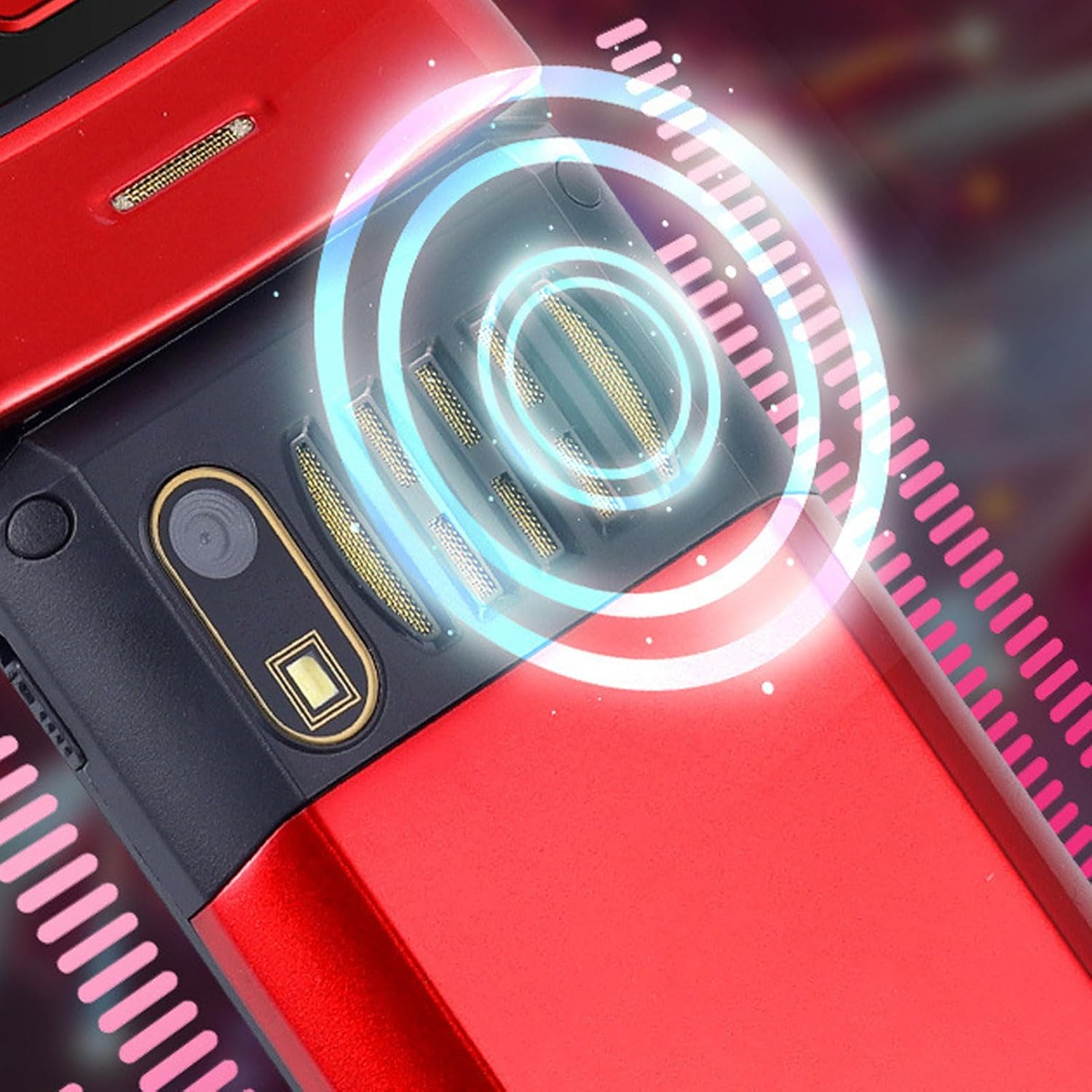
Image: The back of the phone, highlighting the speaker area, which contributes to clear sound for emergency calls.
2.5 Speed Dial and Shortcut Buttons
The phone supports 9 speed dial buttons for quick dialing of family numbers and 3 dedicated shortcut buttons for frequently used functions.
- Налаштування швидкого набору: Refer to the phone's menu for instructions on assigning contacts to speed dial numbers (typically 2-9).
- Using Shortcut Buttons: The dedicated shortcut buttons provide quick access to features like Camera, Messaging, or FM Radio.
3. Технічне обслуговування
3.1 Догляд за акумулятором
- Уникайте впливу на акумулятор екстремальних температур.
- Не проколюйте, не розбирайте та не замикайте акумулятор.
- Якщо телефон не використовуватиметься протягом тривалого часу, зарядіть акумулятор приблизно до 50%, перш ніж зберігати його.
3.2 Очищення телефону
- Використовуйте м’яку тканину без ворсу для очищення екрана та корпусу телефону.
- Не використовуйте агресивні хімікати, чистячі спреї або абразивні матеріали.
- Тримайте порт зарядки та решітки динаміків чистими від пилу та сміття.
4. Вирішення проблем
If you encounter issues with your phone, please refer to the following common problems and solutions:
| проблема | Можлива причина | Рішення |
|---|---|---|
| Телефон не вмикається. | Батарейка розряджена або неправильно вставлена. | Зарядіть акумулятор. Переконайтеся, що акумулятор правильно вставлено. |
| Не вдається здійснювати або приймати дзвінки. | Немає SIM-картки, SIM-картка вставлена неправильно або немає сигналу мережі. | Переконайтеся, що SIM-картка вставлена правильно. Перевірте силу сигналу мережі. Зверніться до свого оператора зв'язку. |
| Погана якість дзвінків. | Weak network signal, or speaker/microphone obstruction. | Move to an area with better signal. Clean speaker and microphone openings. |
| Функція SOS не працює. | SOS contacts not set up, or no network signal. | Verify SOS contacts are correctly configured in settings. Ensure phone has network signal. |
5. Технічні характеристики
Key technical specifications for the EBTOOLS YEEMI K21+ 4G Flip Phone:
- модель: EBTOOLS1756ogbieh-12
- Підключення: 4G (supports 2G, 3G, and 4G network bands including GSM and CDMA)
- Головний екран: 2.6-inch High Definition
- Зовнішній екран: 1.77-inch Color High Definition
- Ємність батареї: 4800mAh (Long Standby Time)
- особливості: Large Buttons, Dual Screens, SOS with GPS Positioning, 9 Speed Dial Buttons, 3 Dedicated Shortcut Buttons, Clear Sound Speaker
- Розміри: Приблизно 5.51 x 3.15 x 2.76 дюйма (розміри упаковки)
- Країна походження: Китай
6. Гарантія та підтримка
Your EBTOOLS YEEMI K21+ 4G Flip Phone comes with a standard manufacturer's warranty. Please refer to the warranty card included in your package for specific terms and conditions. For technical support, troubleshooting assistance beyond this manual, or warranty claims, please contact the seller or manufacturer directly.
Виробник: EBTOS
Для отримання додаткової допомоги ви можете відвідати EBTOOLS Store on Amazon.
Ask a question about this manual
Ask about setup, troubleshooting, compatibility, parts, safety, or missing instructions. Manuals+ will review the question and use this page’s manual context to help answer it.