
1. Вступ
Thank you for choosing the Baseus E13 TWS Bowie Headphones. This manual provides essential information for setting up, operating, and maintaining your new wireless earbuds. Please read it carefully before use to ensure optimal performance and longevity of your device.
2. Вміст упаковки
Перевірте наявність усіх предметів у вашій упаковці:
- Baseus E13 TWS Bowie Headphones (Left and Right Earbuds)
- Зарядний футляр
- USB-кабель для зарядки
- Амбушури (різні розміри)
- Посібник користувача (цей документ)

Image: The Baseus E13 TWS Bowie Headphones, including the earbuds, charging case, and the included USB charging cable.
3. Продукт закінчивсяview
The Baseus E13 TWS Bowie Headphones feature a compact design with a charging case for portability and extended battery life.

Image: The Baseus E13 TWS Bowie Headphones, showing both earbuds resting in their open charging case.
4. Налаштування
4.1 Заряджання навушників та футляра
- Початкова оплата: Перед першим використанням повністю зарядіть навушники та зарядний футляр.
- Зарядка футляра: Connect the provided USB charging cable to the charging port on the case and a compatible USB power source. The indicator light on the case will show charging status.
- Зарядка навушників: Place the earbuds into the charging case. Ensure they are correctly seated; the indicator lights on the earbuds will confirm charging.
Повна зарядка забезпечує до 30 годин загального часу відтворення з зарядним футляром.
4.2 Створення пари Bluetooth
- Увімкнення: Відкрийте зарядний футляр. Навушники автоматично увімкнуться та перейдуть у режим сполучення.
- Активувати Bluetooth: На вашому пристрої (смартфоні, планшеті тощо) увімкніть Bluetooth.
- Виберіть пристрій: шукати "Baseus E13" in the list of available Bluetooth devices and select it to connect.
- Підтвердження: Голосова підказка підтвердить успішне сполучення.
Навушники автоматично підключаться до останнього сполученого пристрою після виймання з кейса, якщо на пристрої ввімкнено Bluetooth.
4.3 Керування програмами
Enhance your experience by downloading the official Baseus app. The app allows for customizable controls, EQ settings, and other features.
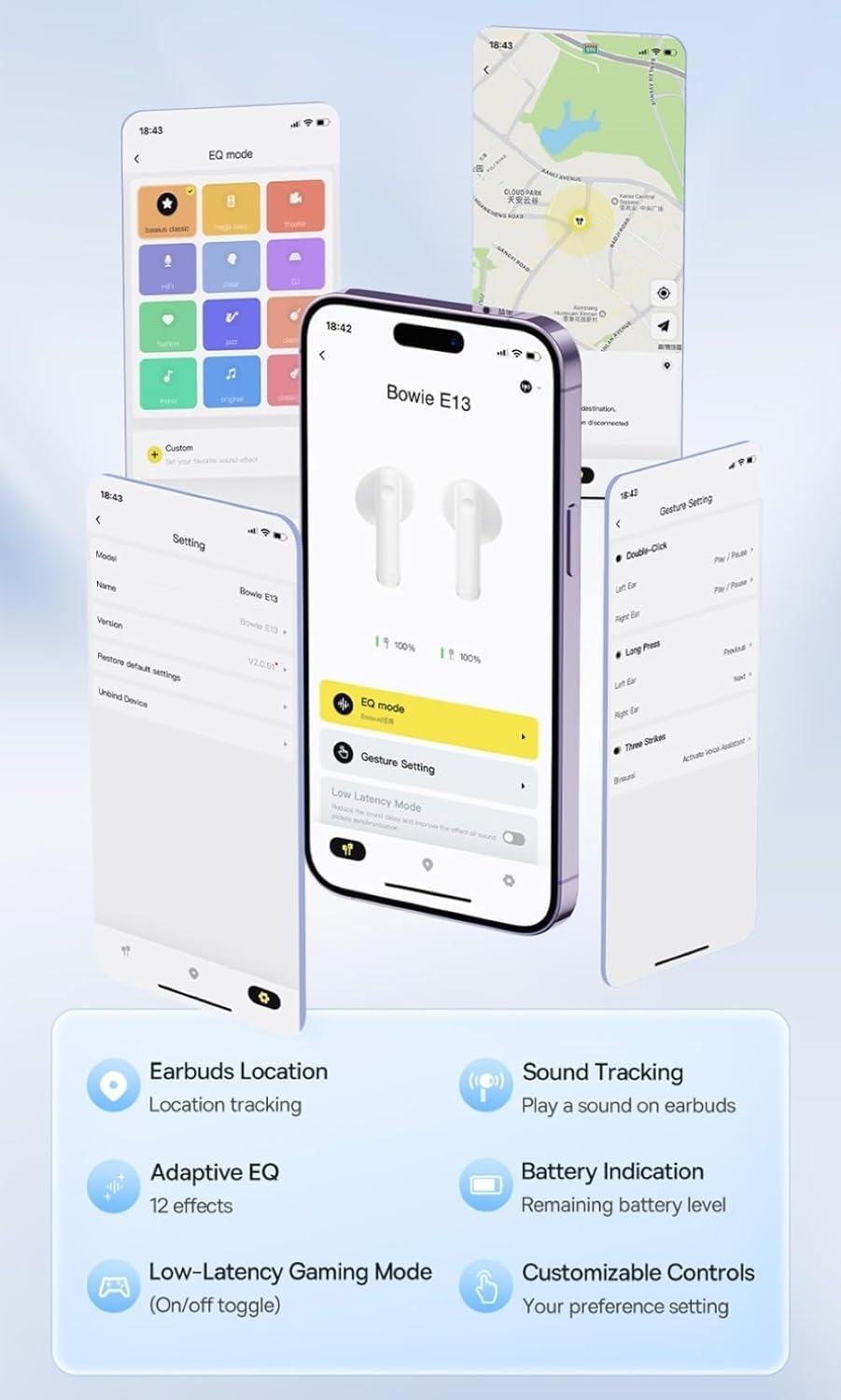
Image: Multiple smartphone screens displaying the Baseus app interface, highlighting features such as EQ mode, gesture settings, low-latency gaming mode, earbud location tracking, sound tracking, adaptive EQ with 12 effects, battery indication, and customizable controls.
5. Операція
5.1 Основні елементи керування
The Baseus E13 TWS Bowie Headphones feature touch controls for easy management of audio and calls. Specific gestures can be customized via the Baseus app.
- Відтворення/пауза: Один раз торкніться будь-якого навушника.
- Наступний трек: Двічі торкніться правого навушника.
- Попередній трек: Двічі торкніться лівого навушника.
- Відповісти/закінчити виклик: Один раз торкніться будь-якого навушника.
- Відхилити виклик: Тривале натискання на будь-який навушник.
- Активувати голосового помічника: Тричі торкніться будь-якого навушника.
5.2 Ігровий режим з низькою затримкою
For an optimized gaming experience, activate the 0.06s ultra-low latency gaming mode through the Baseus app. This reduces audio delay, providing faster response times.
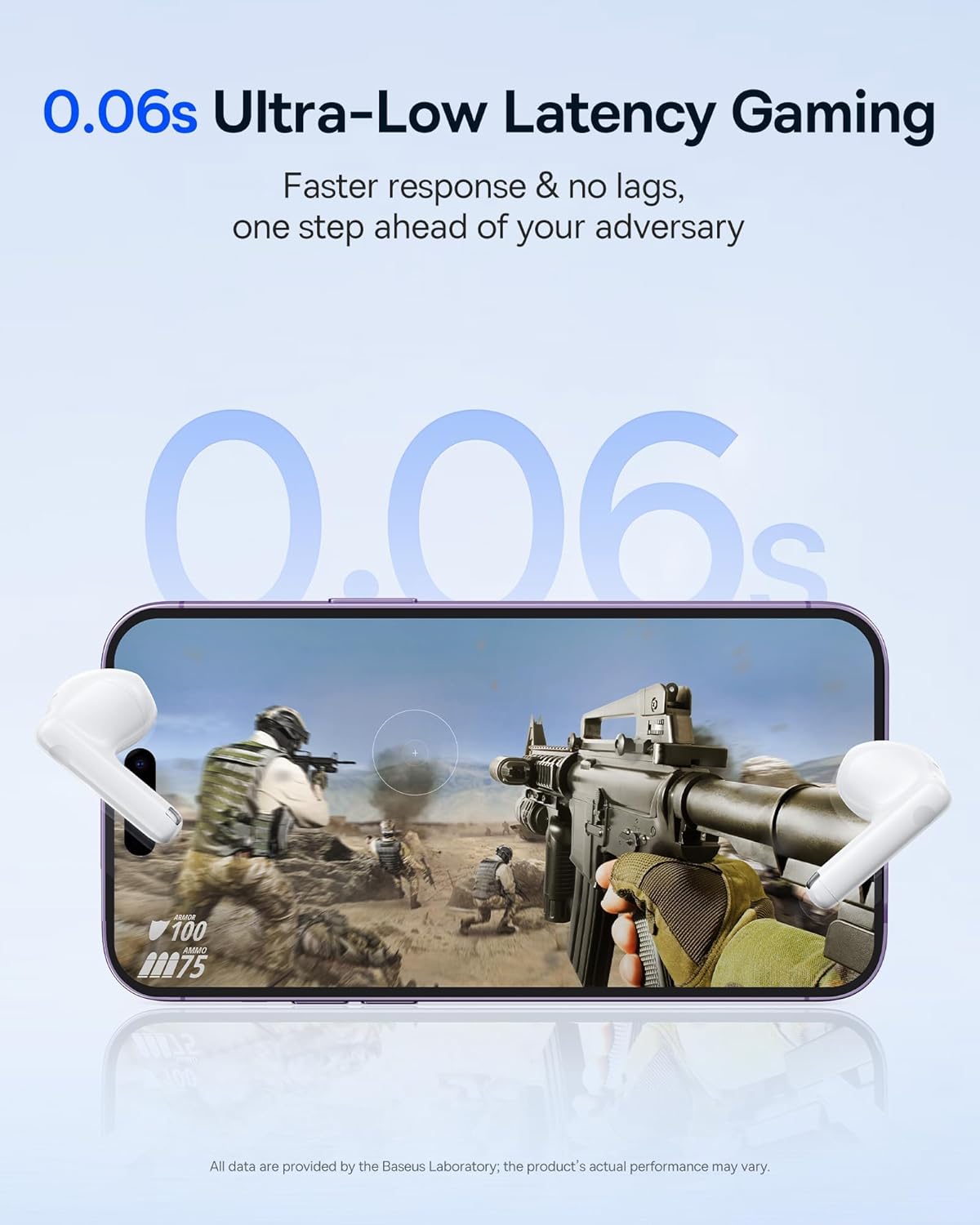
Image: The Baseus E13 TWS Bowie Headphones positioned near a smartphone screen displaying a fast-paced first-person shooter game, emphasizing the 0.06s ultra-low latency feature for gaming.
5.3 Відтворення аудіо
Enjoy up to 30 hours of continuous audio playback with the assistance of the charging case. Each earbud provides several hours of playback on a single charge, with the case offering multiple recharges.

Image: The Baseus E13 TWS Bowie Headphones and their charging case, overlaid with a graphic prominently displaying '30H', signifying the total audio playback time achievable with the case.
5.4 Якість звуку
The earbuds are equipped with a large 12mm diaphragm, designed to restore each note with remarkable depth and accuracy, providing a powerful low-frequency audio experience.

Image: A detailed cutaway diagram of a Baseus E13 TWS earbud, focusing on the internal structure of the large 12mm diaphragm and its contribution to sound quality.
5.5 Підключення
Utilizing Bluetooth 5.3 technology, the headphones offer a faster and more stable wireless connection, ensuring smooth audio transmission and enhanced sound quality.

Зображення: Прозорий view of a Baseus E13 TWS earbud, revealing its internal circuitry and specifically highlighting the integrated Bluetooth 5.3 chip for advanced wireless connectivity.
6. Носіння навушників
The earbuds are designed with a mini stem and a lightweight profile, featuring a 45° wearing angle for a comfortable and secure fit.

Image: A woman wearing a Baseus E13 TWS earbud, illustrating the ergonomic design with a mini stem and lightweight construction for a comfortable user experience.
7. Технічне обслуговування
- Прибирання: Регулярно протирайте навушники та зарядний футляр м’якою, сухою тканиною без ворсу. Не використовуйте агресивні хімікати або абразивні матеріали.
- Водонепроникність: The earbuds are water resistant. Avoid submerging them in water or exposing them to excessive moisture. Dry thoroughly if they come into contact with liquids.
- Зберігання: Коли навушники не використовуються, зберігайте їх у зарядному футлярі, щоб захистити їх та підтримувати зарядженими. Зберігайте у прохолодному, сухому місці, подалі від екстремальних температур.
- Догляд за акумулятором: Щоб продовжити термін служби батареї, уникайте частої повної розрядки навушників і кейса. Регулярно заряджайте їх, навіть якщо вони не використовуються постійно.
8. Вирішення проблем
If you encounter issues with your Baseus E13 TWS Bowie Headphones, refer to the following common solutions:
- Немає звуку:
- Переконайтеся, що навушники заряджені.
- Перевірте з’єднання Bluetooth з вашим пристроєм.
- Відрегулюйте гучність на обох навушниках та підключеному пристрої.
- Навушники не підключаються:
- Поверніть навушники в кейс, закрийте його, а потім знову відкрийте, щоб знову увійти в режим сполучення.
- Forget "Baseus E13" from your device's Bluetooth list and attempt to pair again.
- Переконайтеся, що навушники знаходяться в зоні дії вашого пристрою.
- Проблеми із зарядкою:
- Переконайтеся, що зарядний кабель надійно підключений як до корпусу, так і до джерела живлення.
- Спробуйте інший порт USB або адаптер живлення.
- Ensure charging contacts on earbuds and in case are clean and free of debris.
- Один навушник не працює:
- Переконайтеся, що обидва навушники заряджені.
- Try resetting the earbuds (refer to app or Baseus support for specific instructions).
9. Технічні характеристики
| Бренд | Baseus |
| Назва моделі | E13 TWS |
| Технологія підключення | Бездротовий зв'язок (Bluetooth 5.3) |
| Розташування вуха | Вухо |
| Форм-фактор | Справжня бездротова мережа |
| Імпеданс | 32 Ом |
| Тип управління | Touch controls, App |
| матеріал | пластик |
| Вага товару | 0.07 кілограма |
| Рівень водонепроникності | Водостійкий |
| Максимальна робоча відстань | 10 метрів |
| Середній термін служби батареї | До 30 годин (з зарядним футляром) |
| Особливості | 0.06s ultra-low latency, Faster and more stable 5.3 wireless chip, Lightweight and Mini Design, Powerful low frequency controller |
10. Гарантія та підтримка
Baseus products are designed for reliability and performance. For warranty information, please refer to the warranty card included with your purchase or visit the official Baseus website. For technical support or further assistance, please contact Baseus customer service or visit the Магазин Baseus на Amazon.