
вступ
This manual provides detailed instructions for the setup, operation, and maintenance of your TAKSTAR S360 XLR Studio Condenser Microphone. Please read this manual thoroughly before using the product to ensure proper function and longevity.
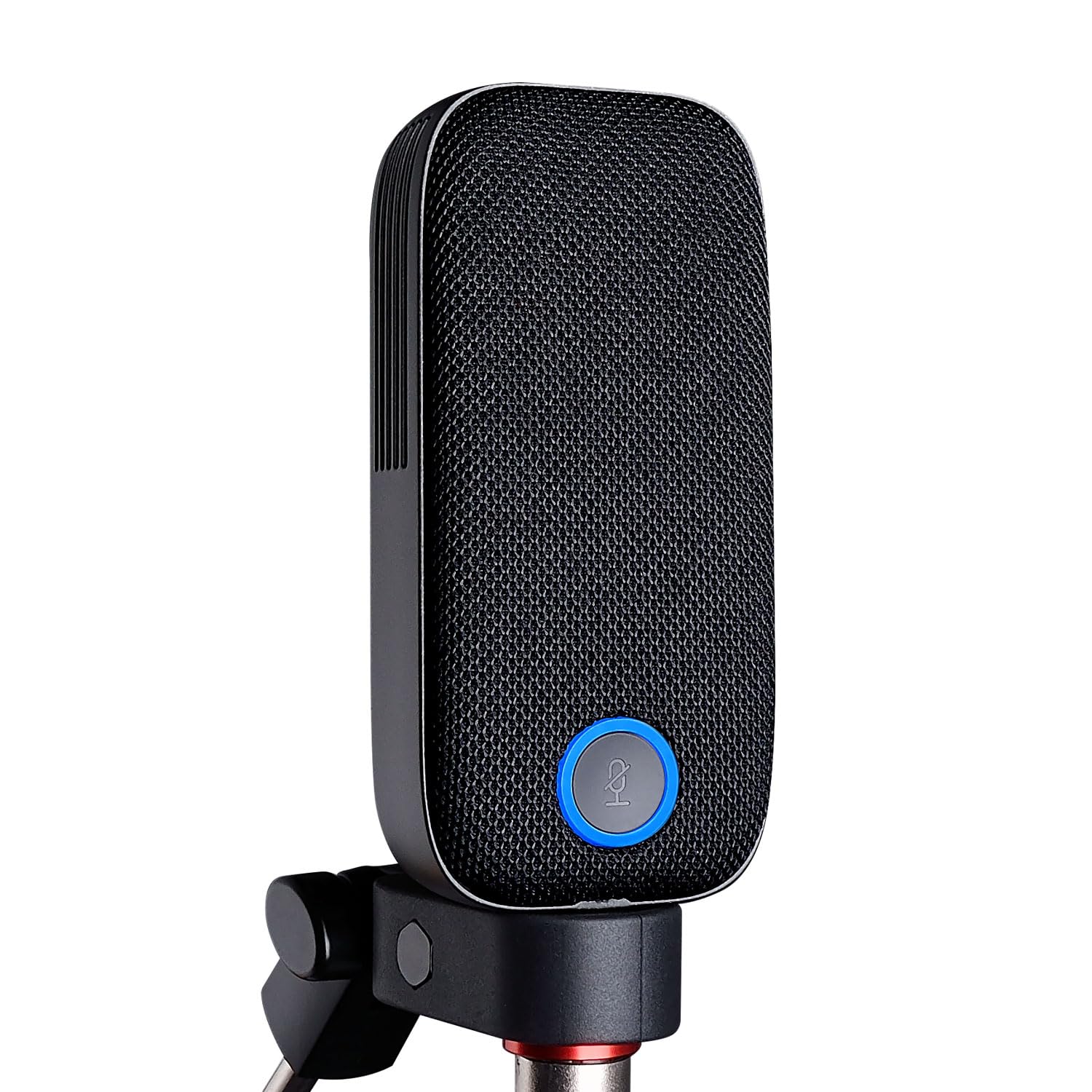
Image: The TAKSTAR S360 XLR Studio Condenser Microphone, a sleek black microphone designed for professional audio recording.
Що в коробці
Перевірте, чи всі наступні елементи входять до вашої упаковки:
- S360 Microphone (1)
- Magnetic Pop Filters (2)
- Microphone Clip (1)
- Bottle Opener (1) - Note: This is an accessory and not directly related to microphone function.
- Посібник користувача (1)
Особливості продукту
- 34mm Gold-Plated Large Diaphragm: Designed for clear and transparent sound reproduction.
- Кардіоїдна діаграма: Focuses on sound directly in front of the microphone, reducing side and rear noise.
- XLR-інтерфейс: Standard professional audio connection for studio-quality sound.
- One-Touch Mute Function: Conveniently mute the microphone during recording or streaming.
- Interchangeable Magnetic Pop Filters: Includes two types for varied sound characteristics:
- Vertical Strip Filter: Provides a wide, clear, and detailed sound.
- Honeycomb Filter: Offers efficient spray filtering, full low frequency, and a warm sound.
- Ultra-Low Self-Noise Circuit: Ensures a clean audio signal with high SPL handling capability.

Image: The TAKSTAR S360 microphone highlighting its key features: integrated pop filter, one-key mute, swappable magnetic covers, and 34mm gold diaphragm capsule.

Image: The TAKSTAR S360 microphone shown with its two interchangeable magnetic pop filters: a vertical strip filter and a honeycomb filter, each offering distinct sound characteristics.
Інструкції з налаштування
- Монтаж мікрофона:
Attach the S360 microphone to the provided microphone clip. Secure the clip onto a standard microphone stand or boom arm. Ensure the microphone is stable and positioned correctly for your recording needs.
- Connecting to Audio Interface:
Connect an XLR cable (not included) from the microphone's XLR output to an audio interface or mixer that provides 48V phantom power. The S360 requires 48V phantom power to operate.
Note: Ensure your audio interface or mixer is capable of supplying 48V phantom power. Connecting without phantom power will result in no audio output.
- Attaching Pop Filters:
Select one of the two magnetic pop filters. Align the filter with the microphone's front grille and allow the magnets to secure it in place. Experiment with both filters to find the sound profile that best suits your application.
- Початкове увімкнення:
Once connected, activate the 48V phantom power on your audio interface or mixer. The microphone's indicator light will illuminate, indicating it is powered on and ready for use.
Інструкція з експлуатації
Розташування мікрофона
For optimal sound quality, position the microphone approximately 6-12 inches (15-30 cm) from the sound source. Adjust the angle to capture the desired sound while minimizing unwanted room reflections.
Використання функції відключення звуку
The S360 features a one-touch mute button. Press the button to mute the microphone. The indicator light will change color (e.g., from blue to red) to show the mute status. Press again to unmute.

Image: The TAKSTAR S360 microphone showing the mute button with its working (blue) and mute (red) status indicators.
Selecting Pop Filters
The two included magnetic pop filters offer different acoustic properties:
- Vertical Strip Filter: Ideal for capturing a broad, clear, and detailed sound. Suitable for vocals and instruments where clarity is paramount.
- Honeycomb Filter: Provides effective plosive reduction and enhances low-frequency response, resulting in a warmer, fuller sound. Recommended for close-up vocals or when a richer tone is desired.
To change filters, gently pull the current filter off the microphone and align the desired filter until it magnetically snaps into place.
Технічне обслуговування
- Прибирання: Використовуйте м’яку суху тканину для протирання корпусу мікрофона. Не використовуйте рідкі засоби для чищення або розчинники, оскільки вони можуть пошкодити покриття або внутрішні компоненти.
- Зберігання: When not in use, store the microphone in a dry, dust-free environment, preferably in its original packaging or a protective case.
- Обробка: Avoid dropping or subjecting the microphone to strong impacts, which can damage the sensitive internal capsule.
Усунення несправностей
| проблема | Можлива причина | Рішення |
|---|---|---|
| Немає звуку |
|
|
| Low volume or distorted sound |
|
|
| Excessive popping sounds (plosives) |
|
|
Технічні характеристики
| Особливість | Деталь |
|---|---|
| Бренд | ТАКСТАР |
| Назва моделі | S360 |
| Технологія підключення | XLR |
| Тип роз'єму | XLR |
| Особливість | Функція відключення звуку |
| Сумісні пристрої | Audio Mixer (with 48V phantom power) |
| Колір | чорний |
| Полярний візерунок | Однонаправлений (кардіоїд) |
| Аудіо Чутливість | 33.5 децибели |
| Імпеданс | 200 Ом |
| Форм-фактор мікрофона | Large Diaphragm (34mm) |
| Джерело живлення | Corded Electric (48V Phantom Power required) |
| Співвідношення сигнал-шум | 20 дБ |
| АЧХ | 20 Гц - 20 кГц |
| Матеріал корпусу | метал |
Офіційні відео про продукти
TAKSTAR S360 Studio Microphone Overview
Video: A demonstration of the TAKSTAR S360 studio microphone in use, showcasing its sound quality and features during a vocal recording session.
TAKSTAR S360 Studio Microphone Features
Відео: Оверview of the TAKSTAR S360 studio microphone, highlighting its design, interchangeable pop filters, and mute function in various recording scenarios.
Гарантія та підтримка
The TAKSTAR S360 microphone comes with a 1-year warranty from the date of purchase. For warranty claims, technical support, or any questions regarding your product, please contact TAKSTAR customer service.
You can find contact information and additional resources on the official TAKSTAR webсайт: Visit the TAKSTAR Store on Amazon