
вступ
Thank you for choosing Micool T35 Open Ear Headphones. These headphones are designed to provide a comfortable and safe listening experience, allowing you to enjoy high-quality audio while remaining aware of your surroundings. Featuring Bluetooth 5.3 connectivity, IPX6 waterproofing, and a long-lasting battery, they are ideal for sports and daily use.
Вміст упаковки
Будь ласка, перевірте упаковку на наявність наступних предметів:
- Micool T35 Open Ear Headphones
- Чохол для бездротової зарядки
- Зарядний кабель USB Type-C
- Посібник користувача
Продукт закінченийview
The Micool T35 headphones feature an open-ear design with earhooks for secure and comfortable wear. The charging case protects and recharges your headphones.

Image: Micool T35 Open Ear Headphones and Charging Case. The image displays the charging case with one earbud inside and the other earbud placed next to it, showcasing the open-ear design and earhook.
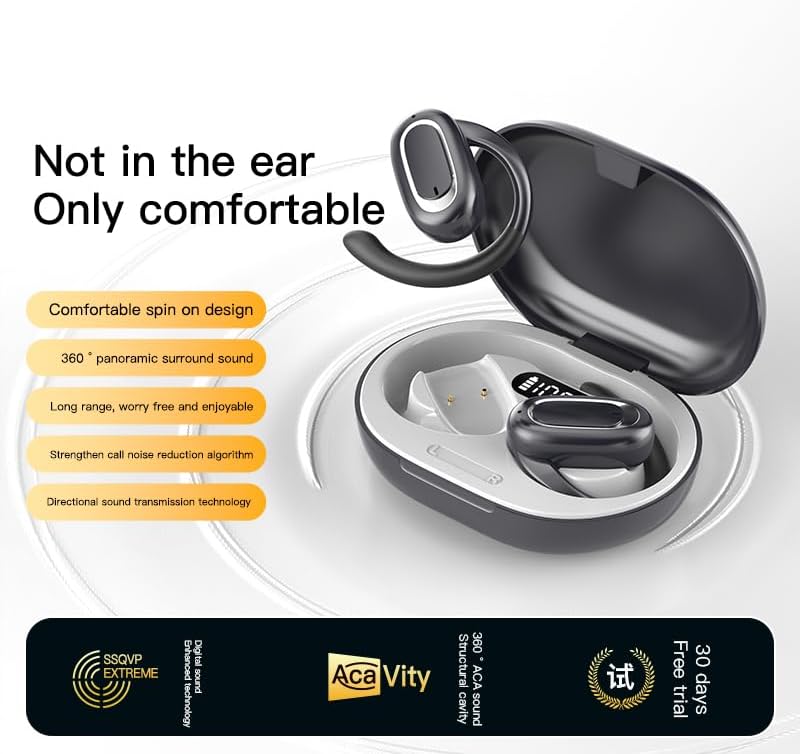
Image: Micool T35 Open Ear Headphones. This image shows both left and right earbuds with their earhooks, highlighting their ergonomic shape.
Ключові характеристики:
- Дизайн з відкритим вухом: Rests gently on the ear without blocking the ear canal, reducing ear fatigue and maintaining environmental awareness.
- Bluetooth 5.3: Забезпечує стабільне та ефективне бездротове з'єднання.
- Ергономічні вушні гачки: Provides a secure and comfortable fit, even during extended use or physical activity.
- IPX6 водонепроникний: Стійкий до поту та бризок, підходить для занять спортом.
- Тривалий термін служби батареї: Up to 12 hours of playback on a single charge, extended to 34 hours with the charging case.
- Спрямована передача звуку: Minimizes sound leakage while delivering clear audio.
Налаштування
1. Заряджання навушників та кейса
Перед першим використанням повністю зарядіть навушники та зарядний футляр.
- Покладіть навушники в зарядний футляр.
- Підключіть кабель USB Type-C до порту зарядки на корпусі та джерела живлення.
- Для повної зарядки зарядного футляра потрібно приблизно 1-2 години.
- A full charge provides up to 12 hours of listening time for the headphones, with the charging case extending total playback to 34 hours.
2. Підключення Bluetooth
To connect your Micool T35 headphones to a device:
- Переконайтеся, що навушники заряджені та знаходяться в зарядному футлярі.
- Відкрийте зарядний футляр. Навушники автоматично перейдуть у режим сполучення, про що свідчитиме миготливий світлодіодний індикатор на навушниках.
- На вашому пристрої (смартфоні, планшеті тощо) перейдіть до налаштувань Bluetooth.
- шукати available devices and select "Micool T35" from the list.
- Once connected, the LED indicator on the headphones will stop flashing.
- Навушники автоматично підключаться до останнього сполученого пристрою після виймання з кейса, якщо на пристрої ввімкнено Bluetooth.
Інструкція з експлуатації
1. Носіння навушників
The Micool T35 headphones are designed for an open-ear fit with rotatable earhooks.
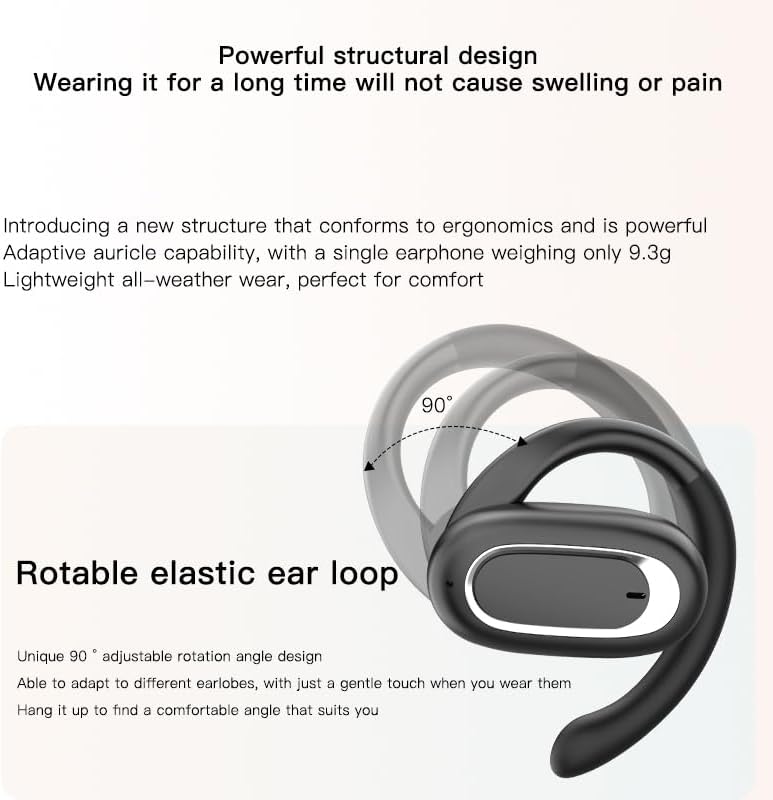
Image: Micool T35 Headphones: Rotatable Earhook Adjustment. The image illustrates the 90-degree rotation capability of the earhook for a customized fit.
- Gently place the earbud on your ear, ensuring the earhook wraps securely around the back of your ear.
- Adjust the rotatable earhook to find the most comfortable and stable position for your earlobe.
- The open-ear design ensures comfort and allows you to hear your surroundings.

Image: Micool T35 Headphones: Usage Scenarios. This image shows individuals using the headphones in various settings: during fitness activities, in an office environment, outdoors while running, and during leisure time.
2. Торкніться Елементи керування
The Micool T35 headphones feature intuitive touch controls on each earbud.
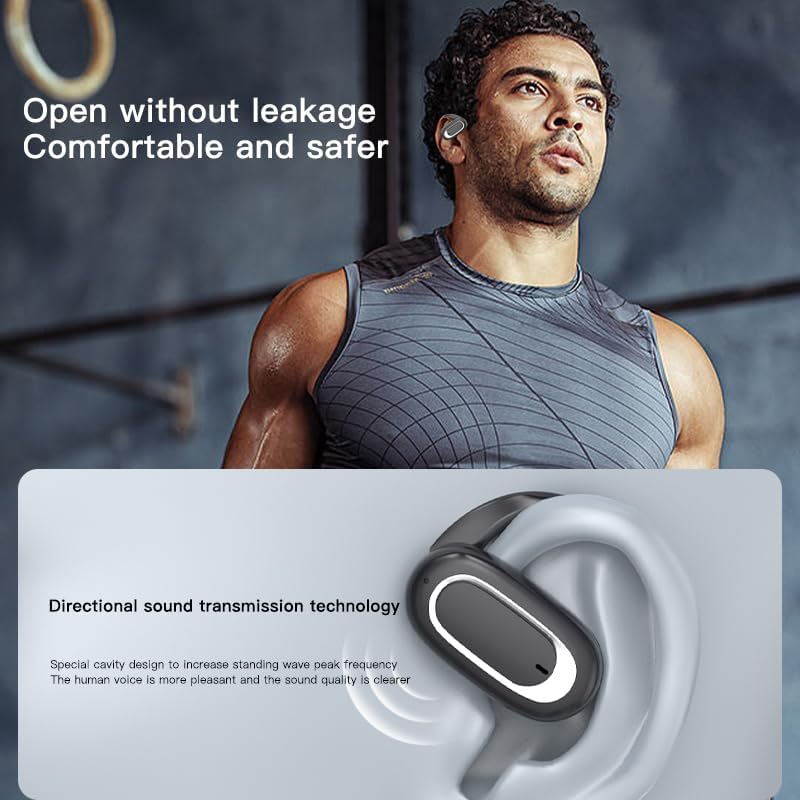
Image: Micool T35 Headphones: Touch Controls Diagram. This diagram illustrates the touch-sensitive area on the earbud and lists the corresponding functions for single tap, double tap, triple tap, and long press.
- Відтворення/пауза музики: Tap the function key once.
- Відповісти/закінчити виклик: Click the function key.
- Summon Voice Assistant: Long press the function key for 2 seconds.
- Відмова від виклику: Long press the function key for 2 seconds during an incoming call.
- Switching Up/Down Tracks: Triple click the left/right ear function keys.
- Збільшення/зменшення гучності: Double click the right/left ear function keys.
3. Ігровий режим
The Micool T35 headphones support a low-latency game mode for improved audio-video synchronization.

Image: Micool T35 Headphones: Low Latency Game Mode. The image shows a smartphone displaying a mobile game, indicating the headphones' capability for synchronized audio and video during gaming.
To activate game mode, refer to the specific instructions provided in the quick start guide or product packaging, as this feature often requires a specific touch gesture or setting within the connected device.
Технічне обслуговування
Правильне обслуговування забезпечує довговічність та продуктивність ваших навушників.
- Прибирання: Використовуйте м’яку, суху тканину без ворсу для очищення навушників та зарядного футляра. Не використовуйте абразивні засоби для чищення або розчинники.
- Водонепроникність: The headphones are IPX6 waterproof, meaning they are resistant to strong jets of water. They are suitable for use during workouts and in light rain, but should not be submerged in water. Dry them thoroughly before placing them back in the charging case.
- Зберігання: Коли навушники не використовуються, зберігайте їх у зарядному футлярі, щоб захистити від пилу та пошкоджень. Зберігайте у прохолодному, сухому місці, подалі від екстремальних температур.
- Догляд за акумулятором: To preserve battery life, charge the headphones regularly, even if not used for extended periods. Avoid fully discharging the battery frequently.
Усунення несправностей
If you encounter issues with your Micool T35 headphones, try the following solutions:
- Немає звуку:
- Переконайтеся, що навушники заряджені.
- Перевірте, чи навушники правильно сполучені з вашим пристроєм.
- Відрегулюйте гучність як на навушниках, так і на пристрої.
- Спробуйте відтворити аудіо з іншої програми або джерела.
- Помилка сполучення:
- Вимкніть Bluetooth на своєму пристрої та знову його ввімкніть.
- Forget "Micool T35" from your device's Bluetooth list and attempt to pair again.
- Переконайтеся, що навушники перебувають у режимі сполучення (світлодіодний індикатор блимає).
- Перемістіть навушники ближче до свого пристрою.
- Проблеми із зарядкою:
- Переконайтеся, що зарядний кабель надійно підключений як до кейса, так і до джерела живлення.
- Спробуйте інший кабель USB Type-C або адаптер живлення.
- Очистіть зарядні контакти на навушниках та всередині футляра сухим ватним тампоном.
- Погана якість виклику:
- Переконайтеся, що мікрофон нічим не загороджений.
- Перемістіться в місце з меншим рівнем шуму навколишнього середовища.
- Перевірте мережевий сигнал вашого пристрою.
Технічні характеристики
| Бренд | Мікул |
| Назва моделі | T35 |
| Технологія підключення | Бездротовий зв'язок (Bluetooth 5.3) |
| Розташування вуха | Відкрите вухо |
| Форм-фактор | On Ear (with earhooks) |
| Рейтинг водонепроникності | IPX6 |
| Час відтворення | Up to 12 hours (single charge), 34 hours (with charging case) |
| Порт зарядки | USB Type-C |
| Тип управління | Керування медіа (сенсорне) |
| матеріал | пластик |
| Сумісні пристрої | Мобільні телефони |
Гарантія та підтримка
Micool T35 Open Ear Headphones come with a 1-year limited warranty from the date of purchase. This warranty covers manufacturing defects and workmanship under normal use.
For technical support, warranty claims, or any questions regarding your product, please contact Micool customer service through the retailer where you purchased the product or visit the official Micool brand store:
Please have your purchase receipt and product model number (T35) ready when contacting support.