
1. Продукт закінчивсяview
The TP-Link Deco X1500 is a Wi-Fi 6 Mesh System designed to provide seamless, whole-home Wi-Fi coverage. This 3-pack system utilizes advanced Wi-Fi 6 technologies to deliver faster speeds, connect more devices, and reduce latency for a superior network experience. It creates a unified network that automatically selects the best connection as you move throughout your home.

Image: A single TP-Link Deco X1500 Mesh WiFi 6 unit, showcasing its compact white cylindrical design.
Ключові характеристики:
- Faster Connections: Wi-Fi 6 achieves speeds up to 1,500 Mbps: 1,201 Mbps on 5 GHz and 300 Mbps on 2.4 GHz.
- Підключіть більше пристроїв: OFDMA and MU-MIMO technologies quadruple capacity for simultaneous transmission to multiple devices.
- Enhanced Seamless Coverage: Achieve perfect whole-home coverage with a clearer and stronger Wi-Fi signal generated by Wi-Fi 6.
- Наднизька затримка: Reduced latency enables more responsive gaming and video chats.
- Єдина мережа: Multiple units form a whole-home network that automatically selects the best connection as you move around your home.
- Надійний батьківський контроль: Обмежте час онлайн і заблокуйте неприйнятне websites based on unique profileстворено для кожного члена родини.
- Спрощене налаштування: The Deco app guides you step-by-step through the setup process.
2. Вміст упаковки
Перевірте наявність усіх предметів у вашій упаковці:
- 3 блоки Deco X1500
- 1 кабель Ethernet RJ45
- 3 адаптери живлення
- 1 x Посібник зі швидкого встановлення
3. Інструкції з налаштування
Setting up your Deco X1500 Mesh System is straightforward using the TP-Link Deco app. Follow these steps for initial installation:
- Завантажте застосунок Deco: шукати 'TP-Link Deco' in the App Store (iOS) or Google Play Store (Android) and download the application.
- Зареєструватися або Увійти: Open the Deco app and sign up for a TP-Link ID. If you already have one, log in.
- Підключіть головний блок Deco:
- Вимкніть модем.
- Підключіть один блок Deco до модему за допомогою кабелю Ethernet, що входить до комплекту.
- Power on your modem, then power on the Deco unit.
- Дотримуйтесь інструкцій у додатку: The Deco app will automatically detect your Deco unit and guide you through the process of creating your Wi-Fi network name and password.
- Додати додаткові деко-блоки: Once the main Deco is set up, the app will prompt you to add the remaining Deco units. Place them strategically throughout your home for optimal coverage. The app will provide guidance on ideal placement.
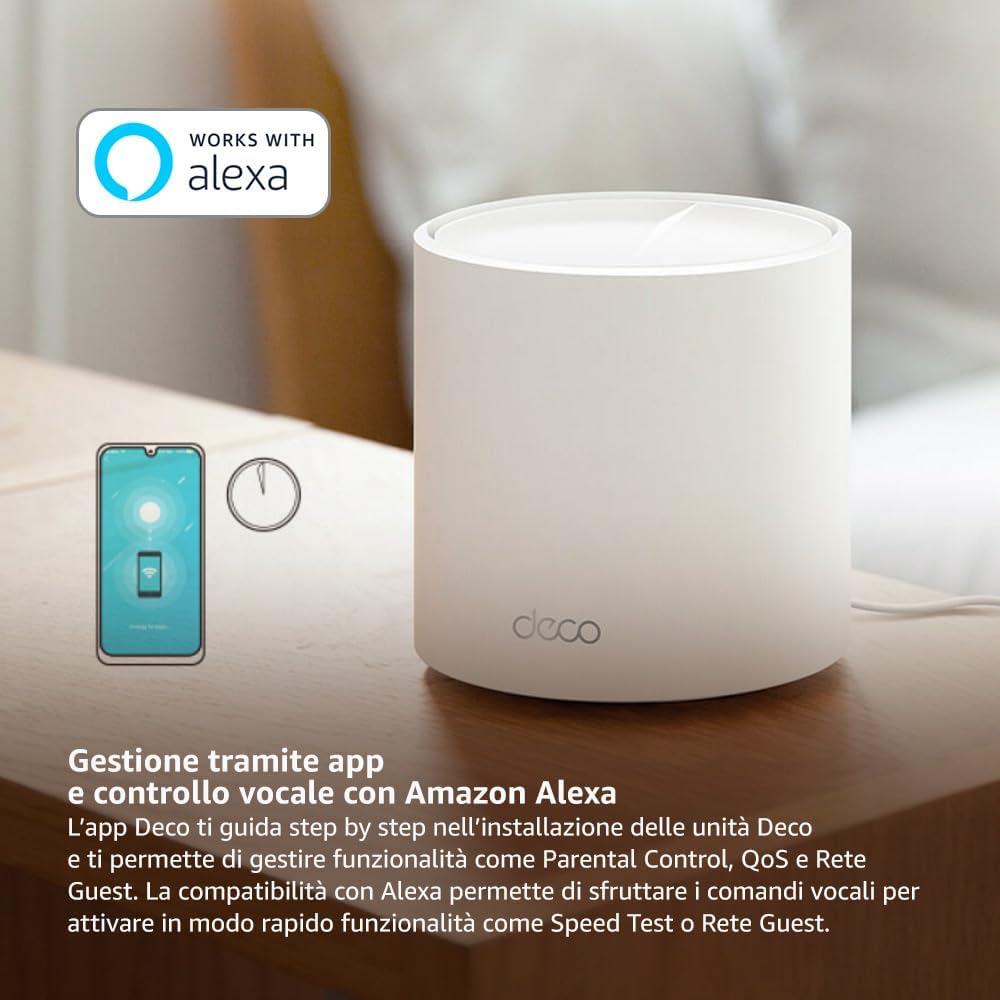
Image: A smartphone screen displaying the TP-Link Deco app, illustrating the step-by-step setup process for the mesh system.
4. Інструкція з експлуатації
The Deco X1500 system is managed primarily through the TP-Link Deco app, offering various features to control and optimize your home network.
Using the Deco App:
- Керування мережею: View connected devices, monitor network status, and manage Wi-Fi settings.
- Батьківський контроль: Створіть профіfiles for family members, set time limits, and block inappropriate content.
- Якість обслуговування (QoS): Для оптимальної продуктивності пріоритезуйте пристрої або дії.
- Гостьова мережа: Створіть окрему мережу Wi-Fi для гостей, забезпечуючи безпеку вашої основної мережі.
- Антивірус: Utilize built-in HomeShield features for network protection.
Голосове керування за допомогою Amazon Alexa:
The Deco X1500 is compatible with Amazon Alexa. Link your TP-Link Deco account to your Alexa account to use voice commands for network functions, such as:
- Enabling or disabling the Guest Network.
- Running a speed test.
- Pausing Wi-Fi for specific profiles.

Зображення: Задня частина view of a Deco X1500 unit, showing two Gigabit LAN/WAN auto-sensing Ethernet ports and the power input.
5. Технічне обслуговування
Regular maintenance ensures optimal performance and longevity of your Deco X1500 system.
Оновлення прошивки:
- The Deco app will notify you of available firmware updates. It is recommended to keep your Deco units updated to the latest firmware for improved performance, security, and new features.
- Follow the in-app instructions to perform firmware updates. Do not power off the units during an update.
Очищення та розміщення:
- Clean the Deco units with a soft, dry cloth. Do not use liquid cleaners or aerosols.
- Place Deco units in open areas, away from obstructions like large metal objects, thick walls, or other electronic devices that may cause interference.
- Ensure adequate ventilation around each unit to prevent overheating.
6. Вирішення проблем
If you encounter issues with your Deco X1500 system, refer to the following common troubleshooting steps.
Немає підключення до Інтернету:
- Перевірте модем: Переконайтеся, що ваш модем увімкнено та має активне підключення до Інтернету.
- Кабельні з'єднання: Перевірте, чи надійно підключено кабель Ethernet, що з'єднує головний пристрій Deco з модемом.
- Перезавантажте пристрої: Power cycle your modem and all Deco units. Wait a few minutes for them to restart and re-establish connections.
- Deco App Status: Check the Deco app for network status and any error messages.
Слабкий сигнал Wi-Fi або мертві зони:
- Розміщення блоку: Adjust the placement of your Deco units. Try to place them equidistant from each other and the main Deco, avoiding physical obstructions.
- Перешкоди: Move Deco units away from other electronics (microwaves, cordless phones, Bluetooth devices) that might cause wireless interference.
- Додати більше одиниць: For very large homes or those with multiple floors, consider adding more Deco units to expand coverage.
Пристрій не може підключитися до Wi-Fi:
- Правильний пароль: Переконайтеся, що ви вводите правильний пароль Wi-Fi.
- Сумісність пристрою: Verify that your device supports the Wi-Fi standards used by the Deco system (802.11ax/ac/n/a/g/b).
- Перезавантажте пристрій: Перезавантажте пристрій, який намагається підключитися.
- Check Blacklist: Ensure the device has not been accidentally blacklisted in the Deco app.
7. Технічні характеристики
| Особливість | Специфікація |
|---|---|
| Бренд | TP-Link |
| Назва моделі | Деко Х1500 |
| Особливість | Wi-Fi 6 |
| Клас діапазону частот | Дводіапазонний |
| Стандарт бездротового зв'язку | 802.11ax |
| Сумісні пристрої | ПК, смартфон, планшет |
| Рекомендоване використання | додому |
| Технологія підключення | RJ45 |
| Колір | Білий |
| Протокол безпеки | WPA3 |
| Number of Ports (per unit) | 2 x Gigabit LAN/WAN (auto-sensing) |
| Спосіб контролю | додаток |
| Швидкість передачі даних | 1500 мегабіт за секунду |
| Пропускна здатність порту локальної мережі | 1000 Мбіт/с |
| томtage | 110.0 В |
| Max Upstream Data Transfer Rate | 1201 мегабіт за секунду |
| Кількість антен | внутрішній |
| Сумісність із Smart Home | так |
| Генерація Wi-Fi | Wi-Fi 6 |
| Покриття (пакет із 3 штук) | До 520 кв |
| Вага товару | 1.8 кілограма |
8. Інформація про гарантію
The TP-Link Deco X1500 Mesh System comes with a Гарантія на виріб 3 років. This warranty covers defects in materials and workmanship under normal use. For specific terms and conditions, please refer to the warranty card included in your package or visit the official TP-Link webсайт.
9. Підтримка
For further assistance, technical support, or to access additional resources, please visit the official TP-Link support webсайт:
You can also find FAQs, updated manuals, and community forums on the support page.