
1. Продукт закінчивсяview
The THINKCAR THINKSCAN 641 is a wireless OBD2 diagnostic tool designed for comprehensive vehicle system analysis. It provides diagnostic functions for Engine, Transmission, ABS, and SRS Airbag systems, along with full OBD2 modes and 10 essential maintenance reset services. The device features a touchscreen interface and connects wirelessly via Bluetooth to the vehicle's OBD-II port.
1.1 Вміст упаковки
- THINKCAR THINKSCAN 641 OBD2 Scanner (x1)
- Bluetooth Connector (x1)
- Інструкція з експлуатації продукту (x1)
1.2 Компоненти пристрою
Familiarize yourself with the main components of your THINKSCAN 641 device:

Image: THINKCAR THINKSCAN 641 device layout with labeled buttons and ports.
- 4.8-дюймовий сенсорний екран: Main display for navigation and data viewінж.
- Кнопка живлення/блокування екрана: Натисніть і утримуйте протягом 3 секунд, щоб увімкнути або вимкнути.
- Кнопка підтвердження: Used to select options or confirm actions.
- Up, Down, Left, Right Toggle Key: For navigating menus and options.
- Ключ повернення: To go back to the previous screen or menu.
- Слот для картки TF: Для розширюваного сховища.
- Порт зарядки: Для підключення зарядного кабелю.
- OBD Interface: Port for the Bluetooth connector.
2. Налаштування
2.1 Початкове підключення
To begin using your THINKSCAN 641, follow these steps to establish a connection with your vehicle:
- Знайдіть порт OBD-II вашого автомобіля, який зазвичай знаходиться під приладовою панеллю з боку водія.
- Plug the included Bluetooth 5.0 VCI Dongle into the vehicle's OBD-II port.
- Turn on the vehicle's ignition (engine off, key on).
- Power on the THINKSCAN 641 handheld unit by pressing and holding the Power/Screen Lock Button for 3 seconds.
- The device will automatically attempt to connect via Bluetooth. A stable connection should be established within 3 seconds.
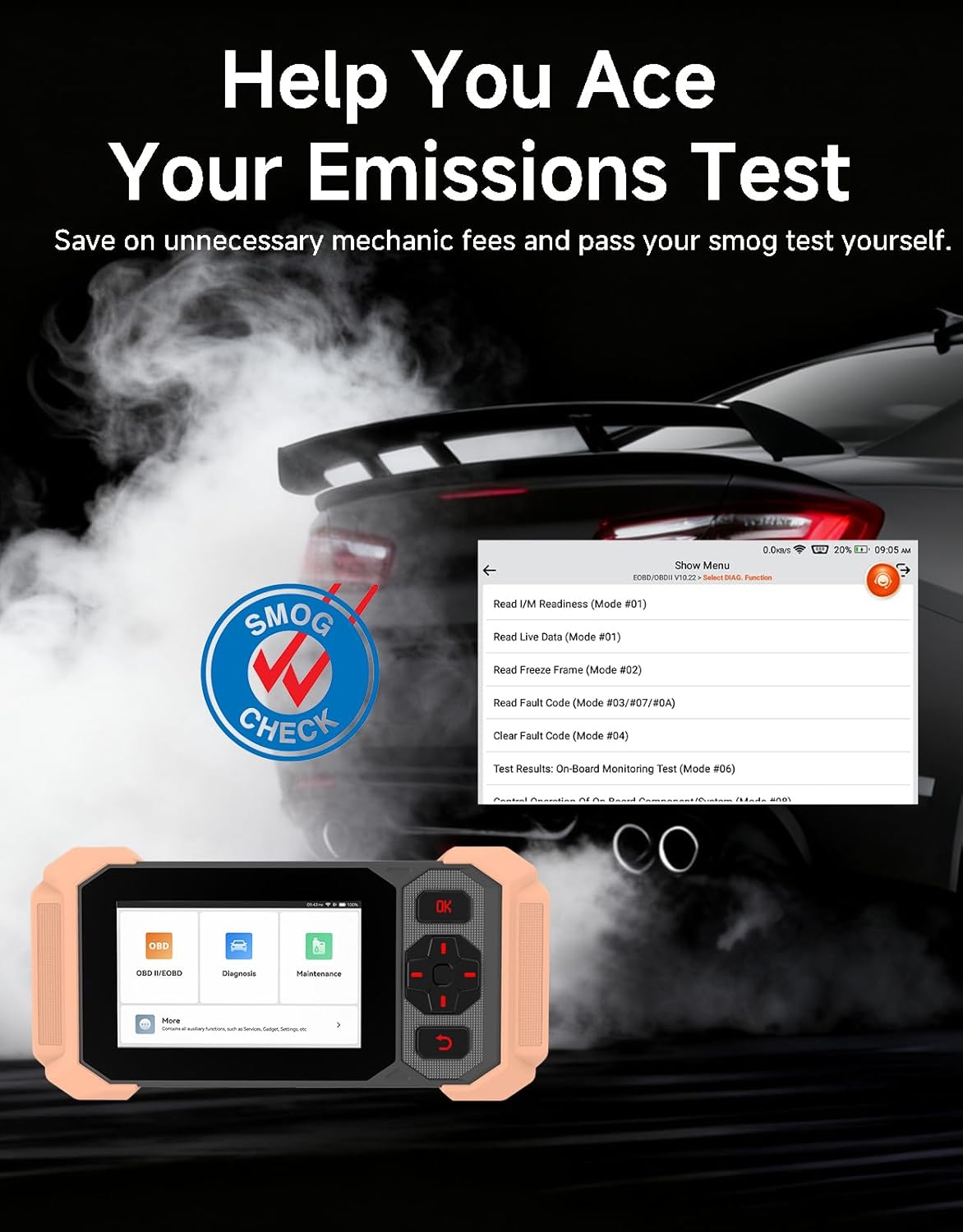
Image: Bluetooth VCI Dongle connected to the vehicle's OBD-II port.
2.2 Автоматична ідентифікація транспортного засобу (AutoVIN)
The THINKSCAN 641 supports AutoVIN functionality, which automatically identifies your vehicle's information upon connection. If AutoVIN fails for your specific vehicle model, you can manually enter the vehicle information to proceed with diagnostics.
2.3 Оновлення програмного забезпечення
The device supports lifetime free software updates via Wi-Fi. Ensure your device is connected to a stable Wi-Fi network to download and install the latest software versions, which include new vehicle models and improved functionalities.

Image: Lifetime Free Update icon.
2.4 Instructional Video: How to Use
Video: This video demonstrates the basic steps for connecting and using the THINKCAR THINKSCAN 641 diagnostic tool, including menu navigation and initiating a scan.
3. Інструкція з експлуатації
3.1 4-Системна діагностика
The THINKSCAN 641 provides in-depth diagnostics for four core vehicle systems:
- Система двигуна: Зчитує та очищує коди несправностей двигуна, views live data, and performs various engine-related tests.
- Антиблокувальна гальмівна система (ABS): Diagnoses ABS issues, reads and clears ABS fault codes, and performs ABS bleeding.
- Додаткова система пасивної безпеки (SRS/Подушка безпеки): Detects and clears airbag system fault codes, and performs SRS resets.
- Система передачі: Analyzes transmission performance, reads and clears transmission fault codes.

Зображення: Оверview of 4-System Diagnostic capabilities.
3.2 Повні режими OBD2
The device supports all 10 OBD2 test modes, offering comprehensive diagnostic capabilities:
- Прочитайте коди: Відображає діагностичні коди несправностей (DTC).
- Очистити коди: Скидає коди несправностей та скидає налаштування моніторів.
- Живі дані: Відображає потік даних у режимі реального часу від датчиків транспортного засобу.
- Стоп-кадр: Stores a snapshot of vehicle operating conditions when an emission-related fault occurs.
- Готовність I/M: Перевіряє стан моніторів, пов'язаних з викидами.
- Випробування датчика O2: Отримує результати тестування монітора датчика O2.
- Тестування бортового монітора: Отримує результати для компонентів та систем силового агрегату, пов'язаних з викидами.
- Тестування системи EVAP: Ініціює випробування системи контролю випарних викидів.
- Інформація про автомобіль: Отримує ідентифікаційний номер транспортного засобу (VIN), ідентифікатор калібрування та номер перевірки калібрування (CVN).
- Пошук DTC: Provides detailed explanations for diagnostic trouble codes.

Image: Full OBD2 Modes functions display.
3.3 10 Maintenance Reset Functions
The THINKSCAN 641 includes 10 specialized maintenance and reset functions:
- Кровотеча з абсцесів м'язів нижнього шлуночка (ABS): Bleeds air from the brake system.
- Airbag (SRS) Reset: Resets the airbag system after repairs.
- Зіставлення батарей: Registers a new battery to the vehicle's ECU.
- Скидання гальмівних колодок: Скидає термін служби гальмівних колодок після заміни.
- Регенерація DPF: Запускає процес регенерації сажового фільтра.
- Electronic Throttle Adaptation: Перезавчає положення дросельної заслінки.
- Кодування інжектора: Кодує нові номери форсунок до ЕБУ.
- Скидання рівня масла: Скидає індикатор обслуговування оливи після заміни оливи.
- Скидання кута повороту: Скидає налаштування датчика кута повороту керма.
- Скидання TPMS: Скидає налаштування системи контролю тиску в шинах.

Image: 10 Maintenance Reset Functions.
3.4 Графічне відображення даних у реальному часі
The device allows for real-time graphing of multiple sensor readings simultaneously, aiding in the diagnosis of intermittent issues and performance analysis.

Image: Live Data Stream icon.
3.5 Сумісність з транспортними засобами
The THINKSCAN 641 is compatible with all OBDII-compliant vehicles manufactured in 1996 or later, covering over 118 automotive brands. It also supports the CAN FD protocol and FCA AutoAuth certification. Note that access to FCA AutoAuth requires a separate purchase and is currently supported for Renault, Nissan, and Chrysler brands.

Image: Wide compatibility with various car brands and regions.
4. Технічне обслуговування
4.1 Routine Maintenance Resets
Utilize the 10 maintenance reset functions to perform routine service tasks and clear corresponding indicator lights after repairs. This includes tasks such as oil service resets, brake pad replacements, and battery registrations.
4.2 Оновлення програмного забезпечення
Regularly check for and install software updates via Wi-Fi to ensure your device has the latest vehicle coverage and diagnostic capabilities. Updates are provided free for life.
5. Вирішення проблем
5.1 Очищення кодів несправностей
When a fault code is detected, it is crucial to diagnose and fix the underlying issue before clearing the code. Clearing codes without addressing the root cause will likely result in the fault code reappearing.
Image: Reminder to fix vehicle faults before clearing codes.
5.2 AutoVIN Failure
If the AutoVIN feature does not automatically identify your vehicle, proceed by manually entering the vehicle's information (make, model, year) to continue with the diagnostic process.
5.3 Навігація в інтерфейсі користувача
While the device is designed for ease of use, some advanced functions may require familiarity with diagnostic procedures. Refer to the built-in DTC Lookup Library for code definitions and consult the online customer service for further assistance if needed.
6. Технічні характеристики
| Особливість | Специфікація |
|---|---|
| Бренд | ТІНККАР |
| Номер моделі | THINKSCAN 641 |
| Джерело живлення | Працює від батареї |
| Операційна система | Android 8.1 |
| Розмір екрана | 4.3 дюймів |
| Мова | Англійська (підтримує 23 мов) |
| Автомобільний тип | Універсальна посадка |
| Вага товару | 0.9 фунта |
| Підключення | Bluetooth 5.0 (бездротовий) |
| Оновлення | Довічні безкоштовні оновлення через Wi-Fi |
| Підтримувані протоколи | OBDII, CAN FD, FCA AutoAuth (separate purchase for specific brands) |
7. Гарантія та підтримка
7.1 Гарантія виробника
The THINKCAR THINKSCAN 641 comes with a 3-year manufacturer's warranty, ensuring coverage for potential defects or malfunctions.
7.2 Технічна підтримка
Lifetime free technical support is provided for the THINKSCAN 641. For assistance, you can access the built-in online customer service feature directly from the device. This allows for direct communication with professional support staff to resolve any queries or issues.

Image: Timely Online Feedback and Support.