
Agunto AGU-OC1IC1
Інструкція користувача комплекту камер безпеки Agunto AGU-OC1 та AGU-IC1
Model: AGU-OC1IC1
Brand: Agunto
1. Вступ
This manual provides detailed instructions for the installation, operation, and maintenance of your Agunto AGU-OC1 & AGU-IC1 Security Camera Set. Please read this manual thoroughly before using the product to ensure proper functionality and safety.
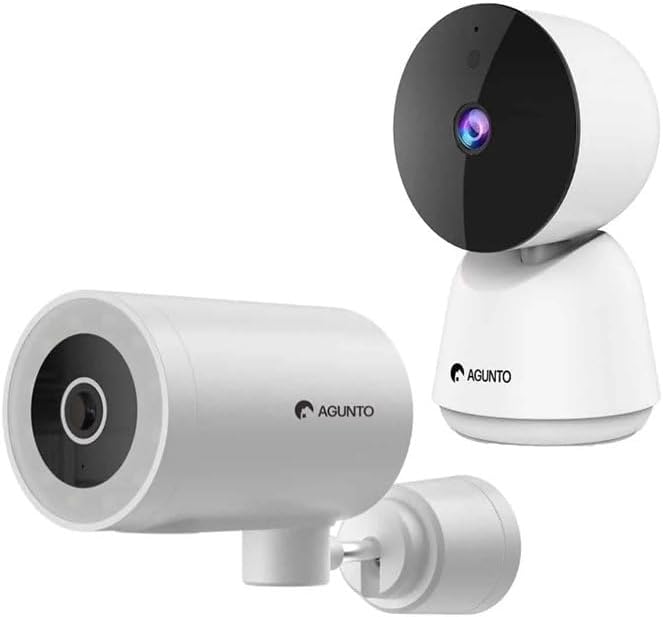
Image: The Agunto AGU-OC1 outdoor camera (left) and AGU-IC1 indoor camera (right), forming the complete security camera set.
2. Продукт закінчивсяview
The Agunto Security Camera Set includes two primary components: the AGU-OC1 outdoor camera and the AGU-IC1 indoor camera. This system is designed to provide comprehensive surveillance for both indoor and outdoor environments.
2.1. AGU-OC1 Outdoor Camera
- роздільна здатність: 1080P
- Об'єктив: 180-degree rotatable lens
- Стійкість до погодних умов: IP66 водонепроникний і пилонепроникний
- Нічне бачення: Infrared night vision and color night vision (due to built-in lamp)
- виявлення: Виявлення руху та звуку
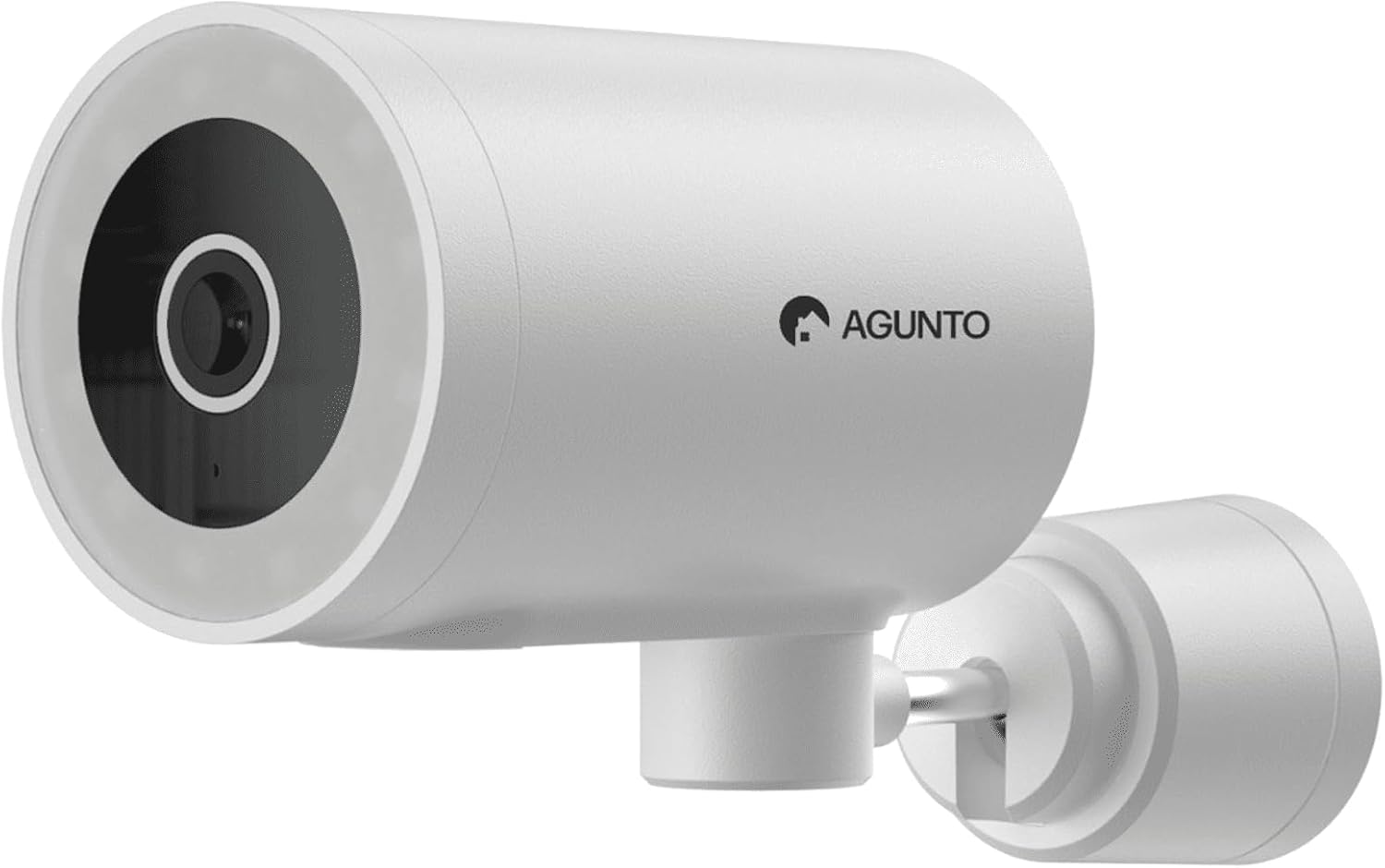
Зображення: Детальний view of the Agunto AGU-OC1 outdoor camera, highlighting its robust design and lens.
2.2. AGU-IC1 Indoor Camera
- роздільна здатність: 1080P
- Об'єктив: 359-degree rotatable lens
- Нічне бачення: Інфрачервоне нічне бачення
- виявлення: Виявлення руху та звуку

Image: The Agunto AGU-IC1 indoor camera, shown with its product packaging, indicating Wi-Fi connectivity and Google Assistant compatibility.
3. Налаштування та встановлення
3.1. Перш ніж почати
- Ensure you have a stable Wi-Fi connection.
- Download the free Agunto app from the App Store (iOS) or Google Play Store (Android).
- Unpack all components and verify contents against the packing list.

Image: A screenshot of the Agunto mobile application interface, demonstrating remote control capabilities and links to download the app from the App Store and Google Play.
3.2. Встановлення програми та створення облікового запису
- шукати "Agunto" in your device's app store and install the application.
- Open the Agunto app and follow the on-screen prompts to create a new account or log in if you already have one.
3.3. Розміщення та кріплення камери
AGU-OC1 Outdoor Camera:
- Виберіть місце з чітким view області, яку ви бажаєте контролювати.
- Переконайтеся, що камера знаходиться в зоні дії вашої мережі Wi-Fi.
- Mount the camera securely to a wall using the provided mounting hardware. The camera supports wall mounting.
AGU-IC1 Indoor Camera:
- Place the camera on a flat surface or mount it to a wall/ceiling in a central location for optimal coverage.
- Ensure it is within Wi-Fi range.
3.4. Connecting Cameras to the App
- Open the Agunto app.
- Натисніть значок «+», щоб додати новий пристрій.
- Select the appropriate camera model (AGU-OC1 or AGU-IC1).
- Follow the in-app instructions to connect each camera to your Wi-Fi network. This typically involves scanning a QR code displayed on your phone with the camera's lens or entering Wi-Fi credentials.
- Once connected, you can name each camera for easy identification.
4. Інструкція з експлуатації
4.1. Жити View та пульт дистанційного керування
- Open the Agunto app.
- Select the desired camera from the device list to view його пряма трансляція.
- For AGU-OC1, use the app to rotate the 180-degree lens.
- For AGU-IC1, use the app to control the 359-degree pan/tilt function.
4.2. Запис та зберігання
The camera set supports two storage options:
- Micro SD Card: Insert a Micro SD card (not included) into the designated slot on each camera for local storage of recordings.
- Хмарне сховище: Utilize the cloud storage options provided through the Agunto app (subscription may be required).
4.3. Нічне бачення
- Both cameras feature infrared night vision for clear images in low-light conditions.
- The AGU-OC1 outdoor camera also has a built-in lamp for color night vision, providing enhanced visibility at night.
4.4. Виявлення руху та звуку
- Enable motion and sound detection in the Agunto app settings for each camera.
- Receive real-time alerts on your smartphone when motion or sound is detected.
- Adjust sensitivity settings to minimize false alarms.
5. Технічне обслуговування
- Прибирання: Gently wipe the camera lenses and body with a soft, dry cloth. Do not use harsh chemicals or abrasive cleaners.
- Оновлення прошивки: Regularly check the Agunto app for available firmware updates to ensure optimal performance and security.
- Стабільність мережі: Ensure your Wi-Fi network remains stable for uninterrupted camera operation.
6. Вирішення проблем
6.1. Камера не підключається до Wi-Fi
- Переконайтеся, що пароль Wi-Fi введено правильно.
- Перемістіть камеру ближче до вашого Wi-Fi роутера.
- Перезавантажте роутер і камеру.
- Verify that your Wi-Fi network is 2.4GHz, as these cameras may not support 5GHz networks.
6.2. No Live View / Offline Camera
- Перевірте підключення до Інтернету.
- Переконайтеся, що камеру ввімкнено.
- Restart the camera from its power source.
- Якщо проблема не зникає, спробуйте повторно підключити камеру до програми.
6.3. Motion Detection Not Working
- Перевірте, чи в налаштуваннях програми ввімкнено функцію виявлення руху.
- Налаштуйте рівень чутливості.
- Переконайтеся, що немає перешкод, що блокують камеру view.
6.4. Погана якість зображення
- Очистіть об'єктив камери.
- Забезпечте достатнє освітлення в зоні спостереження.
- Check your internet speed, as low bandwidth can affect streaming quality.
7. Технічні характеристики
| Особливість | Деталь |
|---|---|
| Бренд | Agunto |
| Назва моделі | AGU-OC1IC1 |
| Протокол підключення | Wi-Fi |
| Сумісні пристрої | Смартфон |
| Тип монтажу | Настінне кріплення |
| матеріал | пластик |
| Product Dimensions (L x B x H) | 10 х 4.4 х 7.3 см |
| Вага товару | 78 грамів |
| Потрібні батареї | немає |
| Outdoor Camera (AGU-OC1) Features | 1080P, 180-degree rotatable lens, IP66 waterproof/dustproof, Infrared & Color Night Vision |
| Indoor Camera (AGU-IC1) Features | 1080P, 359-degree rotatable lens, Infrared Night Vision |
| Параметри зберігання | Micro SD card (local), Cloud storage |
8. Гарантія та підтримка
For warranty information and technical support, please refer to the official Agunto website or contact their customer service. The product is designed for long-term use with proper care and maintenance.
Політика повернення: The buybox winner indicates a 30-day return policy for refund/replacement.
Виробник: Agunto
Продавець: Homevitaal (via Amazon.nl)
Для отримання додаткової допомоги ви можете відвідати Agunto Store on Amazon.
Ask a question about this manual
Ask about setup, troubleshooting, compatibility, parts, safety, or missing instructions. Manuals+ will review the question and use this page’s manual context to help answer it.