
1. Продукт закінчивсяview
The DAYBETTER Smart WiFi LED Strip Lights (Model DC50722020W-WAUS0) provide versatile and customizable lighting for indoor spaces. These 100ft LED strips offer 16 million colors, multiple scene modes, and can be controlled via a dedicated smartphone app, voice commands through Alexa or Google Assistant, or an included remote control. Designed for easy installation, they enhance the ambiance of bedrooms, kitchens, stairs, dining rooms, ceilings, and large party areas.
Ключові характеристики:
- Smart APP Control: Control via WiFi and Bluetooth with the Daybetter APP, offering 16 million colors and various scene modes.
- Голосове керування: Compatible with Alexa Echo and Google Assistant for hands-free operation.
- Синхронізація музики: Activate music mode to synchronize light changes with audio.
- Таймер і розклад: Program automatic on/off times and countdown timers.
- Легка установка: Self-adhesive backing allows for simple mounting on clean, dry surfaces. Cuttable design for custom lengths.
2. Налаштування та встановлення
Follow these steps for proper installation of your DAYBETTER Smart WiFi LED Strip Lights:
- Розпакуйте компоненти: Carefully remove all items from the packaging. Ensure you have the LED strip lights, power adapter, and remote control.
- Підготувати поверхню: Choose a clean, dry, and smooth surface for installation. Wipe down the area to remove any dust or debris.
- Вимірювання та вирізання (необов'язково): If a shorter length is desired, cut the LED strip along the designated cut marks (usually indicated by a copper line or scissor icon). Do not cut elsewhere, as this may damage the strip.
- Підключіть адаптер живлення: Connect the LED strip to the power adapter. Ensure the connection is secure.
- Застосування світлодіодної стрічки: Peel off the adhesive backing from the LED strip. Carefully press the strip onto the prepared surface, ensuring firm contact along its entire length. For corners, gently bend the strip or use corner connectors (if included and desired for a cleaner look).
- Плагін: Підключіть адаптер живлення до стандартної електричної розетки.
- Початковий тест: Use the remote control or the Daybetter app to turn on the lights and test various colors and modes.
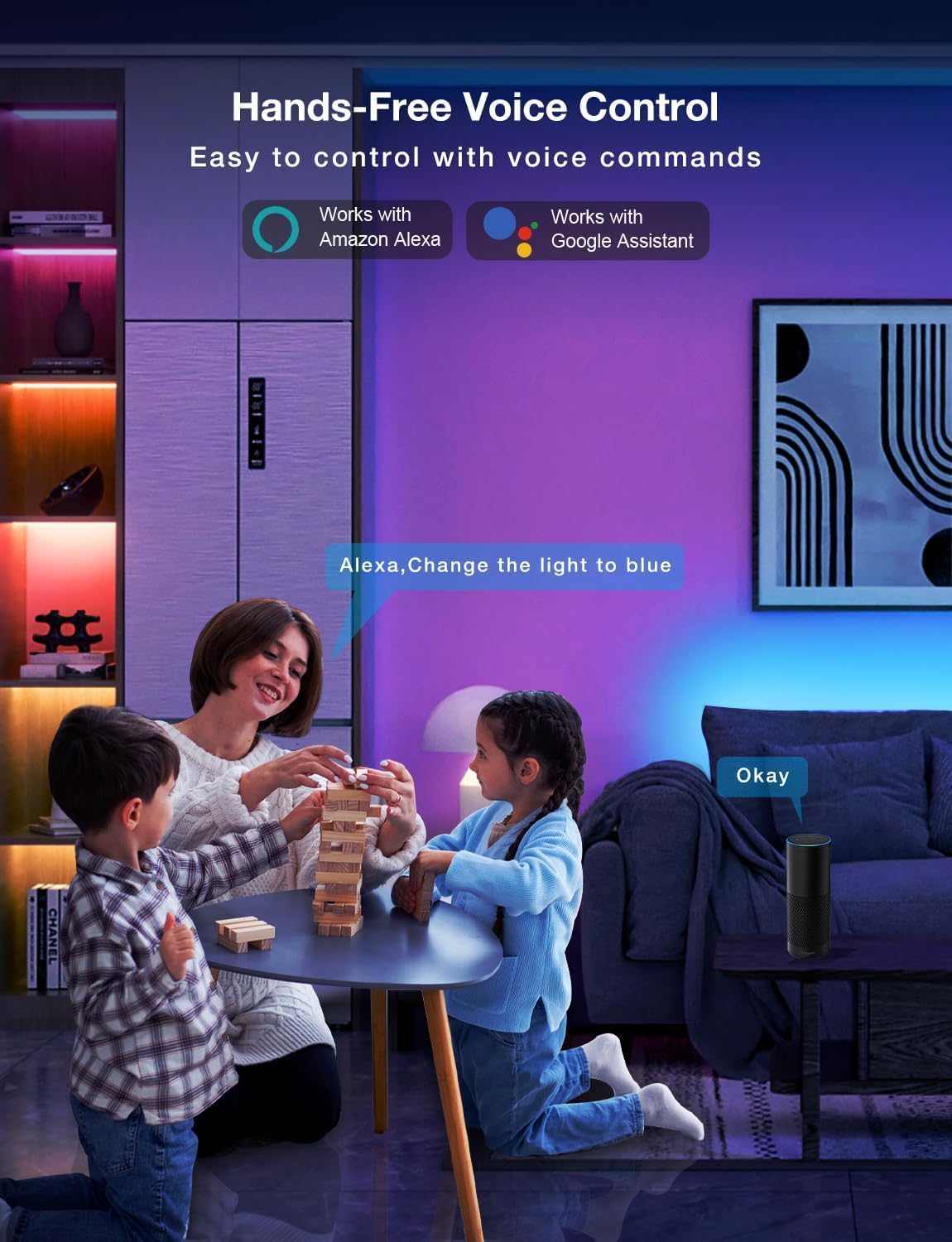
Image: Demonstrating the flexible LED strip and its adhesive backing for easy installation.

Зображення: Оверview of the three easy setup methods: Voice Control, Daybetter App Control, and IR Remote Control.
Video: A user demonstrating the installation process and various color changes of the LED strip lights in a home setting.
3. Інструкція з експлуатації
Your DAYBETTER LED Strip Lights offer multiple control options:
3.1. Daybetter App Control (WiFi & Bluetooth)
- Завантажити додаток: шукати "Daybetter" in your smartphone's app store (iOS or Android) and install the application.
- Реєстрація/Вхід: Створіть обліковий запис або увійдіть, якщо у вас його вже є.
- Додати пристрій: Follow the in-app instructions to add your LED strip lights. This typically involves ensuring the lights are powered on and your phone's Bluetooth is enabled for initial pairing.
- Особливості управління:
- Вибір кольору: Choose from 16 million colors using the color wheel.
- Регулювання яскравості: Adjust the light intensity from 0-100%.
- Сюжетні режими: Select from pre-set dynamic lighting effects (e.g., Party, Valentine Day, Halloween, Christmas).
- Синхронізація музики: Activate music mode to synchronize light changes with audio.
- Таймер і розклад: Set specific times for lights to turn on/off or create countdown timers.

Image: The Daybetter app interface showing color selection and brightness control.
3.2. Голосове керування (Alexa та Google Assistant)
- Connect to Smart Assistant: Ensure your Daybetter app is linked to your Amazon Alexa or Google Assistant account. Follow the instructions provided by your smart assistant app to enable the Daybetter skill/service.
- Голосові команди: Використовуйте такі команди, як:
- «Alexa/Hey Google, увімкни [Ім’я світла]».
- «Alexa/Hey Google, вимкни [Ім’я світла]».
- "Alexa/Hey Google, set [Light Name] to blue."
- "Alexa/Hey Google, dim [Light Name] to 50%."

Image: Voice control in action, showing a user interacting with a smart assistant to control the LED lights.
3.3. Пульт дистанційного керування
The included IR remote control allows for basic functions:
- Увімкнення/вимкнення живлення: Dedicated buttons for turning the lights on and off.
- Вибір кольору: Buttons for common colors (Red, Green, Blue, White, etc.).
- Регулювання яскравості: Збільшити або зменшити яскравість.
- Динамічні режими: Select from various pre-programmed modes like Jump, Fade, etc.
- Музичні режими: Activate music-reactive modes.

Image: The included IR remote control for direct light adjustments.
4. Технічне обслуговування
Щоб забезпечити довговічність та оптимальну роботу ваших світлодіодних стрічок:
- Прибирання: Gently wipe the LED strips with a soft, dry cloth to remove dust. Avoid using harsh chemicals or abrasive cleaners.
- Догляд за клеєм: If the adhesive begins to lose its stickiness, ensure the surface is clean and dry. For re-application, consider using additional adhesive clips or double-sided tape designed for light strips.
- Джерело живлення: Ensure the power adapter is not covered or placed in an area with poor ventilation to prevent overheating.
- Водонепроникність: These lights are rated IP20 and are не водонепроникний. Avoid exposure to water or high humidity environments.
5. Вирішення проблем
Якщо у вас виникли проблеми зі світлодіодними стрічками, зверніться до наступних поширених рішень:
| проблема | Можлива причина | Рішення |
|---|---|---|
| Світло не вмикається. | Слабке з'єднання, відключення живленняtage, faulty adapter. | Check all connections (strip to adapter, adapter to outlet). Ensure the power outlet is functional. Try a different outlet. |
| Не працює пульт дистанційного керування. | Battery depleted, remote not pointed at receiver, obstruction. | Replace remote battery. Ensure direct line of sight to the IR receiver on the controller. Remove any obstructions. |
| Керування програмою не працює. | WiFi/Bluetooth issue, incorrect pairing, app glitch. | Ensure your phone's WiFi/Bluetooth is on and connected. Restart the app. Re-pair the device in the Daybetter app. Check your home WiFi network. |
| Світло тьмяне або мерехтить. | Insufficient power, damaged strip, incorrect brightness setting. | Check power connections. Adjust brightness via app or remote. If only a section is affected, that section may be damaged. |
| Клей не прилипає. | Surface not clean/dry, surface texture, old adhesive. | Clean and dry the surface thoroughly. For textured surfaces, use mounting clips or stronger double-sided tape. |
6. Технічні характеристики продукту
| Особливість | Деталь |
|---|---|
| Бренд | ДЕНЬ КРАЩЕ |
| Номер моделі | DC50722020W-WAUS0 |
| Довжина предмета | 100 Feet (2 Rolls of 50ft) |
| Світлий колір | Багатоколірний (RGB) |
| Тип джерела світла | LED |
| Використання в приміщенні/зовні | Тільки в приміщенні |
| Рівень водонепроникності | Не водонепроникний (IP20) |
| Джерело живлення | Провідний електричний |
| томtage | 12 вольт |
| Wattage | 4.5 Вт |
| Спосіб контролю | App, Voice, Remote |
| Технологія підключення | Bluetooth, WiFi |
| Сумісність із Smart Home | Alexa, Google Assistant |
| Тип матеріалу | пластик |
| Включені компоненти | LED Lights, Power Adapter, Remote Control |
7. Гарантія та підтримка
Гарантія виробника: На цей продукт надається гарантія виробника терміном 2 рік.
Політика повернення: Можливе повернення коштів/заміна протягом 30 днів з моменту покупки.
For further assistance or technical support, please refer to the contact information provided in your product packaging or visit the official DAYBETTER webсайт.