
вступ
The Havit Gamenote KB885L mechanical keyboard is engineered for precision, durability, and customization. It features a gasket structure design, providing a soft and stable typing experience while minimizing noise. The full key rollover with multi-key response ensures fast and accurate input, crucial for gaming. With customizable RGB backlighting, you can personalize your keyboard with various lighting modes and effects. The detachable USB-C cable enhances portability and simplifies cable management. This keyboard is built with mechanical switches rated for 50 million key presses, making it suitable for gamers, typists, and professionals who require long-lasting performance.
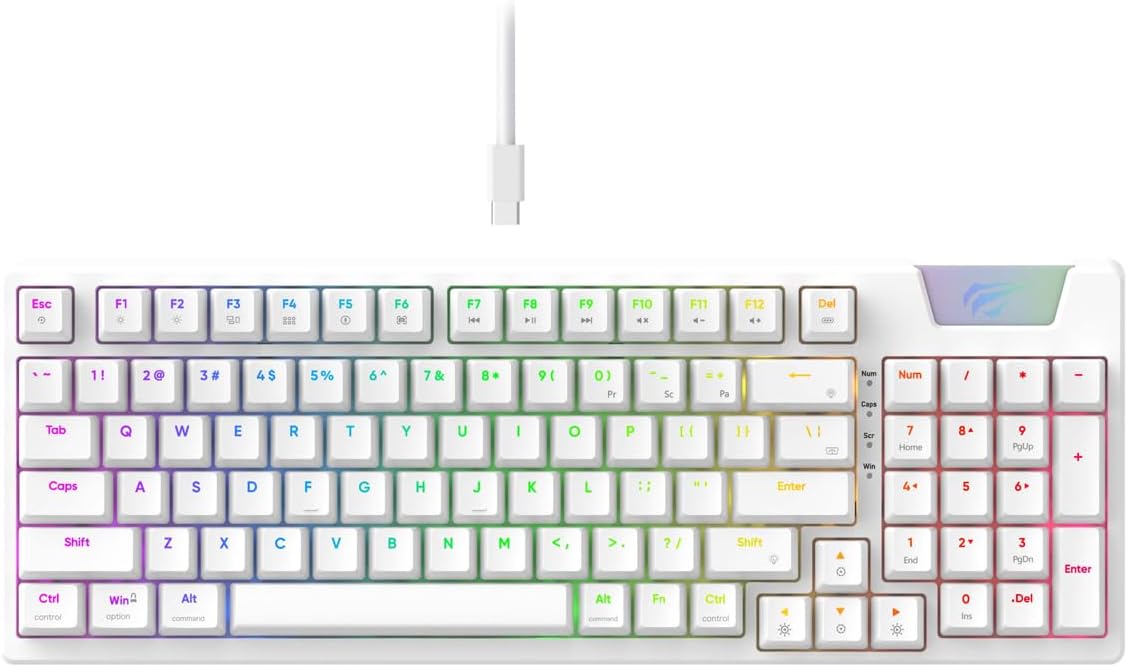
Image: The Havit Gamenote KB885L mechanical keyboard in white, showcasing its full layout and detachable USB-C cable.
Посібник із налаштування
Follow these steps to set up your Havit Gamenote KB885L mechanical keyboard:
- Розпакуйте клавіатуру: Обережно вийміть клавіатуру та її аксесуари з упаковки.
- Підключіть кабель USB-C: Insert the detachable USB Type-C cable into the port on the keyboard.
- Підключення до комп'ютера: Підключіть інший кінець USB-кабелю до вільного USB-порту комп’ютера.
- Встановлення драйвера: The keyboard is plug-and-play and typically does not require additional drivers. Your operating system should automatically detect and install the necessary drivers.
- Тест функціональності: Open a text editor or browser to test key presses and ensure all functions are working correctly.

Image: A close-up of the Havit Gamenote KB885L keyboard highlighting its portable design and detachable cable for easy setup and transport.
Інструкція з експлуатації
The Havit Gamenote KB885L keyboard offers various features for an enhanced user experience:
Керування RGB-підсвічуванням
The keyboard features customizable RGB backlighting. Use the following key combinations to adjust lighting effects:
- Fn + [клавіша]: Cycle through different RGB lighting modes. (Specific key combinations may vary, refer to on-keyboard legends if available).
- Fn + клавіші зі стрілками: Adjust brightness and speed of lighting effects.

Image: The Havit Gamenote KB885L keyboard displaying its vibrant RGB backlighting, illustrating customizable lighting effects.
Full Key Rollover (NKRO)
This keyboard supports Full Key Rollover, meaning every key press is registered independently, regardless of how many keys are pressed simultaneously. This feature is essential for fast-paced gaming and typing, preventing ghosting or missed inputs.
Ергономічний дизайн
The keyboard is designed with ergonomics in mind to provide comfort during extended use. Its layout and keycap profile aim to reduce strain on your wrists and fingers.

Зображення: А view of the Havit Gamenote KB885L keyboard highlighting its ergonomic design for comfortable use.
Технічне обслуговування
Правильне обслуговування забезпечує довговічність та оптимальну роботу вашої клавіатури:
- Прибирання: Регулярно очищуйте клавіатуру м’якою сухою тканиною. Для ретельнішого очищення використовуйте стиснене повітря, щоб видалити пил і сміття між клавішами. Для стійкого бруду злегка протрітьamp можна використовувати тканину з м’яким милом, переконавшись, що рідина не потрапить на клавіатуру.
- Уникайте розливів: Keep liquids away from the keyboard to prevent damage to the internal components. In case of a spill, immediately disconnect the keyboard and allow it to dry completely before reconnecting.
- Догляд за кабелем: Handle the detachable USB-C cable with care. Avoid sharp bends or excessive pulling to prevent damage to the cable or connectors.
- Зберігання: Коли клавіатура не використовується, зберігайте її в чистому, сухому місці, подалі від екстремальних температур.
Усунення несправностей
If you encounter issues with your Havit Gamenote KB885L keyboard, try the following solutions:
- Клавіатура не реагує:
- Переконайтеся, що кабель USB-C надійно підключено як до клавіатури, так і до комп’ютера.
- Спробуйте підключити клавіатуру до іншого USB-порту на комп'ютері.
- Перевірте клавіатуру на іншому комп’ютері, щоб визначити, чи проблема в клавіатурі, чи у вашій системі.
- Світильники RGB не працюють:
- Check if the lighting is turned off using the Fn key combinations.
- Переконайтеся, що клавіатура належним чином підключена до USB-з'єднання.
- Клавіші не реєструються / фантомні:
- Due to full key rollover, this is unlikely. However, ensure no debris is lodged under the keycap.
- If a specific key is consistently failing, it might indicate a switch issue. Contact support if the problem persists.
Технічні характеристики
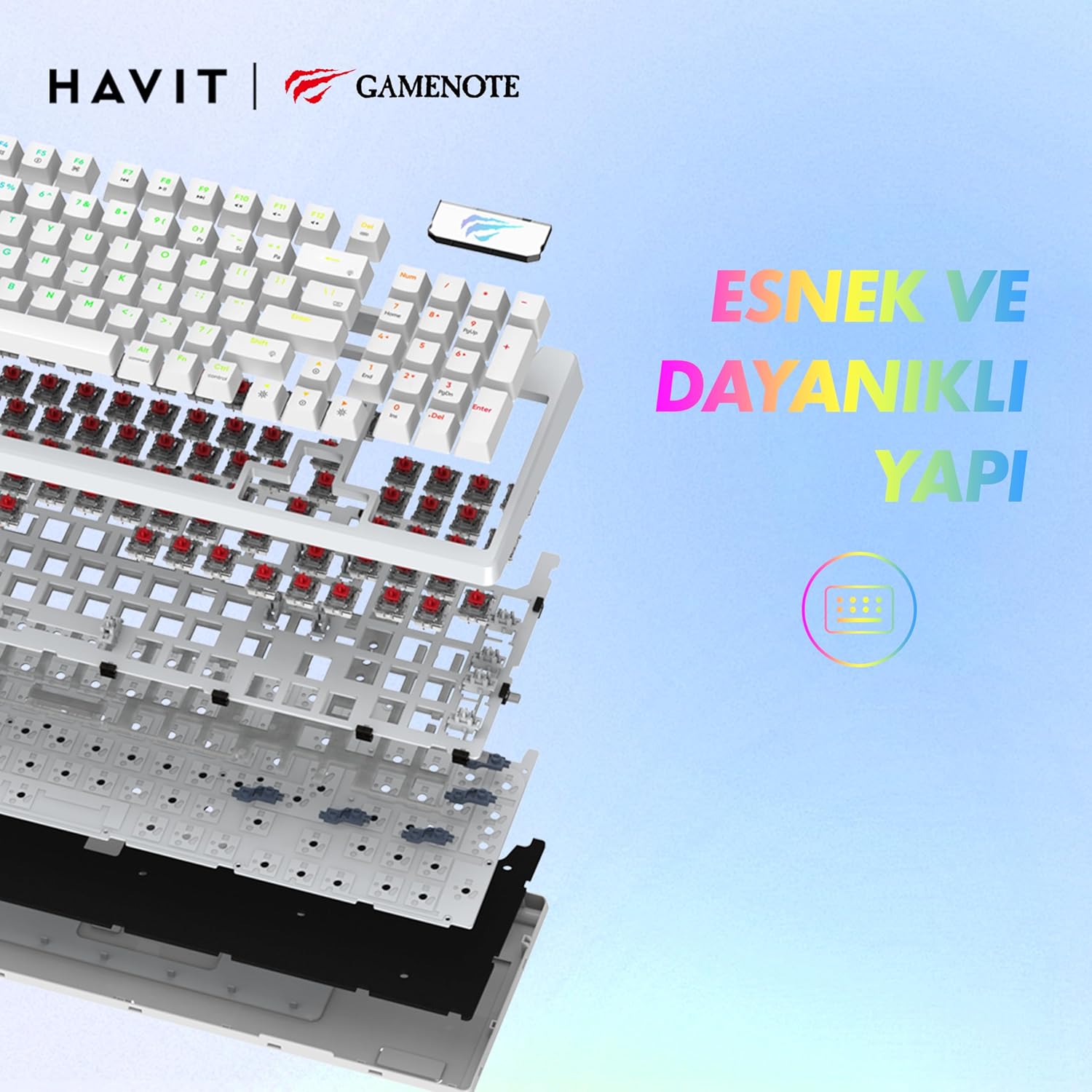
Зображення: Вибух view of the Havit Gamenote KB885L keyboard, illustrating its internal gasket structure for enhanced stability and typing feel.
| Особливість | Деталь |
|---|---|
| Бренд | Хавіт |
| Номер моделі | KB885L |
| Сумісні пристрої | комп'ютер |
| Технологія підключення | USB |
| Опис клавіатури | Ігри |
| Рекомендоване використання | Ігри |
| Особливість | Портативний |
| Колір | Білий |
| Підтримка кольорів підсвічування | RGB (Red, Green, Blue model) |
| Стиль | Сучасний |
| Розміри продукту (Д x Ш x В) | 38.7 х 14 х 4.5 см |
| Мова | англійська |
| Джерело живлення | USB живлення |
| Тип перемикача | Тактильний |
| Розкладка клавіатури | QWERTY |
| Орієнтація руки | Амбідекстр |
| Кількість клавіш | 95 |
| Кількість кнопок | 104 |
| Включені компоненти | USB кабель |
| матеріал | пластик |
| Key Press Lifespan | 50 Million (from description) |

Image: An illustration highlighting the Havit Gamenote KB885L's durable mechanical switches, rated for a 50 million key press lifespan.
Інформація про гарантію
The Havit Gamenote KB885L Mechanical Keyboard comes with a один рік гарантії from the date of purchase. This warranty covers manufacturing defects and issues arising from normal use. It does not cover damage caused by misuse, accidents, unauthorized modifications, or improper maintenance. Please retain your proof of purchase for warranty claims.
Підтримка клієнтів
For further assistance, technical support, or warranty inquiries, please contact Havit customer service through their official website or the retailer where you purchased the product. Have your model number (KB885L) and proof of purchase ready when contacting support.


