
вступ
Дякуємо за покупкуasing the SNAKEBYTE GAMEPAD RGB X SB922312 wired controller. This manual provides essential information for setting up, operating, and maintaining your new gaming controller. Please read this manual thoroughly before use to ensure optimal performance and longevity of your device.

Фронт view of the SNAKEBYTE GAMEPAD RGB X SB922312 wired controller, showcasinйого ергономічний дизайн та розташування кнопок.
Вміст упаковки
Перевірте наявність усіх елементів в упаковці:
- SNAKEBYTE GAMEPAD RGB X SB922312 Wired Controller
- USB-C Cable (3 meters)
- Посібник користувача (цей документ)
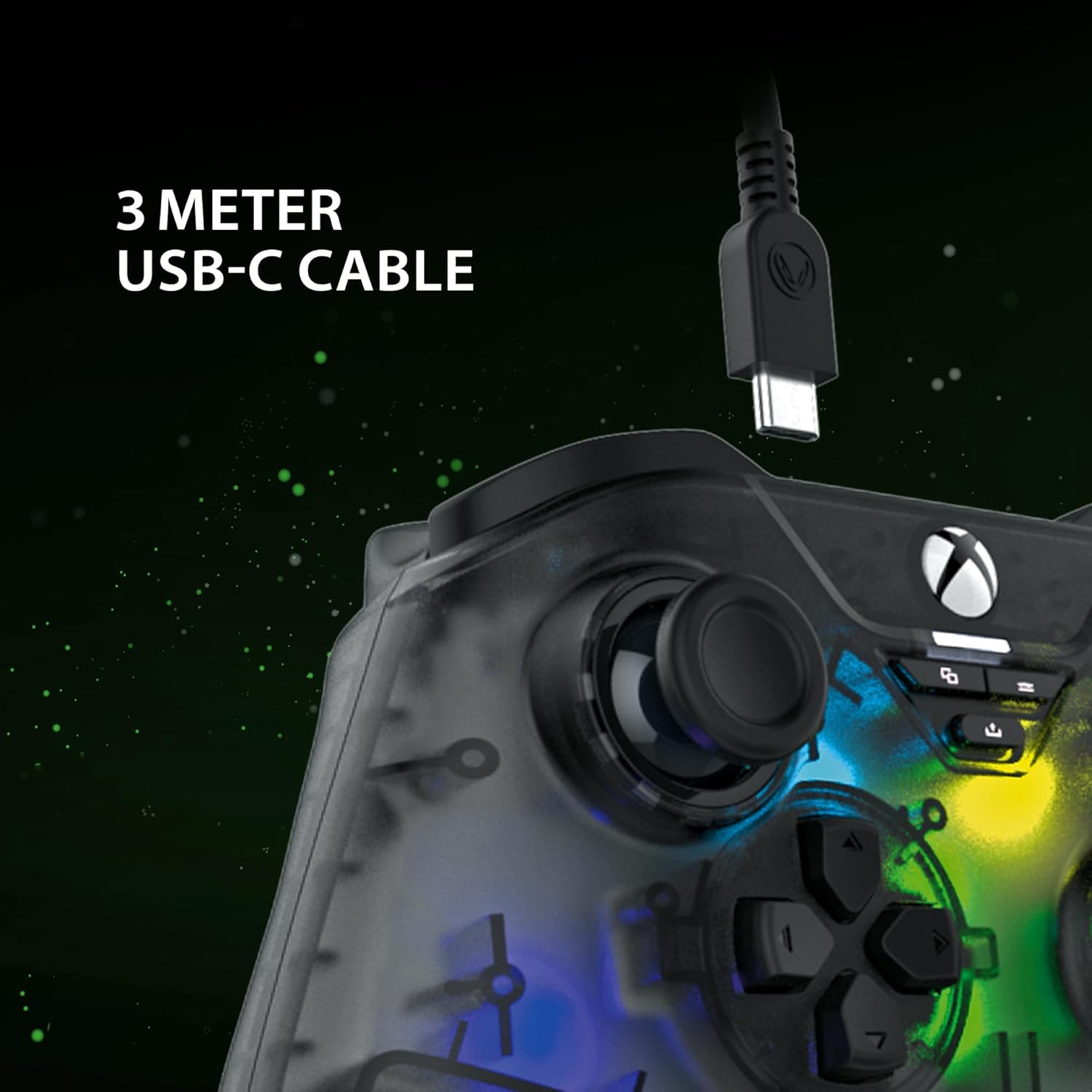
The included 3-meter USB-C cable for connecting the controller to your device.
Інструкції з налаштування
- Connect to Xbox Series X:
- Plug the USB-C end of the cable into the controller.
- Plug the USB-A end of the cable into an available USB port on your Xbox Series X console.
- Контролер автоматично підключиться та буде готовий до використання.
- Підключення до ПК:
- Plug the USB-C end of the cable into the controller.
- Підключіть кінець кабелю USB-A до вільного USB-порту на вашому ПК.
- Your PC should automatically detect and install the necessary drivers. If not, please visit the SNAKEBYTE support webсайт для завантаження драйверів.
- The controller is compatible with Windows operating systems.
Інструкція з експлуатації
Розташування та функції кнопок
The controller features a standard Xbox-style button layout. Familiarize yourself with the following components:
- Аналогові стіки: Два клікабельні аналогові джойстики для точного руху та керування камерою.
- D-Pad: Спрямована панель для навігації по меню та виконання певних ігрових дій.
- Кнопки дій (A, B, X, Y): Стандартні кнопки дій для ігрових команд.
- Плечові ґудзики (LB, RB): Located on the top edge for quick actions.
- Тригери (LT, RT): Аналогові тригери для змінних вхідних даних, таких як прискорення або прицілювання.
- View кнопка: Access in-game maps or menus.
- Кнопка меню: Доступ до ігрових меню або системних опцій.
- Кнопка Xbox: Power on/off the console or access the Xbox Guide.
- Кнопка «Поділитися»: Capture screenshots or record game clips.
- Гніздо для гарнітури 3.5 мм: Connect a compatible headset for audio and chat.

The 3.5mm headset jack located at the bottom of the controller for audio connectivity.
Управління освітленням RGB
The controller features customizable RGB lighting. Specific buttons or combinations of buttons can be used to cycle through different static and dynamic color modes. Refer to the controller's dedicated RGB control button (if present) or the manufacturer's software for detailed customization options.

The controller displaying its customizable RGB lighting effects.
Ключові характеристики
- Hall Effect Sensors: The analog sticks and triggers utilize Hall Effect sensors, which provide precise input and reduce wear, minimizing stick drift over time.
- Настроюване освітлення RGB: Personalize your gaming experience with multiple static and dynamic RGB color modes.
- Дротове підключення: Ensures a stable, low-latency connection for competitive gaming.
- Гніздо для гарнітури 3.5 мм: Conveniently connect your gaming headset directly to the controller.
- High Polling Rate (PC): Offers a 1000 Hz polling rate on PC for ultra-responsive input.

An illustration of the Hall Effect sensor technology used in the analog sticks for enhanced precision and durability.

The Hall Effect triggers, designed for responsive and accurate input.
Технічне обслуговування
Proper maintenance ensures the longevity of your controller:
- Прибирання: Використовуйте м’яку суху тканину для протирання контролера. Для стійкого бруду злегкаampпрополощіть тканину водою. Уникайте агресивних хімікатів або абразивних матеріалів.
- Зберігання: Зберігайте контролер у прохолодному, сухому місці, подалі від прямих сонячних променів та екстремальних температур.
- Догляд за кабелем: Avoid bending or twisting the USB-C cable excessively. Always grasp the plug, not the cable, when disconnecting.
Усунення несправностей
| проблема | Рішення |
|---|---|
| Контролер не розпізнається Xbox/ПК. |
|
| Кнопки або аналогові джойстики не реагують. |
|
| Headset audio not working. |
|
Технічні характеристики
| Особливість | Деталь |
|---|---|
| Номер моделі | SB922312 |
| Підключення | Wired USB (USB-C to USB-A cable) |
| Довжина кабелю | 3 метрів |
| Сумісність | Xbox Series X, PC (Windows) |
| Особливості | RGB Lighting, Hall Effect Sensors (sticks & triggers), 3.5mm Headset Jack |
| Polling Rate (PC) | 1000 Гц |
| Кількість кнопок | 17 |
| Розміри | 10 х 5 х 1.27 см |
| вага | 250 г |
| Тип матеріалу | Акрилові |
Офіційне відео продукту
Це відео пропонує огляд на 360 градусів view of the SNAKEBYTE GAMEPAD RGB X SB922312 controller, showcasinг його дизайн з усіх ракурсів.
Гарантія та підтримка
For warranty information, technical support, or further assistance, please visit the official SNAKEBYTE webсайт або зверніться до служби підтримки клієнтів. Зберігайте чек про покупку для гарантійних випадків.
Виробник: SNAKEBYTE
Webсайт: www.snakebyte.com (Вихampпосилання, фактичне посилання може відрізнятися)