
вступ
This manual provides comprehensive instructions for the setup, operation, and maintenance of your Surfans F22 Portable HiFi MP3 Player. Please read this manual thoroughly before using the device to ensure proper functionality and to maximize your listening experience.
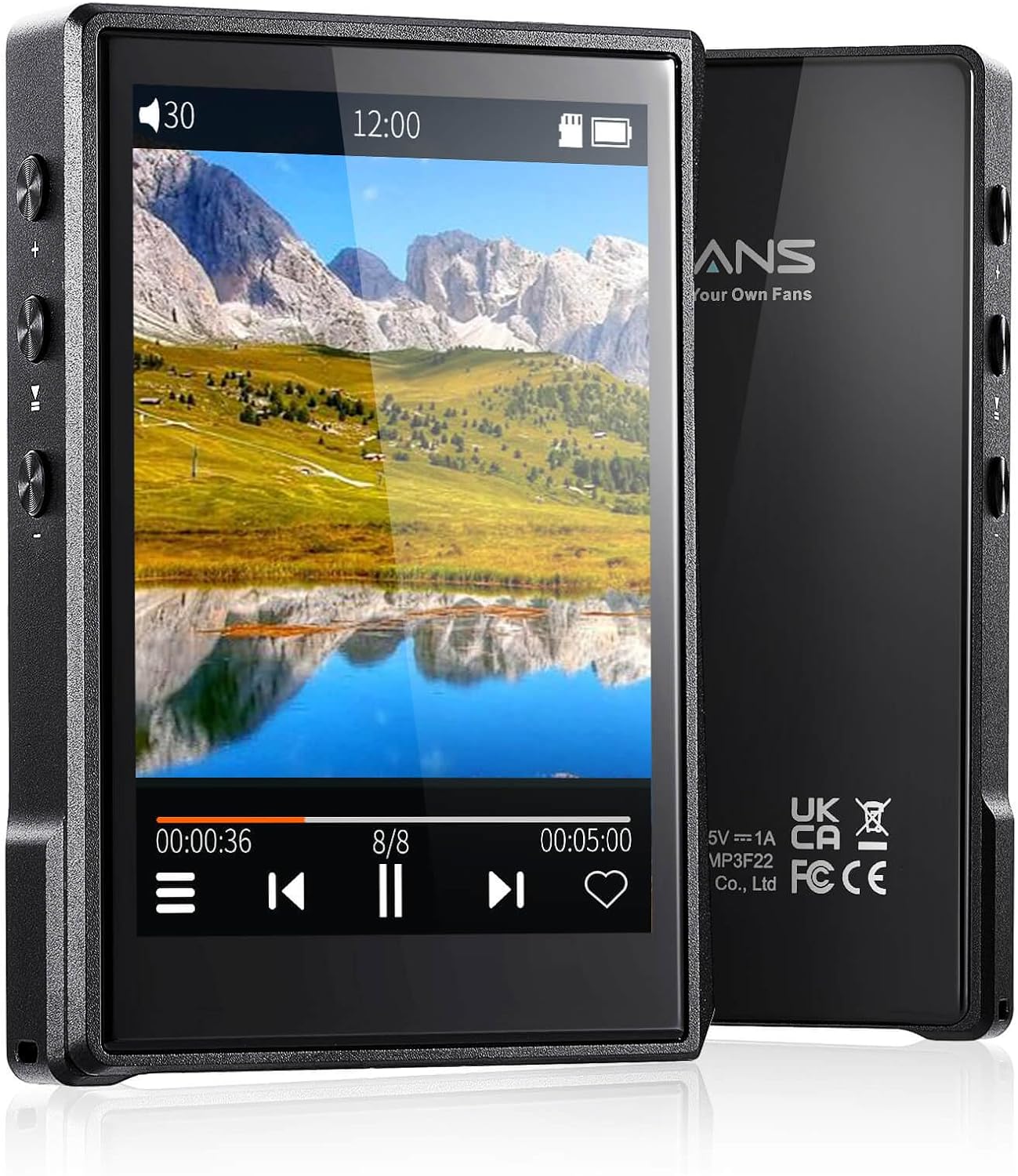
Зображення: Лицьова та зворотна сторони view of the Surfans F22 Portable HiFi MP3 Player, showcasing its 2.8-inch touchscreen and sleek design.
Вміст упаковки
Перевірте наявність усіх елементів в упаковці:
- Surfans F22 HiFi Music Player
- Посібник користувача (цей документ)
- Кабель USB-C
- 32GB Memory Card (pre-installed or included separately)
Пристрій закінчивсяview
Familiarize yourself with the physical components of your F22 player.

Image: Diagram illustrating the various ports and buttons on the Surfans F22 MP3 Player, including the power button, volume controls, headphone jack, and USB-C port.
- 2.8-inch IPS TFT Full Touchscreen: Main interface for navigation and control.
- Кнопка живлення: Вмикає/вимикає пристрій та блокує/розблоковує екран.
- Кнопки гучності: Регулює рівень вихідного аудіо.
- Гніздо для навушників (3.5 мм): Підключіть дротові навушники.
- Порт USB-C: Для зарядки та передачі даних.
- Слот для карти Micro SD: Для розширення сховища до 1 ТБ.
Налаштування
1. Зарядка пристрою
Before first use, fully charge the F22 player. Connect the provided USB-C cable to the device's USB-C port and the other end to a USB power adapter (not included) or a computer's USB port. The charging indicator will show progress. A full charge typically takes approximately 2 hours and provides up to 10 hours of playback.
2. Вставлення карти пам'яті Micro SD
The F22 comes with a 32GB memory card. For additional storage, you can insert a Micro SD card (up to 1TB) into the designated slot. Ensure the card is inserted correctly until it clicks into place.

Image: A Surfans F22 MP3 Player shown with a Micro SD card being inserted into its slot, illustrating the expandable storage capability.
3. Перенесення музики Files
Connect the F22 player to your computer using the USB-C cable. The device will appear as a removable storage drive. Drag and drop your music files (FLAC, WMA, WAV, DSF, DSD, MP3, etc.) into the appropriate folders on the player's internal storage or the Micro SD card.

Image: A Surfans F22 MP3 Player displaying music playback, with a person wearing headphones in the background, symbolizing the high-fidelity audio experience.
Інструкція з експлуатації
1. Power On/Off and Screen Lock
- Щоб увімкнути живлення, натисніть і утримуйте кнопку живлення, доки екран не підсвітиться.
- To power off, press and hold the Power button, then select "Power Off" on the screen.
- To lock/unlock the screen, briefly press the Power button.
2. Навігація інтерфейсом
The F22 features a 2.8-inch touchscreen for navigation. Swipe left/right or up/down to browse menus and lists. Tap icons to select options or open applications.
3. Відтворення музики
- From the main menu, select "Music" to access your library.
- Browse by Artist, Album, Song, Genre, or Folder.
- Торкніться пісні, щоб розпочати відтворення.
- During playback, use the on-screen controls for play/pause, skip track, and volume adjustment. Physical volume buttons also control volume.

Image: The Surfans F22 MP3 Player screen showing options for music playback modes: List play, Single play, List loop, and Random, indicating flexible listening options.
4. Підключення Bluetooth
The F22 supports Bluetooth 4.2 for wireless audio output.
- Перейдіть до «Налаштувань» та виберіть «Bluetooth».
- Turn Bluetooth on. The player will scan for available devices.
- Виберіть зі списку потрібні Bluetooth-навушники або динамік для сполучення.
- Once paired, audio will stream wirelessly to the connected device.

Image: A visual representation of the Surfans F22 MP3 Player's Bluetooth 4.2 capabilities, showing connections to Bluetooth headphones, a Bluetooth speaker, and a car stereo system.
5. E-Book Functionality
The F22 also supports E-book reading.
- Transfer compatible E-book files до пристрою.
- From the main menu, select "E-book".
- Browse and select a book to open and read.
Технічне обслуговування
- Прибирання: Використовуйте м’яку суху тканину для очищення пристрою. Уникайте рідких засобів для чищення або абразивних матеріалів.
- Зберігання: Зберігайте програвач у прохолодному, сухому місці, подалі від прямих сонячних променів та екстремальних температур.
- Догляд за акумулятором: Щоб продовжити термін служби акумулятора, уникайте частого повного розряджання акумулятора. Регулярно заряджайте пристрій, навіть якщо він не використовується протягом тривалого часу.
- Оновлення програмного забезпечення: Перевірте виробника website periodically for firmware updates to ensure optimal performance and new features.
Усунення несправностей
| проблема | Можлива причина | Рішення |
|---|---|---|
| Пристрій не включається. | Низький заряд батареї. | Заряджайте пристрій не менше 30 хвилин. |
| Ні звуку. | Volume too low; headphones not connected properly; incorrect audio output. | Increase volume; ensure headphones are fully plugged in; check Bluetooth connection if using wireless. |
| Неможливо передати files. | USB cable issue; device not recognized by computer. | Try a different USB port or cable; ensure the device is in data transfer mode if prompted. |
| Нестабільне з'єднання Bluetooth. | Interference; device too far from player. | Reduce distance between devices; avoid obstacles; try re-pairing. |
| Екран не реагує. | Тимчасовий збій програмного забезпечення. | Perform a soft reset by holding the Power button until the device restarts. |
Технічні характеристики
| Особливість | Деталь |
|---|---|
| Модель | Surfans F22 Hi Res Music Player |
| Процесор | RK3308G 64-bit Quad-core ARM Cortex-A35 |
| Дисплей | 2.8-inch IPS TFT Full Touchscreen (240*320 resolution) |
| Підтримувані аудіоформати | FLAC, WMA, WAV, DSF, DSD (Native DSD 128/256), PCM (up to 384kHz/32bit), DFF, DTS, APE, OGG, M4A, AIFF, AAC, MP3, Apple Lossless |
| Bluetooth | Версія 4.2 |
| Внутрішня пам'ять | 32 ГБ (в комплекті) |
| Розширюване сховище | Карта Micro SD до 1 ТБ |
| Акумулятор | Полімер літію 1500mAh |
| Термін служби батареї | До 10 годин відтворення |
| Час зарядки | Approximately 2 hours (fast charge) |
| Розміри | 4.72 x 3.15 x 1.77 дюймів |
| вага | 7.4 унції |
| Підключення | USB-C |
| Особливості | Equalizer, Hi-Res Audio, E-book function |
Гарантія та підтримка
The Surfans F22 Portable HiFi MP3 Player comes with a one-year return and exchange guarantee from the date of purchase. This warranty covers manufacturing defects under normal use.
For technical support, warranty claims, or further assistance, please contact Surfans customer service through their official website or the retailer where the product was purchased. Please have your purchase receipt and product model number (F22) available when contacting support.
Виробник: Surfans
Webсайт: Surfans Official Store