
вступ
Thank you for choosing the Cherry KW 3000 Wireless Keyboard. This full-size keyboard is designed for quiet and comfortable typing, featuring 2.4 GHz wireless technology for reliable connectivity with Windows and Mac operating systems. This manual provides essential information for setting up, operating, and maintaining your keyboard.
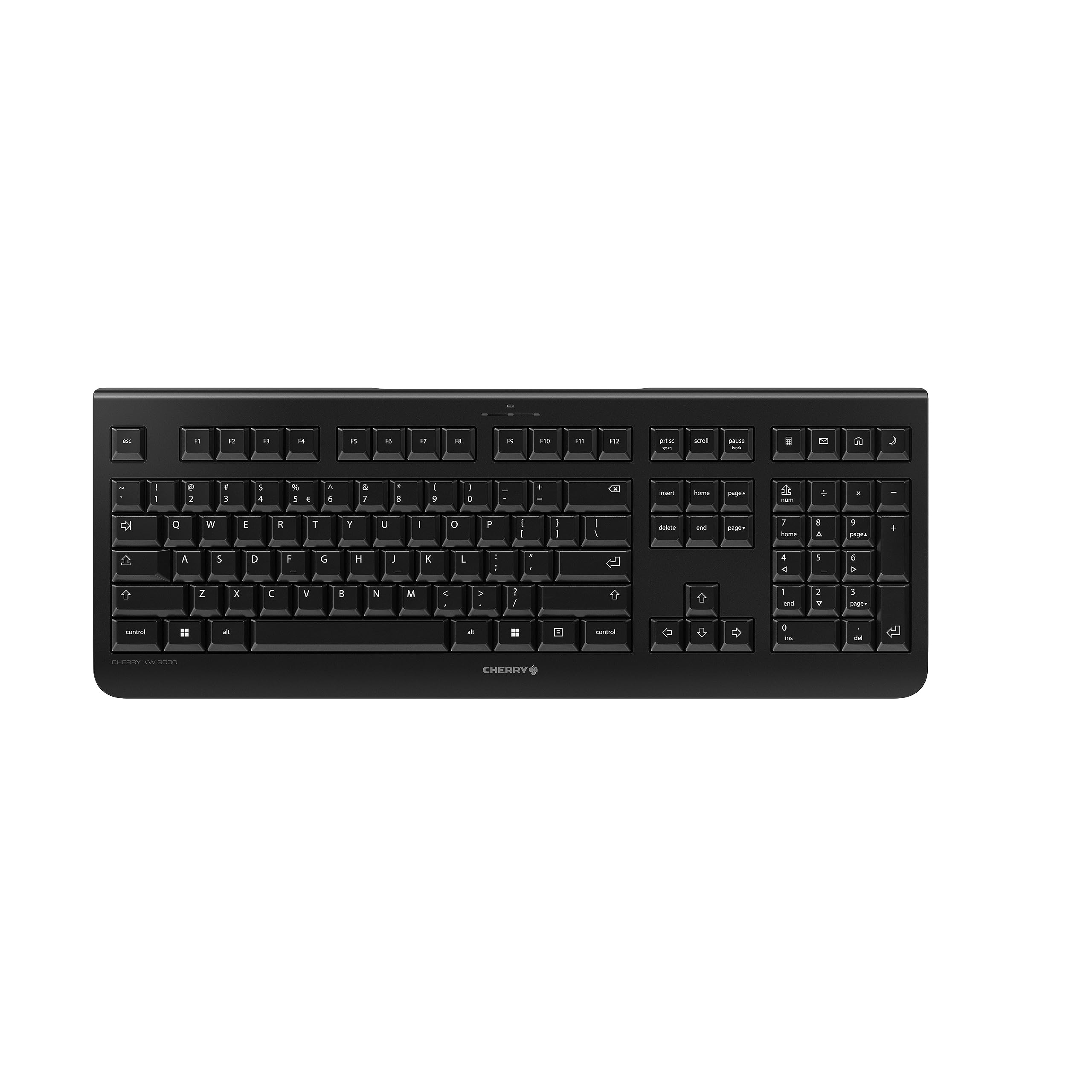
Image: The Cherry KW 3000 Wireless Keyboard, a full-size black keyboard, is shown on a light-colored desk mat. A laptop and an external monitor are visible in the background, indicating a typical office or home workspace setup. A computer mouse is also next to the keyboard.
Вміст упаковки
Будь ласка, перевірте упаковку на наявність наступних предметів:
- Cherry KW 3000 Wireless Keyboard
- USB Nano Receiver (dongle)
- 2 батареї AAA
- Короткий посібник (цей документ)
Налаштування
Follow these steps to set up your Cherry KW 3000 Wireless Keyboard:
- Вставте батареї: Locate the battery compartment on the underside of the keyboard. Open the cover and insert the two AAA batteries, ensuring correct polarity (+/-). Close the battery cover securely.
- Підключіть USB-приймач: Plug the USB nano receiver into an available USB-A port on your computer (Windows or Mac). The operating system will automatically detect and install the necessary drivers.
- Почніть друкувати: Your keyboard is now ready for use. There is no on/off switch; the keyboard enters a power-saving sleep mode automatically when not in use and wakes up with any key press.

Image: The underside of the keyboard is shown, highlighting the battery compartment. The adjustable feet are also visible in their extended position.

Image: A small black USB nano receiver, labeled 'CHERRY', is shown on a light-colored surface, ready to be plugged into a computer's USB port.
Інструкція з експлуатації
Основне користування
The Cherry KW 3000 features a standard full-size QWERTY layout, including a numeric keypad and function keys. Simply begin typing as you would with any standard keyboard.
Гарячі клавіші
The keyboard includes four dedicated hotkeys for quick access to common functions:
- Калькулятор: Відкриває програму калькулятора.
- Електронна пошта: Launches your default email client.
- Браузер: Відкриває ваш стандартний web браузер.
- Режим сну: Puts your computer into sleep mode.

Зображення: Крупний план view of the upper right section of the keyboard, showing the four dedicated hotkeys with icons for calculator, email, web browser, and sleep mode.
Регульовані ніжки
For ergonomic comfort, the keyboard is equipped with stable fold-out feet on the underside. You can extend these feet to adjust the typing angle to your preference. The keyboard also features a non-slip bottom for stability.
Зображення: Побічний професіоналfile of the Cherry KW 3000 keyboard, illustrating its slim design and the adjustable feet extended to provide an elevated typing angle.
особливості
- 2.4 GHz Wireless Technology: Provides a stable and reliable connection with a range of up to 10 meters.
- Повнорозмірний макет: Includes a numeric keypad and cursor keys for comprehensive functionality.
- Тихі мембранні клавіші: Designed for low-noise typing, ideal for office and home environments.
- Міцний дизайн: Built for longevity with a keystroke lifespan of up to 10 million actuations.
- Гарячі клавіші: Four convenient hotkeys for quick access to essential applications.
- Регульована ергономіка: Fold-out feet allow for customizable typing angles.
- Plug & Play: Easy installation without the need for complex software.

Image: A close-up of the keyboard keys, emphasizing their low-profile design and durable lettering, indicative of a quiet and long-lasting typing experience.
Технічне обслуговування
прибирання
To clean your keyboard, disconnect the USB receiver from your computer. Use a soft, lint-free cloth slightly dampened with water or a mild cleaning solution. Avoid excessive moisture and do not spray cleaners directly onto the keyboard. For cleaning between keys, use compressed air or a small brush.
Заміна батареї
When the keyboard's performance degrades or it stops responding, it's likely time to replace the batteries. Open the battery compartment on the underside, remove the old AAA batteries, and insert new ones, observing the correct polarity. Dispose of old batteries responsibly according to local regulations.
Усунення несправностей
- Клавіатура не реагує:
- Переконайтеся, що USB-приймач надійно підключено до робочого USB-порту вашого комп’ютера.
- Перевірте батарейки. Замініть їх, якщо вони розряджені або розряджені.
- Перемістіть клавіатуру ближче до USB-приймача, щоб уникнути проблем із діапазоном.
- Спробуйте підключити USB-приймач до іншого порту USB.
- Клавіші залипають або не реагують:
- Clean the keyboard as described in the Maintenance section to remove any debris that might be affecting key presses.
- Періодичне з'єднання:
- Ensure there are no large metal objects or other wireless devices causing interference between the keyboard and the receiver.
- Try using the keyboard in a different location to check for environmental interference.
Технічні характеристики
| Особливість | Деталь |
|---|---|
| Номер моделі | JK-3000EU-2 |
| Технологія підключення | 2.4 GHz Wireless (USB-A receiver) |
| Опис клавіатури | Мембрана |
| Сумісні пристрої | Mac, Windows |
| Особливості | Durable, Hotkeys and Media Keys, Wireless |
| Колір | чорний |
| матеріал | пластик |
| Розміри продукту | 18.03 x 6.69 x 0.79 дюйми (45.8 x 17 x 2 см) |
| Вага товару | 1.11 фунта (0.5 кг) |
| Акумулятори | 2 батарейки AAA (входять в комплект) |
| Виробник | ВИШНЯ |
Гарантія та підтримка
Cherry products are manufactured to high-quality standards. This product comes with a standard manufacturer's warranty against defects in materials and workmanship. For specific warranty terms, duration, and to access customer support, please refer to the official Cherry webсайт або зверніться безпосередньо до служби підтримки клієнтів. Зберігайте чек про покупку для гарантійних випадків.
Інформація про безпеку
- Не піддавайте клавіатуру впливу рідин або надмірної вологи.
- Уникайте екстремальних температур.
- Не намагайтеся розбирати або модифікувати клавіатуру. Це призведе до анулювання гарантії.
- Зберігайте батареї в недоступному для дітей місці. При проковтуванні негайно зверніться за медичною допомогою.
- Dispose of batteries and electronic waste responsibly.