
ELEPHAS BL128
Інструкція користувача портативного міні-проектора ELEPHAS
Модель: BL128
1. Вступ
Thank you for choosing the ELEPHAS Mini Portable Projector. This compact and versatile device is designed to provide a high-quality viewing experience for entertainment, education, and business presentations. With its advanced features and user-friendly design, you can enjoy large-screen projection anywhere.
The ELEPHAS Mini Projector, comparable to a smartphone in size, incorporates upgraded 2023 technology. It features a built-in HIFI speaker for rich audio without the need for external speakers and an efficient heat dissipation system to minimize fan noise. Supporting 1080P HD resolution and equipped with a German Emerald Glass Lens, it delivers vibrant, detailed images up to 200 inches. Its multimedia capabilities allow easy connection to a wide range of devices.

Image: The ELEPHAS Mini Portable Projector, shown with its included mini tripod, demonstrating its compact size and portability when held in a hand.
2. Вміст упаковки
Будь ласка, уважно перевірте упаковку, щоб переконатися в наявності всіх елементів:
- ELEPHAS Mini Portable Projector (Model BL128)
- Міні штатив
- Сумка для перенесення
- Пульт дистанційного керування (батареї в комплект не входять)
- Адаптер живлення
- Посібник користувача

Image: The ELEPHAS Mini Portable Projector displayed alongside a smartphone and its dedicated carrying case, illustrating its compact dimensions (15cm x 11cm x 6cm) for easy transport.
3. Особливості продукту
The ELEPHAS Mini Portable Projector offers a range of features designed for optimal performance and user convenience:
- Надкомпактний дизайн: Easily fits in your hand, making it highly portable for indoor and outdoor use.
- Підтримка 1080P HD: Delivers clear and detailed images with support for Full HD resolution.
- Built-in HIFI Speaker: Provides excellent sound quality without the need for external audio devices.
- Ефективне розсіювання тепла: Advanced cooling system significantly reduces fan noise for a quieter viewнабутий досвід.
- German Emerald Glass Lens: Equipped with a high-quality lens supporting 24-bit true colors and over 16.77 million colors for vivid projection.
- Проекція на великий екран: Capable of projecting an impressive screen size of up to 200 inches.
- Універсальний підключення: Features multiple ports including USB, HDMI, AV, and Audio for broad device compatibility.
- Широка сумісність пристроїв: Connects seamlessly with laptops, PCs, TV boxes, TV sticks, Chrome Books, tablets, Blu-Ray DVD players, USB drives, media players, and smartphones (iOS, Android, Windows).

Image: An internal diagram illustrating the advanced optical path and components of the projector, highlighting the German Osram LED projection technology and Emerald Glass Lens responsible for high-quality image output.
4. Посібник із налаштування
Follow these steps to set up your ELEPHAS Mini Portable Projector:
- Розміщення: Place the projector on a stable, flat surface, such as a table, at the desired distance from your projection screen or wall. Ensure there are no obstructions blocking the lens or ventilation ports.
- Підключення живлення: Підключіть адаптер живлення до вхідного порту живлення проектора, а потім підключіть адаптер до розетки.
- Увімкнення: Натисніть кнопку живлення на проекторі або пульті дистанційного керування, щоб увімкнути пристрій. Індикатор засвітиться.
- Регулювання фокусу: Once the projector is on, adjust the focus ring (usually located near the lens) until the projected image appears clear and sharp.
- Підключіть пристрої: Refer to the 'Connectivity' section to connect your desired input devices (e.g., laptop, smartphone, USB drive).

Image: Two individuals enjoying an outdoor movie night, with the ELEPHAS Mini Portable Projector projecting onto a screen inside a tent, demonstrating its suitability for portable outdoor entertainment.
5. Інструкція з експлуатації
This section outlines the basic operation of your projector:
- Пульт дистанційного керування: Use the included remote control to navigate menus, select input sources, adjust volume, and control playback. Ensure batteries are inserted correctly.
- Вибір джерела вхідного сигналу: Press the 'Source' button on the remote or projector to cycle through available input options (HDMI, USB, AV). Select the input corresponding to your connected device.
- Регулювання гучності: Use the volume up/down buttons on the remote to adjust the audio output from the built-in speaker.
- Регулювання зображення: In addition to the manual focus ring, some settings like aspect ratio or keystone correction might be available in the projector's on-screen display (OSD) menu. Access the OSD menu using the 'Menu' button on the remote.
- Вимкнення живлення: Press the power button again to turn off the projector. It is recommended to allow the projector to cool down before unplugging it.
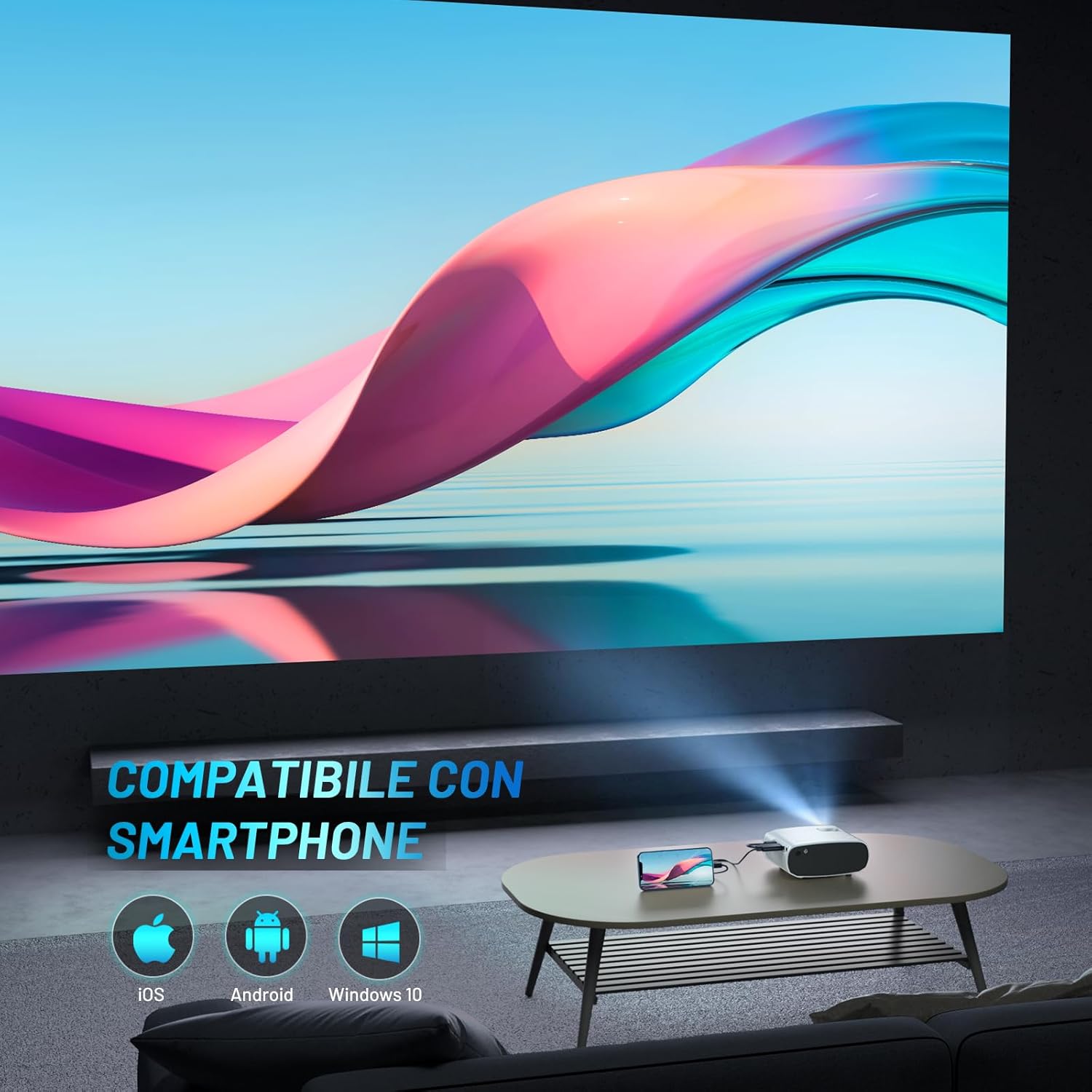
Image: The ELEPHAS Mini Portable Projector set up in a living room, projecting content onto a wall while connected to a smartphone, demonstrating its ease of use for home entertainment.
6. Підключення
The ELEPHAS Mini Portable Projector offers various connection options to suit your needs:
- Порт HDMI: Connect devices such as laptops, PCs, TV boxes, TV sticks (e.g., Roku Stick, Fire TV, Chromecast), gaming consoles (XBOX, PS4), and Blu-Ray DVD players for high-definition video and audio transmission.
- Порт USB: Plug in USB flash drives to play multimedia content directly (videos, photos, music).
- AV-порт: Use the AV cable (not always included, check package) to connect older devices with composite video and stereo audio outputs.
- Порт аудіовиходу: Connect external speakers or headphones for a more immersive audio experience, though the built-in HIFI speaker is often sufficient.
- Сумісність зі смартфонами: The projector supports direct connection with iOS, Android, and Windows smartphones, often requiring a compatible adapter or cable (not included) for screen mirroring.

Image: A visual diagram illustrating the projector's extensive multimedia support, showing connections to various devices such as Roku Stick, Fire TV, Chromecast, external speakers, USB disk, phone/tablet/PC, XBOX/PS4, and DVD player.
7. Технічне обслуговування
Правильне обслуговування забезпечує довговічність та оптимальну роботу вашого проектора:
- Очищення лінз: Обережно протріть об’єктив проектора м’якою тканиною без ворсу, спеціально призначеною для оптичних поверхонь. Не використовуйте абразивні засоби для чищення та не застосовуйте надмірних зусиль.
- Вентиляційні отвори: Regularly check and clean the ventilation ports to prevent dust buildup, which can hinder heat dissipation and affect performance. Use a soft brush or compressed air.
- Зберігання: When not in use, store the projector in its carrying bag in a cool, dry, and dust-free environment. Avoid extreme temperatures or humidity.
- Правильно вимкніть живлення: Always power off the projector using the designated power button and allow it to complete its shutdown cycle before unplugging.
8. Вирішення проблем
Якщо у вас виникли проблеми з проектором, зверніться до наступних поширених проблем та способів їх вирішення:
| проблема | Можлива причина | Рішення |
|---|---|---|
| Зображення не проєктується | No power; Incorrect input source; Loose cable connection | Ensure power adapter is securely connected and outlet is active. Select the correct input source (HDMI, USB, AV). Check all cable connections. |
| Ні звуку | Volume too low; Muted; External audio device not connected/configured | Increase volume using remote. Check if projector or source device is muted. Ensure external speakers are properly connected if used. |
| Image is blurry/unclear | Фокус не налаштовано; Проектор занадто далеко/близько; Об'єктив забруднений | Adjust the manual focus ring until the image is sharp. Ensure projector is within optimal projection distance. Clean the lens. |
| Image edges are not sharp | Inherent characteristic of some compact projectors; Keystone correction needed | While the projector offers good overall clarity, slight softness at the extreme edges can be a characteristic of compact projectors. Ensure the projector is perpendicular to the screen and adjust keystone correction if available in settings. |
| Шум вентилятора гучний | Нормальна робота; Заблоковані вентиляційні отвори | A certain level of fan noise is normal for cooling. Ensure ventilation ports are not blocked and are clean. The projector features an efficient heat dissipation system to minimize noise. |
9. Технічні характеристики
| Бренд | ЕЛЕФА |
| Номер моделі | BL128 |
| Колір | Білий |
| Тип продукту | Портативний проектор |
| Технологія підключення | USB, HDMI |
| Особливості | Portable, Built-in Speaker, Efficient Heat Dissipation System |
| Сумісні пристрої | Smartphone, Laptop, PC, TV Box, TV Stick, Chrome Book, Tablets, Blu-Ray DVD Players, USB Drives, Media Players |
| Роздільна здатність дисплея | 1920 x 1080 (підтримка HD 1080P) |
| Тип дисплея | LED |
| Форм-фактор | Портативний |
| Тип монтажу | Настільне кріплення |
| Включені компоненти | Mini Tripod, Carrying Bag |
| Рекомендоване використання | Бізнес, Освіта, Ігри, Домашній кінотеатр |
10. Гарантія та підтримка
For specific warranty details regarding your ELEPHAS Mini Portable Projector, please refer to the warranty card included with your purchase or the product listing on the retailer's webсайт. Гарантійні умови зазвичай поширюються на виробничі дефекти протягом певного періоду з дати покупки.
For technical support, troubleshooting assistance beyond this manual, or any other inquiries, please contact ELEPHAS customer service. Contact information can usually be found on the product packaging, the official ELEPHAS webсайті або через точку продажу.
Note: No official product videos were found for this model at the time of manual creation.
Ask a question about this manual
Ask about setup, troubleshooting, compatibility, parts, safety, or missing instructions. Manuals+ will review the question and use this page’s manual context to help answer it.