
вступ
This manual provides detailed instructions for the installation, operation, and maintenance of your Cooler Master MasterLiquid Atmos 360 Black CPU Liquid Cooler. This all-in-one (AIO) water cooling system is designed to deliver efficient thermal performance for your CPU, featuring a dual-chamber pump, pre-installed SickleFlow 120 Edge fans, and Addressable Gen 2 RGB lighting.
The MasterLiquid Atmos 360 is compatible with a wide range of Intel LGA (1700/1200/1151/1150/1155/1156) and AMD (AM5/AM4) sockets.

Image: The Cooler Master MasterLiquid Atmos 360 Black CPU Liquid Cooler, showcasing its radiator, three RGB fans, and illuminated pump head.
Вміст упаковки
Перед початком встановлення перевірте наявність усіх компонентів у комплекті:
- 360mm Radiator with pre-installed SickleFlow 120 Edge Fans
- CPU Water Block/Pump Unit
- Mounting Hardware for Intel LGA 1700/1200/115x sockets
- Mounting Hardware for AMD AM5/AM4 sockets
- Термопаста
- ARGB Gen 2 Controller (if included)
- Various Cables (PWM fan cables, ARGB cables)
- Посібник користувача

Зображення: Комплексний view of all included components for the MasterLiquid Atmos 360, including the radiator, fans, pump, mounting brackets, and accessories.
Налаштування та встановлення
Follow these steps carefully to install your liquid cooler. Refer to your motherboard and PC case manuals for specific guidance on component placement and cable routing.
1. Підготуйте роз'єм процесора
- Визначте тип сокета вашого процесора (Intel LGA або AMD AM).
- Install the appropriate backplate (for Intel) or retention clips (for AMD) as per the included hardware guide.
- Clean the CPU surface with isopropyl alcohol to remove any residue.
2. Нанесіть термопасту
- Apply a small, pea-sized amount of the included thermal paste to the center of your CPU's integrated heat spreader (IHS).
- Do not spread the paste manually; the pressure from the cold plate will distribute it evenly.
3. Install the Radiator and Fans
- Determine the optimal mounting location for the 360mm radiator in your PC case (typically top or front).
- Secure the radiator to the case using the provided screws. The SickleFlow Edge fans are pre-installed on the radiator for convenience.
4. Встановіть насос/холодну пластину
- Attach the correct mounting brackets to the pump unit for your CPU socket.
- Carefully place the pump/cold plate assembly onto the CPU, aligning the mounting holes.
- Secure the pump unit with the appropriate screws, tightening them in a diagonal pattern until snug. Do not overtighten.
5. Підключіть кабелі
- Підключіть 3-контактний кабель живлення насоса до вільного роз'єму CPU_FAN або AIO_PUMP на материнській платі.
- Connect the PWM fan cables from the SickleFlow Edge fans to the CPU_FAN or other available fan headers on your motherboard. It is recommended to connect them to a single header using a splitter if necessary, to ensure synchronized fan speed control.
- Connect the ARGB cables from the pump and fans to an Addressable Gen 2 RGB header on your motherboard (5V-D-G) or to the included ARGB controller.

Image: The assembled MasterLiquid Atmos 360, showing the radiator, fans, and pump unit connected by tubing.
Інструкція з експлуатації
Початкове ввімкнення
After installation, power on your system. The pump and fans should begin operating. Monitor your CPU temperatures using system monitoring software to ensure proper function.
Управління освітленням RGB
The MasterLiquid Atmos 360 features Addressable Gen 2 RGB lighting on both the pump and fans. You can control the lighting effects through several methods:
- Синхронізація материнської плати: If connected to a compatible ARGB motherboard header, use your motherboard's RGB software (e.g., ASUS Aura Sync, MSI Mystic Light, Gigabyte RGB Fusion, ASRock Polychrome Sync) to customize lighting.
- В комплекті ARGB-контролер: If an ARGB controller is included, use its physical buttons to cycle through pre-set lighting modes and colors.
- Cooler Master MasterCTRL/MasterPlus Software: Download and install Cooler Master's MasterCTRL or MasterPlus software for advanced customization of lighting effects and device performance.
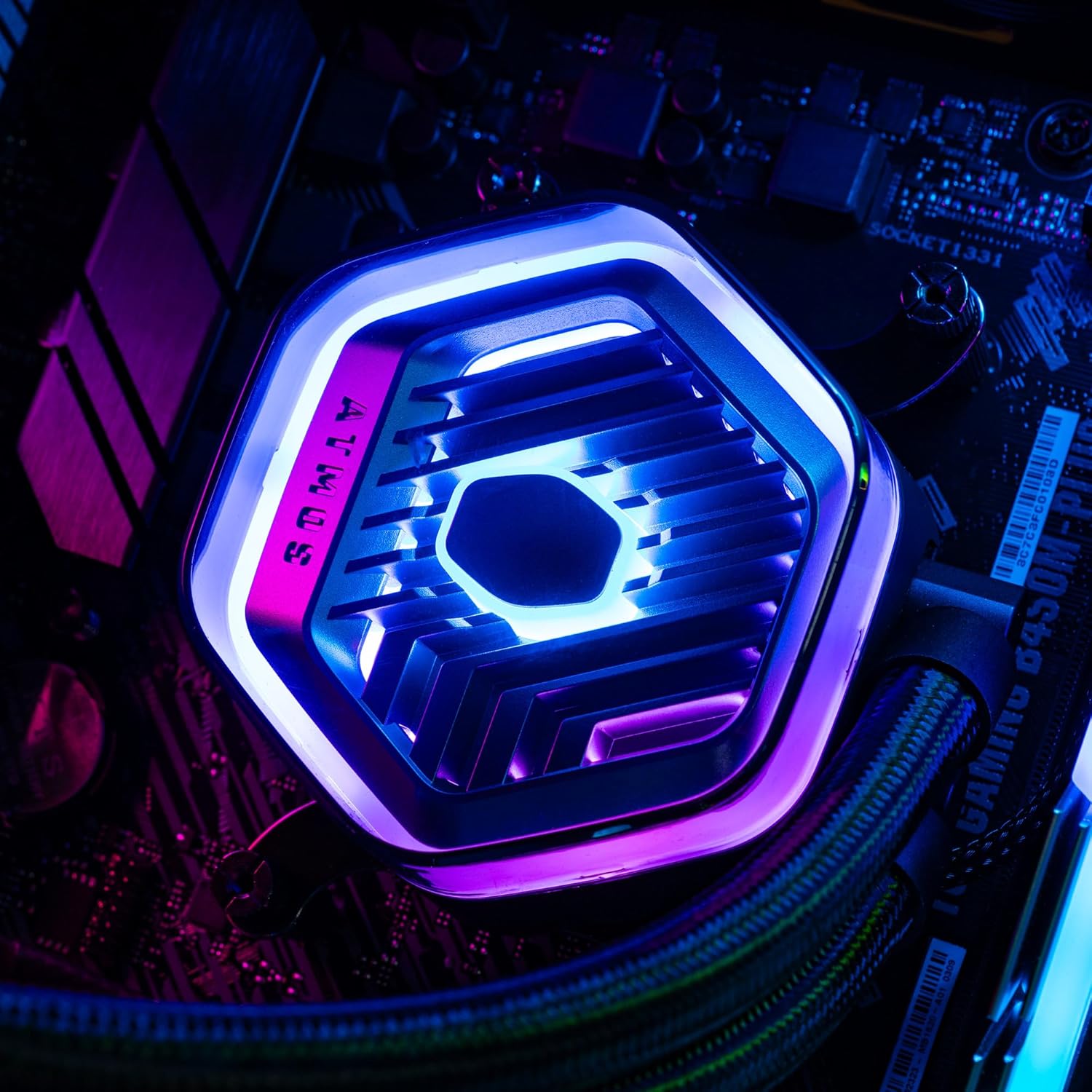
Зображення: Детальний view of the MasterLiquid Atmos pump head, showcasing its unique design and customizable RGB illumination.
Контроль швидкості вентилятора
The SickleFlow Edge fans are PWM (Pulse Width Modulation) controlled. Their speed can be managed via your motherboard's BIOS/UEFI settings or through motherboard-specific software. Adjust fan curves to balance cooling performance and noise levels according to your preferences.
Технічне обслуговування
Регулярне технічне обслуговування допомагає забезпечити оптимальну продуктивність та довговічність вашого рідинного охолоджувача.
- Очищення від пилу: Періодично очищайте ребра радіатора та лопаті вентилятора від пилу за допомогою стисненого повітря або м’якої щітки. Перед очищенням переконайтеся, що система вимкнена.
- Візуальний огляд: Періодично перевіряйте трубки та з'єднання на наявність будь-яких ознак витоків або пошкоджень. Хоча багатофункціональні охолоджувачі є герметичними системами, швидка візуальна перевірка може запобігти потенційним проблемам.
- Оновлення програмного забезпечення: Keep your Cooler Master MasterCTRL/MasterPlus software and motherboard BIOS/UEFI updated to ensure compatibility and access to the latest features and performance optimizations.
Усунення несправностей
If you encounter issues with your MasterLiquid Atmos 360, refer to the following common troubleshooting steps:
Висока температура процесора
- Перевірте підключення насоса: Ensure the pump's power cable is securely connected to the correct motherboard header (CPU_FAN or AIO_PUMP) and receiving power.
- Перевірка роботи вентилятора: Confirm that all radiator fans are spinning. Check their connections to the motherboard or fan controller.
- Термопаста: Ensure thermal paste was applied correctly and the cold plate has good contact with the CPU. Re-apply if necessary.
- Потік повітря: Check your PC case's overall airflow. Ensure radiator fans are oriented correctly for intake or exhaust as desired.
RGB-освітлення не працює
- Підключення ARGB: Verify that the ARGB cables are correctly connected to a 5V-D-G header on your motherboard or the ARGB controller. Ensure it is not connected to a 12V RGB header, which can damage the LEDs.
- програмне забезпечення: Check your motherboard's RGB software or Cooler Master's MasterCTRL/MasterPlus software for lighting settings. Ensure the lighting is enabled and configured.
- Потужність контролера: If using an external ARGB controller, ensure it is receiving power (usually via SATA power connector).
Unusual Pump Noise
- Повітряні бульбашки: New AIOs may have some air bubbles that can cause gurgling noises initially. These usually dissipate within a few hours of operation. Gently tilt your PC case to help move air bubbles to the radiator.
- Монтаж: Переконайтеся, що насос надійно закріплений і не вібрує відносно інших компонентів.
If problems persist, please contact Cooler Master customer support.
Технічні характеристики
| Особливість | Специфікація |
|---|---|
| Номер моделі | MLX-D36M-A25PZ-R1 |
| Розміри продукту (Д x Ш x В) | 394 x 119.6 x 27.2 мм (15.51 x 4.71 x 1.07 дюйма) |
| Спосіб охолодження | Рідкий (все в одному) |
| Сумісні пристрої | Настільний комп'ютер, сервер |
| Сумісні розетки | Роз'єми Intel LGA 1700/1200/1151/1150/1155/1156, AMD AM5/AM4 |
| Рівень шуму | 27.2 Decibels (Fan) |
| Maximum Rotational Speed (Fan) | 2500 об / хв |
| Air Flow Capacity (Fan) | 70.7 CFM |
| матеріал | Алюміній (радіатор) |
| Тип роз'єму живлення | 3-контактний (насос), 4-контактний ШІМ (вентилятори) |
| томtage | 12 вольт |
| Wattage | 3.6 Вт |
| Вага товару | 1.42 кілограма |
Інформація про гарантію
The Cooler Master MasterLiquid Atmos 360 Black CPU Liquid Cooler comes with a Гарантія 5 рік з дати покупки. Ця гарантія поширюється на дефекти матеріалів і виготовлення за нормального використання.
For warranty claims or detailed terms and conditions, please retain your proof of purchase and visit the official Cooler Master webсайту або зв’яжіться зі службою підтримки клієнтів.
Підтримка
For further assistance, technical support, or to download the latest software and drivers, please visit the official Cooler Master webсайт:
You may also find helpful resources, FAQs, and community forums on their support pages.