
вступ
The zelotes T30 Wired Vertical Mouse is designed to enhance comfort and reduce wrist strain during prolonged computer use. Its ergonomic vertical design promotes a natural hand and wrist posture. This manual provides essential information for setting up, operating, maintaining, and troubleshooting your new mouse.

Рисунок 1: Передній лівий view of the zelotes T30 Wired Vertical Mouse.

Рисунок 2: Різні сторони views illustrating the vertical design of the mouse.
Налаштування
The zelotes T30 Vertical Mouse is designed for simple plug-and-play operation, requiring no driver installation.
Підключення миші
- Locate an available USB port on your computer (Laptop, PC, Mac).
- Insert the USB connector of the zelotes T30 mouse into the USB port.
- The mouse will be automatically recognized by your operating system (Win11, Win10, Win8, Win7, Mac OS, Linux) and ready for use.
Attaching the Detachable Palm Rest
The mouse comes with a detachable palm rest for enhanced comfort. To attach it:
- Align the palm rest with the designated slots on the bottom of the mouse.
- Gently slide the palm rest into place until it clicks securely.
- Ensure the palm rest is firmly attached before use.

Figure 3: Illustration of the detachable palm rest and its attachment points.
Інструкція з експлуатації
Ergonomic Design and Grip
The vertical design of the T30 mouse positions your hand in a natural handshake posture, reducing pronation of the forearm and wrist. This design aims to alleviate discomfort associated with traditional mouse use.

Figure 4: Proper hand placement on the ergonomic vertical mouse.

Малюнок 5: Детально view of the humanized grip design, ensuring comfortable finger placement.
Налаштування чутливості DPI
The mouse features 4 adjustable DPI settings: 1200, 1600, 2400, and 3200 DPI. To change the sensitivity:
- Locate the DPI button on the mouse. This button is typically positioned near the scroll wheel or thumb area.
- Press the DPI button to cycle through the available sensitivity settings. Each press will switch to the next DPI level.
- The LED illumination on the mouse may change color or pattern to indicate the current DPI setting.
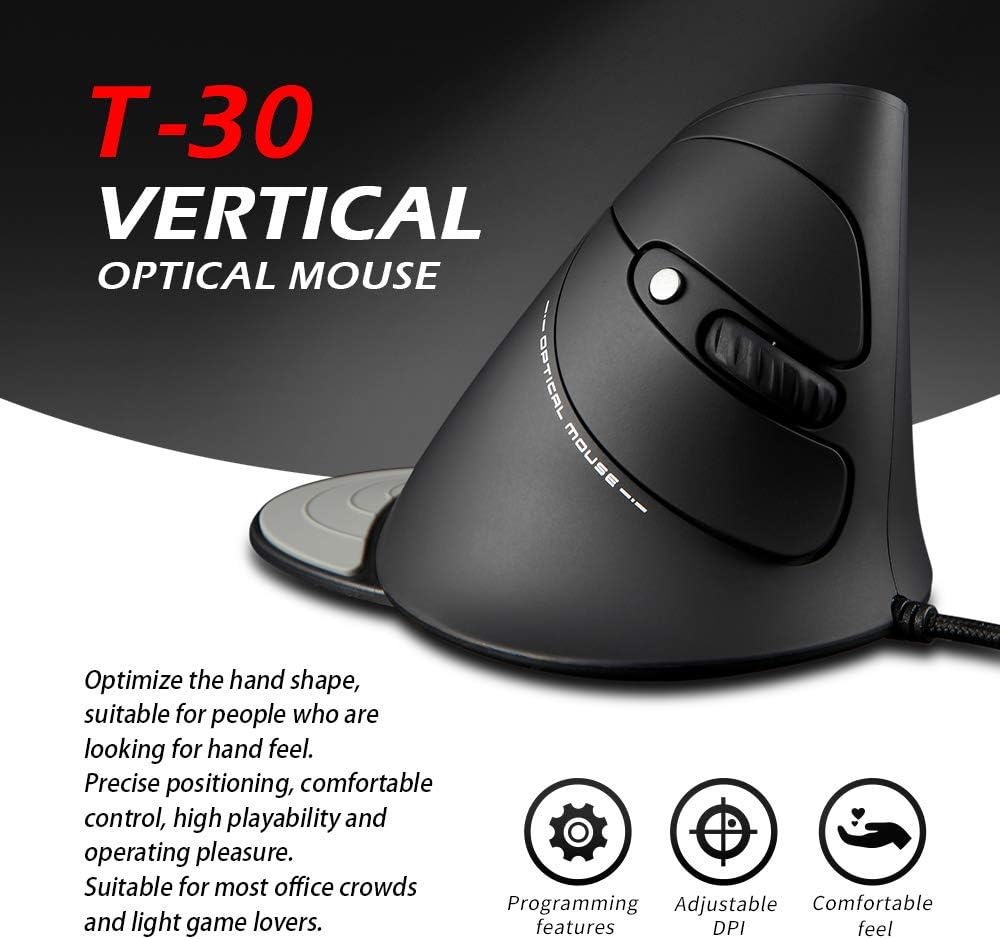
Figure 6: The T30 mouse with an emphasis on its adjustable DPI feature.
Функції кнопок
The zelotes T30 mouse is equipped with 6 buttons for various functions:
- Ліва кнопка миші: Стандартна функція первинного клацання.
- Клацніть правою кнопкою миші: Стандартна функція вторинного клацання.
- Колесо прокрутки: Для вертикального прокручування. Також можна натиснути для функції клацання середньою кнопкою миші.
- Кнопка DPI: Налаштовує чутливість миші (DPI).
- Кнопка вперед: Переміщується вперед web браузери або file дослідники.
- Кнопка Назад: Переміщується назад web браузери або file дослідники.
Video 1: Demonstration of the zelotes T30 Ergonomic Vertical Mouse features and usage.
Технічне обслуговування
To ensure the longevity and optimal performance of your zelotes T30 mouse, follow these maintenance guidelines:
- Прибирання: Використовуйте м’яку суху тканину для протирання поверхні миші. Для стійкого бруду злегкаamp cloth can be used, but ensure no liquid enters the mouse. Avoid harsh chemicals or abrasive cleaners.
- Зберігання: Коли миша не використовується, зберігайте її в чистому, сухому місці, подалі від екстремальних температур та прямих сонячних променів.
- Догляд за кабелем: Уникайте надмірного згинання або скручування USB-кабелю, оскільки це може пошкодити внутрішні дроти.
Усунення несправностей
If you encounter issues with your zelotes T30 mouse, refer to the following common problems and solutions:
| проблема | Можлива причина | Рішення |
|---|---|---|
| Миша не відповідає | Нещільне з'єднання USB, несправний порт USB, проблема з операційною системою. |
|
| Рух курсора нерівномірний або стрибкоподібний | Брудний оптичний датчик, невідповідна поверхня килимка для миші. |
|
| Регулювання DPI не працює | Несправність кнопок, тимчасовий програмний збій. |
|
Технічні характеристики
| Особливість | Деталь |
|---|---|
| Бренд | zelotes |
| Номер моделі | Т-30 |
| Розміри продукту | 4.33 x 3.15 x 3.27 дюймів |
| Вага товару | 4.2 унції |
| Технологія підключення | USB дротовий |
| Технологія виявлення руху | Оптичний |
| Налаштування DPI | 1200/1600/2400/3200 DPI |
| Кількість кнопок | 6 |
| Особливість | Ergonomic Design, Detachable Wrist Rest, LED Illumination |
| Сумісність | Win11, Win10, Win8, Win7, Mac OS, Linux |

Figure 7: Detailed dimensions of the zelotes T30 Vertical Mouse.
Гарантія та підтримка
For warranty information and technical support, please refer to the official zelotes webсайт або зверніться безпосередньо до служби підтримки клієнтів. Зберігайте чек про покупку для гарантійних претензій.
Виробник: zelotes