
1. Вступ
This manual provides essential information for the safe and effective operation of your MOKA SFX CO2 Jet Machine. This device is designed to produce dramatic CO2 fog effects for various events such as nightclubs, parties, and stage shows. Please read this manual thoroughly before setup, operation, or maintenance to ensure proper usage and prevent potential hazards.
2. Важлива інформація з безпеки
- CO2 Gas Handling: Always use CO2 cylinders with appropriate pressure ratings and ensure secure connections. CO2 is an asphyxiant; use only in well-ventilated areas.
- Засоби індивідуального захисту: Wear appropriate eye and hand protection when handling CO2 cylinders and connecting hoses.
- Розміщення: Position the machine on a stable, level surface. Ensure the jet is directed away from people, animals, and sensitive equipment. Maintain a safe distance from the jet output.
- Електрична безпека: Connect the machine to a grounded power outlet. Do not operate with damaged cables or if the machine shows signs of malfunction.
- температура: Do not expose the machine to extreme temperatures or direct sunlight.
- Діти та сторонні особи: Keep the machine out of reach of children and ensure only trained personnel operate the device.
- Невідкладні процедури: In case of a CO2 leak, immediately ventilate the area and shut off the CO2 supply. Seek medical attention if symptoms of CO2 exposure occur (dizziness, shortness of breath).
3. Вміст упаковки
Після розпакування переконайтеся, що всі перелічені нижче предмети присутні та не пошкоджені:
- 1x MOKA SFX CO2 Jet Machine
- 1x 6-meter Gas Hose
- 1x кабель живлення
- 1x Посібник користувача
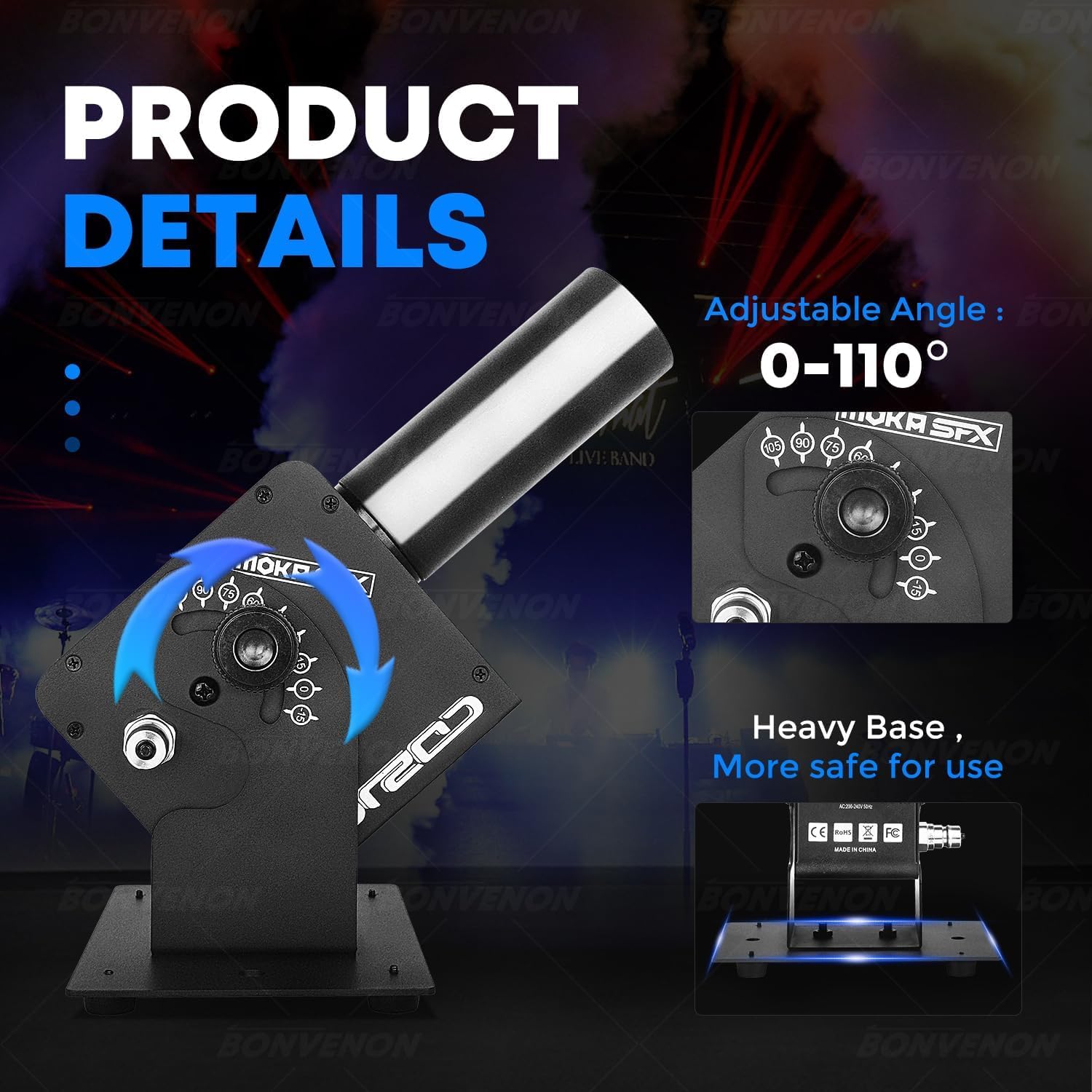
Image: Package contents including the CO2 jet machine, gas hose, power cable, and manual.
4. Технічні характеристики
| Особливість | Деталь |
|---|---|
| Бренд | MOKA SFX |
| Назва моделі | CO2 Jet Machine |
| Номер моделі | BV0429 |
| Колір | чорний |
| матеріал | Метал, пластик |
| Робочий випtage | AC100-240V, 50/60Hz |
| Потужність продукту | 25 Вт |
| Jet Height | 8-10 метри |
| Регульований кут | 0-110 градусів |
| Electric Valve Pressure | 1400 фунтів на квадратний дюйм |
| Режим роботи | Електричне управління |
| Розміри предмета (Д x Ш x В) | 10 x 2 x 2.72 дюймів (приблизно 25.4 x 5.08 x 6.9 см) |
| вага | 6 кг (приблизно 13.2 фунтів) |
| Тип роз'єму | Швидкий роз'єм |

Image: Visual representation of product parameters and dimensions.
5. Інструкції з налаштування
- Розміщення: Place the CO2 Jet Machine on a stable, flat surface. The heavy base ensures stability during operation. Ensure there is sufficient clear space above and in front of the nozzle for the CO2 jet.
- Connect Gas Hose: Connect one end of the provided 6-meter gas hose to the CO2 Jet Machine's quick connector. Securely attach the other end to your CO2 gas cylinder. Ensure all connections are tight to prevent leaks.
- Підключення живлення: Connect the power cable to the machine's power input and then to a suitable grounded electrical outlet (AC100-240V, 50/60Hz).
- Відрегулювати кут: The jet direction can be adjusted within a 0-110 degree range. Loosen the adjustment knob, set the desired angle, and tighten the knob to secure the position.
- Підключення DMX (додатково): For advanced control, connect a DMX controller to the DMX IN port. You can daisy-chain multiple units using the DMX OUT port.
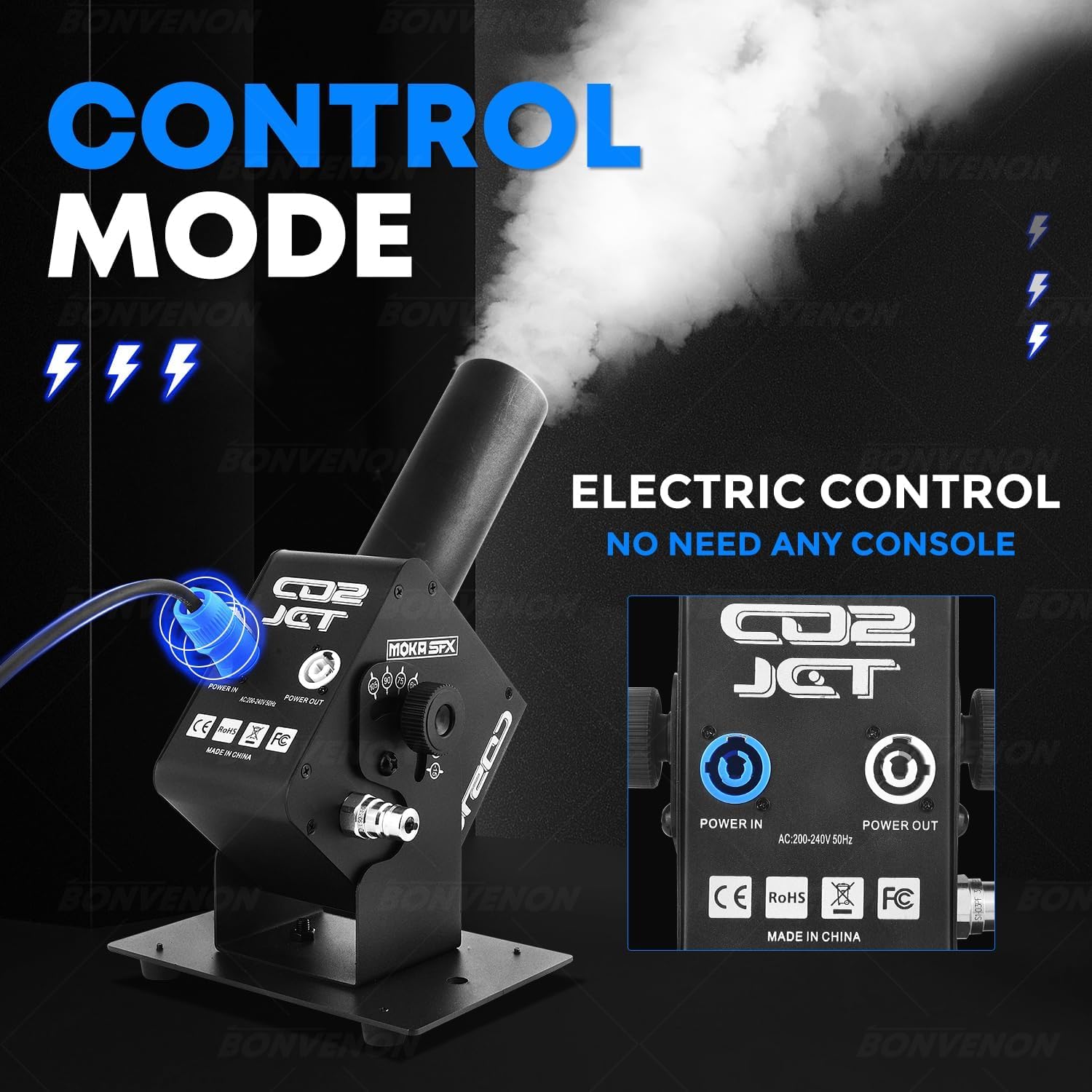
Зображення: Задня частина view of the CO2 Jet Machine showing power input/output and control panel.

Image: Close-up of the adjustable angle mechanism on the CO2 Jet Machine.
6. Інструкція з експлуатації
- Увімкнення: Turn on the main power switch on the machine. The display will illuminate.
- Open CO2 Cylinder Valve: Slowly open the valve on the CO2 gas cylinder. You may hear a hiss as the gas fills the hose.
- Початок розпилення: The machine supports electronic control. Once powered and connected to the gas cylinder, it is ready to spray. Depending on the model, this can be triggered via a button on the unit, a remote control (if included), or a DMX controller.
- Adjusting LED Effects: If your model includes LED lights, use the control panel buttons (MENU, UP, DOWN, ENTER) to select desired color modes or effects.
- Керування DMX: If using DMX, ensure your DMX controller is properly configured to the machine's DMX channels. Refer to the DMX channel chart in the full manual for detailed programming.
- Зупинка операції: To stop the CO2 jet, release the trigger or deactivate the DMX channel. To completely shut down, close the CO2 cylinder valve first, allow any remaining gas in the hose to dissipate, then turn off the machine's power switch.
Video: Demonstration of the CO2 jet machine in operation, showing the powerful fog effect.
Video: A Super LED CO2 Jet Machine in action, showcasing various LED color effects combined with CO2 output.
7. Технічне обслуговування
- Прибирання: Regularly wipe down the exterior of the machine with a soft, dry cloth. Do not use abrasive cleaners or solvents.
- Перевірки підключення: Before each use, inspect the gas hose and all connections for any signs of wear, damage, or leaks. Replace damaged components immediately.
- Зберігання: Store the machine in a cool, dry place away from direct sunlight and extreme temperatures. Disconnect the CO2 cylinder and power when not in use.
8. Вирішення проблем
| проблема | Можлива причина | Рішення |
|---|---|---|
| No CO2 jet when triggered | CO2 cylinder valve closed; empty cylinder; hose kinked or disconnected; power issue. | Open CO2 valve; replace cylinder; check hose for obstructions/connections; verify power supply. |
| Weak CO2 jet | Low CO2 pressure; partially closed valve; hose obstruction. | Check cylinder pressure; fully open valve; inspect hose. |
| Світлодіодні лампи не працюють | Power issue; DMX signal problem (if applicable); internal fault. | Check power connection; verify DMX settings; contact support if problem persists. |
| Виявлено витік газу | Нещільні з'єднання; пошкоджений шланг/ущільнення. | Immediately close CO2 valve. Tighten all connections. Inspect hose and seals for damage and replace if necessary. |
9. Гарантія та підтримка
For warranty information and technical support, please refer to the official MOKA SFX webсайт або зверніться безпосередньо до служби підтримки клієнтів. Зберігайте чек про покупку як підтвердження покупки.
Додаткові плани захисту можуть бути доступні для придбання окремо.