
1. Вступ
This manual provides detailed instructions for the installation, operation, and maintenance of your SECULINK C17-4MP Dual-Band WiFi Dome Security Camera. This camera is designed for outdoor surveillance, featuring 4MP resolution, pan/tilt/zoom capabilities, automatic tracking, human detection, and color night vision. Please read this manual thoroughly before use to ensure proper functionality and safety.
2. Вміст упаковки
Перевірте наявність усіх предметів у вашій упаковці:
- SECULINK C17-4MP Dome Security Camera
- Адаптер живлення (зарядний пристрій)
- Монтажні гвинти та дюбелі
- Водонепроникний комплект для мережевого кабелю (за наявності)
- Короткий посібник
3. Продукт закінчивсяview
The SECULINK C17-4MP camera features a robust dome design suitable for outdoor environments. Key components include:
- Об'єктив камери: Знімає відео footage.
- Інфрачервоні світлодіоди: Забезпечити підсвічування для нічного бачення.
- White Light LEDs (Floodlight): Enhance color night vision and act as a deterrent.
- Мікрофон: Для аудіовходу та двостороннього зв'язку.
- Доповідач: Для виведення звуку та двостороннього зв'язку.
- Антени: For dual-band 2.4GHz/5GHz Wi-Fi connectivity.
- Слот для карти Micro SD: Підтримує локальне сховище до 256 ГБ.
- Кнопка скидання: Для скидання до заводських налаштувань.
- Порт живлення: Вхідна напруга DC 12V.

Зображення 3.1: закінченоview of the SECULINK C17-4MP camera and its mobile application interface.
4. Налаштування
4.1 Завантаження програми та реєстрація облікового запису
- Завантажити БЕЗПЕЧНЕ ОКО mobile application from the App Store (iOS) or Google Play Store (Android).
- Відкрийте програму та дотримуйтесь інструкцій на екрані, щоб зареєструвати новий обліковий запис або увійти, якщо у вас вже є обліковий запис.
4.2 Увімкнення камери
Connect the provided power adapter to the camera's power port and plug it into an electrical outlet. The camera will initiate its self-test sequence, indicated by a rotating motion and status light changes.
4.3 Підключення до Wi-Fi
The SECULINK C17-4MP supports dual-band Wi-Fi (2.4GHz and 5GHz) for flexible network connectivity.
- Ensure your mobile device is connected to the same Wi-Fi network you intend to connect the camera to.
- In the SECUEYE app, tap the "Add Device" or "+" icon.
- Виберіть модель вашої камери або відскануйте QR-код на камері (якщо він доступний).
- Follow the app's instructions to enter your Wi-Fi network name (SSID) and password.
- The app will guide you through the pairing process, which may involve scanning a QR code displayed on your phone with the camera lens or listening for an audio prompt.
- Once connected, the camera's status light will indicate a successful connection (refer to the app or quick start guide for specific light indicators).
4.4 Встановлення камери
The camera is designed for wall mounting and is IP65/IP66 weatherproof, making it suitable for outdoor installation.
- Виберіть відповідне місце монтажу, яке забезпечує бажаний viewкут огляду та знаходиться в межах досяжності Wi-Fi.
- Use the mounting template (if provided) or the camera base to mark the drill holes on the wall.
- Просвердліть отвори та вставте дюбелі.
- Закріпіть основу камери на стіні за допомогою наданих гвинтів.
- Attach the camera body to the base.
- Ensure all cable connections are secure and protected from weather using the waterproof kit if necessary.
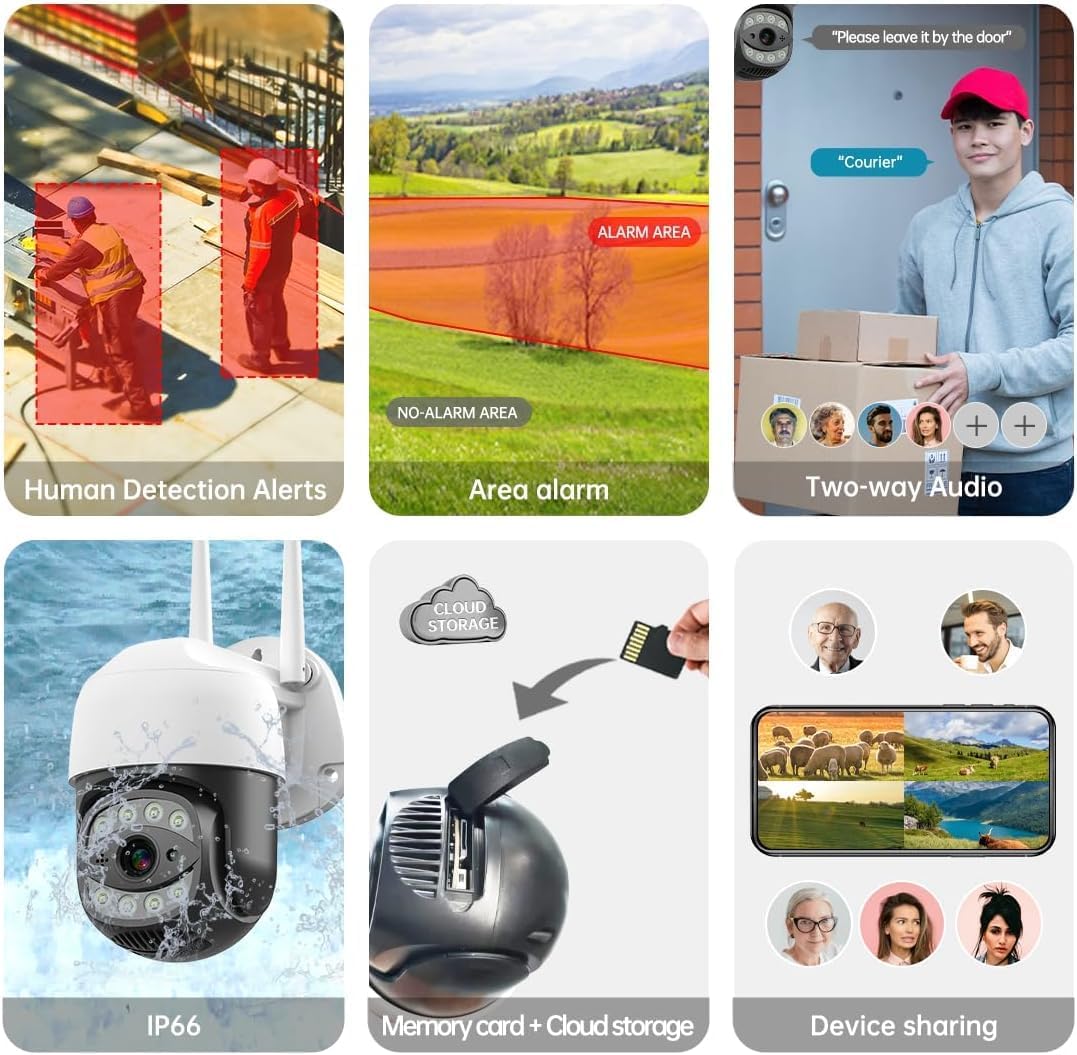
Image 4.1: The SECULINK C17-4MP camera is rated IP66 for dust and water resistance, suitable for various weather conditions.
5. Інструкція з експлуатації
5.1 Живий View і Відтворення
Access the live video feed and review записаний footage through the SECUEYE app. The camera provides 4MP (2560x1440p) resolution for clear images.

Image 5.1: Visual comparison demonstrating the enhanced clarity of 5MP resolution over lower resolutions.
5.2 Pan, Tilt, and Digital Zoom (PTZ)
Керуйте камерою viewing angle remotely using the SECUEYE app. The camera offers:
- Горизонтальне обертання: 335 градусів
- Вертикальний нахил: 90 градусів
- Цифрове збільшення: 10-кратне збільшення
Use pinch-to-zoom gestures on your mobile device to digitally zoom in on specific areas of interest.

Image 5.2: Demonstrates controlling the camera's pan and tilt functions via the mobile app.

Image 5.3: Illustration of the 10x digital zoom feature, allowing closer inspection of details.
5.3 Automatic Tracking and Human Motion Detection
The camera features intelligent detection capabilities to enhance security monitoring.
- Автоматичне відстеження: When enabled, the camera will automatically detect and follow moving human figures within its field of view, recording their path.
- Виявлення руху людини: Advanced algorithms distinguish human activity from other movements (e.g., pets, swaying branches), reducing false alarms.
- Сповіщення: Upon detection, the camera can send real-time alerts to your mobile phone.
- Floodlight and Sound Alarm: Built-in spotlights activate upon motion detection at night, and a security siren can be triggered as an additional deterrent.

Image 5.4: The camera's AI Humanoid Detection identifies human presence and sends alerts.

Image 5.5: The camera's automatic tracking capability follows detected human movement.

Image 5.6: Illustrates the camera's ability to differentiate human activity from other movements, reducing false alarms.
5.4 Режими нічного бачення
The camera offers multiple night vision options for clear surveillance in low-light conditions:
- Інфрачервоне (ІЧ) нічне бачення: Uses IR LEDs to provide black and white video in complete darkness, with a range of up to 100ft (30m).
- Кольорове нічне бачення: Utilizes white light LEDs (floodlight) to capture full-color video at night when motion is detected or manually activated.
- Starlight Sensor: Enhances low-light performance to produce clearer images even without additional illumination.

Image 5.7: Demonstrates the different night vision modes: infrared (black and white), white light (color), and full-color night vision.

Image 5.8: The camera's infrared night vision provides visibility up to 20 meters in darkness.
5.5 Двосторонній аудіозв'язок
The built-in microphone and speaker allow for real-time two-way communication through the SECUEYE app. You can listen to audio from the camera's location and speak through the camera's speaker.
5.6 Варіанти зберігання
The camera supports two primary storage methods for recorded footage:
- Micro SD Card: Insert a Micro SD card (up to 256GB, sold separately) into the designated slot for local storage. The camera can record 24/7 or motion-triggered videos.
- Хмарне сховище: Optional cloud storage services are available through the SECUEYE app for secure, remote backup of your recordings.
5.7 Спільний доступ до пристрою
You can share access to your camera's live feed and recordings with family members or trusted individuals through the SECUEYE app, allowing multiple users to monitor the property simultaneously.
6. Технічне обслуговування
To ensure optimal performance and longevity of your SECULINK C17-4MP camera, consider the following maintenance tips:
- Очистіть лінзу: Periodically wipe the camera lens with a soft, clean, lint-free cloth to remove dust, dirt, or water spots that may affect image clarity. Avoid abrasive cleaners.
- Перевірте підключення живлення: Ensure the power adapter and cable remain securely connected and free from damage, especially in outdoor environments.
- Оновлення прошивки: Regularly check the SECUEYE app for available firmware updates. Updates often include performance improvements, new features, and security enhancements.
- Перевірте кріплення: Periodically check the camera's mounting for stability, especially after severe weather conditions.
7. Вирішення проблем
If you encounter issues with your SECULINK C17-4MP camera, refer to the following common troubleshooting steps:
7.1 Камера не підключається до Wi-Fi
- Перевірте сигнал Wi-Fi: Ensure the camera is within range of your Wi-Fi router. Weak signals can cause connection issues.
- Verify Network Credentials: Double-check that the Wi-Fi network name (SSID) and password entered in the app are correct.
- Сумісність з маршрутизатором: Confirm your router supports 2.4GHz or 5GHz bands, and that the camera is attempting to connect to a compatible band.
- Перезавантажте пристрої: Power cycle both your Wi-Fi router and the camera.
- Скинути налаштування камери: If issues persist, perform a factory reset on the camera (refer to the quick start guide for reset button location and procedure) and attempt the setup process again.
7.2 Погана якість зображення
- Чистий об'єктив: Переконайтеся, що об'єктив камери чистий і не має плям або бруду.
- Пропускна здатність мережі: A slow internet connection can affect live stream quality. Check your network speed.
- Умови освітлення: Ensure adequate lighting for optimal image quality, especially for color night vision.
7.3 Motion Detection Not Working or Too Sensitive
- Налаштувати чутливість: In the SECUEYE app settings, adjust the motion detection sensitivity level.
- Зони виявлення: Configure specific detection zones to monitor only relevant areas and exclude areas with frequent irrelevant motion (e.g., public roads, swaying trees).
- Check Schedule: Ensure motion detection is enabled for the desired time periods in the app.
7.4 Запис на SD-карту не можливий
- Insert SD Card Correctly: Ensure the Micro SD card is inserted properly into the slot.
- Форматувати SD-карту: Format the SD card through the camera settings in the SECUEYE app.
- Card Capacity/Health: Ensure the SD card is not full or corrupted. Try a different, known-good SD card if necessary.
- Налаштування запису: Verify that continuous recording or motion-triggered recording is enabled in the app settings.
8. Технічні характеристики
| Особливість | Специфікація |
|---|---|
| Модель | C17-4MP |
| роздільна здатність | 4MP (2560x1440p Max) |
| Датчик зображення | CMOS |
| Фокусна відстань | 3.6 мм |
| Кут повороту панорами | 335° по горизонталі |
| Кут повороту нахилу | 90° по вертикалі |
| Цифровий зум | 10x |
| Нічне бачення | IR-Cut, Starlight, LED (Color Night Vision) |
| Інфрачервоне відстань | До 100 футів (30 метрів) |
| Аудіо | Built-in Microphone and Speaker (Two-Way Audio) |
| Водонепроникність | IP65, IP66 (Waterproof) |
| Підключення | Dual-Band Wi-Fi (2.4GHz/5GHz), Wired Ethernet |
| Зберігання | Карта пам'яті Micro SD (до 256 ГБ), хмарне сховище |
| потужність | DC 12V, 9 Watts |
| Робоча температура | -10°C до +50°C (14°F до 122°F) |
| Сумісність програм | SECUEYE (iOS, Android) |
| Розміри | 7 x 7 x 5 дюйма (упаковка) |
| Вага товару | 1.2 фунта |
9. Гарантія та підтримка
For warranty information and technical support, please refer to the official SECULINK webсайт або зверніться безпосередньо до служби підтримки клієнтів. Зберігайте чек про покупку як підтвердження покупки для гарантійних претензій.
Виробник: SECULINK