
HOCO ES64_Green
HOCO Bluetooth Neck Band In-Ear Earphones User Manual
Model: ES64_Green | Brand: HOCO
1. Вступ
The HOCO Bluetooth Neck Band In-Ear Earphones (Model ES64_Green) are designed to provide a high-quality audio experience with extended playback time and convenient features. This manual provides essential information for setting up, operating, and maintaining your earphones.
Ключові особливості:
- Bluetooth 5.3 connectivity for stable and efficient pairing.
- До 30 годин безперервної роботи на одному заряді.
- Ergonomic neckband design for comfortable wear.
- Toggle switch button for convenient operation.
- Lightweight design at 26.5g.
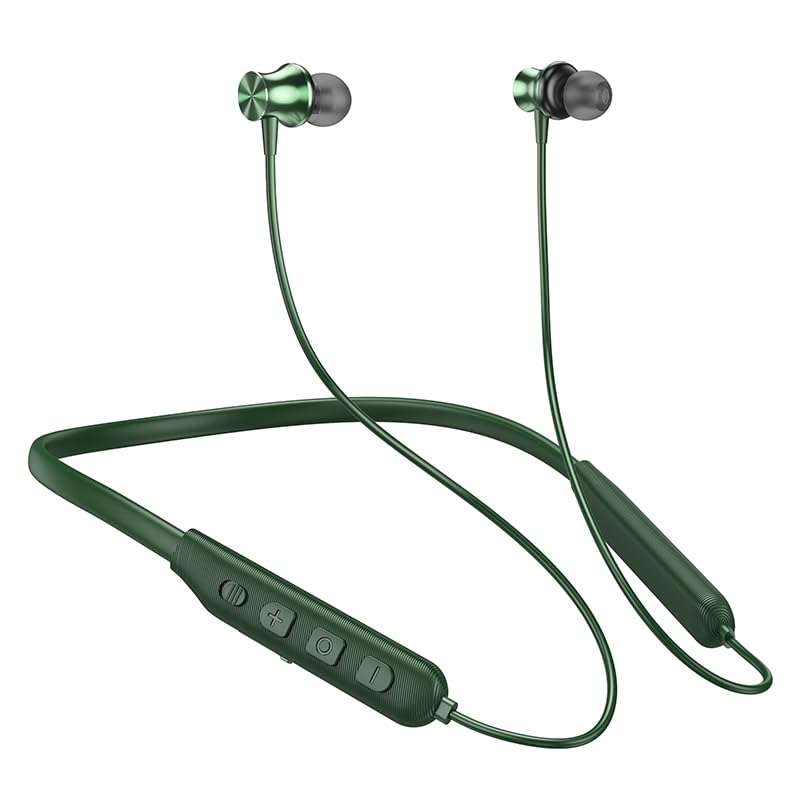
Image: The HOCO Bluetooth Neck Band in green, showcasing its in-ear design and flexible neckband.
2. Вміст упаковки
Будь ласка, перевірте упаковку на наявність наступних предметів:
- HOCO Bluetooth Neck Band In-Ear Earphones (ES64_Green)
- Ear Cushions (additional sizes may be included)
- Посібник користувача (цей документ)
- Charging Cable (not explicitly listed in "whats_in_the_box" but implied for charging)
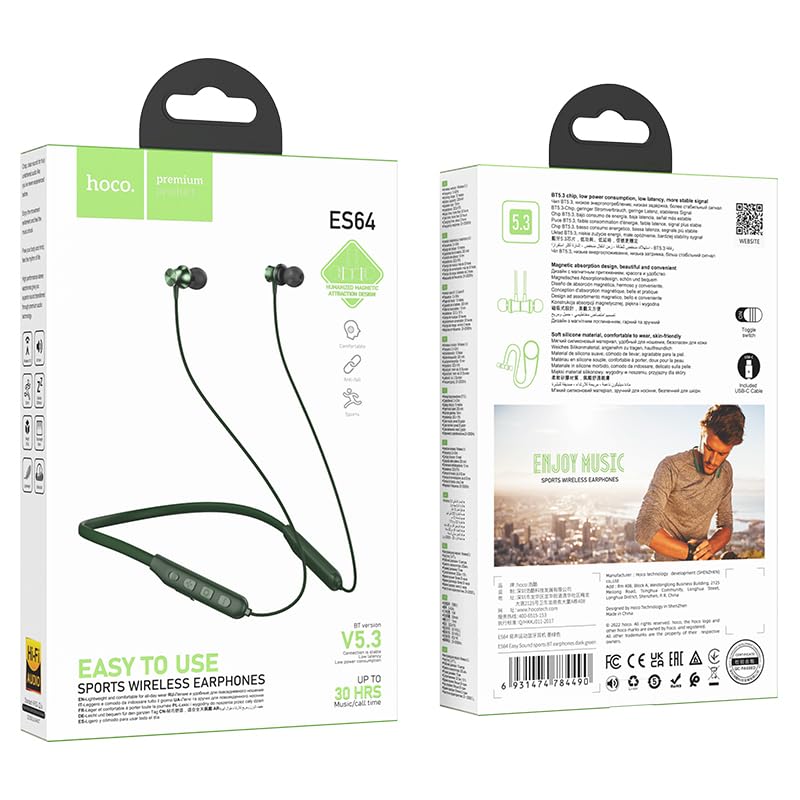
Зображення: Лицьова та зворотна сторони view of the HOCO Bluetooth Neck Band product packaging, showing the earphones and key features.
3. Продукт закінчивсяview
Familiarize yourself with the components and controls of your HOCO Bluetooth Neck Band.
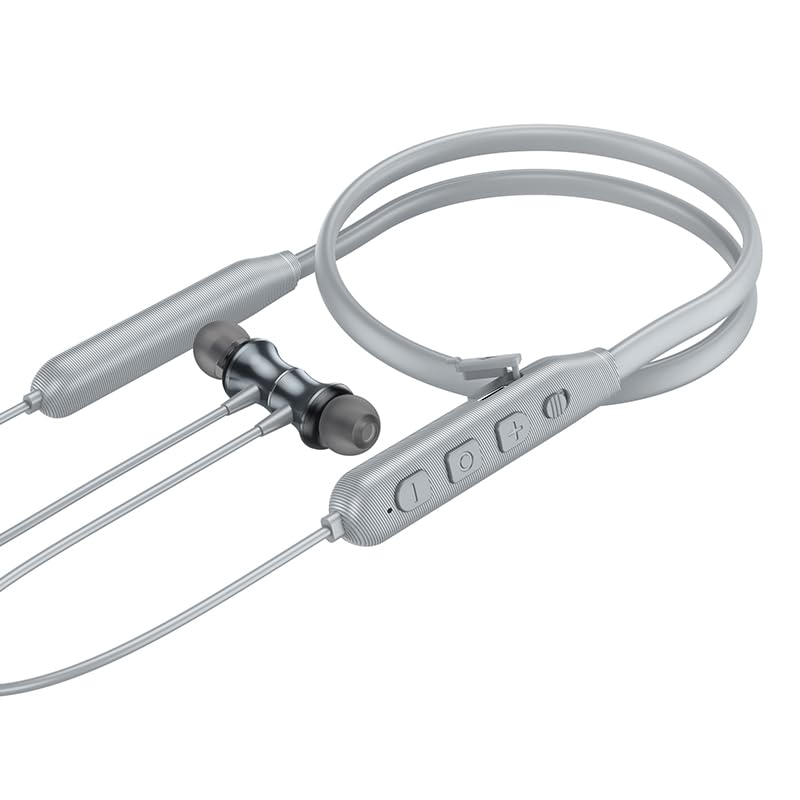
Зображення: Крупний план view of the control panel on the HOCO Bluetooth Neck Band, showing the toggle switch, volume buttons, and multi-function button.
Елементи керування:
- Багатофункціональна кнопка (МФК): Power On/Off, Play/Pause, Answer/End Calls.
- Збільшення гучності (+): Збільшення гучності, наступний трек (довге натискання).
- Зменшення гучності (-): Зменшення гучності, Попередній трек (довге натискання).
- Тумблер: For convenient power control.
- Порт зарядки: USB Type-C (implied by modern devices, though not specified as Type-C).
- Світлодіодний індикатор: Показує стан живлення, сполучення та заряджання.
4. Налаштування
4.1 Заряджання навушників
Before first use, fully charge your earphones. A full charge takes approximately 2 hours.
- Connect the charging cable to the charging port on the neckband.
- Підключіть інший кінець кабелю до USB-адаптера живлення (не входить до комплекту) або USB-порту комп’ютера.
- The LED indicator will show the charging status (e.g., red while charging, blue when fully charged).
The ASAP Charge feature allows for quick charging to provide additional playtime with a short charge.
4.2 Сполучення з пристроєм Bluetooth
Follow these steps to pair your HOCO Bluetooth Neck Band with your smartphone or other Bluetooth-enabled device:
- Переконайтеся, що навушники повністю заряджені та вимкнені.
- Slide the toggle switch to the "On" position or long-press the MFB until the LED indicator flashes rapidly (usually blue and red alternately), indicating pairing mode.
- Увімкніть Bluetooth на своєму пристрої та знайдіть доступні пристрої.
- Select "HOCO ES64" (or similar name) from the list of found devices.
- Once connected, the LED indicator will typically show a slow blue flash or turn off, and you will hear an audible confirmation.
The earphones support Bluetooth v5.3 for stable connection and can connect to two devices simultaneously (specific instructions for dual pairing may vary by device, refer to your device's manual).
5. Інструкція з експлуатації
5.1 Увімкнення/вимкнення живлення
- Увімкнення: Slide the toggle switch to "On" or long-press the MFB until the LED indicator lights up.
- Вимкнення живлення: Slide the toggle switch to "Off" or long-press the MFB until the LED indicator turns off.
5.2 Відтворення музики
- Відтворення/пауза: Коротке натискання MFB.
- Збільшення гучності: Короткочасно натисніть кнопку «+».
- Зменшення гучності: Короткочасно натисніть кнопку «-».
- Наступний трек: Довго натискайте кнопку «+».
- Попередній трек: Довго натискайте кнопку «-».
5.3 Керування викликами
- Відповісти на дзвінок: Коротко натисніть багатофункціональну кнопку (МФБ), коли дзвонить вхідний виклик.
- Завершити виклик: Коротко натисніть багатофункціональну кнопку під час дзвінка.
- Відхилити виклик: Тривале натискання багатофункціональної кнопки (МФБ) під час вхідного дзвінка.
- Повторний набір останнього номера: Двічі натисніть MFB.
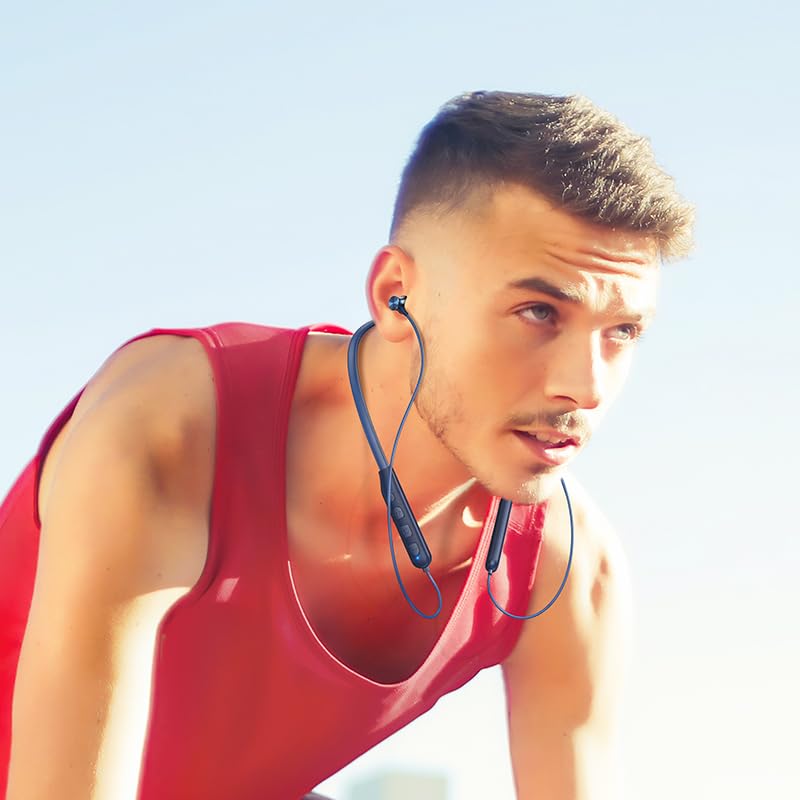
Image: A person wearing the HOCO Bluetooth Neck Band during a run, demonstrating its comfortable and secure fit for active use.
5.4 Відеодемонстрація
For a visual guide on the product's features and usage, please watch the official product video below:
Video: Official HOCO product video demonstrating the features and usage of the Bluetooth Neck Band, including its long playback time, ASAP Charge, and Bluetooth pairing capabilities.
6. Технічне обслуговування
Правильний догляд подовжить термін служби ваших навушників:
- Прибирання: Використовуйте м’яку суху тканину для очищення навушників. Не використовуйте агресивні хімікати або абразивні матеріали.
- Зберігання: Зберігайте навушники в прохолодному, сухому місці, подалі від прямих сонячних променів та екстремальних температур.
- Водонепроникність: The earphones are water resistant. Avoid submerging them in water or exposing them to heavy rain for prolonged periods. Dry them thoroughly if they get wet.
- Зарядка: Do not overcharge the battery. Disconnect the charger once the earphones are fully charged.
7. Вирішення проблем
If you encounter issues with your HOCO Bluetooth Neck Band, try the following solutions:
| проблема | Можливе рішення |
|---|---|
| Не вдається включити | Переконайтеся, що акумулятор заряджений. Підключіть до джерела живлення та спробуйте ще раз. |
| Не вдається підключитися до пристрою |
|
| Ні звуку, ні низької гучності |
|
| Переривчасте з'єднання |
|
8. Технічні характеристики
| Особливість | Деталь |
|---|---|
| Назва моделі | ES64_Green |
| Технологія підключення | Бездротовий (Bluetooth) |
| Версія Bluetooth | 5.3 (chip: JL AC7003) |
| Ємність акумулятора | 200 мАг |
| Час зарядки | Приблизно 2 години |
| Використовуйте час | 30 години |
| Час очікування | 350 години |
| Earphones Total Length | 85 см |
| вага | 26.5г |
| матеріал | пластик |
| Тип управління | Physical Button, Toggle Switch |
| Рівень водонепроникності | Водостійкий |
| Включає акумуляторну батарею | так |
| Виробник | HOCO |
| Країна походження | Китай |
9. Гарантія та підтримка
Your HOCO Bluetooth Neck Band In-Ear Earphones come with a Гарантія 1 рік з дати покупки. Ця гарантія поширюється на виробничі дефекти та гарантує належне функціонування виробу за умови нормального використання.
For warranty claims, technical support, or any inquiries, please contact your retailer or the official HOCO customer service. Keep your purchase receipt as proof of purchase.
For more information, you may visit the official HOCO website (if available, a placeholder link would be here, but since none is provided, I will omit a specific URL).
Ask a question about this manual
Ask about setup, troubleshooting, compatibility, parts, safety, or missing instructions. Manuals+ will review the question and use this page’s manual context to help answer it.