
вступ
Thank you for choosing the AVMTON Wireless Gaming Mouse. This manual provides detailed instructions on how to set up, operate, and maintain your new mouse, ensuring optimal performance and an enhanced gaming and work experience. Designed for comfort and precision, this ergonomic wireless mouse features adjustable DPI, customizable buttons, and vibrant RGB lighting.
Продукт закінченийview
The AVMTON Wireless Gaming Mouse is engineered for both gaming and office use, offering a comfortable ergonomic design and responsive control. It features a honeycomb hollow design with RGB backlighting, providing both aesthetic appeal and lightweight performance.
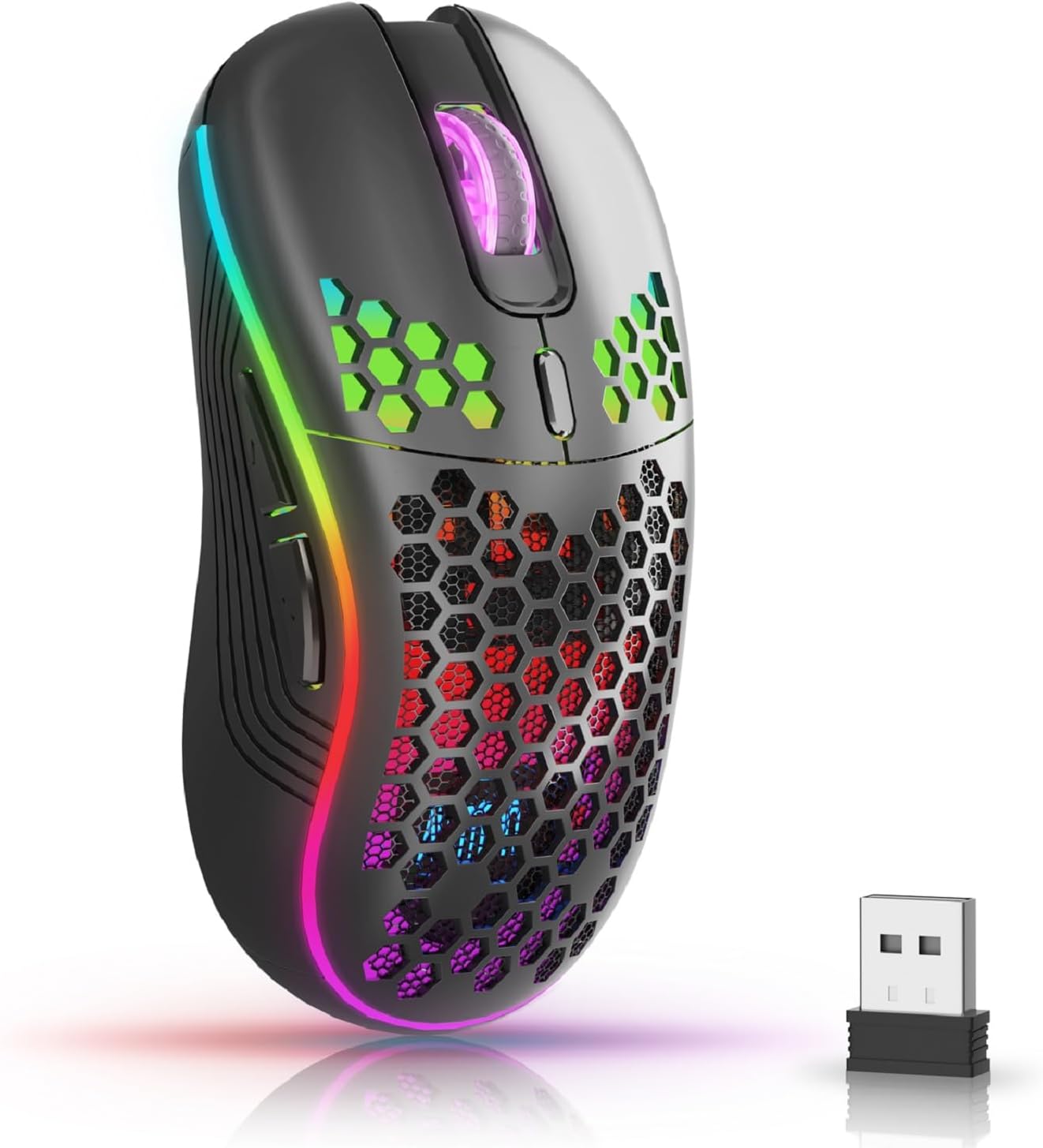
The AVMTON Wireless Gaming Mouse in black, featuring RGB lighting and a honeycomb design, shown alongside its compact USB receiver.

Illustration of the mouse's connectivity modes, including Type-C charging, 2.4G wireless receiver, and a 10m sensing range, suitable for home, gaming, and office environments.
Ключові характеристики:
- Ергономічний дизайн: Shaped to fit the hand comfortably, reducing strain during extended use.
- Регульований DPI: Easily switch between 800/1200/1600/2400/4800 DPI settings for precise control.
- 6 програмованих кнопок: Includes forward/backward, left/right click, scroll wheel, and DPI adjustment button.
- Акумуляторна батарея: Built-in lithium battery with USB-C charging, offering 15-20 days of use on a single charge.
- Дизайн безшумного клацання: Ideal for quiet environments like libraries or offices.
- Широка сумісність: Supports Windows 2000/ME/XP/7/8/10/Vista/98, Mac OS, Linux, and compatible with laptops, PCs, desktops, and Macbooks.
- Міцна конструкція: Tested for over 5 million clicks, ensuring long-lasting performance.
Посібник із налаштування
Follow these steps to set up your AVMTON Wireless Gaming Mouse:
- Зарядіть мишку: Before first use, fully charge the mouse using the provided USB-C charging cable. Connect the cable to the mouse's Type-C port and a USB power source (e.g., computer USB port, USB wall adapter). The charging indicator will show the charging status.
- Знайдіть USB-приймач: The compact USB 2.4G wireless receiver is typically stored in a compartment on the underside of the mouse for safe keeping during transport.
- Підключіть приймач: Insert the USB receiver into an available USB port on your computer (laptop, PC, desktop, Macbook).
- Увімкнення: Turn on the mouse using the power switch located on the underside of the mouse.
- Автоматичне підключення: The mouse should automatically connect to your computer. No additional drivers are usually required for basic functionality.
Інструкція з експлуатації
Understanding the functions of your mouse buttons and settings will enhance your experience.
Функції кнопок:
- Ліва кнопка миші: Стандартна функція первинного клацання.
- Клацніть правою кнопкою миші: Стандартна функція вторинного клацання.
- Колесо прокрутки: Прокручуйте документи вгору або вниз і web сторінки. Також можна натиснути для функції клацання середньою кнопкою миші.
- Кнопка регулювання DPI: Located near the scroll wheel. Press this button to cycle through available DPI settings (800/1200/1600/2400/4800). Each press changes the cursor speed and sensitivity.
- Кнопка вперед: Typically located on the side of the mouse. Used for navigating forward in web браузери або file дослідники.
- Кнопка "Назад": Typically located on the side of the mouse. Used for navigating backward in web браузери або file дослідники.
Керування RGB-підсвічуванням:
The mouse features dynamic RGB backlighting. If you prefer to turn off the backlight, refer to the specific instructions provided with your mouse or check the manufacturer's website for software utilities, if available. Some models allow toggling RGB with a combination of buttons (e.g., DPI button + another button).
Технічне обслуговування
Правильне обслуговування гарантує довговічність та продуктивність вашої миші.
- Зарядка: Recharge the mouse when the battery indicator shows low power. A full charge provides approximately 15-20 days of use. It is recommended to fully charge the mouse before extensive use.
- Прибирання: Використовуйте м’яку суху тканину для очищення поверхні миші. Для стійкого бруду злегкаamp cloth can be used, but ensure no moisture enters the internal components. Avoid harsh chemicals or abrasive materials.
- Зберігання: Якщо миша не використовується протягом тривалого часу, вимикайте її, щоб заощадити час роботи батареї. Зберігайте її в прохолодному, сухому місці.
Усунення несправностей
If you encounter issues with your AVMTON Wireless Gaming Mouse, try the following solutions:
- Миша не реагує:
- Переконайтеся, що миша увімкнена.
- Перевірте, чи USB-приймач надійно підключено до робочого USB-порту вашого комп’ютера.
- Recharge the mouse. A low battery can cause unresponsiveness.
- Спробуйте підключити USB-приймач до іншого порту USB.
- Перезавантажте комп'ютер.
- Затримка або переривчасте з'єднання:
- Ensure the mouse is within the 10-meter sensing range of the USB receiver.
- Remove any large metallic objects or other wireless devices that might be causing interference between the mouse and the receiver.
- Try moving the USB receiver to a port closer to the mouse.
- Налаштування DPI не працює:
- Ensure you are pressing the dedicated DPI adjustment button.
- Якщо проблема не зникає, спробуйте перезавантажити мишу та комп’ютер.
- Світильники RGB не працюють:
- Check if the RGB backlight has been intentionally turned off (refer to "RGB Backlight Control" in Operating Instructions).
- Переконайтеся, що миша має достатній заряд батареї.
If these steps do not resolve the issue, please contact AVMTON customer support for further assistance.
Технічні характеристики
| Особливість | Деталь |
|---|---|
| Бренд | АВМТОН |
| Номер моделі | AV-DDMB-1 |
| Колір | чорний |
| Технологія підключення | Бездротовий зв'язок 2.4G (USB-приймач) |
| Налаштування DPI | 800 / 1200 / 1600 / 2400 / 4800 |
| Кількість кнопок | 6 |
| Орієнтація руки | правильно |
| Термін служби батареї | Approx. 15-20 days (on a single charge) |
| Порт зарядки | USB Type-C |
| Сумісні операційні системи | Windows 2000/ME/XP/7/8/10/Vista/98, Mac OS, Linux |
| Сумісні пристрої | Персональний комп'ютер, ноутбук |
| Особливості | Portable, Ergonomic, Rechargeable, RGB Backlight, Silent Click |
Гарантія та підтримка
AVMTON offers a 12-month worry-free after-sales service for this product. If you encounter any problems with your wireless mouse, please do not hesitate to contact us. Our customer support team is ready to assist you.
For support, please visit the official AVMTON webабо зв’яжіться зі своїм продавцем.