
вступ
This manual provides detailed instructions for the setup, operation, maintenance, and troubleshooting of your Divoom Songbird Karaoke Bluetooth Speaker. Please read this manual thoroughly before using the product to ensure proper function and longevity.

Figure 1: The Divoom Songbird Karaoke Bluetooth Speaker system, including the main speaker unit, two wireless microphones, and their charging base.
Вміст упаковки
Перш ніж продовжити налаштування, перевірте, чи всі компоненти присутні в упаковці:
- 1 x SongBird-HQ Speaker Unit
- 2 x бездротові мікрофони
- 1 x Microphone Charging Base
- 1 x Посібник користувача (цей документ)
- 1 x USB-C зарядний кабель
- 1 x кабель Aux
- 1 x Giftbag (packaging)

Figure 2: All items included in the Divoom Songbird Karaoke Bluetooth Speaker package, showing the speaker, microphones, cables, and manual.
Налаштування
1. Зарядка пристрою
The Divoom Songbird speaker and microphones are powered by internal Lithium Ion batteries. For optimal performance, fully charge all components before first use.
- Connect the provided USB-C cable to the charging port on the speaker unit and to a compatible USB power adapter (not included).
- Place the two microphones onto their charging base. Ensure they are seated correctly for charging.
- Charging indicators (LEDs) on the speaker and microphones will illuminate during charging and turn off or change color when fully charged.
2. Початкове увімкнення
- To power on the speaker, locate the power button (refer to Figure 3 for control layout) and press and hold it until you hear an audible prompt or see an indicator light.
- To power on the microphones, slide the power switch on each microphone to the 'ON' position.

Figure 3: Top panel of the Divoom Songbird speaker, illustrating the various control knobs and buttons for operation.
Інструкція з експлуатації
1. Підключення Bluetooth
The Divoom Songbird speaker uses Bluetooth for wireless audio streaming.
- Ensure the speaker is powered on and in Bluetooth pairing mode (usually indicated by a blinking LED).
- On your mobile device or computer, navigate to the Bluetooth settings.
- шукати available devices and select "Divoom Songbird" from the list.
- Після підключення динамік надасть звукове підтвердження, а світлодіодний індикатор почне світитися постійно.
2. Допоміжне (AUX) підключення
For wired audio playback, use the provided 3.5mm Aux cable.
- Connect one end of the Aux cable to the 3.5mm Aux-in port on the speaker.
- Connect the other end to the headphone jack or audio output of your audio source (e.g., smartphone, MP3 player).
- The speaker will automatically switch to AUX mode or may require manual selection via a mode button.
3. Using the Microphones for Karaoke
The two wireless microphones are designed for karaoke functionality.
- Ensure both the speaker and microphones are powered on.
- The microphones should automatically pair with the speaker. If not, refer to the troubleshooting section.
- Adjust microphone volume and echo effects using the dedicated knobs on the speaker's top panel (refer to Figure 3).
- Sing into the microphone while playing music through the speaker via Bluetooth or AUX.

Figure 4: The two wireless microphones for the Divoom Songbird speaker, shown resting in their charging base.
Технічне обслуговування
1. прибирання
Щоб зберегти зовнішній вигляд та функціональність вашого динаміка:
- Протріть зовнішні поверхні м’якою, сухою тканиною без ворсу.
- Не використовуйте абразивні засоби для чищення, спирт, бензол або інші хімічні розчинники, оскільки вони можуть пошкодити покриття.
- Уникайте потрапляння вологи в будь-які отвори.
2. Зберігання
Якщо не використовується протягом тривалого часу:
- Store the speaker and microphones in a cool, dry place, away from direct sunlight and extreme temperatures.
- Ensure the batteries are partially charged (around 50%) before long-term storage to preserve battery health.
3. Догляд за акумулятором
The device contains a built-in rechargeable Lithium Ion battery. To maximize battery lifespan:
- Уникайте частого повного розряджання акумулятора.
- Avoid leaving the device plugged in constantly after it's fully charged.
- Заряджайте пристрій принаймні раз на три місяці, якщо він не використовується регулярно.
Усунення несправностей
If you encounter issues with your Divoom Songbird speaker, refer to the following common problems and solutions:
| проблема | Можлива причина | Рішення |
|---|---|---|
| Немає живлення/Пристрій не вмикається | Акумулятор розрядився. | Charge the speaker and microphones fully using the provided USB-C cable. |
| Не вдається підключитися через Bluetooth | Колонка не в режимі сполучення; Bluetooth пристрою вимкнено; пристрій знаходиться занадто далеко від колонки. | Ensure speaker is in pairing mode. Turn Bluetooth off and on again on your device. Move closer to the speaker (within 10 meters). Forget the device on your phone and re-pair. |
| Немає звуку з динаміка | Volume is too low; incorrect input mode; audio source issue. | Increase volume on both the speaker and your audio source. Ensure the correct input mode (Bluetooth/AUX) is selected. Check if the audio source is playing correctly. |
| Мікрофони не працюють | Microphones are off; not charged; not paired with speaker. | Ensure microphones are powered on and charged. Power cycle both the speaker and microphones. They should automatically pair. |
Технічні характеристики
Detailed technical specifications for the Divoom Songbird Karaoke Bluetooth Speaker:
- Номер моделі: 90100058218
- Бренд: Divoom
- Розміри продукту: 28 х 10 х 25 см
- Вага товару: 1.3 кг
- Джерело живлення: Живлення від батареї (1 літій-іонна батарея в комплекті)
- Потужність звуку: 50 Вт
- Мікрофони: Dual Microphone 24bit
- Термін служби батареї: Приблизно 8 годин
- Технологія підключення: Допоміжний, Bluetooth
- Тип роз'єму: 3.5 мм джек
- Особливості: Bluetooth, портативний
- колір: Зелений
- Рекомендоване використання: For music players, Karaoke
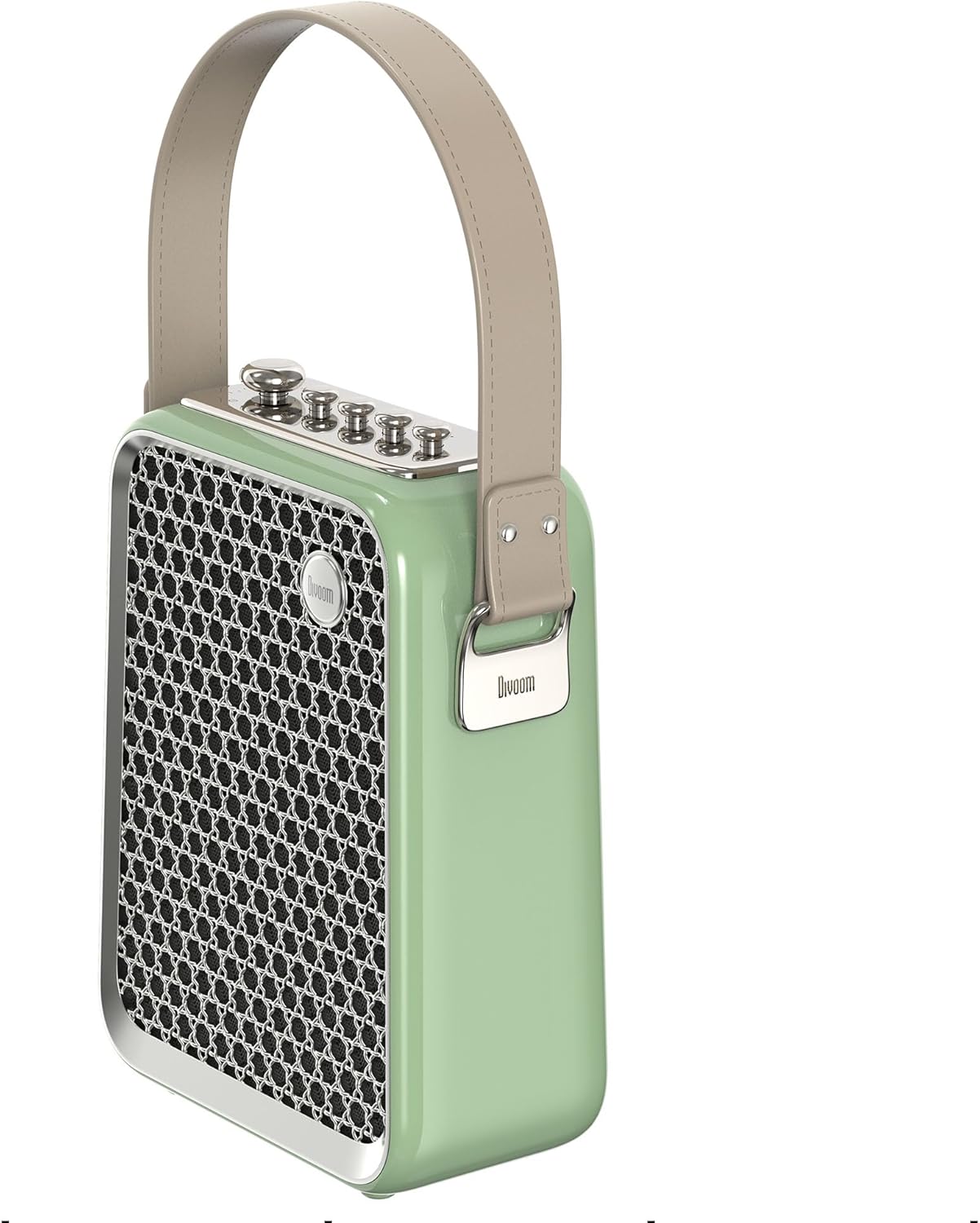
Рисунок 5: Бічний профіfile of the Divoom Songbird speaker, highlighting its compact dimensions and integrated carrying handle.
Гарантія та підтримка
Інформація про гарантію
This product may be eligible for extended warranty plans and accidental damage protection plans. Please refer to your purchase documentation or contact your retailer for specific warranty terms and conditions applicable to your region.
- 1 Year Extended Warranty Plan: Доступно для придбання.
- 1 Year Accidental Damage Protection Plan: Доступно для придбання.
- 2 Years Extended Warranty Plan: Доступно для придбання.
Підтримка клієнтів
For technical assistance, troubleshooting beyond this manual, or warranty claims, please contact Divoom customer support. Visit the official Divoom website for contact information or refer to the support details provided with your product packaging.
Ви також можете відвідати Divoom brand page on Amazon для отримання додаткової інформації.