
1. Продукт закінчивсяview
The SEAFRONT 3-in-1 Endoscope Camera is a versatile inspection tool designed for examining hard-to-reach areas. It features a 5.5mm diameter lens, a 5-meter rigid cable, and adjustable LED lighting for clear visibility in dark or confined spaces. This endoscope is compatible with Android smartphones (with OTG support) and Windows PCs, offering flexible connectivity options via Micro USB, standard USB, and USB Type-C adapters.
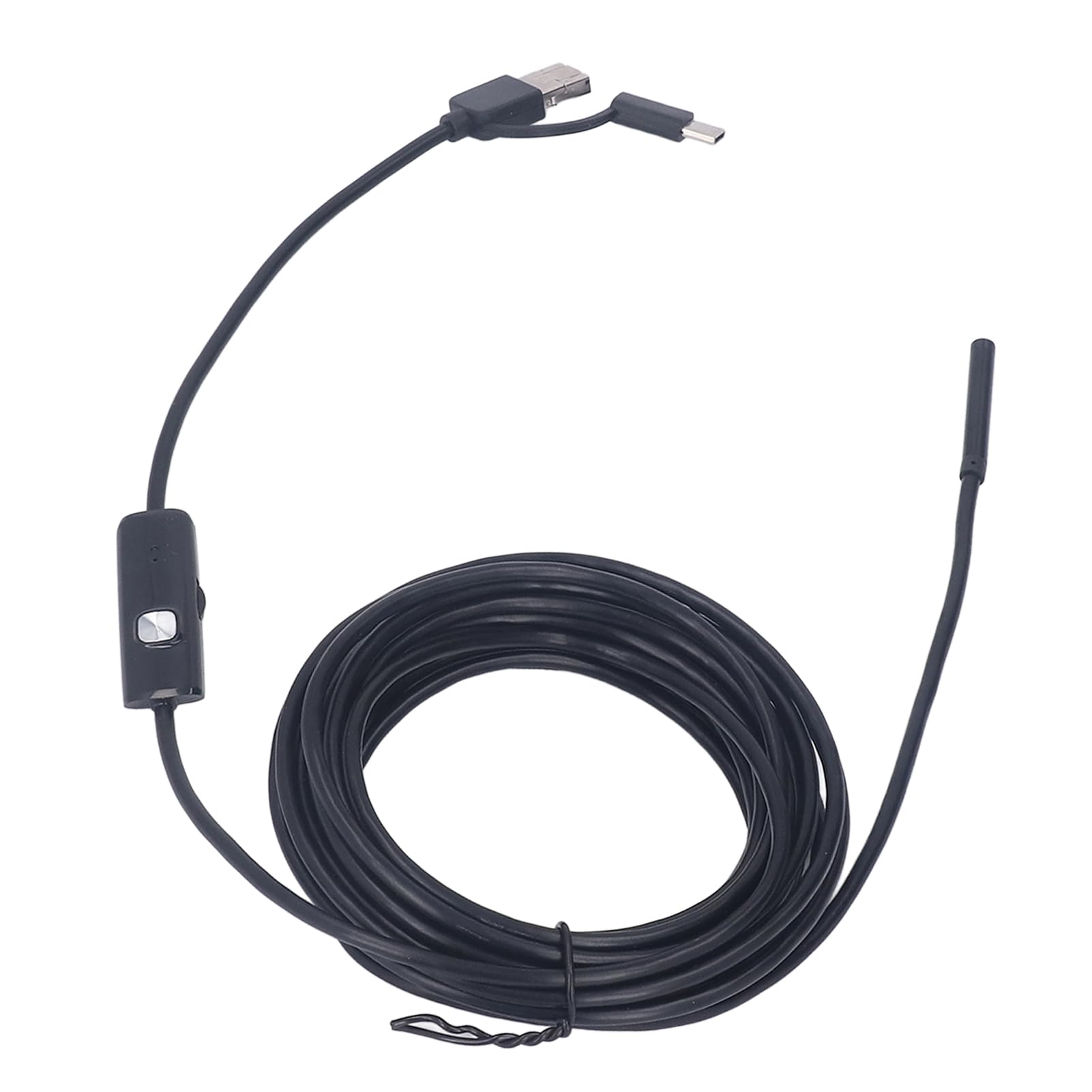
Image: The endoscope camera connected to a smartphone, illustrating its use for detailed inspections.
Its waterproof design allows for inspections in wet environments, such as pipes or drains. The compact and lightweight design ensures portability for various applications, from automotive diagnostics to home maintenance.
2. Вміст упаковки
- SEAFRONT 3-in-1 Endoscope Camera (5.5mm lens, 5-meter rigid cable)
- USB адаптер
- Адаптер USB Type-C
- Посібник користувача (цей документ)
- Accessory Kit (includes mirror, hook, and magnet attachments)

Image: Endoscope camera head with various attachments for enhanced functionality.
3. Інструкції з налаштування
3.1 Connecting to an Android Smartphone
- Verify OTG Support: Ensure your Android smartphone supports OTG (On-The-Go) functionality. You can check this in your phone's settings or by using a third-party USB OTG Checker application.
- Завантажити додаток: шукати and download a compatible endoscope camera application from the Google Play Store. Recommended applications often include names like "USB Camera," "OTG View," or similar.
- Connect Endoscope: Attach the appropriate adapter (Micro USB or USB Type-C) to the endoscope cable. Plug the endoscope into your smartphone's charging port.
- Запуск програми: Open the downloaded endoscope application. The camera feed should appear automatically. If not, check the app settings for camera selection.
3.2 Connecting to a Windows PC
- Connect Endoscope: Use the standard USB adapter to connect the endoscope to an available USB port on your Windows PC.
- Встановлення драйвера (за потреби): In most cases, Windows will automatically install the necessary drivers. If the device is not recognized, you may need to manually install a driver. Refer to the product's support page or contact customer service for driver downloads.
- Open Camera Application: Use the built-in "Camera" application in Windows or a third-party webcam software. Select the endoscope camera from the list of available cameras.

Image: The versatile 3-in-1 connector for Micro USB, standard USB, and USB Type-C devices.
4. Інструкція з експлуатації
4.1 Регулювання світлодіодних ламп
The endoscope features integrated LED lights to illuminate inspection areas. A control wheel or button on the cable allows you to adjust the brightness of these LEDs. Rotate the wheel or press the button to achieve optimal lighting for your inspection.

Image: The endoscope camera head demonstrating adjustable LED light intensity.
4.2 Захоплення зображень та відео
Once the endoscope is connected and the application is running, you can capture still images or record videos directly through the application interface. Look for camera and video icons within the app to initiate these functions. Captured media will be saved to your device's gallery or a designated folder within the application.
4.3 Використання вкладень
The accessory kit includes a mirror, hook, and magnet. These can be attached to the endoscope camera head to assist with various inspection tasks:
- Дзеркало: Забезпечує побічну частину view for inspecting corners or areas not directly in front of the camera.
- Гачок: Useful for retrieving small objects from confined spaces.
- Магніт: Helps in picking up small metallic items.
To attach, carefully slide the desired accessory onto the camera head until it is securely in place.
5. Технічне обслуговування
- Очищення лінзи: After use, gently wipe the camera lens with a soft, dry cloth to remove any debris or moisture. For stubborn dirt, a slightly damp можна використовувати тканину, а потім висушити.
- Зберігання: Store the endoscope in a clean, dry place, away from extreme temperatures and direct sunlight. Coil the cable loosely to prevent damage.
- Водонепроникність: The camera head is waterproof. However, ensure all connections (USB ports) are dry before connecting to devices. Do not submerge the USB connectors.

Image: The endoscope camera head submerged in water, highlighting its waterproof feature.
6. Вирішення проблем
- Немає зображення на екрані:
- Ensure the endoscope is securely connected to your device.
- For Android, verify OTG support and that the application is correctly installed and running. Try a different compatible application.
- For PC, check if drivers are installed. Try a different USB port.
- Restart your device and the application.
- Погана якість зображення:
- Adjust the LED light brightness using the control wheel on the cable.
- Очистіть об’єктив камери, якщо він брудний або розмазаний.
- Ensure the camera is within its optimal macro focus range (approximately 5mm).
- Device Not Recognizing Endoscope:
- Confirm your Android device has OTG enabled.
- Try connecting to a different compatible device (another Android phone or PC) to rule out device-specific issues.
- Ensure you are using the correct adapter for your device's port.
7. Технічні характеристики
| Номер моделі товару | SEAFRONTubhni8e7ag |
| Виробник | SEAFRONT |
| Технологія підключення | USB |
| Сумісні пристрої | Android Smartphones (OTG compatible), Windows PCs |
| Діаметр лінзи | 5.5 мм / 0.22 дюйма |
| Довжина кабелю | 5 метрів / 16.4 фути |
| Роздільна здатність запису відео | 640 x 480P |
| Screen Capture Resolution | 640 x 480P |
| Рівень водонепроникності | Waterproof (camera head) |
| Джерело світла | Регульовані світлодіодні ліхтарі |
| Діапазон макрофокусування | 5 мм |
| Тип датчика | CMOS |
| Тип контролю експозиції | Автоматична, ручна |
| Режими зйомки | Автоматична, ручна |
| Колір | чорний |
| Розміри упаковки | 13 х 12.3 х 3.9 см; 160 грам |
| Країна походження | Китай |

Image: Visual representation of the endoscope's lens diameter and cable length.
8. Інформація про безпеку
- Не намагайтеся розбирати або модифікувати пристрій. Це може призвести до анулювання гарантії та пошкодження.
- Тримайте пристрій подалі від дітей.
- Avoid exposing the USB connectors to water or excessive moisture.
- Use only the provided adapters and accessories.
- Не використовуйте ендоскоп для медичних цілей або для внутрішнього обстеження людей/тварин.