
Baseus NGTD020202
Посібник користувача бездротових навушників Baseus Bowie D05
Model: NGTD020202
1. Вступ
Thank you for choosing the Baseus Bowie D05 Wireless Headphones. This manual provides detailed instructions on how to set up, operate, maintain, and troubleshoot your new headphones. Please read this manual carefully before use to ensure optimal performance and longevity of your device.
2. Що в коробці
Після розпакування переконайтеся, що всі наступні елементи присутні:
- Бездротові навушники Baseus Bowie D05
- Зарядний кабель USB-A – USB-C
- Аудіокабель 3.5 мм
- Посібник користувача
Image: The Baseus Bowie D05 headphones shown alongside their USB-C charging cable and 3.5mm audio cable, illustrating the complete package contents.
3. Продукт закінчивсяview
Familiarize yourself with the various parts and controls of your Baseus Bowie D05 headphones:
- Кнопка живлення/багатофункціональна кнопка: Used for powering on/off, play/pause, answering/ending calls, and activating voice assistant.
- Кнопка збільшення гучності: Increases volume, long press for next track.
- Кнопка зменшення гучності: Decreases volume, long press for previous track.
- Порт зарядки USB-C: Для зарядки навушників.
- 3.5 мм аудіороз’єм: Для дротового підключення.
- Світлодіодний індикатор: Показує стан живлення, заряджання та сполучення.
- Мікрофон: Для дзвінків та голосових команд.

Зображення: Детальний view of the left earcup of the Baseus Bowie D05 headphones, highlighting the location of the control buttons (volume up/down, multi-function) and the charging/audio ports.
4. Налаштування
4.1 Заряджання навушників
- Connect the USB-C end of the charging cable to the headphone's charging port.
- Connect the USB-A end to a USB power adapter (5V/1A recommended) or a computer's USB port.
- The LED indicator will show red during charging and turn off or blue when fully charged.
- Повна зарядка зазвичай займає приблизно 1.5-2 години.
4.2 Створення пари Bluetooth
- Переконайтеся, що навушники повністю заряджені.
- Press and hold the Power/Multi-function button for 3-5 seconds until the LED indicator flashes blue and red alternately, indicating pairing mode.
- На вашому пристрої (смартфоні, планшеті, комп’ютері) увімкніть Bluetooth.
- шукати "Baseus Bowie D05" in the list of available Bluetooth devices.
- Select "Baseus Bowie D05" to connect. Once connected, the LED indicator will flash blue slowly or turn off.
4.3 Дротове підключення (додатково)
You can use the headphones with the included 3.5mm audio cable when the battery is low or for devices without Bluetooth connectivity.
- Підключіть один кінець 3.5-мм аудіокабелю до 3.5-мм аудіороз'єму навушників.
- Підключіть інший кінець до аудіовиходу вашого пристрою.
- Note: Controls on the headphones may not function in wired mode.
5. Інструкція з експлуатації
5.1 Увімкнення/вимкнення живлення
- Увімкнення: Натисніть і утримуйте кнопку живлення/багатофункціонального режиму протягом 3 секунд.
- Вимкнення живлення: Натисніть і утримуйте кнопку живлення/багатофункціонального режиму протягом 5 секунд.
5.2 Відтворення музики
- Відтворення/пауза: Коротко натисніть кнопку живлення/багатофункціональної кнопки.
- Збільшення гучності: Коротко натисніть кнопку збільшення гучності.
- Зменшення гучності: Коротко натисніть кнопку зменшення гучності.
- Наступний трек: Тривале натискання кнопки збільшення гучності.
- Попередній трек: Довго натискайте кнопку зменшення гучності.
5.3 Керування викликами
- Відповісти/закінчити виклик: Коротко натисніть кнопку живлення/багатофункціональної кнопки.
- Відхилити виклик: Long press the Power/Multi-function button for 2 seconds.
5.4 Підключення кількох пристроїв
The Baseus Bowie D05 headphones support simultaneous connection to two devices, allowing seamless switching between them.
- Connect the headphones to the first device via Bluetooth as described in section 4.2.
- Від’єднайте навушники від першого пристрою (не роз’єднуйте їх).
- Connect the headphones to the second device via Bluetooth.
- Знову підключіть навушники до першого пристрою з його налаштувань Bluetooth. Тепер навушники мають бути підключені до обох пристроїв.
Image: The Baseus Bowie D05 headphones are depicted wirelessly connected to both a smartphone and a tablet, demonstrating their multi-device connectivity feature.
6. Технічне обслуговування
Щоб забезпечити довговічність та оптимальну роботу ваших навушників, дотримуйтесь цих правил обслуговування:
- Прибирання: Для очищення навушників використовуйте м’яку, суху тканину без ворсу. Не використовуйте абразивні засоби для чищення, спирт або хімічні розчинники.
- Зберігання: Коли навушники не використовуються, зберігайте їх у прохолодному, сухому місці, подалі від прямих сонячних променів та екстремальних температур.
- Уникайте вологи: Тримайте навушники подалі від води та надмірної вологості.
- Обережно поводьтеся: Уникайте падіння навушників та сильних ударів.
7. Вирішення проблем
If you encounter any issues with your Baseus Bowie D05 headphones, please refer to the following common problems and solutions:
| проблема | Можливе рішення |
|---|---|
| Навушники не вмикаються. | Переконайтеся, що навушники повністю заряджені. Підключіть до джерела живлення та спробуйте ще раз. |
| Не вдається з’єднати пристрій. | Ensure headphones are in pairing mode (flashing blue/red). Turn off and on Bluetooth on your device. Clear previous Bluetooth connections on your device. Move headphones closer to the device. |
| Немає звуку або гучність низька. | Check headphone and device volume levels. Ensure headphones are properly connected. Try playing different audio. If using wired connection, ensure cable is fully inserted. |
| Погана якість звуку. | Move closer to your device to avoid interference. Avoid obstacles between headphones and device. Try disconnecting and reconnecting. |
| Навушники часто відключаються. | Ensure headphones are fully charged. Keep within Bluetooth range (typically 10 meters). Avoid strong electromagnetic interference. |
Якщо проблема не зникає після спроби цих рішень, зверніться до служби підтримки клієнтів.
8. Технічні характеристики
Detailed technical specifications for the Baseus Bowie D05 Wireless Headphones:
- Назва моделі: NGTD020202
- Бренд: Baseus
- Технологія підключення: Бездротовий (Bluetooth)
- Технологія бездротового зв'язку: Bluetooth
- Розташування вуха: Над вухом
- Форм-фактор: Над вухом
- Тип аудіо драйвера: Динамічний драйвер
- Розмір драйвера: 40 мм
- Термін служби батареї: Up to 70 hours of audio playback (at 70% volume)
- Порт зарядки: USB-C
- Аудіороз'єм: 3.5 мм джек
- матеріал: пластик
- Вага товару: Приблизно 209 грамів (7.37 унції)
- колір: Creamy-White (as per product title, though spec says Black)
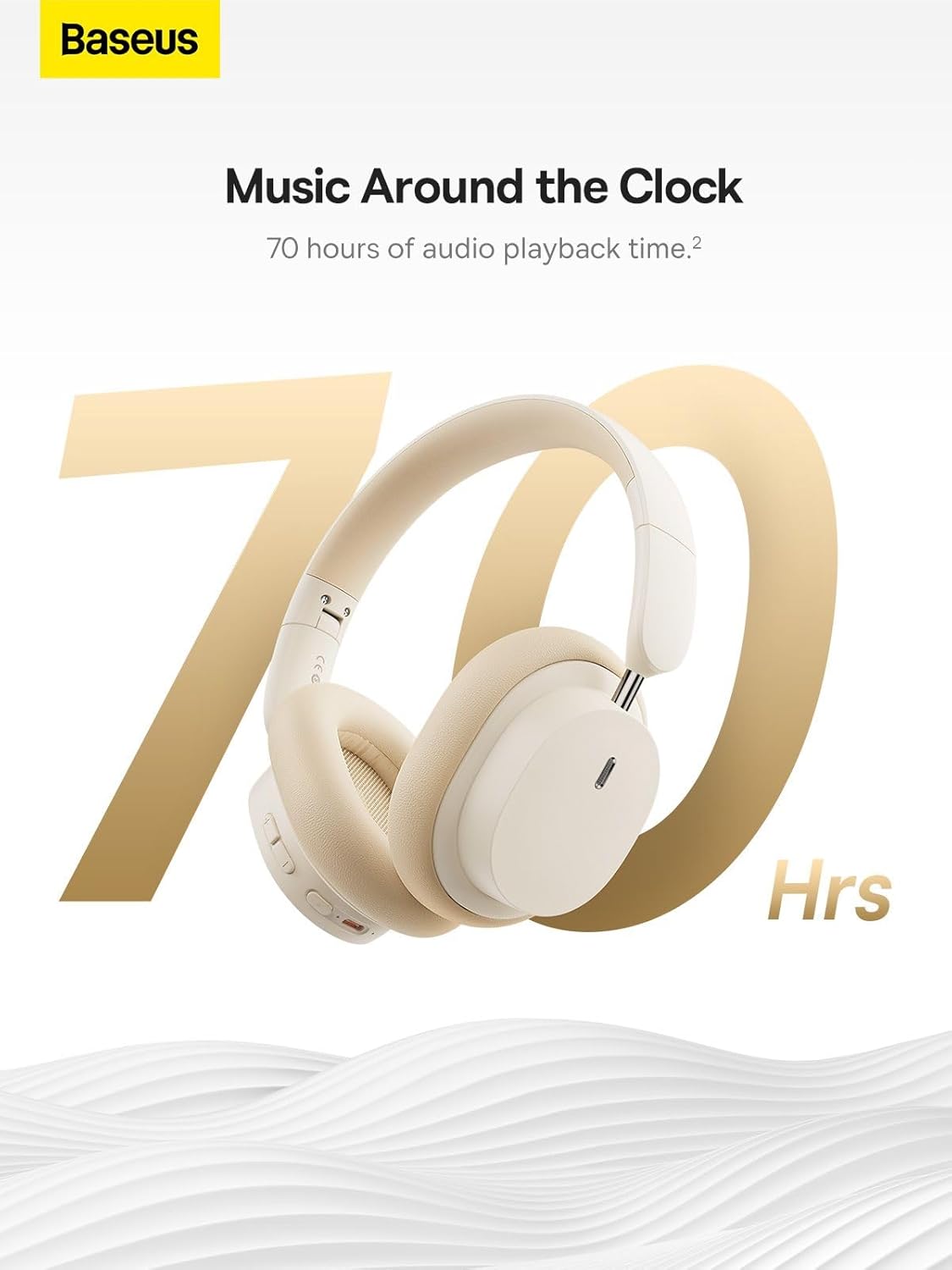
Image: The Baseus Bowie D05 headphones are featured with a prominent '70 Hrs' graphic, highlighting their extended audio playback time on a single charge.

Image: Two individuals are shown comfortably wearing the Baseus Bowie D05 headphones, emphasizing their lightweight design with the text 'Only 209g' for extended listening sessions.

Image: A visual representation of a 40mm large driver unit, illustrating its capability to deliver detailed high-end and fuller low-end audio performance.
9. Гарантія та підтримка
9.1 Інформація про гарантію
Baseus products are covered by a limited warranty from the date of purchase. Please refer to the warranty card included in your product packaging or visit the official Baseus webсайт для отримання детальних гарантійних умов.
9.2 Підтримка клієнтів
For technical assistance, troubleshooting, or warranty claims, please contact Baseus customer support through the following channels:
- Офіційний Webсайт: Visit the Baseus official webсайт із поширеними запитаннями, ресурсами підтримки та контактними формами.
- Підтримка електронною поштою: Зверніться до упаковки вашого продукту або до офіційного webсайт для адреси електронної пошти служби підтримки клієнтів.
- Авторизований роздрібний продавець: Зверніться за допомогою до продавця, у якого ви придбали товар.