
Agunto AGU-OC1
Інструкція користувача зовнішньої камери безпеки Agunto AGU-OC1
Model: AGU-OC1
вступ
Thank you for choosing the Agunto AGU-OC1 Outdoor Security Camera. This manual provides detailed instructions for setting up, operating, and maintaining your camera to ensure optimal performance and security for your property. The AGU-OC1 is designed for outdoor surveillance, featuring 1080p video resolution, advanced night vision, motion and sound detection, and seamless integration with smart home systems like Google Assistant.

Малюнок 1: Спереду view of the Agunto AGU-OC1 Outdoor Security Camera.
Інформація про безпеку
- Ensure the camera is installed in a location where it is protected from direct tampering.
- Use only the provided USB-C cable and power adapter.
- Не піддавайте камеру впливу екстремальних температур поза межами її робочого діапазону.
- Уникайте розміщення камери поблизу сильних електромагнітних полів.
- Від’єднайте живлення перед чищенням або технічним обслуговуванням.
Вміст упаковки
Будь ласка, перевірте упаковку на наявність наступних предметів:
- Agunto AGU-OC1 Outdoor Security Camera
- USB-C Power Cable (3 meters)
- Монтажні гвинти та дюбелі
- Посібник користувача (цей документ)
Налаштування
1. Монтаж камери
The Agunto AGU-OC1 is designed for wall mounting. Choose a location that provides the desired viewкута та знаходиться в межах досяжності розетки.
- Позначте точки свердління на стіні, використовуючи монтажну основу камери як шаблон.
- Drill holes at the marked points. Insert the wall plugs if necessary.
- Закріпіть монтажну основу до стіни за допомогою наданих гвинтів.
- Attach the camera to the mounted base and adjust the angle as needed. The camera features a 180-degree rotatable function for optimal positioning.

Рисунок 2: Кутовий view of the Agunto AGU-OC1, showing its mounting bracket.

Figure 3: The camera installed outdoors, demonstrating its weather resistance.
2. Підключення живлення
Connect the provided 3-meter USB-C cable to the camera's USB-C port and plug the other end into a suitable power adapter (not always included, but implied by "Elektrisch met snoer" and "USB-C").

Figure 4: USB-C power connection for the Agunto AGU-OC1 camera.
3. Встановлення та сполучення програм
Для контролю і view your camera, you will need to install the dedicated Agunto app on your smartphone or tablet. The app is available for both iOS and Android devices.
- Download the "Agunto Smart" app from the App Store (iOS) or Google Play Store (Android).
- Відкрийте програму та створіть новий обліковий запис або увійдіть, якщо він у вас уже є.
- Follow the in-app instructions to add your new AGU-OC1 camera. This typically involves scanning a QR code on the camera or entering a device ID.
- Ensure your smartphone is connected to a 2.4GHz Wi-Fi network during the pairing process, as the camera uses Wi-Fi connectivity.
Керування камерою
Жити View і Запис
Once paired, you can access the live video feed from your camera through the Agunto Smart app. From the live view екрані, ви можете:
- View foo в режимі реального часуtage.
- Manually record video clips or capture screenshots.
- Access recorded events stored on a microSD card (if installed) or cloud storage (if subscribed).
Нічне бачення
The AGU-OC1 features advanced night vision capabilities, providing clear images even in low-light conditions. It supports color night vision for enhanced detail up to 10 meters.
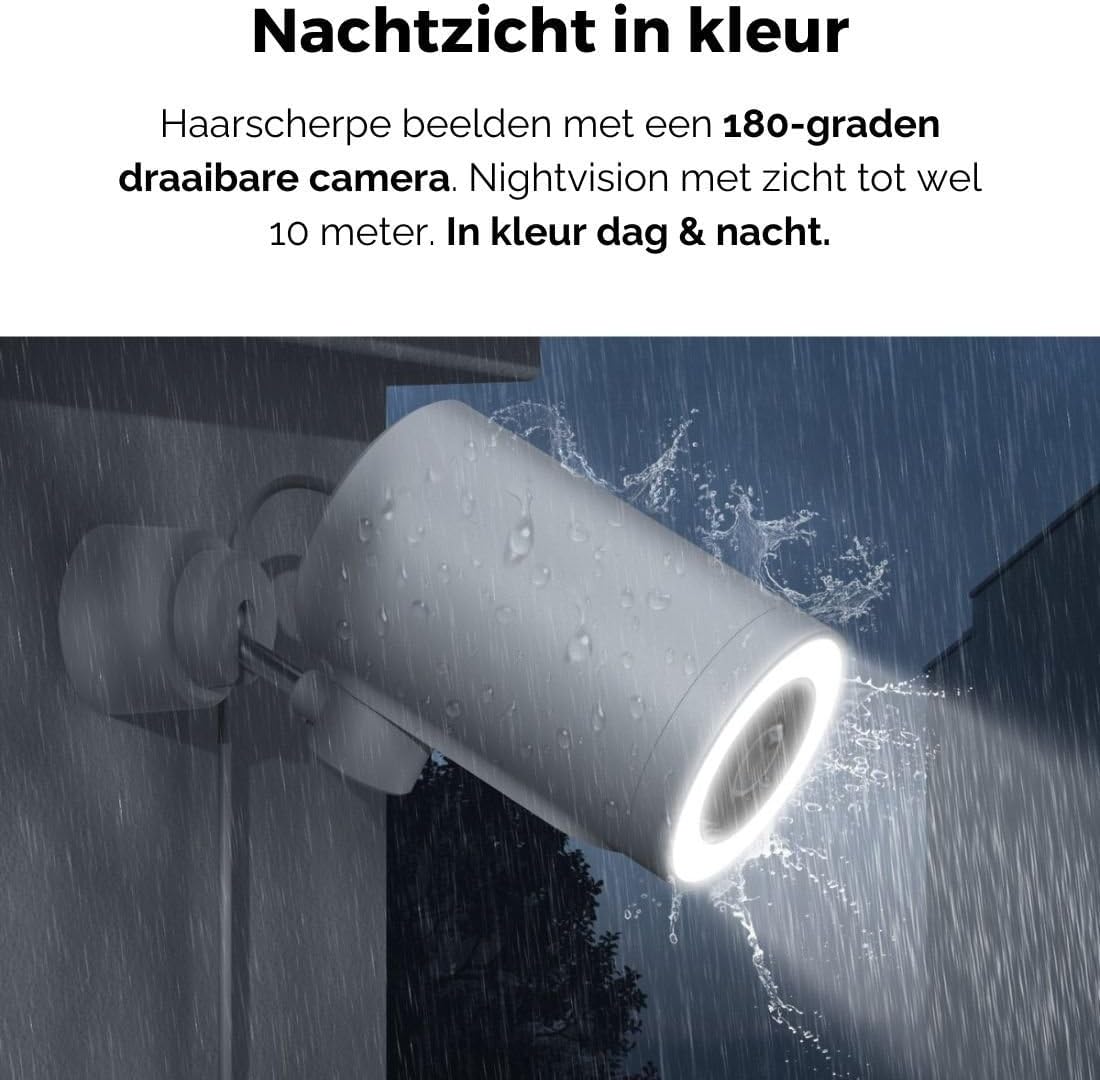
Figure 5: The camera's color night vision in action, providing clear images in the dark.
Виявлення руху та звуку
The camera is equipped with intelligent motion and sound detection. When activity is detected, you will receive instant notifications on your smartphone or tablet, allowing you to monitor your property effectively.
You can customize detection zones and sensitivity settings within the app to minimize false alarms.
Інтеграція з Google Асистентом
The Agunto AGU-OC1 seamlessly integrates with Google Assistant. You can link your camera to Google Home and stream live footage to compatible devices such as Google Nest Hub or Chromecast-enabled displays by voice command.
Exampкоманда le: "Hey Google, show me the backyard camera."
Технічне обслуговування
- Прибирання: Обережно протріть об’єктив та корпус камери м’якою сухою тканиною. Не використовуйте агресивні хімікати або абразивні засоби для чищення.
- Оновлення програмного забезпечення: Regularly check the Agunto Smart app for firmware updates. Keeping your camera's software up-to-date ensures optimal performance, security, and access to new features.
- Перевірка кабелю: Periodically inspect the USB-C cable for any signs of wear or damage, especially if exposed to outdoor elements.
Усунення несправностей
| проблема | Можливе рішення |
|---|---|
| Камера не вмикається. | Check the USB-C cable connection and ensure the power adapter is plugged into a working outlet. Try a different outlet or adapter if available. |
| Неможливо підключитися до Wi-Fi. | Ensure your Wi-Fi network is 2.4GHz. Check Wi-Fi signal strength at the camera's location. Restart your router and the camera. Re-attempt pairing through the app. |
| Погана якість відео. | Clean the camera lens. Ensure adequate lighting. Check your internet connection speed. |
| Виявлення руху не працює. | Verify motion detection is enabled in the app settings. Adjust sensitivity and detection zones. Ensure there are no obstructions blocking the camera's view. |
| Сповіщення не отримано. | Check app notification settings on your phone. Ensure the app has permission to send notifications. Verify your phone has an active internet connection. |
Технічні характеристики
| Особливість | Деталь |
|---|---|
| Номер моделі | AGU-OC1 |
| Ефективна роздільна здатність відео | 1080 пікселів |
| матеріал | пластик |
| Wattage | 4 Вт |
| Розміри предмета (Д x Ш x В) | 10 х 4.4 х 7.3 сантиметрів |
| Вага товару | 78 грамів |
| Технологія підключення | Wireless, Wired (USB-C) |
| Особливості | Night Vision (Color), Motion Detection, Sound Detection, 180-degree rotatable |
| Середовище використання | Відкритий |
| Сумісні пристрої | Smartphone (via Agunto Smart app), Google Assistant devices |
| Джерело живлення | Дротовий електричний (USB-C) |
| Тип монтажу | Настінне кріплення |
Гарантія та підтримка
Agunto products are designed for reliability and performance. For information regarding warranty coverage, technical support, or service, please refer to the warranty card included with your product or visit the official Agunto website. You can also contact Agunto customer support through the contact information provided on their website or within the Agunto Smart app.
For the latest information and FAQs, please visit: Agunto Official Store
Ask a question about this manual
Ask about setup, troubleshooting, compatibility, parts, safety, or missing instructions. Manuals+ will review the question and use this page’s manual context to help answer it.