
1. Вступ
This manual provides detailed instructions for the proper use and maintenance of your Micool DY20PLUS Bluetooth Earpiece. Please read this manual thoroughly before using the product to ensure safe and efficient operation. The Micool DY20PLUS is a single-ear Bluetooth headset designed for clear communication, featuring noise cancellation and extended talk time.
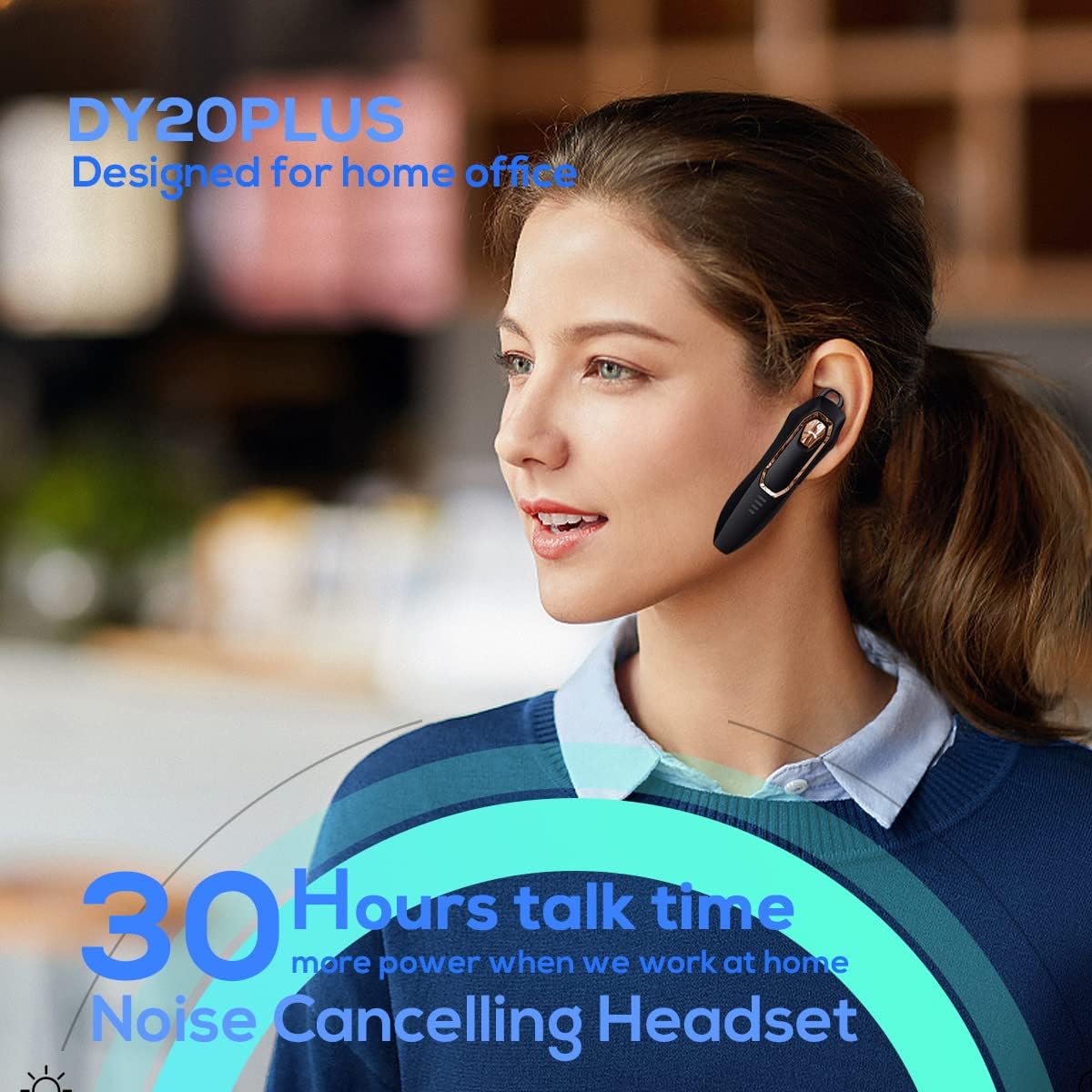
Figure 1: Micool DY20PLUS Bluetooth Earpiece
Відео 1: Кінецьview of Micool Bluetooth Headset features, including noise cancellation and long battery life.
2. Вміст упаковки
Будь ласка, перевірте упаковку на наявність наступних предметів:
- Micool DY20PLUS Bluetooth Earpiece
- USB-кабель для зарядки
- Вушні гачки (різні розміри)
- Посібник користувача
3. Продукт закінчивсяview
Familiarize yourself with the buttons and indicators on your Micool DY20PLUS earpiece:

Figure 2: Earpiece controls and functions.
- MFB (багатофункціональна кнопка): Увімкнення/вимкнення, відтворення/пауза, відповідь/завершення дзвінків.
- Збільшення гучності (+): Збільшення гучності, наступний трек (довге натискання).
- Зменшення гучності (-): Зменшення гучності, попередній трек (довге натискання).
- Кнопка вимкнення звуку: Mute/unmute microphone during a call.
- Світлодіодний індикатор: Показує стан живлення, сполучення та заряджання.
- Порт зарядки: USB порт для зарядки.
4. Налаштування
4.1 Заряджання навушника
Before first use, fully charge the earpiece. Connect the provided USB charging cable to the earpiece's charging port and a USB power source. The LED indicator will show charging status and turn off when fully charged. A full charge provides up to 30 hours of talk time.
4.2 Створення пари Bluetooth
To connect your Micool DY20PLUS earpiece to your mobile phone or other Bluetooth-enabled device:
- Ensure the earpiece is turned off.
- Press and hold the MFB until the LED indicator flashes red and blue alternately, indicating pairing mode.
- Увімкніть Bluetooth на своєму пристрої та знайдіть доступні пристрої.
- Select "DY20PLUS" from the list of devices.
- Після підключення світлодіодний індикатор повільно блиматиме синім.
The earpiece supports connecting to two devices simultaneously. After pairing with the first device, disable Bluetooth on it, then pair with the second device. Re-enable Bluetooth on the first device, and both should connect.
Video 2: Demonstrates Bluetooth pairing and setting up the "Speak Caller's Name" function using the RealTTS app.
5. Інструкція з експлуатації
5.1 Увімкнення/вимкнення живлення
- Увімкнення: Натисніть і утримуйте багатофункціональну кнопку (МФБ) приблизно 3 секунди, поки світлодіодний індикатор не почне блимати синім кольором.
- Вимкнення живлення: Натисніть і утримуйте багатофункціональну кнопку (МФБ) приблизно 3 секунди, доки світлодіодний індикатор не почне блимати червоним, а потім не згасне.
5.2 Керування викликами
- Відповісти на дзвінок: Short press the MFB once.
- Завершити виклик: Short press the MFB once during a call.
- Відхилити виклик: Натисніть і утримуйте MFB протягом 2 секунд.
- Вимкнути/увімкнути звук: Short press the dedicated Mute button during a call.
- Перемикання звуку дзвінка: During a call, you can switch the audio output between the earpiece and your phone. Refer to your phone's call interface for this option.
5.3 Відтворення музики
- Відтворення/пауза: Short press the MFB once.
- Наступний трек: Тривале натискання кнопки збільшення гучності (+).
- Попередній трек: Тривало натисніть кнопку зменшення гучності (-).
5.4 Регулювання гучності
- Збільшити гучність: Коротко натисніть кнопку збільшення гучності (+).
- Зменшити гучність: Коротко натисніть кнопку зменшення гучності (-).
5.5 Голосовий помічник
Double-tap the MFB to activate your device's voice assistant (Siri, Cortana, Bixby, Google Assistant, etc.). This allows for hands-free control of your connected device.
6. Технічне обслуговування
- Keep the earpiece dry. Do not expose it to extreme temperatures.
- Clean the earpiece with a soft, dry cloth. Avoid using harsh chemicals.
- Store the earpiece in a cool, dry place when not in use.
- Avoid dropping or subjecting the earpiece to strong impacts.
7. Вирішення проблем
| проблема | Можлива причина | Рішення |
|---|---|---|
| Не вдається включити | Низький заряд батареї | Charge the earpiece fully. |
| Не вдається підключитися до пристрою | Earpiece not in pairing mode; Bluetooth off on device; too far apart. | Ensure earpiece is in pairing mode (flashing red/blue). Turn on Bluetooth on your device. Keep devices within 1 meter during pairing. |
| Немає звуку або погана якість звуку | Volume too low; earpiece not selected as audio output; interference. | Adjust volume on both earpiece and device. Check device's audio output settings. Move away from sources of interference. |
| Caller's name not announced | RealTTS app not installed or permissions not granted. | Download and install the "RealTTS" app. Ensure Bluetooth and contact access permissions are granted to the app. |
8. Технічні характеристики
| Особливість | Деталь |
|---|---|
| Назва моделі | DY20PLUS |
| Бренд | Мікул |
| Версія Bluetooth | 5.0 |
| Дальність бездротового зв'язку | До 50 метрів (150 фути) |
| Час розмови | До 30 годин |
| Контроль шуму | Active Noise Cancellation (2 Microphones) |
| вага | 12g (Ultra-light) |
| Сумісність | Bluetooth-enabled devices (phones, laptops, tablets) |
| матеріал | пластик |
| UPC | 768399519588 |
9. Гарантія та підтримка
Micool products come with a standard manufacturer's warranty. For specific warranty details, please refer to the warranty card included in your product packaging or visit the official Micool website. If you encounter any issues or require technical assistance, please contact Micool customer support through their official channels.