
вступ
The D-Link DMS-108 is an 8-Port 2.5GB Unmanaged Multi-Gigabit Switch designed to enhance network performance for devices requiring high-speed data transfer. This switch is ideal for connecting 2.5G NAS, 2.5G PCIe Adapters, 2.5G Servers, gaming PCs, and Wi-Fi 6 Access Points with 2.5G WAN ports. It features a durable metal housing, fanless design for silent operation, and supports energy-efficient Ethernet (EEE) to reduce power consumption.
This manual provides instructions for setting up, operating, maintaining, and troubleshooting your DMS-108 switch.
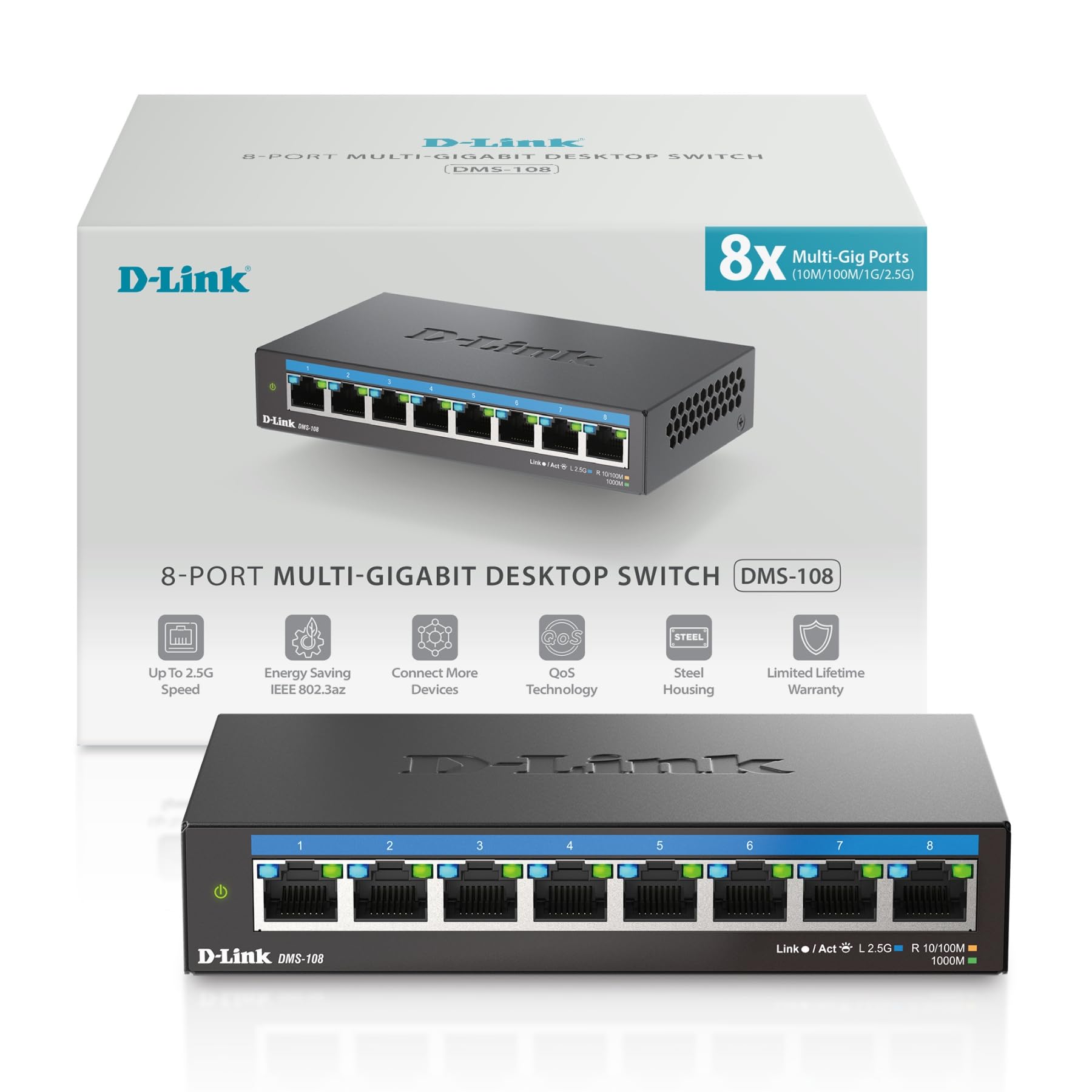 Зображення: спереду view of the D-Link DMS-108 switch, showing 8 Ethernet ports and LED indicators.
Вміст упаковки
Переконайтеся, що ваш пакет містить такі елементи:
- D-Link DMS-108 8-Port 2.5GB Unmanaged Multi-Gigabit Switch
- Адаптер живлення
- Посібник із швидкої установки (QIG)
Якщо будь-які елементи відсутні або пошкоджені, зверніться за допомогою до місцевого дилера D-Link.
Налаштування
Фізичне встановлення
The DMS-108 switch can be placed on a desktop or mounted on a wall. Ensure the installation location provides adequate ventilation and is free from excessive heat, humidity, or electromagnetic interference.
Підключення комутатора
- Підключення живлення: Connect the provided power adapter to the power input port on the rear panel of the DMS-108 switch. Plug the other end of the power adapter into a standard electrical outlet. The power LED on the front panel will illuminate.
 Image: Rear panel of the DMS-108, highlighting the power input (12V===1A), ground screw (SWITCH GND), and Kensington lock slot.
 - Підключення мережевого пристрою: Connect your network devices (e.g., computers, NAS, Wi-Fi 6 APs, gaming consoles) to any of the 8 available 2.5 Gigabit Ethernet ports using standard Ethernet cables (Cat5e or Cat6 recommended for optimal performance).
 Image: The D-Link DMS-108 switch demonstrating compatibility with existing Cat5e and Cat6 cables for 2.5x faster transfer rates.
The DMS-108 is a plug-and-play device, requiring no software installation or configuration. It will automatically detect the link speeds of connected devices (100Mb/1G/2.5G) and adjust for optimal performance.
Керування комутатором
Світлодіодні індикатори
The front panel of the DMS-108 features LED indicators for each port and for power status. These LEDs provide visual feedback on the switch's operation:
- Світлодіод живлення: Indicates if the switch is powered on.
- Світлодіоди Link/Act (на порт):
- Solid Green: Indicates a stable 2.5G network link.
- Solid Blue: Indicates a stable 1G network link.
- Solid Amber: Indicates a stable 100Mb network link.
- Flashing: Indicates network activity (data transmission).
- Вимкнено: Немає підключеного з’єднання або пристрою.
 Зображення: Детальний view of the DMS-108's front panel, highlighting the Link/Act LEDs for each of the 8 ports.
Ключові характеристики
- Автоматичне узгодження: Automatically senses the link speeds of connected devices (100Mb/1G/2.5G) and adjusts for compatibility and optimal performance.
- Якість обслуговування (QoS): Allows network traffic to be classified into 8 priority levels, ensuring critical data (e.g., gaming, video streaming) receives preferential treatment.
- Контроль потоку: Helps minimize dropped packets during periods of high network congestion, leading to more reliable connections.
- Відстеження IGMP: Optimizes multicast data streams, which is beneficial for bandwidth-intensive applications like IPTV, by forwarding multicast traffic only to ports that have requested it.
- Energy-Efficient Ethernet (EEE) (IEEE 802.3az): Reduces power consumption during periods of low network activity, conserving energy and lowering operational costs.
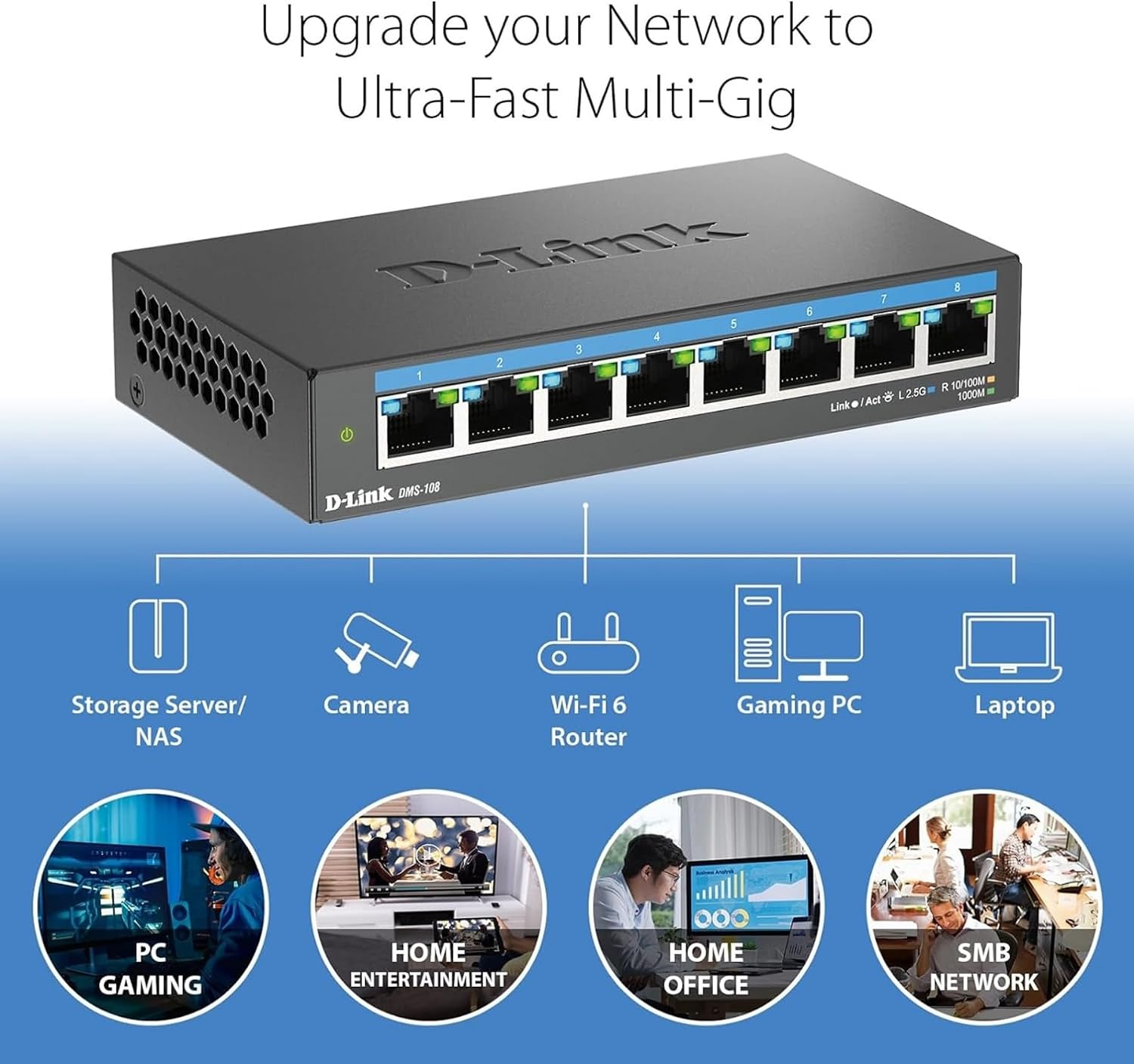 Image: An illustration demonstrating how the DMS-108 switch can upgrade a network to ultra-fast multi-gigabit speeds by connecting various devices.
 Image: The DMS-108 switch highlighting its durable metal casing, silent fanless design, energy-efficient features, and D-Link's 35+ years of experience.
Технічне обслуговування
To ensure optimal performance and longevity of your D-Link DMS-108 switch, follow these maintenance guidelines:
- Вентиляція: Ensure the switch is placed in a location with adequate airflow. Do not block the ventilation holes on the sides of the device.
- Прибирання: Periodically clean the exterior of the switch with a soft, dry cloth. Avoid using liquid or aerosol cleaners, as they may damage the device.
- Управління кабелем: Тримайте мережеві кабелі в порядку та без перегинів або надмірних перегинів, щоб запобігти погіршенню сигналу.
- Джерело живлення: Use only the power adapter provided with the switch. If the power adapter is damaged, contact D-Link support for a replacement.
- Оновлення прошивки: As an unmanaged switch, the DMS-108 typically does not require firmware updates. However, always refer to the D-Link support website for any specific recommendations.
Усунення несправностей
If you encounter issues with your DMS-108 switch, refer to the following troubleshooting tips:
- Немає живлення:
- Check if the power adapter is securely connected to the switch and the electrical outlet.
- Перевірте, чи електрична розетка працює належним чином, підключивши інший пристрій.
- Ensure the power LED on the switch is illuminated.
- Немає посилання на порт:
- Переконайтеся, що кабель Ethernet надійно підключено як до порту комутатора, так і до підключеного пристрою.
- Переконайтеся, що підключений пристрій увімкнено, а його мережевий адаптер увімкнено.
- Спробуйте інший кабель Ethernet, щоб виключити несправність кабелю.
- Test with a different port on the switch.
- Check the Link/Act LED for the specific port. If it's off, there's no active connection.
- Низька швидкість мережі:
- Ensure you are using Cat5e or Cat6 Ethernet cables for 2.5G connections. Older cables (e.g., Cat5) may limit speed.
- Verify that your connected devices support 2.5G Ethernet. The switch will operate at the highest common speed.
- Check the Link/Act LED color for the port to confirm the negotiated speed (Green for 2.5G, Blue for 1G, Amber for 100Mb).
- Reduce network congestion by limiting simultaneous bandwidth-intensive activities.
- Переривчасте підключення:
- Перевірте всі кабельні з'єднання на наявність ослабленого кріплення або пошкоджень.
- Ensure the switch is not overheating. Provide adequate ventilation.
- Avoid placing the switch near sources of strong electromagnetic interference.
If problems persist, contact D-Link Technical Support for further assistance.
Технічні характеристики
| Особливість | опис |
|---|---|
| Бренд | D-Link |
| Номер моделі | ДМС-108 |
| Кількість портів | 8 |
| Інтерфейс | RJ45 |
| Швидкість передачі даних | Up to 40 Gigabits Per Second (Switching Capacity) |
| Тип перемикача | Multi-speed or Multi-gigabit Store-and-Forward |
| Тип матеріалу корпусу | метал |
| Колір | чорний |
| Розміри предмета (Д x Ш x В) | 5.71 см (Д) x 3.34 см (Ш) x 1.1 см (В) |
| Вага товару | 0.77 фунта |
| Верхня температура | 40 градусів Цельсія |
| Включені компоненти | Device, Power Supply, QIG |
| UPC | 790069470509 |
Інформація про гарантію
The D-Link DMS-108 switch comes with a Limited Warranty. For detailed information regarding the terms and conditions of your warranty, please refer to the official D-Link webсайт або гарантійний талон, що додається до вашого продукту.
Optional protection plans may be available for purchase, offering extended coverage beyond the standard manufacturer's warranty. Please check with your retailer for details on available protection plans.
Підтримка
For technical support, product registration, or to download the latest documentation and software, please visit the official D-Link support webсайт:
You can also find additional resources and frequently asked questions on the D-Link webсайт.
Відео продукту
Watch the official D-Link video for an overview of D-Link Switch Solutions for various environments.