
1. Вступ
This user manual provides detailed instructions for the installation, operation, and maintenance of your Rettru 4K Wireless WiFi Camera, Model Q18. Please read this manual thoroughly before using the product to ensure proper functionality and safety. This camera is designed for indoor and outdoor surveillance, offering high-resolution video and advanced detection features.
2. Вміст упаковки
Перевірте, чи всі перелічені нижче предмети входять до вашої упаковки. Якщо будь-які предмети відсутні або пошкоджені, зверніться до служби підтримки клієнтів.
- 1 x Rettru Q18 Camera
- 1 х магнітна база
- 1 x Micro SD Card Reader
- 1 x USB кабель
- 1 х посібник користувача
3. Продукт закінчивсяview
The Rettru Q18 camera is a compact and versatile surveillance device. It features a 4K (2560x1440) resolution lens, a 160-degree wide-angle view, and an 1800mAh built-in battery for extended operation. Its small size allows for discreet placement.
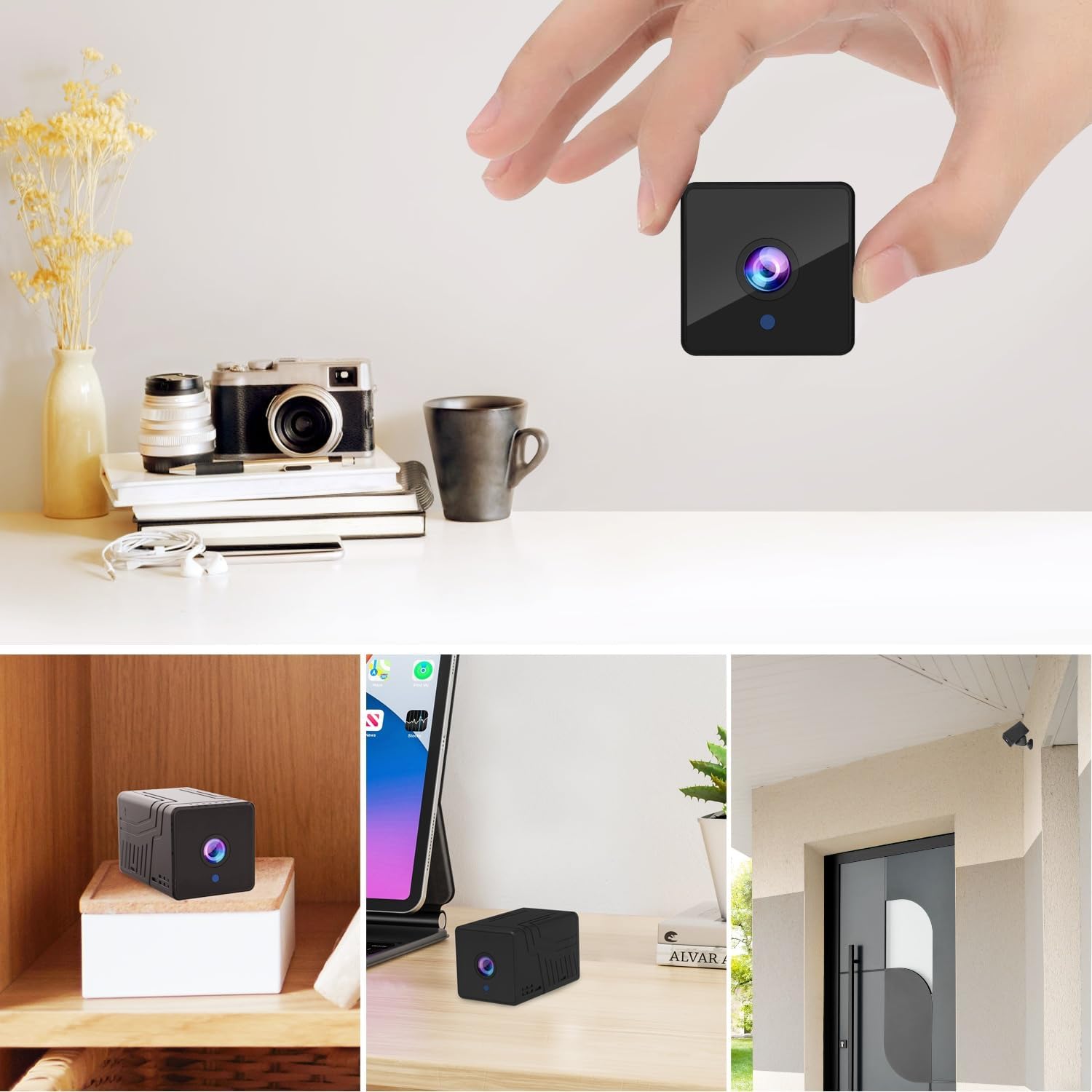
малюнок 3.1: Фронт view of the Rettru Q18 camera with its magnetic base. This image highlights the compact design and the lens of the camera.

малюнок 3.2: The Rettru Q18 camera shown in different indoor and outdoor settings, demonstrating its small size and ease of concealment. The image illustrates its "Super Tiny, Easy to Hide" characteristic.
4. Інструкції з налаштування
4.1 Початкове заряджання
Before first use, fully charge the camera using the provided USB cable and a standard 5V USB power adapter (not included). The built-in 1800mAh battery provides approximately 6 hours of continuous recording or up to 100 days of standby time.

малюнок 4.1: Graphic illustrating the 1800mAh battery capacity of the Rettru Q18 camera, highlighting its 6-hour continuous recording and 100-day ultra-long standby capabilities.
4.2 Завантаження програми та підключення
To operate the camera and access its features, you need to download the "V380 Pro" application on your smartphone.
- Завантажте додаток: шукати "V380 Pro" in your smartphone's app store (Google Play Store for Android or Apple App Store for iOS) and install it.
- Увімкнення камери: Turn on the Rettru Q18 camera. Refer to the camera's physical buttons for power control.
- Підключіться до Wi-Fi: Дотримуйтесь інструкцій у додатку, щоб підключити камеру до домашньої мережі Wi-Fi. Примітка: The camera only supports 2.4GHz Wi-Fi networks. Ensure your router is configured for 2.4GHz or has a mixed mode enabled.
- Жити View: Once connected, you can access the live video feed and control the camera through the V380 Pro app.
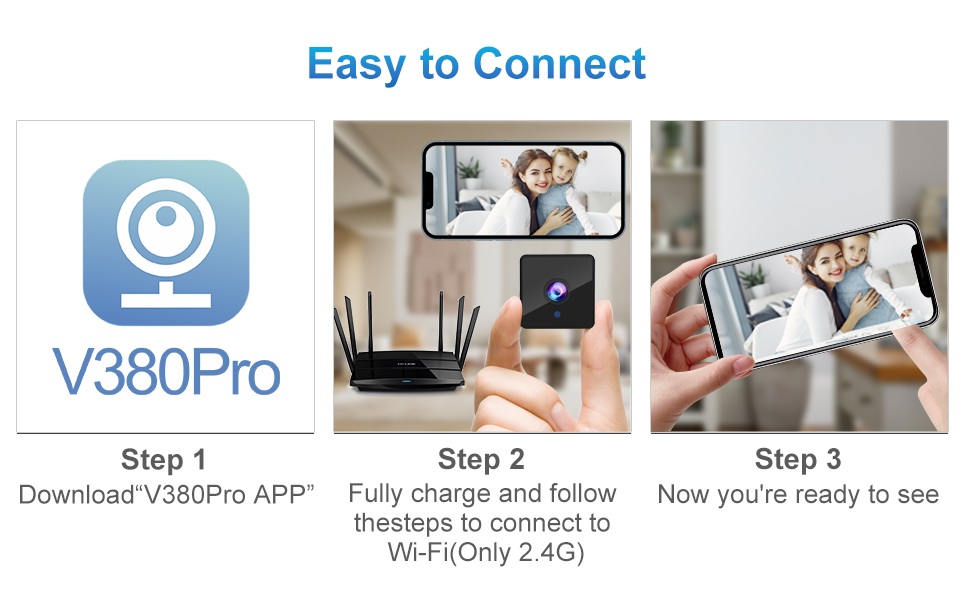
малюнок 4.2: Visual guide for connecting the Rettru Q18 camera using the V380 Pro app, showing steps for app download, charging, and Wi-Fi connection.
5. Інструкція з експлуатації
5.1 Моніторинг відео в реальному часі
Open the V380 Pro app on your smartphone. Select your camera from the device list to view the live 2K Ultra HD video feed. You can pan, tilt, and zoom digitally within the app if supported by the camera's software.
5.2 Запис і зберігання
The camera supports local storage via a Micro SD card (up to 128GB). Insert the Micro SD card into the designated slot on the camera. The camera will automatically begin recording based on your settings (e.g., continuous recording, motion-activated recording). Recorded video files are in AVI format. Примітка: Due to Amazon's policy, recorded videos do not include audio.
5.3 Нічне бачення
The Rettru Q18 camera is equipped with 8 straw hat 940nm infrared lights for automatic night vision. The IR-CUT feature ensures clear black and white video in low-light conditions, with a night vision range of up to 28 feet. The camera automatically switches between day and night modes.
малюнок 5.1: Comparison of day and night vision capabilities of the Rettru Q18 camera, showing automatic IR ON/OFF and enhanced night vision up to 26ft.
5.4 Виявлення руху та сповіщення
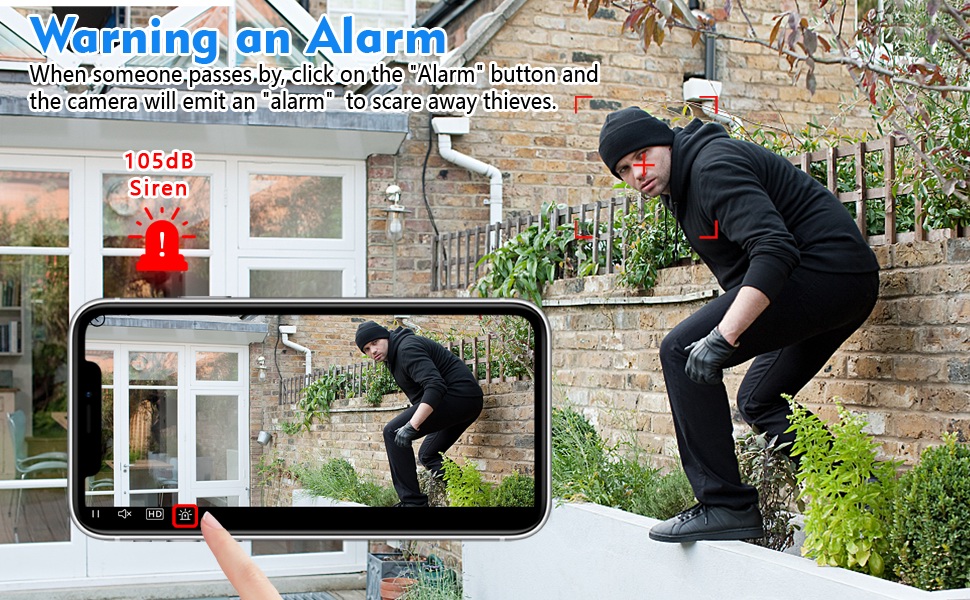
The camera features AI Human Detection, which can distinguish human movement from other motions, reducing false alarms. When motion is detected, the camera can send alert notifications to your smartphone via the V380 Pro app. You can also activate a built-in 105dB siren through the app to deter intruders.
малюнок 5.2: Illustration of the camera's alarm function, showing a user activating a 105dB siren via the app to deter a potential intruder.
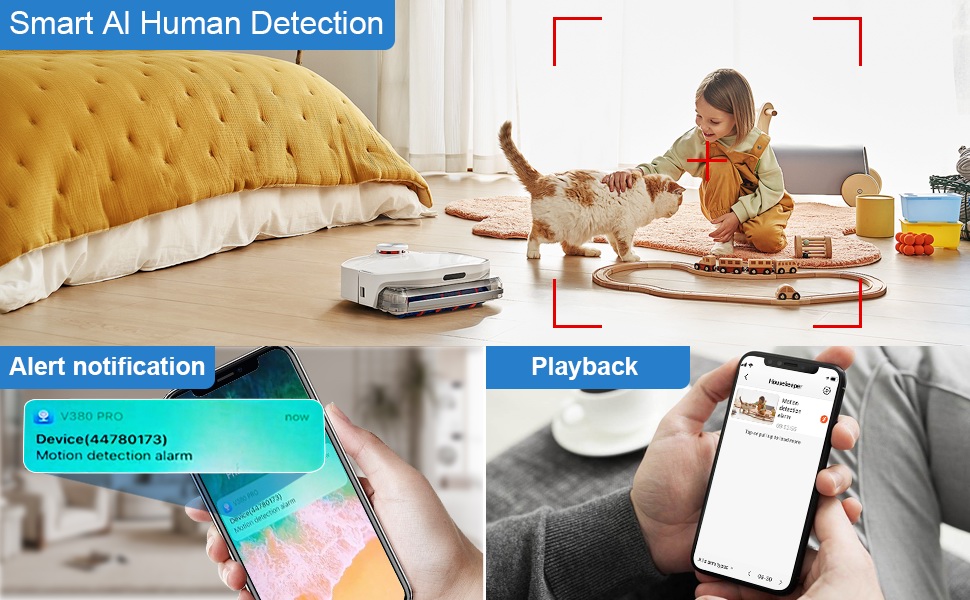
малюнок 5.3: Depiction of the Smart AI Human Detection feature, showing how the camera identifies human movement and sends alert notifications to the V380 Pro app.
5.5 Двосторонній зв'язок
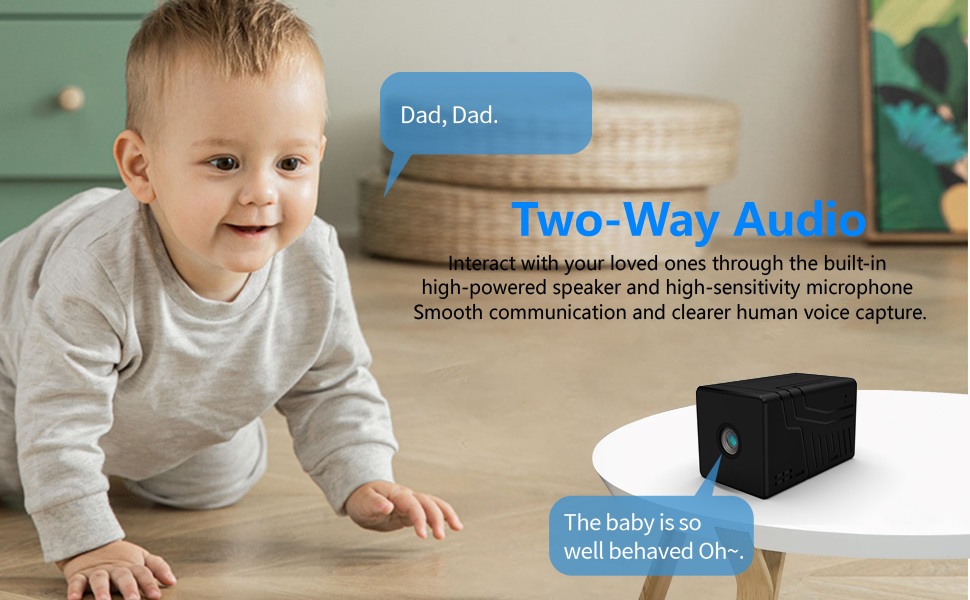
The camera supports two-way communication through its built-in high-powered speaker and high-sensitivity microphone. This allows you to interact with individuals near the camera via the V380 Pro app. Please note that while two-way communication is supported, recorded video files do not contain audio.

малюнок 5.4: An image illustrating the two-way audio capability of the Rettru Q18 camera, showing communication between a parent and a child.
6. Ключові характеристики
- Роздільна здатність Ultra HD 2K: Records video at 2560x1440 (5 Megapixels) for clear and detailed footage.
- Широкий Viewкут нахилу: 160-degree lens captures a broad area.
- Тривалий термін служби батареї: Equipped with an 1800mAh dual lithium battery, offering up to 6 hours of continuous recording or 100 days of standby.
- Покращене нічне бачення: Automatic IR-CUT with 940nm infrared lights provides clear night vision up to 28 feet without a visible red glow.
- AI виявлення людини: Intelligent motion detection reduces false alarms by focusing on human shapes.
- Instant Alerts & Siren: Receive smartphone notifications upon motion detection and activate a 105dB siren remotely.
- Двосторонній зв'язок: Speak and listen through the camera via the V380 Pro app (recorded video is without audio).
- Локальна пам'ять: Supports Micro SD cards up to 128GB for video storage.
- Компактний дизайн: Small and lightweight, suitable for discreet placement indoors or outdoors (IP65 rated).
- З'єднання Wi-Fi: Connects to 2.4GHz Wi-Fi networks for remote access.
7. Технічне обслуговування
7.1 Очищення камери
To maintain optimal performance, regularly clean the camera lens and body. Use a soft, dry cloth to wipe away dust and smudges. For stubborn dirt on the lens, use a lens cleaning solution specifically designed for optical surfaces. Avoid using harsh chemicals or abrasive materials.
7.2 Догляд за акумулятором
To prolong battery life, avoid exposing the camera to extreme temperatures. If storing the camera for an extended period, ensure it is partially charged (around 50%) and recharge it every few months to prevent deep discharge.
7.3 оновлень мікропрограми
Periodically check the V380 Pro app for available firmware updates. Keeping your camera's firmware up-to-date ensures you have the latest features, security enhancements, and bug fixes.
8. Вирішення проблем
| проблема | Можливе рішення |
|---|---|
| Камера не вмикається. | Ensure the camera is fully charged. Connect it to a power source using the USB cable and check if the charging indicator light is on. |
| Неможливо підключитися до Wi-Fi. |
|
| Погана якість відео або затримка. |
|
| Сповіщення про виявлення руху не надходять. |
|
| SD-карта не записує. |
|
9. Технічні характеристики
| Особливість | Деталь |
|---|---|
| Номер моделі | Q18 |
| Роздільна здатність захоплення відео | 2 тис. (2560x1440) |
| Ефективне вирішення проблеми | 5 Мп |
| Viewкут нахилу | 160 градусів |
| Протокол підключення | Wi-Fi (лише 2.4 ГГц) |
| Тип контролера | Додаток V380 Pro |
| Джерело живлення | Живлення від батареї (літій-іонний акумулятор 1800 мАг) |
| Термін служби батареї | Approx. 6 hours continuous recording, 100 days standby |
| Діапазон нічного бачення | До 28 футів |
| Зберігання | Карта пам'яті Micro SD (до 128 ГБ, не входить до комплекту) |
| Формат захоплення відео | AVI |
| Тип сповіщення | Motion Only (AI Human Detection) |
| Міжнародний захист рейтингу | IP65 |
| Вага товару | 75 грамів (2.65 унції) |
| Розміри продукту | 21.6 x 13.3 x 13.3 inches (packaging dimensions, actual camera is smaller) |
| Виробник | Rettru |
10. Інформація про безпеку
- Do not expose the camera to extreme temperatures, direct sunlight for prolonged periods, or excessive moisture.
- Для заряджання використовуйте лише USB-кабель із комплекту постачання.
- Зберігайте камеру та її аксесуари у недоступному для дітей та домашніх тварин місці.
- Не намагайтеся розбирати або модифікувати камеру. Це призведе до анулювання гарантії та може призвести до пошкодження.
- Переконайтеся, що камера надійно встановлена, щоб запобігти її падінню.
- Respect privacy laws and regulations when using surveillance equipment.
11. Гарантія та підтримка
For warranty information or technical support, please refer to the contact details provided with your purchase or visit the official Rettru webсайт. Зберігайте чек про покупку як підтвердження покупки для будь-яких гарантійних претензій.


