
1. Продукт закінчивсяview
The TOPPING A70 Pro is a high-performance fully balanced headphone amplifier і преamplifier designed for superior audio reproduction. It incorporates advanced circuit architecture and user-friendly features to enhance your listening experience.

Зображення 1.1: спереду view of the TOPPING A70 Pro, showcasing its display and controls.
Ключові характеристики:
- Optimized Circuit Architecture: Features an optimized circuit architecture with a newly developed ultra-low noise input stage, improving balanced input noise performance and increasing input impedance to 20kΩ for enhanced compatibility. The revised gain architecture further reduces noise and distortion at high gain settings.
- Усунення шуму заземлювального контуру: Includes a GND/LIFT switch to eliminate ground loop noise when multiple devices are connected. If ground loop noise occurs, switch to LIFT to resolve it.
- Aurora UI: The Aurora UI provides a new user experience with a full-color screen and three touch buttons. Users can switch between playback information, FFT, and VU meter displays.
- Relay Volume Control: Equipped with a relay-based R2R volume control module, ensuring precise and consistent volume adjustment with long-term reliability, even at low levels.
- Навушники Ampлібератор і PreampФункціональність лайфера: Functions as both a powerful headphone amplifier and a high-performance preamplifier. It features low output impedance (RCA: 500Ω, XLR: 100Ω) for broad compatibility with various power amplifiers. A comprehensive remote control is included for convenient operation.

Зображення 1.2: закінченоview of the A70 Pro's core features and performance metrics.
2. Налаштування
2.1 Розпакування та перевірка
Carefully remove the A70 Pro from its packaging. Inspect the unit for any signs of damage. Ensure all accessories, including the power cable and remote control, are present.
2.2 Підключення до живлення
Connect the provided power cable to the IEC power AC connection on the rear panel of the A70 Pro and then to a suitable AC power outlet. The unit can be powered on via the soft start button on the front or with the included remote control.
2.3 Аудіопідключення
The A70 Pro offers various input and output options:
- входи: One set of balanced XLR inputs and one set of single-ended RCA inputs are available on the rear panel.
- Outputs (Headphone): The front panel features 4-pin XLR, 4.4mm Pentacon, and 6.3mm headphone output connections.
- Outputs (Preampліфтер): Balanced XLR and single-ended RCA outputs are located on the rear panel for connecting to power amplifiers або активні колонки.

Image 2.1: Typical connection setup: PC to DAC, DAC to A70 Pro, and A70 Pro to headphones.
2.4 Optional Expansion (EXT90)
The A70 Pro supports input expansion with the optional EXT90 module (sold separately). Connecting the EXT90 provides additional balanced XLR and single-ended RCA inputs, expanding the total to four balanced XLR and two single-ended RCA inputs.

Image 2.2: The A70 Pro connected to the optional EXT90 expansion module for additional inputs.
3. Інструкція з експлуатації
3.1 Увімкнення/вимкнення живлення
Press the power button on the front panel or the remote control to turn the unit on or off. The display will illuminate upon power-up.
3.2 Регулювання гучності
The A70 Pro features a precise relay-based R2R volume control. Adjust the volume using the rotary knob on the front panel or the volume up/down buttons on the remote control. The current volume level is displayed on the screen.
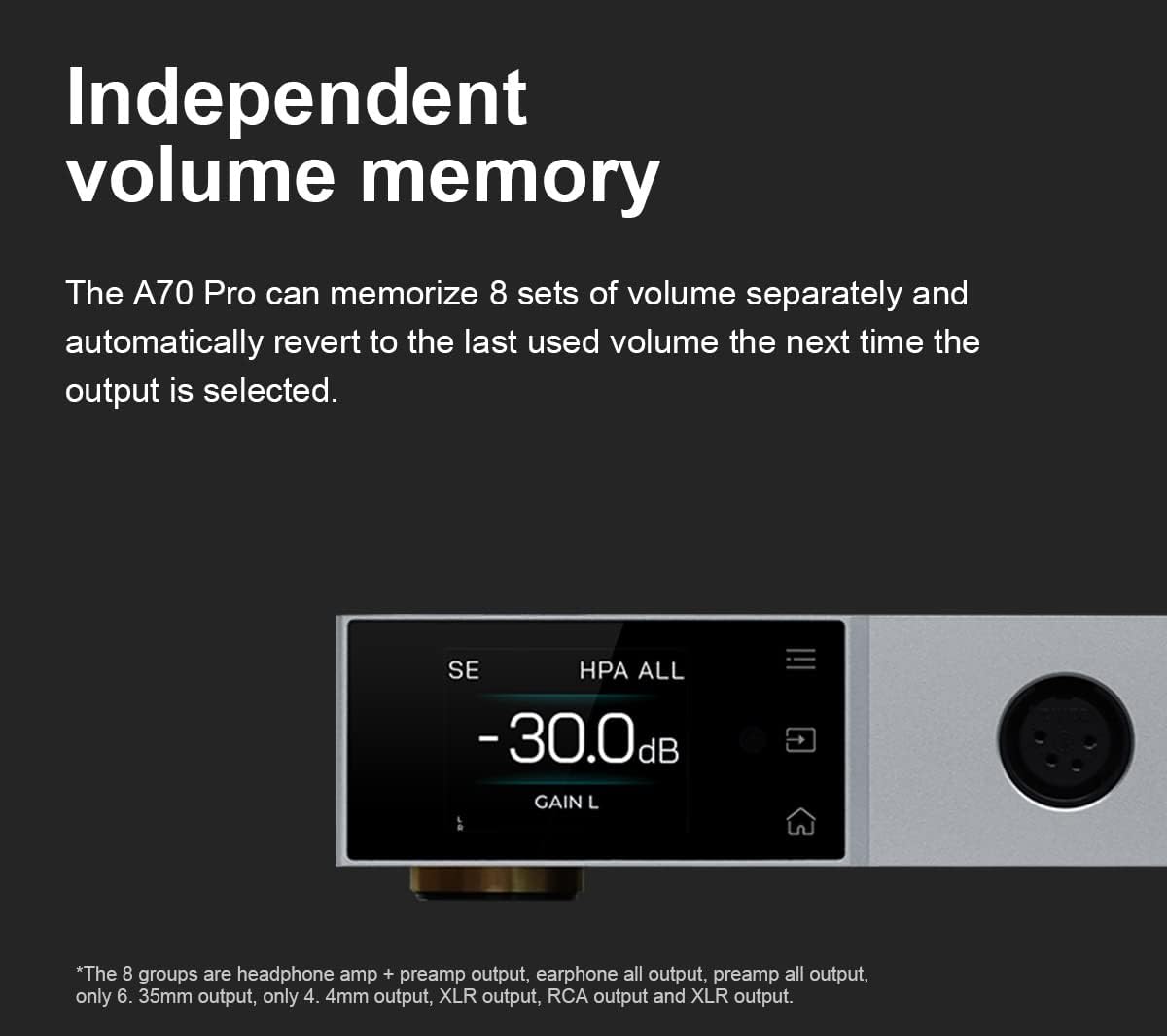
Image 3.1: The display showing the current volume level and gain setting.
The A70 Pro can memorize up to 8 separate volume settings. It automatically reverts to the last used volume for each output selection.
3.3 Aurora UI Navigation
The full-color display and three touch buttons provide intuitive control. Use the touch buttons to navigate menus and select options. The display offers various modes, including playback information, FFT (Fast Fourier Transform), and VU (Volume Unit) meter displays, which can be switched according to user preference.
3.4 Налаштування посилення
The A70 Pro features two gain settings (Low and High) to accommodate a wide range of headphones and audio sources. Adjust the gain setting via the menu or remote control to match your headphones' sensitivity and achieve optimal sound quality without distortion.
3.5 Вибір входу
Select the desired audio input (XLR or RCA) using the input selector on the front panel or the remote control. The active input will be indicated on the display.
4. Технічне обслуговування
4.1 Очищення
To clean the unit, use a soft, dry cloth. Do not use liquid cleaners or abrasive materials, as they may damage the finish or internal components.
4.2 Зберігання
When not in use for extended periods, store the A70 Pro in a cool, dry place away from direct sunlight and extreme temperatures.
5. Вирішення проблем
5.1 Немає звуку
- Ensure the unit is powered on and the volume is not set to minimum or muted.
- Перевірте, чи вибрано правильне джерело вхідного сигналу.
- Перевірте всі аудіокабелі на надійність з'єднань.
- Confirm that your headphones or connected power ampрятувальні пристрої функціонують належним чином.
5.2 Ground Loop Noise
If you experience humming or buzzing sounds, especially when multiple devices are connected, it may be due to a ground loop. The A70 Pro is equipped with a GND/LIFT switch on the rear panel to address this.
- Знайдіть GND/LIFT вимикач на задній панелі.
- If noise is present, switch the setting to ЛІФТ. This can help break the ground loop and eliminate the noise.

Image 5.1: Rear panel detail showing the GND/LIFT switch for ground loop noise reduction.
6. Технічні характеристики
| Особливість | Деталь |
|---|---|
| Бренд | Топінг |
| Номер моделі | A70 Pro |
| Колір | Срібло |
| Output Power (SE IN/SE OUT, BAL IN/SE OUT) |
|
| Output Power (SE IN/BAL OUT, BAL IN/BAL OUT) |
|
| Опір навантаження | >8 Ом |
| THD+N | <0.00005% @500mW 32Ω (1kHz A-wt) |
| Рівень шуму | <0.2uVrms @G=L, <0.8uVrms @G=H |
| Динамічний діапазон | 147dB (overall), 106.3dB @50mV output |
| Вхідний опір (збалансований) | 20kΩ |
| попередньоamplifier Output Impedance (RCA) | 500 Ом |
| попередньоamplifier Output Impedance (XLR) | 100 Ом |
| Розміри упаковки | 37.01 х 24 х 8.89 см |
| вага | 2.18 кг |
| Перша доступна дата | 2023 |
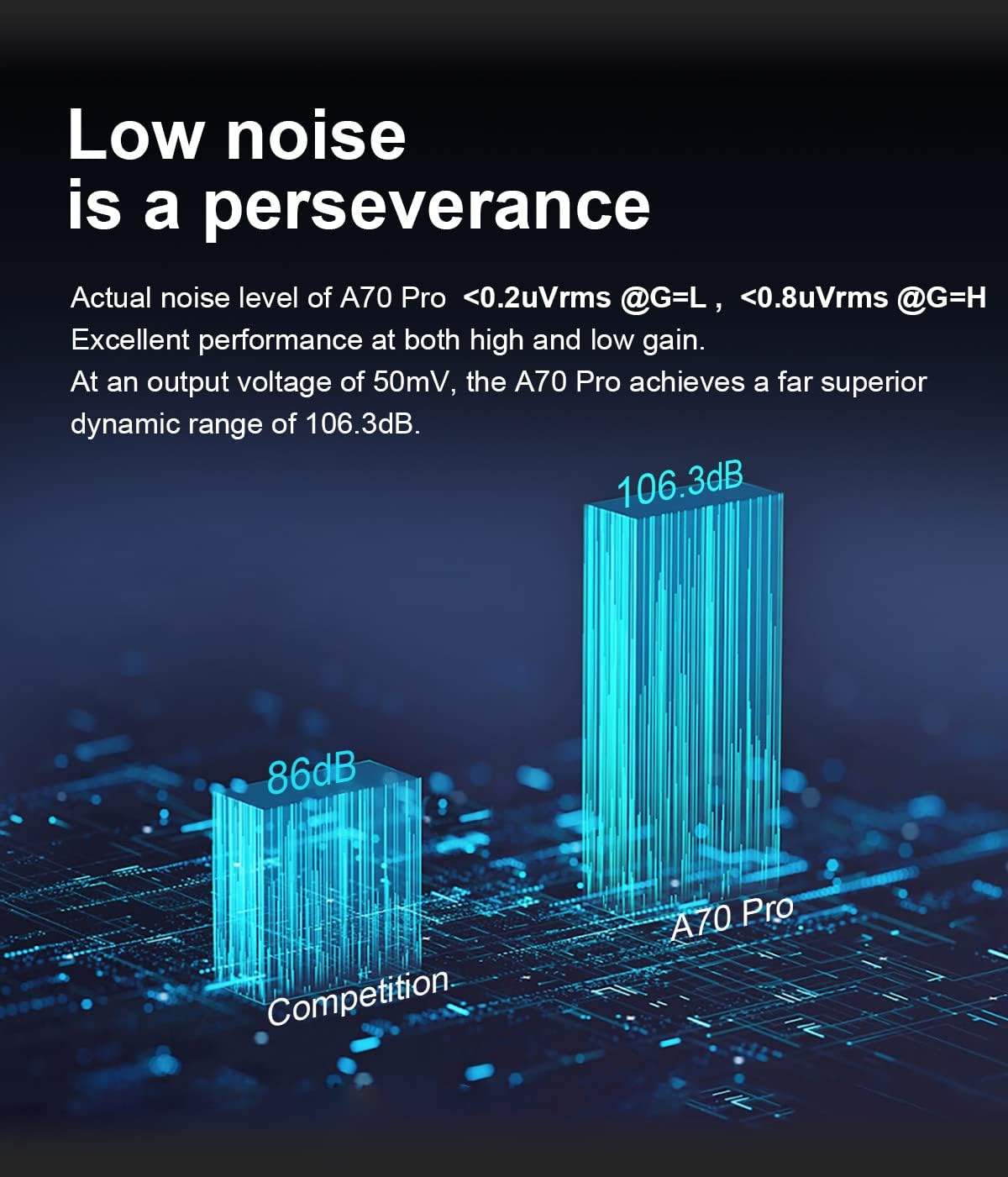
Image 6.1: Comparison of A70 Pro's low noise performance.
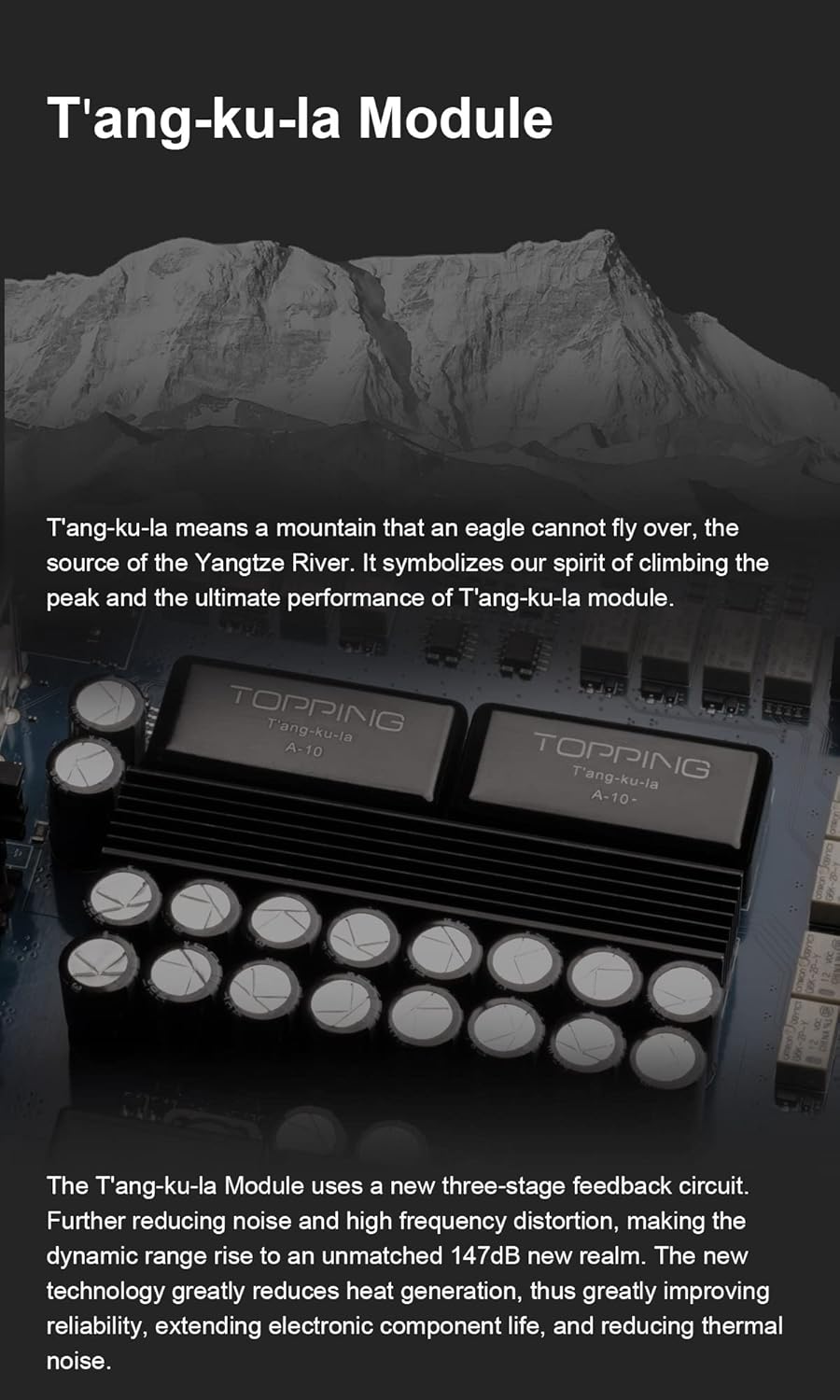
Зображення 6.2: Внутрішній view highlighting the T'ang-ku-la Module, a key component for performance.
7. Гарантія та підтримка
For warranty information and technical support, please refer to the documentation included with your product or contact the manufacturer directly. Keep your purchase receipt as proof of purchase for warranty claims.