
1. Важлива інформація з безпеки
Please read all safety instructions carefully before using the BYINTEK P70 Smart WiFi Projector. Keep this manual for future reference.
- Джерело живлення: Використовуйте лише наданий адаптер живлення. Переконайтеся, що гучністьtagвідповідає вимогам проектора.
- Безпека батареї: The projector contains a built-in lithium-ion battery. Do not expose to extreme temperatures, puncture, or disassemble.
- Вентиляція: Забезпечте належну вентиляцію навколо проектора, щоб запобігти перегріву. Не блокуйте вентиляційні отвори.
- Тепло: The projector may become warm during operation. This is normal. Avoid touching the lens or vents immediately after use.
- Світлова експозиція: Не дивіться безпосередньо в об'єктив проектора, коли він увімкнений.amp увімкнено, оскільки яскраве світло може спричинити перенапруження очей або їх пошкодження.
- Вода і вологість: Keep the projector away from water, rain, and excessive humidity. Do not operate with wet hands.
- Прибирання: Від’єднайте живлення перед чищенням. Використовуйте м’яку суху тканину. Не використовуйте рідкі або аерозольні засоби для чищення.
- діти: Keep the projector and its accessories out of reach of children.
2. Продукт закінчивсяview
The BYINTEK P70 is a portable smart DLP projector designed for versatile entertainment and presentation needs. It features an 8000mAh built-in battery, Android 9.0 operating system, auto-focus, and 3D support.
2.1 Вміст упаковки
- BYINTEK P70 Projector x 1
- Пульт дистанційного керування x 1
- Адаптер живлення x 1
- Міні штатив х 1
- Сумка для зберігання x 1
- Посібник користувача x 1
2.2 Основні характеристики
- Портативний дизайн: Компактний і легкий для зручного транспортування.
- Вбудована батарея: 8000mAh battery provides 1.5 to 3 hours of playback.
- Розумна ОС Android: Android 9.0 for app downloads, online streaming, and gaming.
- Автофокус: Автоматичне налаштування фокуса для чітких зображень.
- 6D корекція трапецеїдальних спотворень: Advanced keystone correction for flexible placement.
- Підтримка 3D: Enjoy immersive 3D content.
- Бездротове підключення: Supports wireless screen mirroring from Android, iOS, and PC devices.
- Дротове підключення: USB data cable sync for iOS and select Android devices.
- Великий розмір проекції: До 200 дюймів.
- 4K Playback: Supports up to 4K video input.
- Довгий світлодіод Lamp життя: 30,000 години.
- Два стереодинаміки: Integrated 2x5W speakers for clear audio.

Image: Infographic detailing the BYINTEK P70's features including 4K support, DLP display, 6D keystone, 8000mAh battery, 3D, Type-C charge, 2G+32G memory, Android OS, and stereo speakers.
3. Налаштування
3.1 Charging the Projector
Before first use, fully charge the projector. Connect the provided power adapter to the projector's Type-C port and plug it into a power outlet. The charging indicator will show the charging status.

Image: The BYINTEK P70 projector connected to a power bank via a Type-C cable, illustrating its portable charging capability.
3.2 Початкове розміщення
Розмістіть проектор на стійкій, рівній поверхні. Для оптимального viewing, position it directly in front of your projection screen or wall. The included mini tripod can be used for angle adjustments.
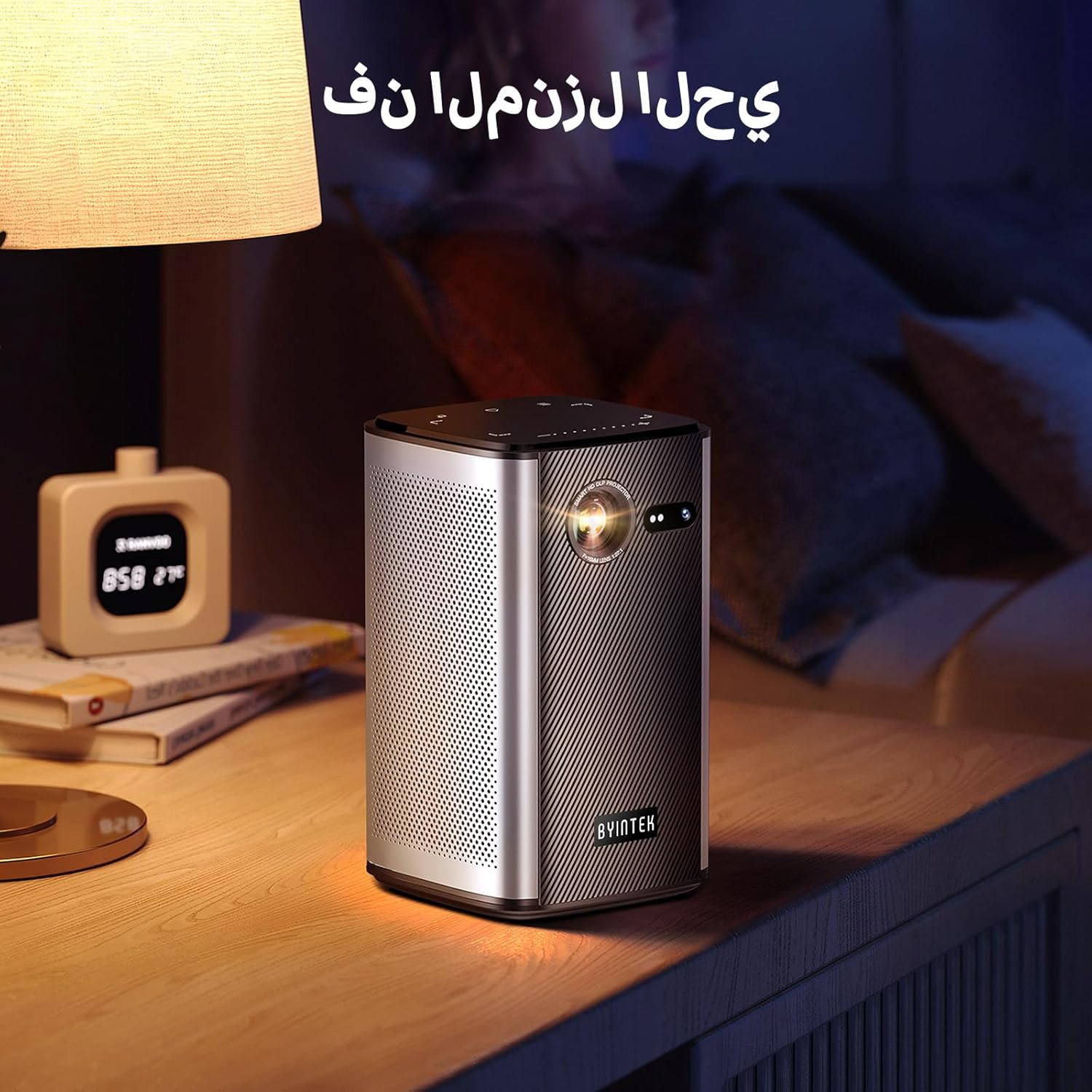
Image: The BYINTEK P70 projector placed on a bedside table, ready for indoor use.
3.3 Увімкнення/вимкнення
Press and hold the power button on the projector or remote control to turn the device on or off.
3.4 Фокусування та корекція трапецієподібних спотворень
The BYINTEK P70 features automatic focus. For keystone correction, navigate to the settings menu using the remote control. The 6D keystone correction allows for precise image adjustment, even with side projection.

Image: A visual representation of the projector's auto-focus feature, showing a clear image projected onto a wall.
4. Інструкція з експлуатації
4.1 Навігація в ОС Android
Use the remote control to navigate the Android 9.0 interface. The home screen provides access to pre-installed apps and settings. You can download additional applications from the app store.

Image: The projector displaying its Android operating system interface with various application icons like Miracast, Settings, AirPlay, Market, File Explorer, YouTube, and Netflix.
4.2 Бездротове дублювання екрана
The projector supports wireless screen mirroring for Android, iOS, and PC devices. Access the 'Miracast' or 'AirPlay' app on the projector's home screen and follow the on-screen instructions to connect your device.
4.3 Дротове дзеркальне відображення екрана
For iOS devices and some Android devices, you can use a USB data cable for wired screen synchronization. Connect your device to the projector's USB port using its original data cable.
4.4 Відтворення 3D-зображення
The BYINTEK P70 supports 3D content. To enjoy 3D movies, ensure your media file is in a compatible 3D format (e.g., Blu-ray 3D, SBS, TNB) and use active shutter 3D glasses (sold separately).

Image: A family wearing 3D glasses, enjoying a 3D movie projected by the BYINTEK P70, showcasing its 3D capability.
4.5 Цифровий зум
Adjust the image size from 50% to 100% using the digital zoom function on the remote control. This allows you to fit the image perfectly to your screen without moving the projector.
5. Технічне обслуговування
5.1 Очищення об'єктива
Використовуйте м’яку тканину без ворсу, спеціально призначену для оптичних лінз, щоб обережно протерти об’єктив проектора. Уникайте використання абразивних матеріалів або агресивних хімікатів.
5.2 Очищення зовнішньої частини
Протріть зовнішню частину проектора м’якою сухою тканиною. Не використовуйте рідкі засоби для чищення або спреї безпосередньо на пристрої.
5.3 Зберігання
When not in use, store the projector in a cool, dry place, away from direct sunlight and extreme temperatures. Use the provided storage bag to protect it from dust and scratches.
5.4 Догляд за акумулятором
Щоб продовжити термін служби акумулятора, уникайте частого повного розряджання. Якщо ви зберігаєте його протягом тривалого часу, заряджайте акумулятор приблизно до 50% та перезаряджайте його кожні кілька місяців.
6. Вирішення проблем
| проблема | Можлива причина | Рішення |
|---|---|---|
| Зображення не проєктується | Projector not powered on; input source not selected; cable not connected. | Ensure projector is on. Select correct input source (HDMI, USB, Wireless). Check cable connections. |
| Зображення розмите | Out of focus; projector too close/far from screen; lens dirty. | Дозвольте автофокусу налаштуватися. Відрегулюйте відстань до проектора. Очистіть об'єктив. |
| Пульт не працює | Batteries low/dead; remote not paired; obstruction. | Replace remote batteries. Ensure line of sight to projector's IR receiver. Re-pair remote if necessary (refer to specific pairing instructions in the full manual). |
| Ні звуку | Volume too low; external audio device connected; audio format not supported. | Increase projector volume. Disconnect external audio devices. Check audio format compatibility. |
| Проблеми з бездротовим дзеркалюванням | Poor Wi-Fi signal; device compatibility; firewall settings. | Ensure strong Wi-Fi signal. Check device compatibility with Miracast/AirPlay. Disable firewalls temporarily for testing. |
| Проектор перегрівається | Blocked ventilation; prolonged use in hot environment. | Переконайтеся, що вентиляційні отвори вільні. Працюйте в добре провітрюваному приміщенні. Дайте проектору охолонути. |
7. Технічні характеристики
| Особливість | Специфікація |
|---|---|
| Бренд | БІНТЕК |
| Номер моделі | P70 |
| Розміри продукту | 8.2 х 8.2 х 14.2 см |
| Вага товару | 1.58 кілограма |
| Акумулятор | 1 Lithium Ion battery (included), 8000mAh, 29.6 Wh |
| Операційна система | Android |
| Роздільна здатність дисплея | 960 х 540 |
| Максимальна роздільна здатність дисплея | 4K Ultra HD Megapixel |
| Технологія підключення | Wi-Fi |
| Особливості | Auto-focus, 3D Ready, Built-in Wi-Fi Receiver |
| Рекомендоване використання | Домашній кінотеатр |
| Тип дисплея | DLP |
| Форм-фактор | Портативний |
| Тип монтажу | Кріплення штатива |
| Порти USB 3.0 | 1 |
| Порти HDMI | 1 |
| томtage | 12 вольт |
| Wattage | 25 Вт |
| Джерело живлення | AC & батарея |
8. Гарантія та підтримка
The BYINTEK P70 Smart WiFi Projector comes with a standard manufacturer's warranty. For specific warranty details, please refer to the warranty card included in your product packaging or contact BYINTEK customer support.
If you encounter any issues or have questions regarding your projector, please contact BYINTEK customer support through their official website or the contact information provided in your product documentation. Please have your model number (P70) and purchase details ready when contacting support.