
1. Вступ
This user manual provides comprehensive instructions for the WEG Smart RF 4-Channel Remote Control. It covers product features, setup procedures, operational guidelines, maintenance tips, troubleshooting, and detailed specifications. Please read this manual carefully before using the device to ensure proper functionality and safety.
2. Продукт закінчивсяview
The WEG Smart RF 4-Channel Remote Control is designed for convenient and remote operation of compatible WEG Home RF modules. It offers enhanced practicality with four individually configurable buttons, providing quick response and a precise long-distance range.
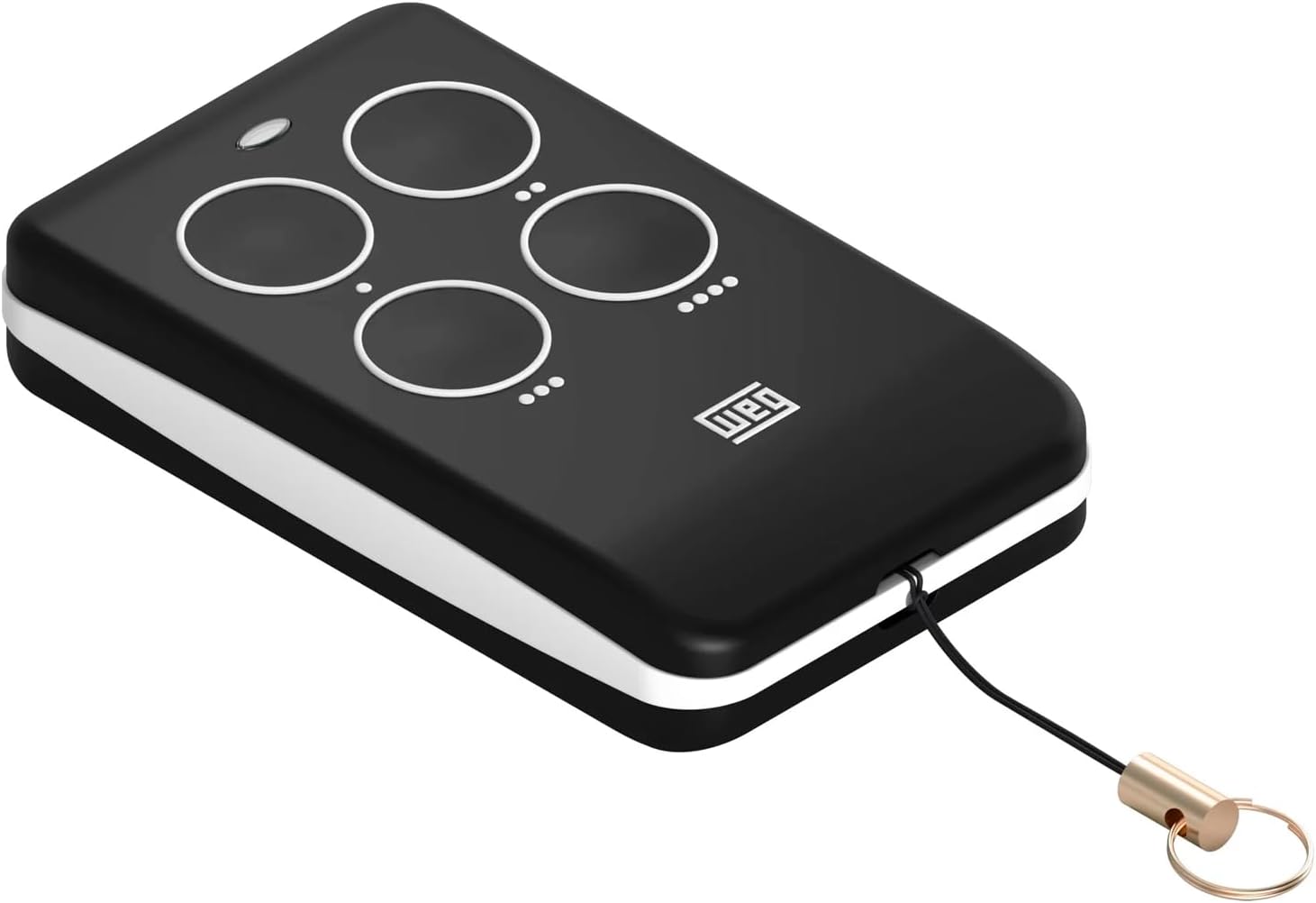
Зображення 1: спереду view of the WEG Smart RF 4-Channel Remote Control, showcasing its compact design and four control buttons.
Ключові характеристики:
- 4 Individually Configurable Buttons: Each button can be programmed to control a specific function or device.
- Розширений діапазон: Operates effectively up to 70 meters.
- Radio Frequency (RF) Technology: Ensures reliable communication with compatible modules.
- Компактний і портативний: Lightweight design for easy carrying.
- Живлення від батареї: Uses a standard A27 12V battery (included).
3. Налаштування
3.1. Встановлення батареї
The remote control comes with an A27 12V battery already installed. If replacement is needed:
- Знайдіть батарейний відсік на задній панелі пульта дистанційного керування.
- Обережно відкрийте кришку відсіку.
- Remove the old battery and insert a new A27 12V battery, ensuring correct polarity (+/-).
- Надійно закрийте кришку батарейного відсіку.
3.2. Synchronization with WEG Home Modules
To use the remote control, it must be synchronized with your WEG Home RF modules (e.g., interruptor modules). The synchronization process typically involves placing the module into a pairing mode and then activating a button on the remote control.
General Synchronization Steps:
- Ensure the WEG Home module you wish to pair is powered on and within range of the remote control.
- Refer to the specific WEG Home module's instruction manual for details on how to activate its pairing mode. This often involves pressing and holding a button on the module until an indicator light flashes.
- While the module is in pairing mode, press one of the four buttons on your WEG Smart RF Remote Control.
- The module's indicator light should change (e.g., stop flashing, turn solid) to confirm successful pairing.
- Repeat this process for each of the four buttons if you wish to control different modules or functions with each button.
Note: For detailed synchronization instructions specific to your WEG Home interruptor module, please consult its dedicated user guide.
4. Робота з дистанційним керуванням
Once synchronized, operating the WEG Smart RF Remote Control is straightforward:
- Функції кнопок: Each of the four buttons will activate the specific WEG Home module or function it was paired with during the synchronization process.
- Натисніть, щоб активувати: Simply press the desired button to send the command to the paired module.
- діапазон: Ensure you are within the maximum operating range of 70 meters for reliable communication. Obstacles such as walls and other electronic devices may reduce the effective range.
5. Технічне обслуговування
5.1. Заміна батареї
When the remote control's performance degrades or it stops responding, it may be time to replace the battery. Follow the battery installation steps in Section 3.1.
5.2. прибирання
To clean the remote control, use a soft, dry cloth. Do not use abrasive cleaners, solvents, or immerse the device in water. Keep the remote control dry and away from excessive dust.
6. Вирішення проблем
- Пульт не відповідає:
- Check the battery. Replace if necessary (A27 12V).
- Ensure the remote is within the 70-meter operating range of the module.
- Verify that the remote control is properly synchronized with the WEG Home module. Re-synchronize if needed (refer to Section 3.2).
- Check if the WEG Home module is powered on and functioning correctly.
- Зменшений робочий діапазон:
- Замініть акумулятор на новий.
- Ensure there are no significant obstructions (thick walls, metal objects) between the remote and the module.
- Avoid sources of strong electromagnetic interference.
- Buttons not performing desired function:
- Confirm that the specific button was correctly paired with the intended function or module during synchronization. You may need to re-pair.
7. Технічні характеристики
| Бренд | ЗЕГ |
| Номер моделі | Controle Remoto Smart RF Weg Home |
| Технологія підключення | Радіочастота (РФ) |
| Частота | 433.92 МГц |
| Максимальна дальність | 70 метрів |
| Кількість кнопок | 4 |
| Джерело живлення | A27 12V Battery (included) |
| Кодування | EV1527 |
| Колір | чорний |
| Приблизні розміри (Д х Ш х В) | 6.5 см х 4 см х 1.2 см |
| Приблизна вага | 25г |
8. Інформація про гарантію
This product is guaranteed against manufacturing defects for a period of 12 months, starting from the date of the consumer's sales invoice. For the warranty to be valid, it is essential to present the product purchase invoice.
This warranty is valid throughout the national territory, provided the product has been used correctly and in accordance with the recommendations contained in this guide. The warranty does not cover damages caused by improper installations or natural disturbances.
9. Підтримка
For further assistance, technical support, or warranty claims, please contact your retailer or the official WEG support channels. Please have your product model number and purchase invoice ready when contacting support.