
1. Вступ
Thank you for choosing the EBTOOLS 2.4G Wireless Keyboard and Mouse combo. This product is designed for comfortable and efficient use with its low-noise operation, adjustable DPI settings, and reliable 2.4G wireless connectivity. This manual provides detailed instructions for setup, operation, and maintenance to ensure optimal performance.
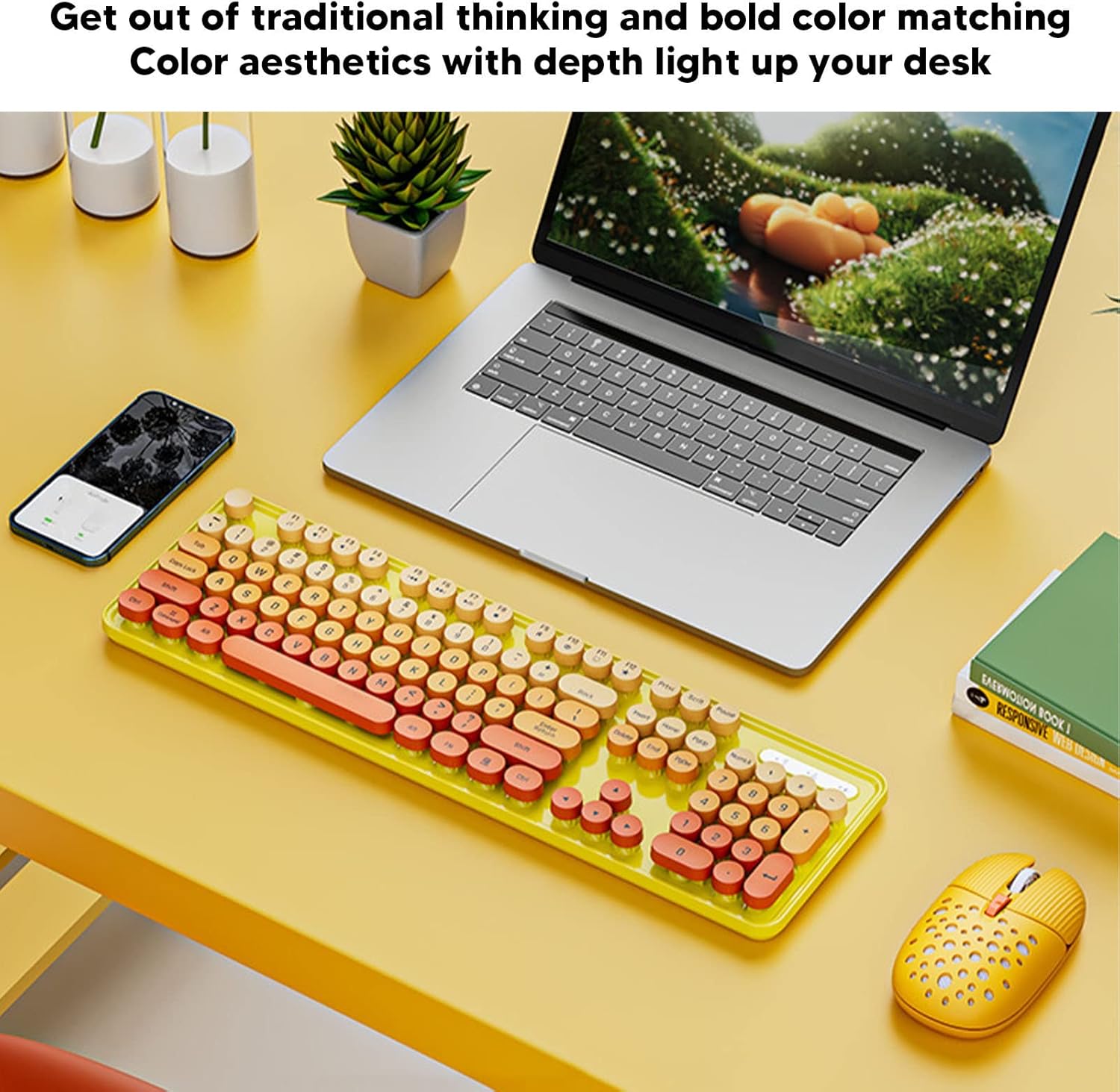
Image: The EBTOOLS 2.4G Wireless Keyboard and Mouse in mixed color yellow, displayed on a desk alongside a laptop and smartphone, showcasinйого дизайн та компактний форм-фактор.
2. Вміст упаковки
- 1 x EBTOOLS 2.4G Wireless Keyboard
- 1 x EBTOOLS 2.4G Wireless Mouse
- 1 x USB Receiver (typically stored in the mouse battery compartment)
- Посібник користувача (цей документ)
3. Інструкції з налаштування
3.1. Встановлення батареї
The keyboard and mouse require batteries for operation. Please ensure you have 1 AA battery for the keyboard and 1 AA battery for the mouse (batteries are not included).
- Знайдіть відсік для батареї на нижній стороні клавіатури.
- Відкрийте кришку батарейного відсіку.
- Insert the AA battery according to the polarity indicators (+/-) inside the compartment.
- Надійно закрийте кришку батарейного відсіку.

Image: The underside of the EBTOOLS keyboard with the battery compartment open, showing where to insert the AA battery.
3.2. Підключення USB-приймача
The keyboard and mouse share a single 2.4G USB receiver for wireless connection.
- Locate the USB receiver. It is typically stored in the battery compartment of the mouse for safekeeping.
- Вийміть USB-приймач з його гнізда для зберігання.
- Підключіть USB-приймач до вільного USB-порту на вашому комп’ютері (настільному ПК, ноутбуці тощо).
- The system should automatically detect and install the necessary drivers. This is a plug-and-play device.

Image: A diagram illustrating the compatibility of the keyboard and mouse with various systems, including desktop PCs, laptops, and other computers, highlighting its plug-and-play functionality.

Image: An illustration demonstrating the 2.4G wireless connection mode for the keyboard and mouse, emphasizing the ability to connect two devices wirelessly with a single receiver.
4. Інструкція з експлуатації
4.1. Adjusting Mouse DPI
The mouse features three adjustable DPI (Dots Per Inch) settings to suit your preference and task requirements. You can cycle through these settings by pressing the DPI button, usually located near the scroll wheel on the mouse.
- 800 DPI: Підходить для точних завдань або повільнішого руху курсора.
- 1600 DPI: Стандартне налаштування для загального використання.
- 2400 DPI: Ідеально підходить для швидшого переміщення курсора, наприклад, під час ігор або навігації по великих екранах.
4.2. Using Multimedia Keys
The keyboard is equipped with 18 multimedia keys for quick access to various functions. These keys are typically activated by pressing the Fn key in combination with the corresponding function key (F1-F12) or dedicated multimedia keys.

Зображення: Детальний view of the EBTOOLS keyboard layout, highlighting the standard keys and the 18 multimedia keys, along with their respective functions such as volume control, media playback, and quick access to applications.
Common multimedia functions include:
- Volume Down / Up / Mute
- Play / Pause / Previous Track / Next Track
- Home / My Computer / Mail / Favorites
- Other system-specific functions
5. Технічне обслуговування
5.1. прибирання
To maintain the longevity and appearance of your keyboard and mouse:
- Використовуйте м’яку, суху тканину для протирання поверхонь.
- Для стійкого бруду злегкаampПротріть тканину водою або м’яким миючим розчином. Уникайте агресивних хімікатів.
- Використовуйте стиснене повітря, щоб видалити пил та сміття між клавішами клавіатури.
5.2. Заміна батареї
When the keyboard or mouse becomes unresponsive or exhibits intermittent connectivity, it may be time to replace the batteries. Follow the battery installation steps in Section 3.1.

Image: An illustration depicting the energy-saving features of the keyboard and mouse, emphasizing lower power consumption and extended battery life for continuous use.
6. Вирішення проблем
| проблема | Рішення |
|---|---|
| Клавіатура/миша не реагує |
|
| Переривчасте з'єднання |
|
| Курсор миші рухається нерівномірно або неплавно |
|
7. Технічні характеристики
| Особливість | Деталь |
|---|---|
| Бренд | EBTOS |
| Колір | Mixed Color Yellow |
| Технологія підключення | 2.4G Radio Frequency Wireless |
| Особливість | Низький рівень шуму |
| Сумісні пристрої | Personal Computer (Desktop PC, Laptop) |
| Операційна система | Major PC Operating Systems |
| Hand Orientation (Mouse) | Амбідекстр |
| Потрібні батареї | Yes (1 AA for keyboard, 1 AA for mouse) |
| Кількість клавіш (клавіатура) | 104 |
| Джерело живлення | Працює від батареї |
| Розкладка клавіатури | QWERTY |
| Параметри DPI миші | 800, 1600, 2400 (регульований) |
| матеріал | ABS |
8. Офіційні відео про продукт
8.1. Keyboard and Mouse Overview
Відео: Оверview of the EBTOOLS Keyboard and Mouse, demonstrating its features and design. This video is provided by the seller, Zhiyavex-US.
8.2. Yunseity Wireless Keyboard and Mouse Demonstration
Video: A demonstration of the Yunseity Wireless Keyboard and Mouse, showcasing its functionality and user experience. This video is provided by the seller, Zhiyavex-US.
9. Гарантія та підтримка
EBTOOLS products are designed for reliability and performance. For any questions, technical support, or warranty inquiries, please refer to the contact information provided with your purchase or visit the official EBTOOLS webсайт. Будь ласка, збережіть підтвердження покупки для гарантійних претензій.
The product comes with a standard return policy of 30 days from the date of purchase for refund or replacement, as per seller terms.