
Victron Energy PSC242553095
Victron Energy Smart IP43 24V 25A 3-Output Battery Charger (Model PSC242553095) User Manual
1. Вступ
This manual provides comprehensive instructions for the installation, operation, and maintenance of the Victron Energy Smart IP43 24-Volt 25 AMP 120-240 VAC, 3 Output Battery Charger with Bluetooth. Please read this manual thoroughly before using the product to ensure safe and efficient operation.
1.1. Продукт закінчивсяview
The Victron Energy Smart IP43 Charger is designed for charging up to three independent battery banks. It features built-in Bluetooth Smart for monitoring, control, and firmware updates via the VictronConnect app. The charger also includes automatic voltage compensation to account for voltage drop in DC cabling.
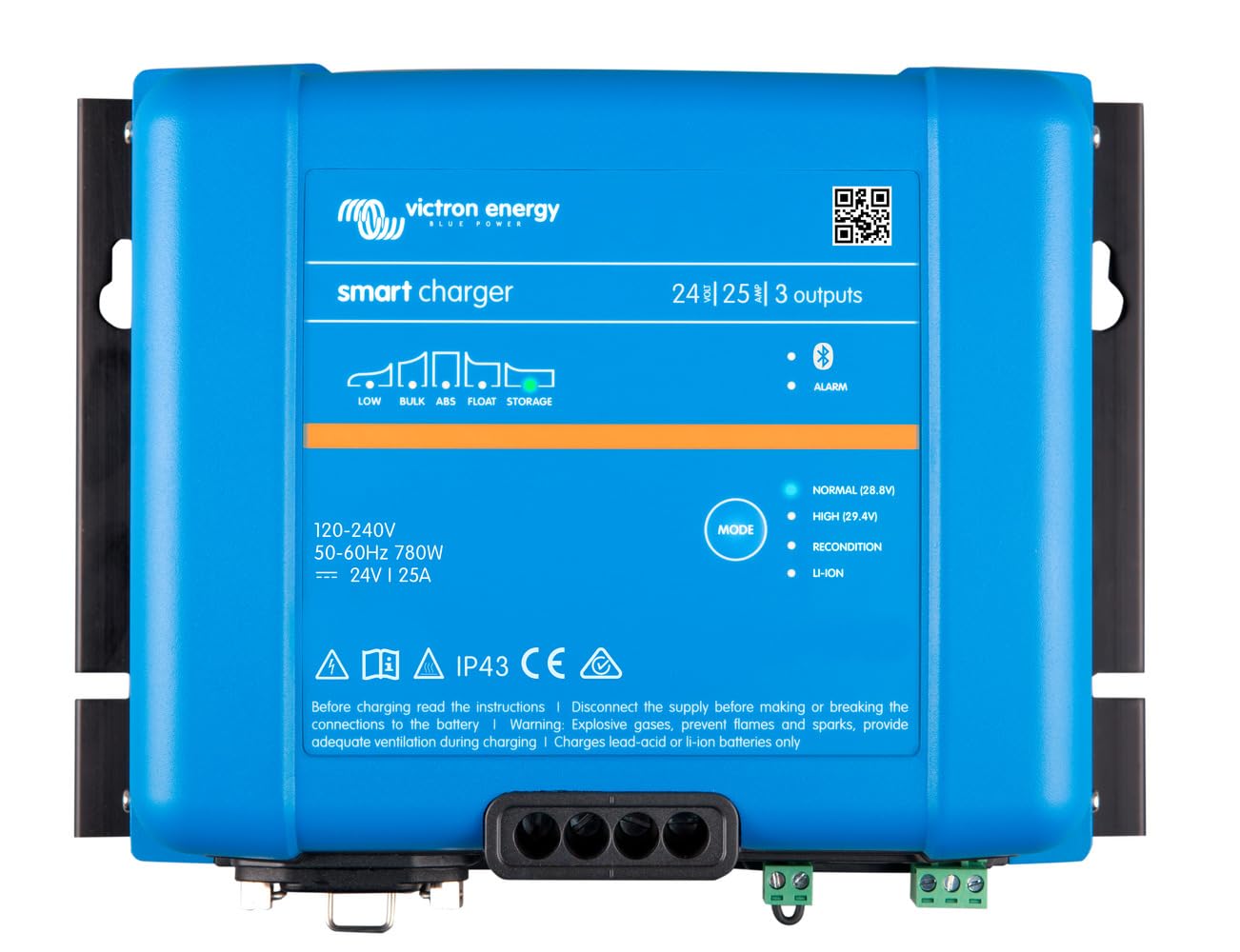
Зображення: спереду view of the Victron Energy Smart IP43 24V 25A 3-Output Battery Charger.
1.2. Що в коробці
Після розпакування перевірте наявність усіх компонентів:
- Victron Energy Phoenix Smart IP43 24-Volt 25 AMP 120-240 VAC, 3 Output Battery Charger with Bluetooth (Model PSC242553095)
- Посібник користувача (цей документ)
- Монтажне обладнання (за наявності)
2. Техніка безпеки
УВАГА: Цей продукт містить хімічні речовини, які, як відомо штату Каліфорнія, спричиняють рак та вроджені дефекти або інші репродуктивні порушення. Для отримання додаткової інформації перейдіть до www.P65Warnings.ca.gov.
- Always disconnect AC power before making or breaking DC connections.
- Забезпечте належну вентиляцію навколо зарядного пристрою.
- Не піддавайте зарядний пристрій впливу дощу або вологи.
- Consult a qualified electrician for installation if you are unsure.
- Use appropriate cable sizes for all connections to prevent overheating.
- This device is designed for indoor use or protected outdoor environments (IP43 rating).
3. Налаштування та встановлення
3.1. Монтаж зарядного пристрою
Select a suitable location for mounting the charger. The location should be dry, well-ventilated, and protected from direct sunlight and excessive heat. Ensure there is sufficient space around the unit for air circulation.
- Mount the charger vertically on a non-flammable surface.
- Use appropriate screws and fasteners for the mounting surface.
- Ensure all connections are easily accessible after mounting.
3.2. Електричні з'єднання
The charger has three full current outputs designed to charge up to three separate battery banks. The total current drawn across all three outputs combined must not exceed the charger's rated output current (25 Amps).
- Підключення акумуляторів постійного струму:
- Connect the positive (+) terminals of your battery banks to the corresponding positive output terminals on the charger.
- Connect the negative (-) terminals of your battery banks to the common negative terminal on the charger.
- Use marine-style battery connectors (ring terminals or battery clamps) as appropriate for your setup.
- Ensure all DC connections are tight and secure to prevent voltagпадіння та перегрів.
- Вхідне підключення змінного струму:
- Connect the standard AC power cord (5-15P) to a compatible 120-240 VAC power outlet.
- Переконайтеся, що вхідний обсягtagвідповідає характеристикам зарядного пристрою.
4. Операція
4.1. Початкове ввімкнення
Once all connections are secure, plug the AC power cord into the wall outlet. The charger will initiate its startup sequence. Status indicators (LEDs) on the unit will provide information on the charging process.
4.2. Bluetooth Connectivity (VictronConnect App)
The charger features built-in Bluetooth Smart for advanced monitoring and control via the VictronConnect app. This app allows you to:
- Monitor real-time charging status and battery voltage.
- Configure charging parameters and battery presets (e.g., Gel, Lithium Iron Phosphate).
- Update the charger's firmware.
- Synchronize with other Victron Energy Smart devices.
Download the VictronConnect app from your device's app store. Follow the in-app instructions to connect to your charger via Bluetooth.

Image: Screenshot of the VictronConnect app interface on a smartphone, showing monitoring and configuration options.
4.3. Автоматичний Voltage Компенсація
The charger automatically compensates for voltage drop that occurs over the DC cabling. As the DC current increases, the charger slightly increases its output voltage to ensure the batteries receive the correct charging voltage, optimizing charging efficiency and battery life.
4.4. Multi-Output Charging
The three outputs allow for simultaneous charging of up to three battery banks. While each output can deliver the full rated current, the combined total current from all three outputs will not exceed the charger's maximum output of 25 Amps.
Video: This video demonstrates the VictronConnect App for monitoring performance, showing how users can check key monitoring data, see device performance, and use simple controls for configuration and firmware updates.
Video: This video illustrates the Victron Remote Management (VRM) portal, demonstrating how to master remote systems by checking remote systems at a glance, managing devices with simple controls, and monitoring system performance in detail.
5. Технічні характеристики
| Особливість | Специфікація |
|---|---|
| Бренд | Віктрон Енергія |
| Номер моделі | PSC242553095 |
| Розміри продукту | 4.6" Г x 9.8" Ш x 7.1" В |
| Вага товару | 2.6 кілограма |
| Вихідний випtage | 24 вольт (постійний струм) |
| Вхідний об'ємtage | 120-240 вольт (змінного струму) |
| Поточний рейтинг | 25 Amps |
| Кількість виходів | 3 |
| Тип роз'єму | Marine-style battery connectors (ring terminals or battery clamps) and standard AC power cord (5-15P) |
| Bluetooth | Built-in Bluetooth Smart for VictronConnect app |
| Сертифікати | CE, FCC |
6. Технічне обслуговування
- Регулярна перевірка: Periodically inspect the charger and its connections for any signs of damage, corrosion, or loose wiring.
- Прибирання: Keep the charger clean and free from dust and debris. Use a dry cloth for cleaning. Do not use liquid cleaners or solvents.
- Вентиляція: Переконайтеся, що вентиляційні отвори не заблоковані, щоб запобігти перегріванню.
- Оновлення прошивки: Регулярно перевіряйте наявність оновлень прошивки та встановлюйте їх через застосунок VictronConnect, щоб забезпечити оптимальну продуктивність та доступ до нових функцій.
7. Вирішення проблем
If you encounter issues with your Victron Energy Smart IP43 charger, refer to the following common problems and solutions:
| проблема | Можлива причина | Рішення |
|---|---|---|
| Зарядний пристрій не вмикається | Немає вхідного живлення змінного струму | Check AC power cord connection and wall outlet. Ensure circuit breaker is not tripped. |
| Немає виходу для зарядки | Нещільні з'єднання акумулятора; рівень заряду акумулятораtage too low for detection | Verify all DC battery connections are secure. If battery voltage is extremely low, try a different charging method to bring it to a detectable level. |
| Перегрів | Insufficient ventilation; Blocked air vents | Ensure adequate airflow around the charger. Clear any obstructions from the air vents. Reduce load if possible. |
| Проблеми з підключенням Bluetooth | Distance from device; Interference; App issues | Move closer to the charger. Restart the VictronConnect app and your mobile device. Ensure Bluetooth is enabled. |
If the problem persists after attempting these solutions, please contact Victron Energy customer support.
8. Гарантія та підтримка
8.1. Інформація про гарантію
This product comes with a manufacturer's warranty. Please refer to the "Warranty Description" provided with your product or visit the official Victron Energy webДетальні умови гарантії див. на сайті. Зберігайте чек про покупку для гарантійних випадків.
8.2. Підтримка клієнтів
For technical assistance, troubleshooting, or service inquiries, please contact Victron Energy customer support through their official website or authorized service centers. You can also find additional resources and FAQs on the Victron Energy webсайт.
Ask a question about this manual
Ask about setup, troubleshooting, compatibility, parts, safety, or missing instructions. Manuals+ will review the question and use this page’s manual context to help answer it.