
ZOUKAI F3
ZOUKAI Bone Conduction Bluetooth 5.3 Open Ear Clip Headphones User Manual
Модель: F3
1. Вступ
Thank you for choosing the ZOUKAI Bone Conduction Bluetooth 5.3 Open Ear Clip Headphones. This manual provides essential information for the proper use, setup, and maintenance of your new headset. Please read it thoroughly before use to ensure optimal performance and longevity.
2. Продукт закінчивсяview
2.1 Основні характеристики
- Дизайн з відкритим вухом: Allows you to enjoy audio while remaining aware of your surroundings, enhancing safety during outdoor activities.
- Технологія кісткової провідності: Delivers sound through vibrations to your cheekbones, bypassing the eardrum.
- Підключення Bluetooth 5.3: Забезпечує стабільне та ефективне бездротове з'єднання із сумісними пристроями.
- Comfortable Ear Clip Design: Lightweight (4.5g per earbud) and ergonomic for pain-free, secure wearing, even with glasses.
- Автоматичне сполучення: Simplifies connection after initial setup.
- Інтуїтивно зрозуміле управління: Easy single-hand operation for music playback, calls, and voice assistant.
- Зменшення шуму ENC: Покращує чіткість дзвінків.
- Водонепроникний дизайн: Suitable for use during exercise and in wet conditions.
- Тривалий термін служби батареї: Up to 72 hours music time (with charging case), 30 days standby, 1 hour fast charging.
2.2 Вміст упаковки
The ZOUKAI Bone Conduction Bluetooth 5.3 Open Ear Clip Headphones package includes:
- ZOUKAI Bone Conduction Bluetooth 5.3 Open Ear Clip Headphones (Left and Right Earbuds)
- Зарядний футляр
- Зарядний кабель
- Посібник користувача (цей документ)
2.3 Діаграма продукту

Image: ZOUKAI Bone Conduction Bluetooth 5.3 Open Ear Clip Headphones with their charging case. The earbuds are white and have an open-ear clip design. The charging case is also white with a green indicator light.
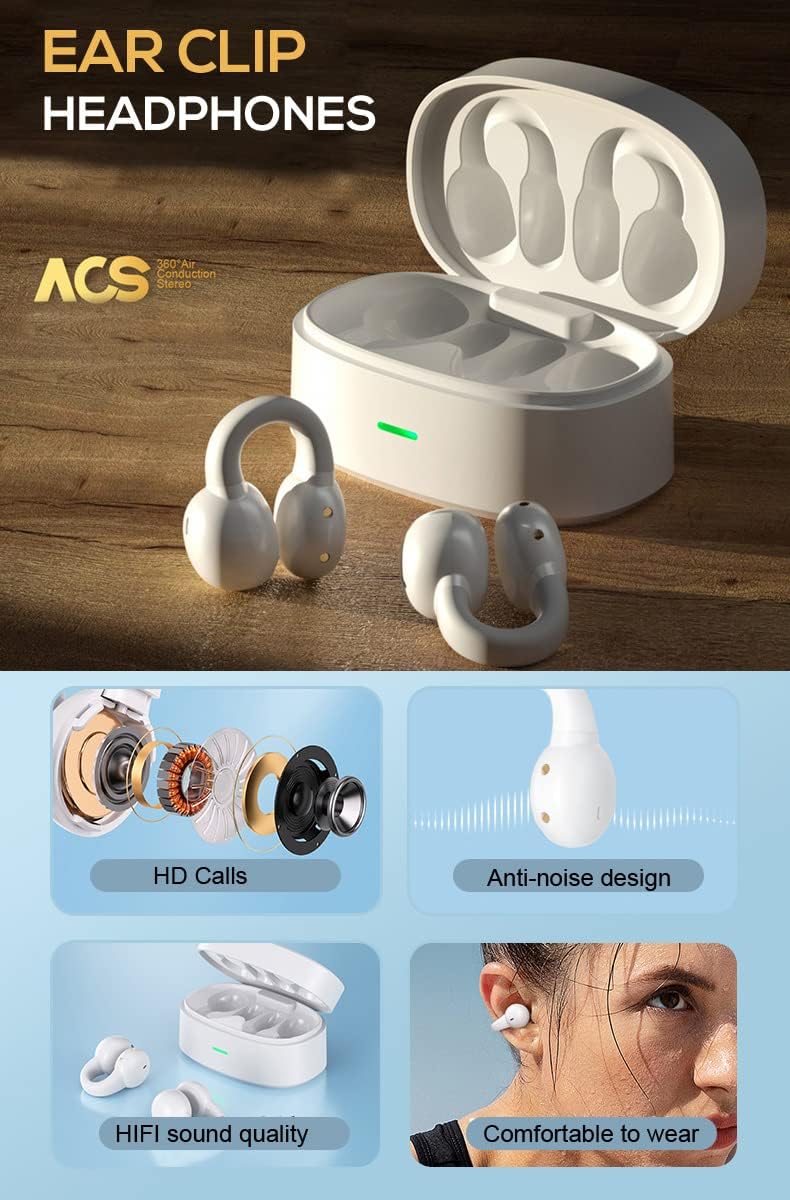
Image: A detailed diagram showing the internal components of the ZOUKAI ear clip headphones, including the bone conduction driver, coil, and other sound elements. Also shows the headphones in their charging case.
3. Налаштування
3.1 Початкове заряджання
Before first use, ensure the headphones and charging case are fully charged. Connect the provided charging cable to the charging case and a compatible USB power source. The indicator light on the case will show charging status.
- Повна зарядка займає приблизно 1 годину.
- The charging case provides multiple charges for the earbuds.

Image: An illustration highlighting the long battery life of the ZOUKAI headphones, showing 72 hours music time, 30 days standby time, and 1 hour fast charging, with the charging case and earbuds in the background.
3.2 Сполучення з пристроєм Bluetooth
- Переконайтеся, що навушники заряджені та знаходяться в зарядному футлярі.
- Open the lid of the charging case. The headphones will automatically enter pairing mode.
- На вашому пристрої (смартфоні, планшеті, ноутбуці) перейдіть до налаштувань Bluetooth та увімкніть Bluetooth.
- шукати available devices. Select "ZOUKAI F3" (or similar name) from the list.
- Once connected, the headphones will indicate successful pairing (e.g., a voice prompt or indicator light change).
Note: After the first successful pairing, the headphones will automatically connect to the last paired device when the charging case lid is opened, provided Bluetooth is enabled on the device.

Image: An illustration demonstrating the broad compatibility of the ZOUKAI headphones with Bluetooth 5.3 enabled devices, including smartphones and tablets. It also shows the ear clip design being comfortable even for users wearing glasses.
4. Інструкція з експлуатації
4.1 Носіння навушників
Gently clip the headphones onto your earlobe. The open-ear design ensures comfort and allows ambient sound awareness. Adjust for a secure and comfortable fit.

Image: A man wearing the white ZOUKAI ear clip headphones, demonstrating their comfortable and discreet fit.

Image: Close-up illustrations showing how the ZOUKAI ear clip headphones are worn, highlighting their secure and comfortable placement on the earlobe for sports and daily use.
4.2 Основні елементи керування (сенсорні)
The headphones feature touch controls for easy operation:
| Дія | функція |
|---|---|
| Один дотик | Відтворення/пауза музики, відповідь/завершення дзвінка |
| Подвійний дотик (лівий навушник) | Зменшення гучності |
| Подвійний дотик (правий навушник) | Збільшення гучності |
| Потрійний дотик (лівий навушник) | Попередня пісня |
| Потрійний дотик (правий навушник) | Наступна пісня |
| Тривале натискання (2 секунд) | Відхилити виклик, активувати голосового помічника |
5. Технічне обслуговування
5.1 Очищення
Регулярне чищення допомагає підтримувати продуктивність та гігієну ваших навушників.
- Протріть навушники та зарядний футляр м’якою, сухою тканиною без ворсу.
- Для стійкого бруду злегкаampпромийте тканину водою. Уникайте використання агресивних хімікатів або абразивних матеріалів.
- Do not submerge the headphones or charging case in water, despite their waterproof rating, to prevent damage to charging contacts or internal components.
5.2 Зберігання
When not in use, store the headphones in their charging case to protect them from dust, dirt, and physical damage.
- Зберігати в прохолодному, сухому місці, подалі від екстремальних температур та прямих сонячних променів.
- Avoid storing in highly humid environments.
5.3 Догляд за акумулятором
- Charge the headphones regularly, even if not used frequently, to prolong battery life.
- Уникайте повного розрядження акумулятора перед його повторним заряджанням.
- Використовуйте лише наданий зарядний кабель або його сертифікований еквівалент.
6. Вирішення проблем
If you encounter issues with your ZOUKAI headphones, refer to the following common solutions:
| проблема | Можлива причина / рішення |
|---|---|
| Навушники не вмикаються. | Battery is low. Place headphones in the charging case and charge fully. |
| Не вдається з’єднати пристрій. |
|
| Немає звуку або гучність низька. |
|
| Intermittent connection / audio drops. |
|
| Мікрофон не працює під час дзвінків. |
|
7. Технічні характеристики
| Особливість | Деталь |
|---|---|
| Назва моделі | F3 |
| Технологія підключення | Бездротовий (Bluetooth) |
| Версія Bluetooth | 5.3 |
| Тип аудіо драйвера | Драйвер кісткової провідності |
| Розташування вуха | Відкрите вухо |
| Форм-фактор | Вушна кліпса |
| Тип управління | Volume Control, Voice Control, Noise Control (Touch) |
| Контроль шуму | Активне шумозаглушення (ENC для дзвінків) |
| Рівень водонепроникності | Водостійкий |
| Діапазон частот | 20 Гц до 20,000 Гц |
| матеріал | пластик |
| Вага товару | 4.2 унції (повна вага упаковки) |
| Колір | Білий |
| Включені компоненти | Кабель |
| Виробник | ZOUKAI |
| UPC | 768399192675 |
8. Гарантія та підтримка
For warranty information and customer support, please refer to the purchase platform or contact ZOUKAI customer service directly. Keep your proof of purchase for warranty claims.
Інтернет-підтримка: Visit the official ZOUKAI webсайт або сторінку товару на сайті продавця webсайт із поширеними запитаннями та додатковими ресурсами підтримки.
Ask a question about this manual
Ask about setup, troubleshooting, compatibility, parts, safety, or missing instructions. Manuals+ will review the question and use this page’s manual context to help answer it.