
1. Вступ
Thank you for choosing the AcclaFit Smart Watch P5. This device is designed to enhance your daily life with its comprehensive features, including Bluetooth calling, advanced health monitoring, and a wide array of sport modes. This manual provides essential information for setting up, operating, and maintaining your new smartwatch.
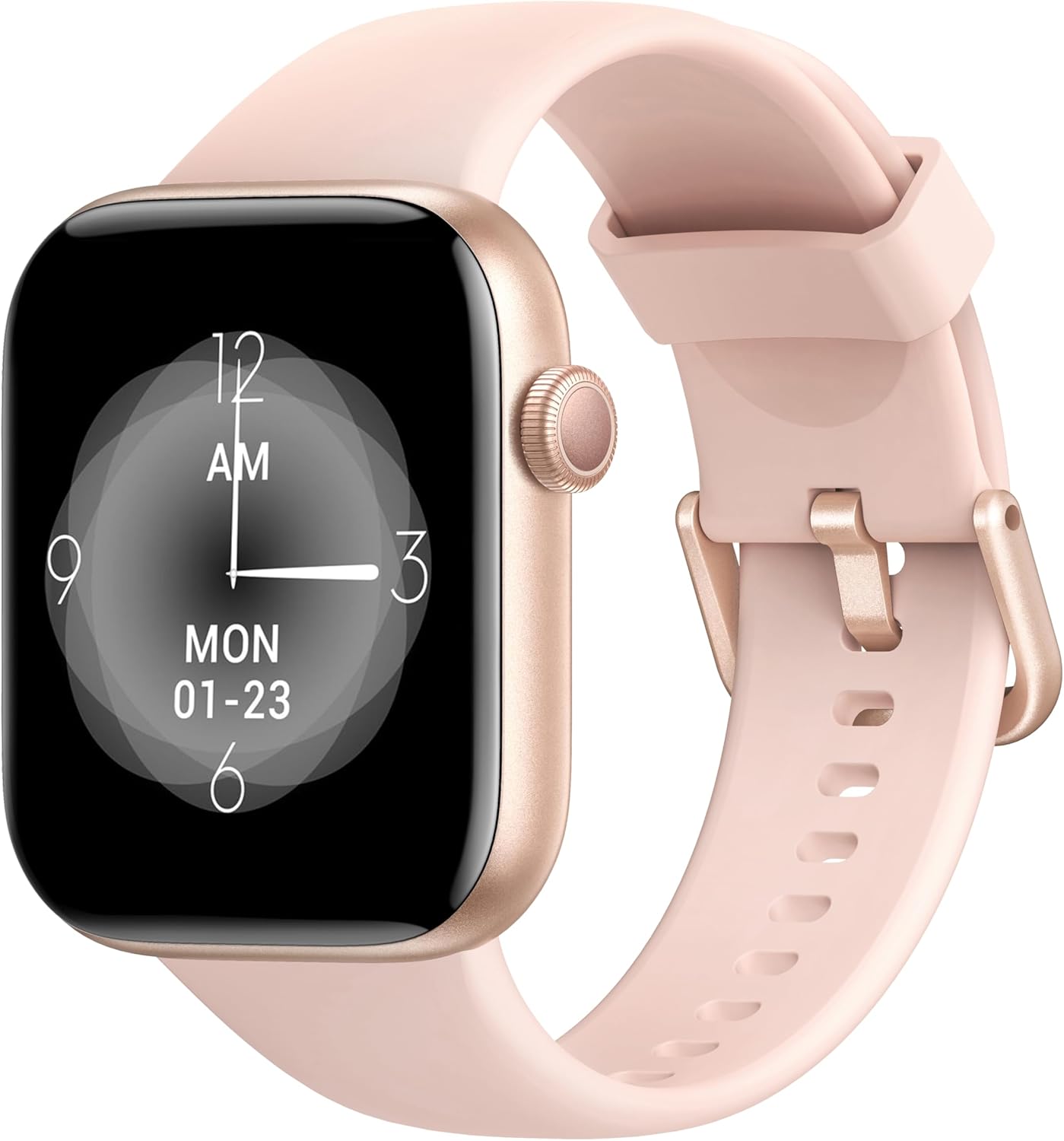
Image: The AcclaFit Smart Watch P5, featuring a rose gold casing and a light pink silicone strap, displaying a digital clock face.
Що в коробці
- AcclaFit Smart Watch P5
- Зарядний кабель
- Посібник користувача (цей документ)
2. Інформація про безпеку
- Do not expose the watch to extreme temperatures (hot or cold) or direct sunlight for prolonged periods.
- Уникайте сильних ударів або падіння пристрою.
- The watch is IP68 waterproof, suitable for washing hands, showering, swimming, and diving. Do not wear it in hot water, including hot showers or saunas, as steam can damage the seals.
- Keep the charging contacts clean and dry to prevent corrosion.
- Перш ніж розпочинати будь-який новий режим фізичних вправ, проконсультуйтеся з лікарем, особливо якщо у вас є попередні захворювання.
- This device is not a medical device and should not be used for medical diagnosis or treatment.
3. Посібник із налаштування
3.1 Заряджання смарт-годинника
Before first use, fully charge your AcclaFit Smart Watch P5. Connect the magnetic charging cable to the charging contacts on the back of the watch and plug the USB end into a standard USB power adapter (5V/1A recommended) or a computer USB port. A full charge takes approximately 2 hours.
The watch display will show the charging progress. Ensure the charging contacts are clean and dry before connecting the cable.
3.2 Downloading the 'H Band' App
The AcclaFit Smart Watch P5 requires the 'H Band' application for full functionality and data synchronization. You can download the app from:
- Apple App Store for iOS devices (iOS 10.0 or above)
- Google Play Store for Android devices (Android 5.0 or above)
шукати "H Band" and install the application on your smartphone.
3.3 Сполучення зі смартфоном
- Переконайтеся, що Bluetooth на вашому смартфоні увімкнено.
- Open the 'H Band' app on your smartphone.
- Дотримуйтесь інструкцій на екрані, щоб створити обліковий запис або увійти.
- Перейдіть до розділу «Пристрій» або «Мій пристрій» у додатку.
- Tap "Add Device" or "шукати Device". The app will scan for available smartwatches.
- Select "P5" or the device name that appears in the search results.
- Підтвердьте запит на сполучення як на годиннику, так і на смартфоні, якщо буде запропоновано.
- Once successfully paired, the watch's time will synchronize with your phone, and you will see a connected status in the app.
For optimal performance, ensure the 'H Band' app is running in the background and has necessary permissions enabled (e.g., location, notifications).
4. Керування смарт-годинником
4.1 Основна навігація
- Сенсорний екран: Проведіть пальцем ліворуч/праворуч, вгору/вниз, щоб переходити між меню та функціями. Торкніться, щоб вибрати.
- Бічна кнопка: Press to wake the screen, return to the home screen, or access the main menu (functionality may vary based on context).
4.2 Bluetooth Calling & Notifications
The AcclaFit Smart Watch P5 allows you to make and answer calls directly from your wrist, thanks to its built-in microphone and Hi-Fi speaker. Ensure your watch is connected to your phone via Bluetooth.
- Відповідь на дзвінки: When a call comes in, the watch will vibrate and display the caller ID. Tap the green phone icon to answer.
- Здійснення дзвінків: Щоб здійснити дзвінок, відкрийте панель набору номера або список контактів на годиннику.
- Сповіщення: Receive SMS text messages and SNS notifications (Facebook, Twitter, WhatsApp, LinkedIn, Messenger, etc.) directly on your watch. Enable app notifications in the 'H Band' app settings.
4.3 Відстеження стану здоров'я
The watch continuously monitors various health metrics. All data is synchronized with the 'H Band' app for detailed analysis and historical tracking.
- Монітор серцевого ритму: Built-in high-precision PPG sensor tracks your heart rate 24/7. View real-time data on the watch and detailed graphs in the app.
- Моніторинг кисню в крові (SpO2): Measures blood oxygen levels using a reflective-light based sensor.
- Моніторинг артеріального тиску: Measures blood pressure using a reflective-light based sensor.
- Моніторинг сну: Tracks sleep quality through Awake, Light sleep, and Deep sleep stages. Provides insights into sleep duration and patterns.

Image: A close-up of the smartwatch screen showing various health metrics like heart rate and activity data.
4.4 Fitness Modes
The AcclaFit Smart Watch P5 supports over 140 professional and extended workout modes. These modes help track your activity data scientifically.
- Режими доступу: Navigate to the 'Sport' or 'Workout' menu on your watch.
- Відстеження: Select your desired activity (e.g., running, cycling, yoga, swimming) to start tracking steps, active minutes, distance, and calorie consumption.
- Синхронізація даних: All workout data is synced to the 'H Band' app for detailed review and progress tracking.
4.5 Customization & Other Features
- Користувацькі циферблати: Choose from over 100 dial styles via the 'H Band' app or use your own photos as watch faces.
- Яскравість екрану: Adjust the screen brightness directly on the watch for optimal visibility in various lighting conditions.
- Музичний програвач: Control music playback on your phone or play music directly through the watch's built-in speaker.
- Practical Gadgets: Access features like Voice Assistant, torch, calculator, alarm, stopwatch, sedentary reminder, weather display, and remote camera control.
- Відстеження жіночого циклу: Monitor and track female physiological cycles through the app.
5. Технічне обслуговування
- Прибирання: Регулярно протирайте годинник і ремінець м’якою губкоюamp cloth. For stubborn dirt, use a mild soap solution and rinse thoroughly. Ensure the watch is completely dry before charging.
- Зарядка: Always use the provided charging cable. Avoid using damaged cables or chargers. Do not charge the watch in wet conditions.
- Вплив води: While IP68 waterproof, avoid prolonged submersion in saltwater or chemical liquids. Rinse with fresh water after swimming in chlorinated pools. Do not expose to hot water or steam.
- Оновлення програмного забезпечення: Regularly check the 'H Band' app for firmware updates to ensure optimal performance and access to new features.
- Зберігання: When not in use for extended periods, store the watch in a cool, dry place. Charge it periodically to maintain battery health.
6. Вирішення проблем
| проблема | Можливе рішення |
|---|---|
| Годинник не вмикається/не заряджається. |
|
| Не вдається з'єднати пристрій зі смартфоном. |
|
| Сповіщення не отримано. |
|
| Неточні показники даних про стан здоров'я. |
|
7. Технічні характеристики
| Особливість | Деталь |
|---|---|
| Назва моделі | P5 |
| Дисплей | 1.85 Inches Full Touch LCD Screen |
| Ємність акумулятора | 400 міліamp Години (мАг) |
| Термін служби батареї | Up to 7 days (normal usage), 30 days (standby) |
| Час зарядки | прибл. 2 години |
| Водонепроникність | IP68 |
| Підключення | Bluetooth 5.3 |
| Сумісність | iOS 10.0+ / Android 5.0+ |
| Назва програми | H Band |
| Розміри продукту | 10.24 x 1.77 x 0.39 дюймів |
| Вага товару | 3.84 унції |
| Особливості | Bluetooth Calling, Heart Rate, SpO2, Sleep Monitor, 140+ Sport Modes, Notifications, Music Player, Voice Assistant, Custom Dials, IP68 Waterproof |
8. Гарантія та підтримка
AcclaFit products are manufactured to the highest quality standards. For information regarding warranty coverage and terms, please refer to the warranty card included with your product or visit the official AcclaFit webсайт.
If you encounter any issues or have questions about your AcclaFit Smart Watch P5, please contact our customer support team. Details for contacting support can typically be found on the AcclaFit website or through the 'H Band' app's help section.
Please have your product model (P5) and purchase information ready when contacting support.