
1. Вступ
Thank you for choosing the XTRONS TIX125L 10.1-inch Android 12 Car Stereo. This advanced multimedia system features an Octa-core processor, 8GB RAM, 128GB ROM, built-in GPS, Wi-Fi, 4G connectivity, Apple CarPlay, Android Auto, and a Digital Sound Processor (DSP). Its rotatable QLED display offers a versatile and intuitive user experience. This manual provides essential information for installation, operation, maintenance, and troubleshooting to ensure optimal performance and user satisfaction.
2. Інформація про безпеку
- Рекомендовано професійне встановлення: Через складність електричних систем автомобіля наполегливо рекомендується професійне встановлення, щоб запобігти пошкодженню пристрою або вашого транспортного засобу.
- Джерело живлення: Ensure the unit is connected to a 12V DC power supply with a negative ground. Incorrect voltagе може завдати шкоди.
- Електропроводка: Follow all wiring diagrams carefully. Improper wiring can lead to malfunctions, electrical shorts, or fire.
- Безпека водіння: Не використовуйте пристрій таким чином, щоб це відволікало вас від керування автомобілем. Завжди ставте безпеку дорожнього руху на перше місце.
- температура: Уникайте тривалого перебування пристрою під екстремальними температурами або прямими сонячними променями.
- вологість: Тримайте пристрій сухим. Вплив вологи може призвести до пошкодження.
- Вентиляція: Забезпечте належну вентиляцію навколо пристрою, щоб запобігти перегріву.
3. Вміст упаковки
Будь ласка, перевірте вміст вашої упаковки за списком нижче:
- XTRONS TIX125L Main Head Unit
- Джгут електропроводки
- RCA Output/Input Cables
- GPS антена
- USB-кабелі (x2)
- Антена 4G LTE
- Mounting Brackets (x2 pairs)
- гвинти
- Зовнішній мікрофон
- Посібник користувача (цей документ)

Рисунок 3.1: Комплектуючі та основний блок.
4. Налаштування та встановлення
This section provides general guidelines for installing your XTRONS TIX125L car stereo. For specific vehicle models, additional adapters or professional assistance may be required.
4.1 Етапи перед інсталяцією
- Від'єднайте батарею: Перед запуском від'єднайте негативну клему акумулятора вашого автомобіля, щоб запобігти короткому замиканню.
- Видалити старий блок: Обережно зніміть вашу існуючу автомобільну стереосистему з приладової панелі.
- Перевірте проводку: Identify the vehicle's wiring harness. You may need a vehicle-specific adapter harness (not included) to connect to the XTRONS unit.
4.2 Підключення проводів
- Силовий джгут: Connect the provided power wiring harness to the unit and then to your vehicle's wiring. Ensure all connections (power, ground, ACC, illumination) are correct.
- GPS антена: Підключіть GPS-антену та встановіть її в місці з чітким view of the sky (e.g., on the dashboard or under the windshield).
- 4G LTE Antenna: Connect the 4G LTE antenna for cellular data connectivity.
- Антена Wi-Fi: The unit has a built-in Wi-Fi module. Ensure no obstructions block its signal.
- USB кабелі: Route the USB cables to an accessible location (e.g., glove compartment) for connecting USB drives or smartphones.
- Зовнішній мікрофон: Connect the external microphone for improved call quality during Bluetooth hands-free operation. Position it near the driver.
- Кабелі RCA: Підключення кабелів RCA для зовнішнього amplifiers, subwoofers, or auxiliary video inputs/outputs as needed.
- Додаткові підключення: Connect optional accessories such as a rear-view camera, DVR camera, DAB+ box, or TPMS kit according to their respective manuals.
4.3 Встановлення пристрою
- Закріпіть основний блок: Use the provided mounting brackets and screws to secure the main unit into the dashboard opening.
- Налаштувати дисплей: The 10.1-inch display is rotatable and adjustable. Position it for optimal viewing angle and accessibility.
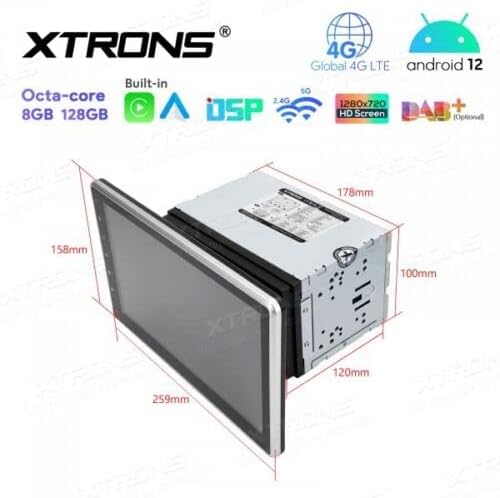
Figure 4.1: Unit dimensions for installation planning.
4.4 Після встановлення
- Повторне підключення батареї: Знову підключіть негативну клему акумулятора вашого автомобіля.
- Початкове ввімкнення: Turn on the vehicle ignition and power on the stereo.
- Тестові функції: Verify all functions, including audio, radio, GPS, Bluetooth, and touchscreen responsiveness.
5. Інструкція з експлуатації
This section details the operation of the XTRONS TIX125L car stereo's various features.
5.1 Основна операція
- Увімкнення/вимкнення живлення: Press and hold the power button (usually on the front panel) to turn the unit on or off. A short press typically mutes/unmutes audio.
- Інтерфейс сенсорного екрану: Navigate the Android 12 interface by tapping, swiping, and pinching on the capacitive touchscreen.
- Регулювання гучності: Регулюйте гучність за допомогою фізичних кнопок або екранних елементів керування.
- Головний екран: The main screen provides access to frequently used applications and widgets.

Figure 5.1: Main user interface with navigation and media playback.
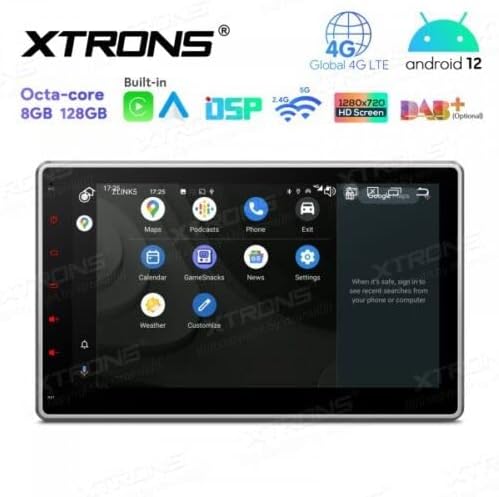
Figure 5.2: Android app drawer with various applications.
5.2 GPS-навігація
The unit comes with a built-in GPS module. You can use pre-installed navigation apps or download others from the Google Play Store.
- GPS антена: Переконайтеся, що GPS-антена правильно підключена та має чіткий сигнал view неба для точного позиціонування.
- Оновлення карти: Keep your navigation maps updated for the best routing experience.
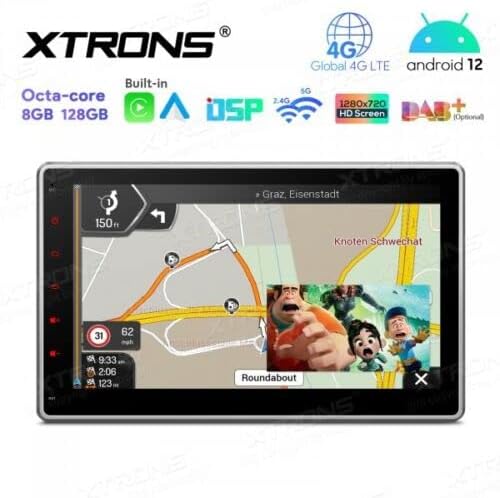
Figure 5.3: Navigation interface with split-screen functionality.
5.3 Bluetooth 5.0
Підключіть свій смартфон через Bluetooth для дзвінків у режимі hands-free та потокової передачі аудіо.
- Сполучення: Go to Bluetooth settings on the unit and your phone. шукати available devices and select the XTRONS unit to pair.
- Дзвінки в режимі Hands-Free: Make and receive calls directly from the unit's screen. Use the external microphone for clear voice transmission.
- Потокове аудіо: Play music from your phone through the car stereo speakers.
5.4 Підключення Wi-Fi та 4G
Access the internet and online services using Wi-Fi or a 4G SIM card.
- Wi-Fi: Connect to a Wi-Fi hotspot (e.g., from your phone or home network) via the Wi-Fi settings.
- 4G LTE: Insert a compatible 4G SIM card into the designated slot (if available) and connect the 4G antenna for mobile data access.
5.5 Apple CarPlay / Android Auto
Integrate your smartphone for a safer and smarter driving experience.
- Підключення: Connect your iPhone or Android phone via USB or wirelessly (if supported by your phone and the unit's software).
- особливості: Access navigation, music, messages, and other compatible apps directly on the stereo display.

Figure 5.4: Apple CarPlay / Android Auto interface.
5.6 Цифровий звуковий процесор (DSP)
Customize your audio experience with the built-in DSP.
- Еквалайзер: Adjust frequency bands to fine-tune the sound output to your preference.
- Звукові ефекти: Explore various sound presets and effects.
5.7 Віддзеркалення екрана
Display your smartphone's screen directly on the car stereo.
- Підключення: Follow the instructions within the Screen Mirroring app on the unit to connect your phone (usually via Wi-Fi or USB).
5.8 Відтворення з USB/SD-карти
Відтворювати медіа fileз USB-накопичувачів або SD-карт.
- Порти USB: Connect USB flash drives (up to 128GB) to the provided USB ports.
- Слот для SD-карти: Insert an SD card (up to 64GB) into the designated slot.
- Медіаплеєр: Use the built-in media player app to browse and play audio or video files.
5.9 Radio (FM/AM, DAB+)
Слухайте свої улюблені радіостанції.
- FM/AM: Use the radio app to scan for stations, save presets, and switch between FM and AM bands.
- DAB+ (цифрове аудіомовлення): This feature requires an optional DAB+ receiver box (not included). Once connected, you can enjoy higher quality digital radio broadcasts.
5.10 Елементи керування на кермі
Control the stereo using your vehicle's steering wheel buttons.
- Конфігурація: This feature typically requires a vehicle-specific CAN-Bus adapter (not included) and configuration within the unit's settings.
5.11 Rear Camera and DVR Input
Enhance driving safety with optional camera systems.
- Задня камера: Connect an optional rear-view camera. The display will automatically switch to the camera view коли транспортний засіб знаходиться на задній передачі.
- DVR Camera: Connect an optional DVR (Digital Video Recorder) camera to record your driving.
5.12 Підтримка TPMS
Monitor your tire pressure with an optional TPMS (Tire Pressure Monitoring System) kit.
- Підключення: This feature requires an optional TPMS kit (not included). Once connected, tire pressure data will be displayed on the unit.
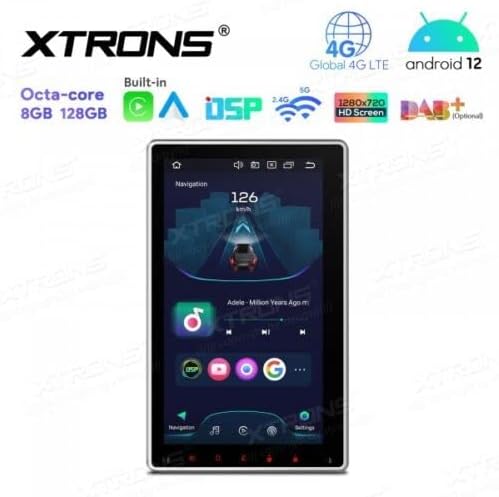
Figure 5.5: Vertical screen orientation for navigation.
6. Технічне обслуговування
Правильне обслуговування забезпечує довговічність та оптимальну роботу вашої автомобільної стереосистеми.
- Очищення екрану: Використовуйте м’яку тканину без ворсу, щоб обережно протерти сенсорний екран. Для стійких плям злегкаampПротріть тканину водою або засобом для чищення екранів. Уникайте агресивних хімікатів.
- Генеральне прибирання: Keep the unit and surrounding area free from dust and debris.
- Оновлення програмного забезпечення: Periodically check the XTRONS official website for available software or firmware updates to improve performance and add new features. Follow update instructions carefully.
7. Вирішення проблем
If you encounter issues with your XTRONS TIX125L, refer to the following common problems and solutions.
| проблема | Можлива причина | Рішення |
|---|---|---|
| Пристрій не вмикається. | No power connection, blown fuse, incorrect wiring. | Check power wiring, vehicle fuse box, and the unit's fuse. Ensure battery is connected. |
| Ні звуку. | Volume muted, incorrect audio source, speaker wiring issues. | Check volume level, ensure correct audio source is selected. Verify speaker connections. |
| Poor GPS signal or no signal. | GPS antenna not connected, antenna obstructed, faulty antenna. | Ensure GPS antenna is securely connected and mounted in a clear location. Replace antenna if necessary. |
| Проблеми з підключенням Bluetooth. | Пристрій не в режимі сполучення, перешкоди, неправильний процес сполучення. | Переконайтеся, що обидва пристрої перебувають у режимі сполучення. Видаліть попередні сполучення та спробуйте ще раз. Підійдіть ближче до пристрою. |
| Сенсорний екран не реагує. | Software glitch, screen dirty, hardware issue. | Restart the unit. Clean the screen. If problem persists, contact support. |
| Apps crash or freeze. | Insufficient memory, software bug, incompatible app. | Close background apps. Clear app cache. Update software if available. Uninstall and reinstall problematic apps. |
If the problem persists after trying these solutions, please contact XTRONS customer support for further assistance.
8. Технічні характеристики
Below are the technical specifications for the XTRONS TIX125L car stereo:
- Бренд: XTRONS
- модель: TIX125L
- Розмір екрана: 10.1 дюймів
- Тип дисплея: QLED, Capacitive Touchscreen, LED
- Операційна система: Android 12
- Процесор: Восьмиядерний
- Оперативна пам'ять: 8 ГБ
- ПЗУ: 128GB (Expandable via USB/SD)
- Підключення: Bluetooth 5.0, USB, Wi-Fi, 4G LTE (SIM card reader included)
- Навігація: Built-in GPS (Supports various map types)
- Особливості: Apple CarPlay, Android Auto, Digital Sound Processor (DSP), Screen Mirroring, Rotatable Display, Equalizer
- Підтримуване сховище: USB (up to 128GB), SD (up to 64GB)
- Метод контролю: Сенсорний екран
- Тип монтажу: In-dash
- Сумісний тип транспортного засобу: Motorcycle (Note: Product description states 'Motocicletta', but typically these units are for cars. Please verify compatibility with your specific vehicle.)
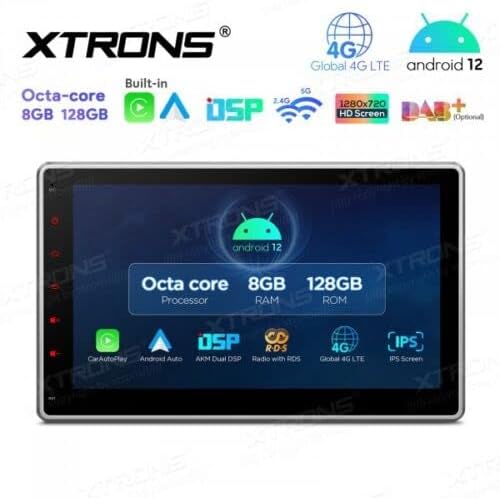
Figure 8.1: Key features and specifications overview.
9. Гарантія та підтримка
For warranty information, please refer to the warranty card included with your product or visit the official XTRONS website. If you require technical assistance, have questions about installation, or need troubleshooting beyond what is covered in this manual, please contact XTRONS customer support. Have your product model number (TIX125L) and purchase details ready when contacting support.
XTRONS Official Webсайт: www.xtrons.com (Please verify the exact support contact details on their webсайт.)


