
вступ
The Datalogic QuickScan QD2590 is a high-performance, handheld 2D barcode imager designed for various point-of-sale (POS) and general-purpose applications. This device offers fast and reliable scanning of 1D and 2D barcodes, ensuring efficient data capture. Its durable design and flexible connectivity options (USB, RS-232) make it suitable for diverse environments. This manual provides essential information for setting up, operating, maintaining, and troubleshooting your QD2590 scanner.
Налаштування
1. Розпакування сканера
Обережно вийміть усі компоненти з упаковки. Перевірте наявність усіх елементів, перелічених у розділі «Комплектація».
- QuickScan QD2590 Portable 1D/2D Barcode Reader (Black)
2. Підключення сканера
The QD2590 scanner supports USB and RS-232 connectivity. Connect the appropriate cable to the scanner's interface port and then to your host device (computer, POS system).
Для підключення USB: Plug the USB cable into an available USB port on your computer. The scanner will typically be recognized automatically, and necessary drivers will be installed by the operating system.
For RS-232 Connection: Connect the RS-232 cable to a serial port on your host device. Ensure proper configuration of the serial port settings on your host system to match the scanner's default settings (e.g., baud rate, data bits, parity, stop bits).
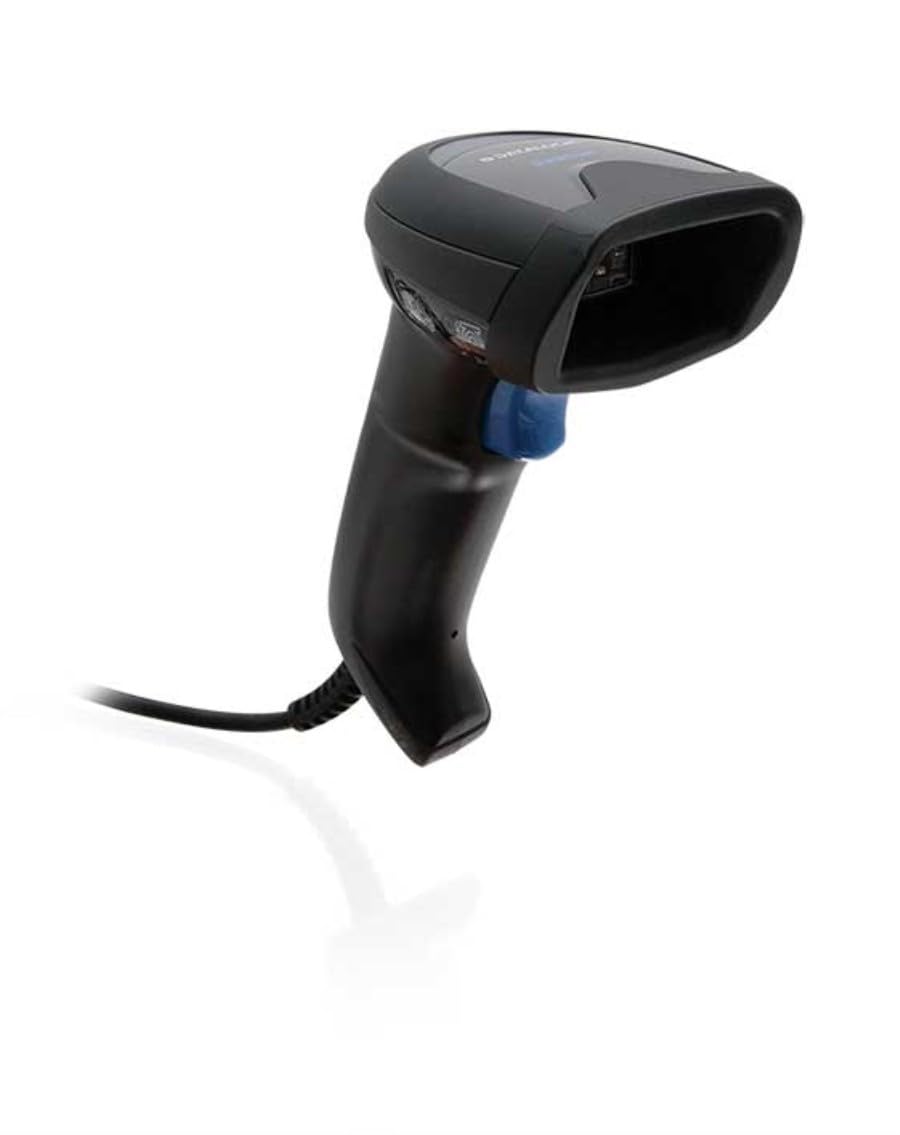
Image: The Datalogic QuickScan QD2590 scanner showing its wired connection.
Робота зі сканером
1. Основна процедура сканування
- Переконайтеся, що сканер правильно підключено та увімкнено.
- Направте вікно сканера на штрих-код, який потрібно відсканувати.
- Press and hold the trigger button. A red aiming beam will appear.
- Center the aiming beam over the entire barcode.
- Once the barcode is successfully read, the scanner will emit an audible beep and/or the LED indicator will change color (typically green).
- Release the trigger button. The scanned data will be transmitted to your host device.
2. Scanning Feedback
- Індикатор успішного читання: A successful scan is typically indicated by a green LED and a configurable beep sound.
- Прицільний промінь: The red aiming beam helps position the scanner correctly over the barcode.

Зображення: спереду view of the Datalogic QuickScan QD2590, highlighting the scanning area.
Технічне обслуговування
1. Очищення сканера
To ensure optimal performance, keep the scanner's window clean. Use a soft, lint-free cloth dampened with water or a mild, non-abrasive cleaner. Do not use harsh chemicals, solvents, or abrasive materials, as these can damage the scanning window or casing.
2. Зберігання
When not in use, store the scanner in a clean, dry environment, away from extreme temperatures, direct sunlight, and corrosive materials. Avoid dropping or subjecting the scanner to excessive impact.
Усунення несправностей
| проблема | Можлива причина | Рішення |
|---|---|---|
| Сканер не вмикається. | Cable not connected properly; host device not powered on. | Check cable connections. Ensure host device is powered on. |
| Сканер не зчитує штрих-коди. | Barcode damaged or poorly printed; incorrect symbology enabled; scanning window dirty; scanner not configured correctly. | Try scanning a different barcode. Clean the scanning window. Refer to the full product manual for symbology enablement and advanced configuration. |
| Відскановані дані неправильні або неповні. | Incorrect data formatting; partial scan. | Ensure the aiming beam covers the entire barcode. Check host application settings for data formatting. |
| No audible beep on good read. | Beeper disabled in configuration. | Refer to the full product manual to enable the beeper. |
For more detailed troubleshooting and advanced configuration, please refer to the complete Datalogic QuickScan QD2590 product manual available on the Datalogic webсайт.
Технічні характеристики
| Особливість | Деталь |
|---|---|
| Номер моделі | W126053080 |
| Тип сканера | Handheld 2D Imager |
| Тип елемента сканування | 2D Imager - Red LED Sensor |
| дозвіл сенсора | 1280 x 800 пікселів |
| Швидкість сканування | 60 кадрів в секунду (fps) |
| Minimum Bar Symbol Width | 3 млн |
| Технологія підключення | Wired (USB, RS-232) |
| Джерело живлення | DC 5V (via cable) |
| Розміри (Ш x Г x В) | 6.8 см х 12.6 см х 14.8 см |
| вага | 145 г |
| Колір | чорний |
| Сумісні пристрої | Smartphone, laptop, desktop, tablet |
| Справжня View Кут | 40 градусів |
Гарантія та підтримка
Інформація про гарантію
The Datalogic QuickScan QD2590 barcode scanner comes with a 2-річна гарантія виробникаЦя гарантія поширюється на дефекти матеріалів та виготовлення за умов нормального використання. Будь ласка, збережіть чек про покупку для пред'явлення претензій за гарантією.
Підтримка клієнтів
For technical assistance, product inquiries, or warranty service, please contact Datalogic customer support. Visit the official Datalogic webсайт для отримання контактної інформації, поширених запитань та додаткових ресурсів.
Datalogic Official Webсайт: www.datalogic.com