
1. Вступ
Thank you for choosing the Hayve Adjustable Microscope Arm Stand. This manual provides essential information for the proper setup, operation, and maintenance of your new microscope arm stand. Please read these instructions carefully before use to ensure optimal performance and longevity of the product.
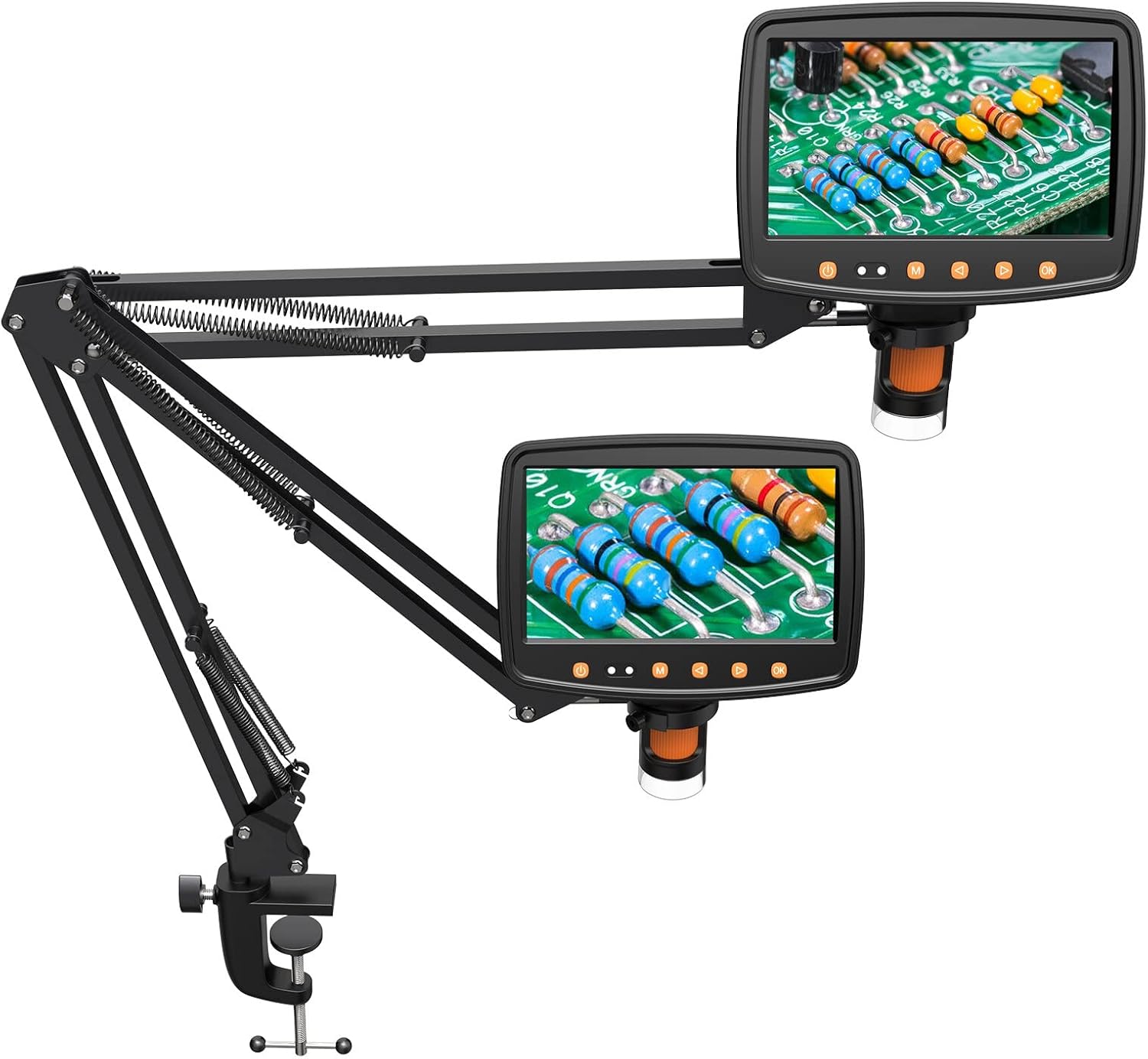
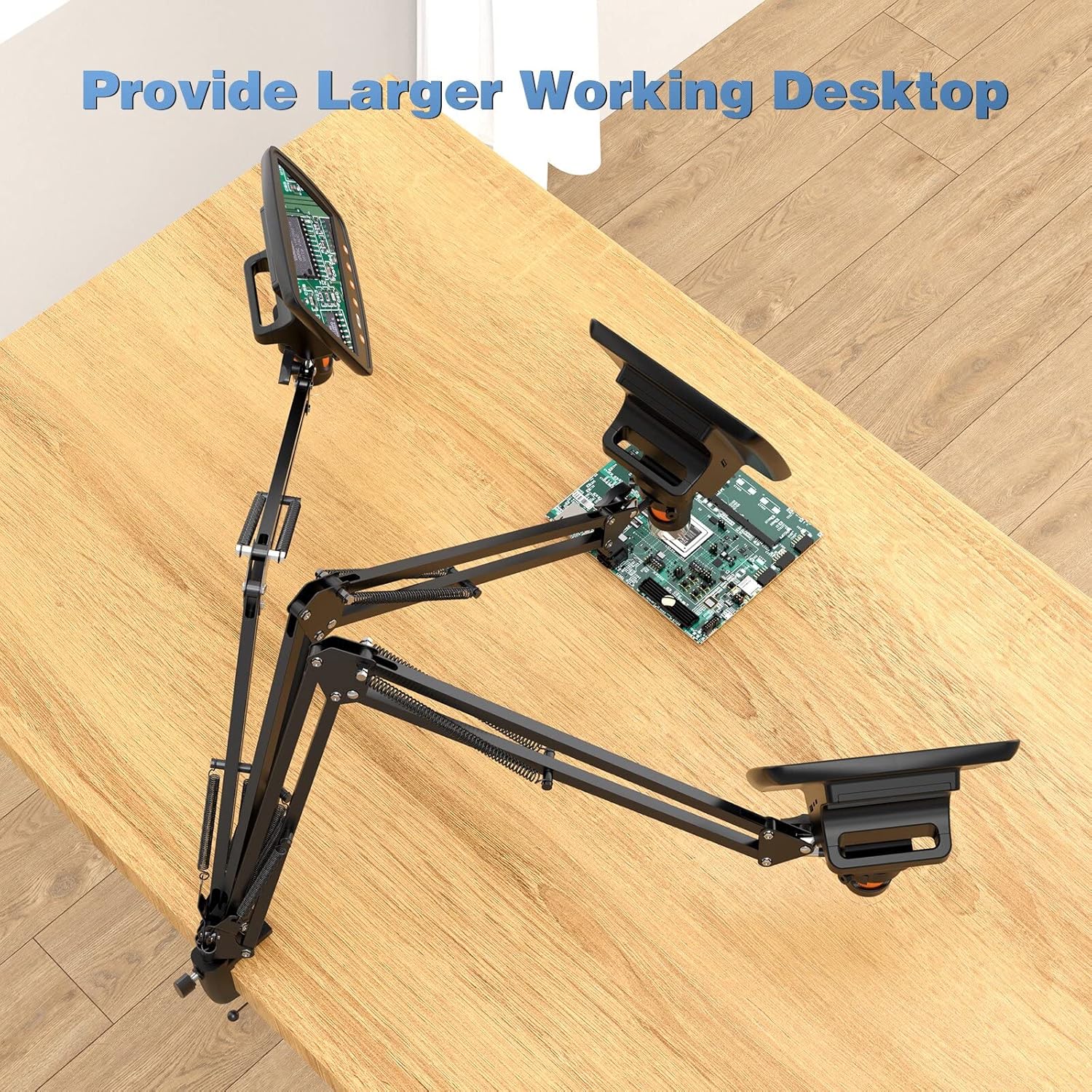
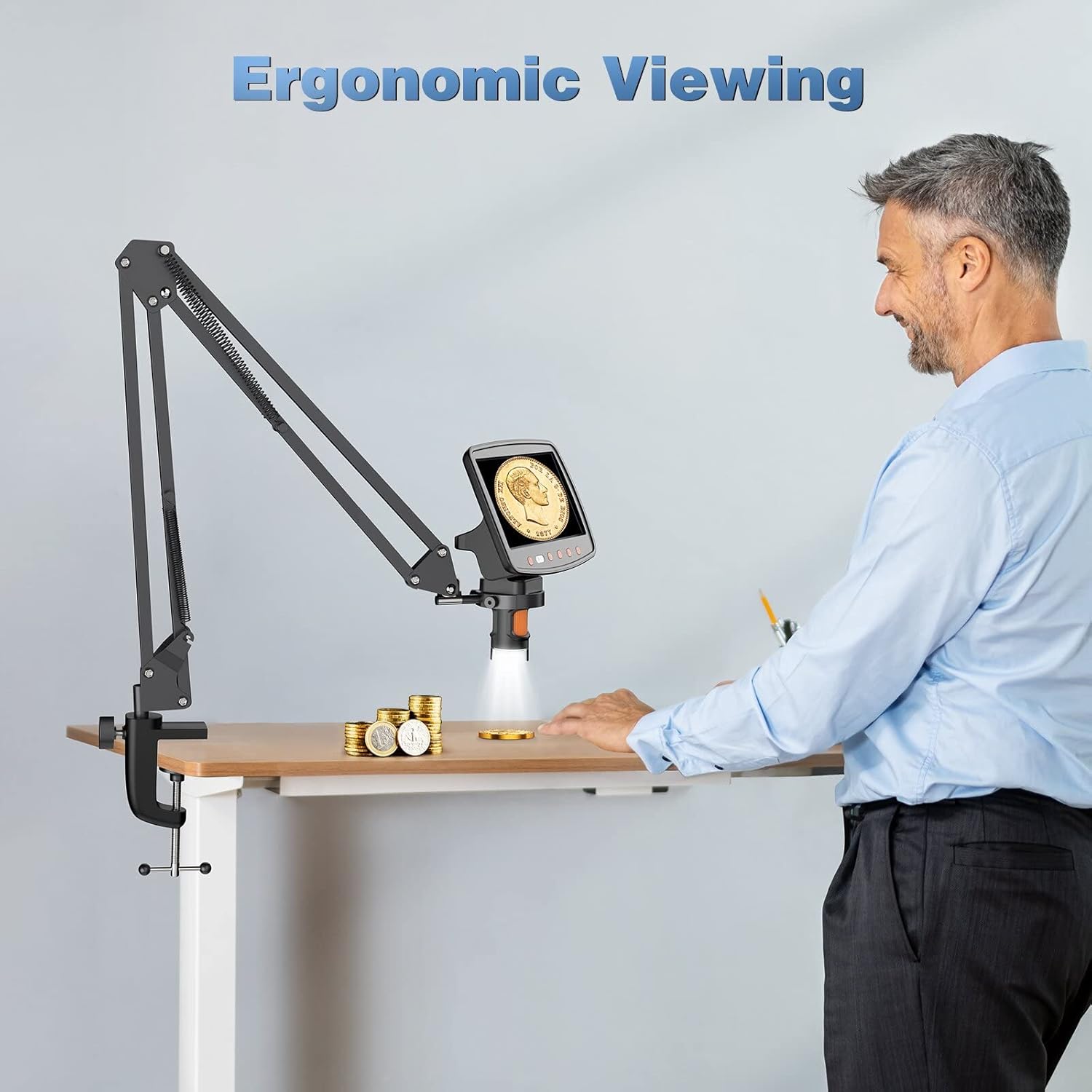
This stand is designed to enhance your digital microscope experience by providing a stable, flexible, and adjustable mounting solution, allowing for a larger working desktop and ergonomic viewкути.
2. Продукт закінчивсяview і особливості
The Hayve Adjustable Microscope Arm Stand is a robust and versatile accessory for compatible digital microscopes. It features a durable metal construction and a C-clamp design for secure attachment to your workspace.
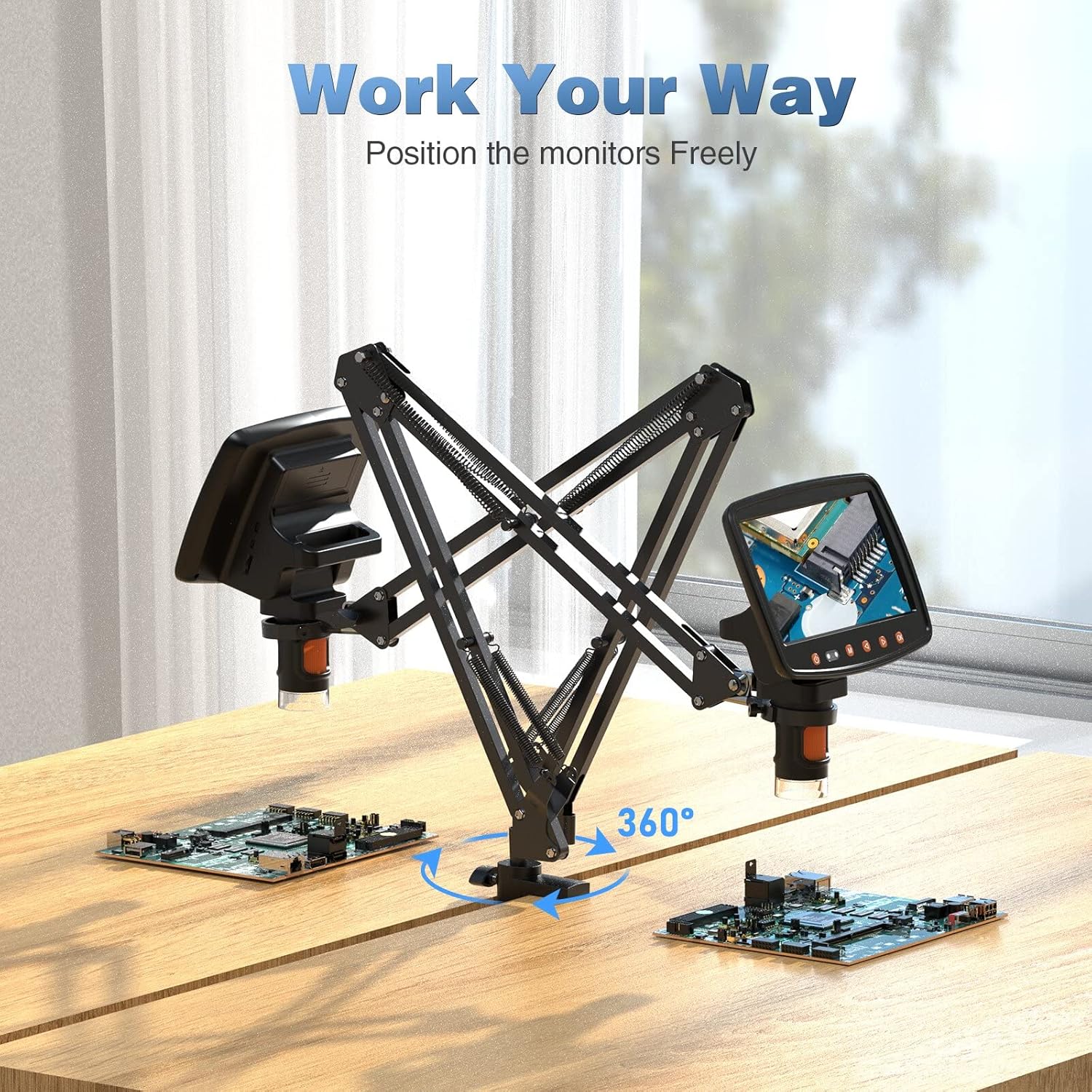
- Регульовані руки: Two gas spring arms allow for dynamic extension, retraction, and height adjustment, providing a maximum height of 25 inches.
- гнучкий Viewing: The arms can tilt ±270° and support 360-degree rotation, enabling a wide range of viewкути.
- Стабільне кріплення: Strong C-clamp design ensures a stable connection to your desk.
- Вантажопідйомність: Supports microscopes weighing up to 3.5 lbs.
- матеріал: Constructed from solid metal for outstanding durability.
3. Сумісність
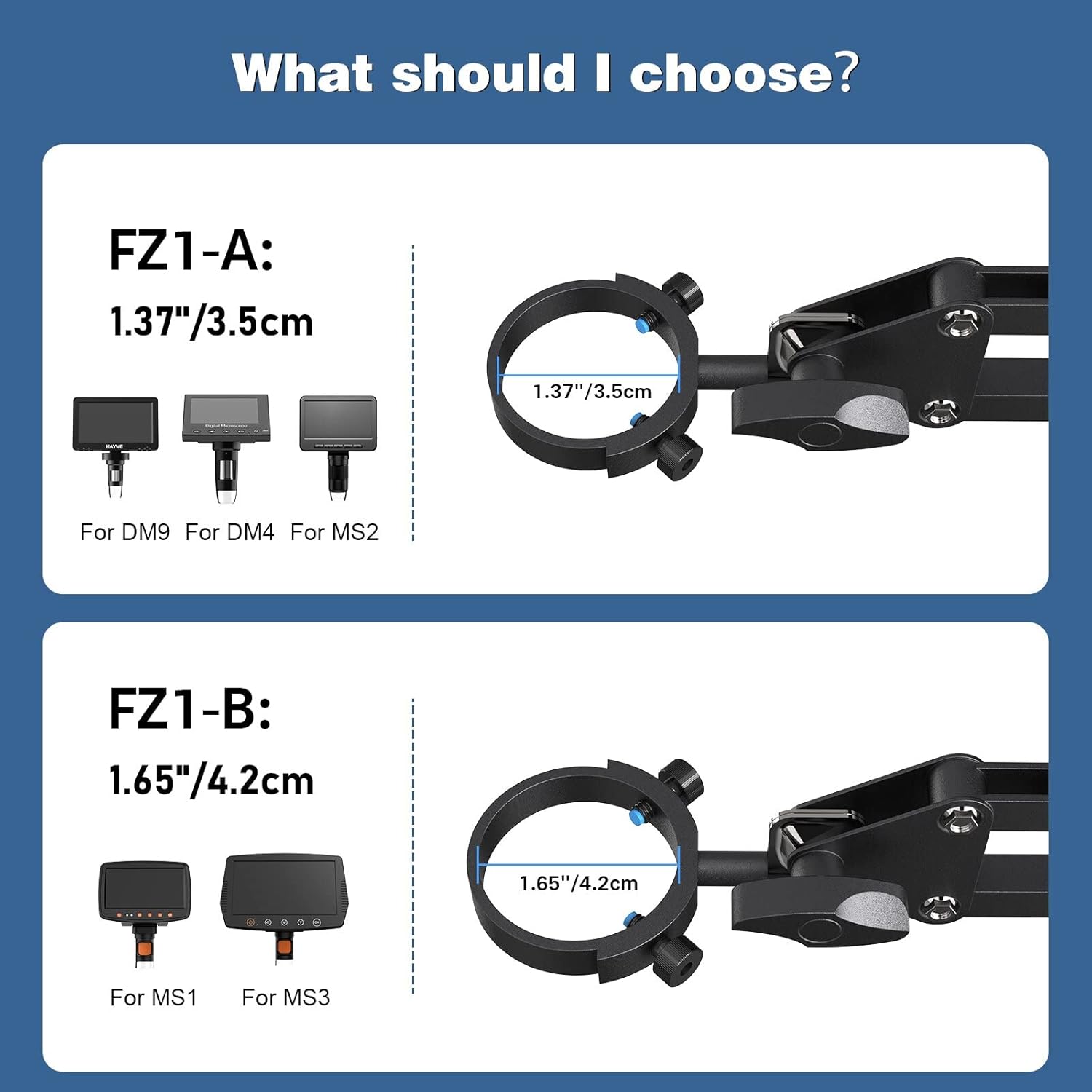
This Hayve Microscope Arm Stand (Model FZ1-B) is specifically designed for digital microscopes with a barrel diameter of 1.65 inches (4.2 cm).
It is compatible with the following Hayve digital microscope models:
- MS1
- MS3
For other microscope models, please refer to the FZ1-A variant which supports 1.37 inches (3.5 cm) diameter microscopes (DM9, DM4, MS2).
4. Налаштування та встановлення
Follow these steps to install your Hayve Microscope Arm Stand:
- Step 1: Affix the Clamp to Your Table. Надійно закріпіть C-clamp base to the edge of your desk. Ensure your desk thickness is between 0.4 inches and 1.96 inches for proper fit and stability. Tighten the clamp твердо.
- Step 2: Attach the Bracket Arm on the Clamp. Insert the base of the arm stand into the clamp і затягніть кріпильний гвинт.
- Step 3: Attach Microscope Monitor on the Stand. Carefully insert your compatible digital microscope into the mounting ring at the end of the arm and secure it.
Примітка: The microscope itself is not included in the package.


5. Інструкція з експлуатації
Once installed, the Hayve Microscope Arm Stand offers extensive flexibility to position your digital microscope for optimal viewінж.
- Регулювання висоти: The two gas spring arms allow for smooth vertical adjustment. Gently push or pull the arm to achieve the desired height. The stand can reach a height of up to 25 inches.
- Нахил: The microscope attachment point can be tilted ±270° to angle the microscope screen as needed.
- обертання: The entire arm assembly can rotate 360° around its base, providing full coverage of your workspace.
- Розгортання/складання: The articulated arms can be extended or retracted horizontally to bring the microscope closer or further away from your subject.
Always ensure that all adjustment points are securely tightened after positioning your microscope to maintain stability during use.

6. Технічне обслуговування
To ensure the longevity and optimal performance of your Hayve Microscope Arm Stand, follow these simple maintenance guidelines:
- Прибирання: Wipe the stand with a soft, dry cloth to remove dust and debris. For stubborn marks, a slightly damp Можна використовувати тканину, після чого негайно висушити. Уникайте абразивних засобів для чищення або розчинників.
- Перевірки: Періодично перевіряйте всі гвинти таamps to ensure they are tight and secure. Loose connections can affect stability.
- Змащення: The gas spring arms are designed for smooth operation and generally do not require lubrication. If you notice any stiffness, consult customer support.
- Зберігання: When not in use for extended periods, store the stand in a clean, dry environment.
7. Вирішення проблем
If you encounter any issues with your Hayve Microscope Arm Stand, please refer to the following common troubleshooting tips:
- Stand is unstable/wobbly:
- Переконайтеся, що C-clamp надійно закріплений на столі.
- Verify that the desk thickness is within the recommended range (0.4''-1.96'').
- Check that the microscope is properly seated and secured in its mounting ring.
- Confirm that all arm joints are tightened after adjustment.
- Arm movement is stiff or difficult:
- Ensure no cables or other objects are obstructing the arm's movement.
- Check if any joint screws are overtightened. Loosen slightly if necessary.
- Microscope does not fit the mount:
- Verify the diameter of your microscope's barrel. This FZ1-B model is for 1.65 inches (4.2 cm). If your microscope has a 1.37 inch (3.5 cm) barrel, you may need the FZ1-A model.
If these steps do not resolve your issue, please contact Hayve customer support for further assistance.
8. Технічні характеристики
| Особливість | Специфікація |
|---|---|
| Бренд | Hayve |
| Номер моделі | H-FZ1 (FZ1-B) |
| матеріал | метал |
| Колір | чорний |
| Compatible Microscope Barrel Diameter | 1.65 дюйма (4.2 см) |
| Максимальна вантажопідйомність | 3.5 фунтів |
| Регульована висота | До 25 дюймів (65 см) |
| Кут нахилу | ±270° |
| Кут повороту | 360° |
| Сумісна товщина столу | 0.4 дюймів - 1.96 дюймів |
| Вага товару | 3.52 фунта (1.6 кілограма) |
| Розміри упаковки | 21 x 6 x 2 дюймів |
| UPC | 744173818634 |
9. Гарантія та підтримка
Hayve is committed to providing high-quality products and customer satisfaction. This microscope arm stand is designed and manufactured to industry standards.
If you have any concerns or questions regarding your purchase, please do not hesitate to contact Hayve customer service. Our team is available to assist you with any product-related inquiries or support needs.
Для звернення до служби підтримки клієнтів, будь ласка, відвідайте Hayve Store on Amazon або зверніться до контактної інформації, наданої на упаковці вашого продукту.