
1. Вступ
The SIIG Thunderbolt 4 Docking Station (Model: JU-DK0U11-S1) is designed to expand the connectivity of your laptop, providing a comprehensive workstation solution. This docking station offers 15 ports, enabling connections for multiple displays, peripherals, network, and power through a single Thunderbolt 4 cable. It supports high-speed data transfer and versatile display configurations for both Mac and Windows systems.

Image 1.1: SIIG Thunderbolt 4 Docking Station (JU-DK0U11-S1) overview.
2. Вміст упаковки
Перевірте наявність усіх предметів у вашій упаковці:
- SIIG Thunderbolt 4 Docking Station (JU-DK0U11-S1)
- Адаптер живлення 150 Вт
- Кабель Thunderbolt 4
- Посібник користувача

Image 2.1: Contents included in the SIIG Thunderbolt 4 Docking Station package.
3. Продукт закінчивсяview
3.1 Порти передньої панелі
- 3.5mm Stereo Out: Для навушників або зовнішніх динаміків.
- SD 3.0 Card Slot: Supports SD 3.0 UHS-1 memory cards up to 2TB.
- USB-A 3.2 Gen 1 (5Gbps) Ports (x2): For connecting USB-A peripherals, supporting 5V/0.9A charging.
- Порт Thunderbolt 4: For connecting Thunderbolt 4 devices or displays.
- Кнопка живлення: Щоб увімкнути або вимкнути док-станцію.

Зображення 3.1: Детальний опис view of the front panel ports.
3.2 Порти задньої панелі
- DC Power Jack (20V/7.5A): Connects to the included 150W power adapter.
- Thunderbolt 4 Port (Host PD 60W): Connects to your laptop via the Thunderbolt 4 cable, providing up to 60W power delivery.
- 3.5mm Mic In: Для підключення зовнішнього мікрофона.
- Micro SD (TF) 3.0 Card Slot: Supports Micro SD (TF) 3.0 UHS-1 memory cards up to 2TB.
- USB-A 2.0 (480Mbps) Ports (x2): For connecting USB-A peripherals, supporting 5V/1.5A charging.
- Порт Gigabit Ethernet: Для підключення до дротової мережі.
- Вихід DisplayPort: Для підключення зовнішнього дисплея.
- Вихід HDMI: Для підключення зовнішнього дисплея.
- Порти Thunderbolt 4 (x2): For connecting additional Thunderbolt 4 devices or displays, providing 45W power delivery.

Зображення 3.2: Детальний опис view of the rear panel ports.
4. Інструкції з налаштування
- Підключіть живлення: Plug the included 150W power adapter into the DC Power Jack on the rear of the docking station, then connect it to a power outlet.
- Підключення до головного ноутбука: Use the provided Thunderbolt 4 cable to connect the Thunderbolt 4 Host port (60W PD) on the rear of the docking station to your laptop's Thunderbolt 4 or USB-C port.
- Увімкнення: Press the power button on the front panel of the docking station. The power indicator LED should illuminate.
- Підключення дисплеїв: Connect your monitors to the available DisplayPort, HDMI, and Thunderbolt 4 output ports on the docking station. Refer to the 'Display Configuration' section for supported setups.
- Підключення периферійних пристроїв: Connect your USB devices, Ethernet cable, and audio devices to the corresponding ports on the docking station.
5. Інструкція з експлуатації
5.1 Конфігурація дисплея
The docking station supports various display setups, including single 8K or quad 4K displays, utilizing Thunderbolt 4 and DisplayLink technology. Ensure DisplayLink drivers are installed for optimal performance, especially for additional displays beyond native Thunderbolt outputs.
- Single Display Output: Supports up to 8K resolution.
- Dual Display Output: Supports up to 2x 4K resolution via two Thunderbolt 4 ports.
- Quad Display Output: Achieved by combining two Thunderbolt 4 ports with the DisplayPort and HDMI ports, enabling four 4K displays.

Зображення 5.1: Наприкладample of a quad display setup using the docking station.

Image 5.2: Display compatibility and resolution matrix for Windows and Mac M1/M2 systems.
5.2 Подача живлення
The docking station provides power to your connected devices:
- Зарядка ноутбука: Up to 60W Power Delivery (PD) to the host laptop via the Thunderbolt 4 host port.
- Порти Thunderbolt 4: Each of the three downstream Thunderbolt 4 ports provides up to 45W of power.
- Швидка зарядка USB-A: Two USB-A 5Gbps ports support 5V/0.9A charging, and two USB-A 2.0 ports support 5V/1.5A charging.

Image 5.3: Power delivery capabilities of the docking station.
5.3 Передача даних
Experience high-speed data transfer for efficient workflow:
- Thunderbolt 4: Up to 40Gbps data transfer speed, 8 times faster than USB 3.0.
- USB-A 3.2 Gen 1: Up to 5Gbps data transfer speed.
- Зчитувач карт пам'яті: Supports SD 3.0 UHS-1 and Micro SD (TF) 3.0 UHS-1 with data transfer rates up to 104MB/s.
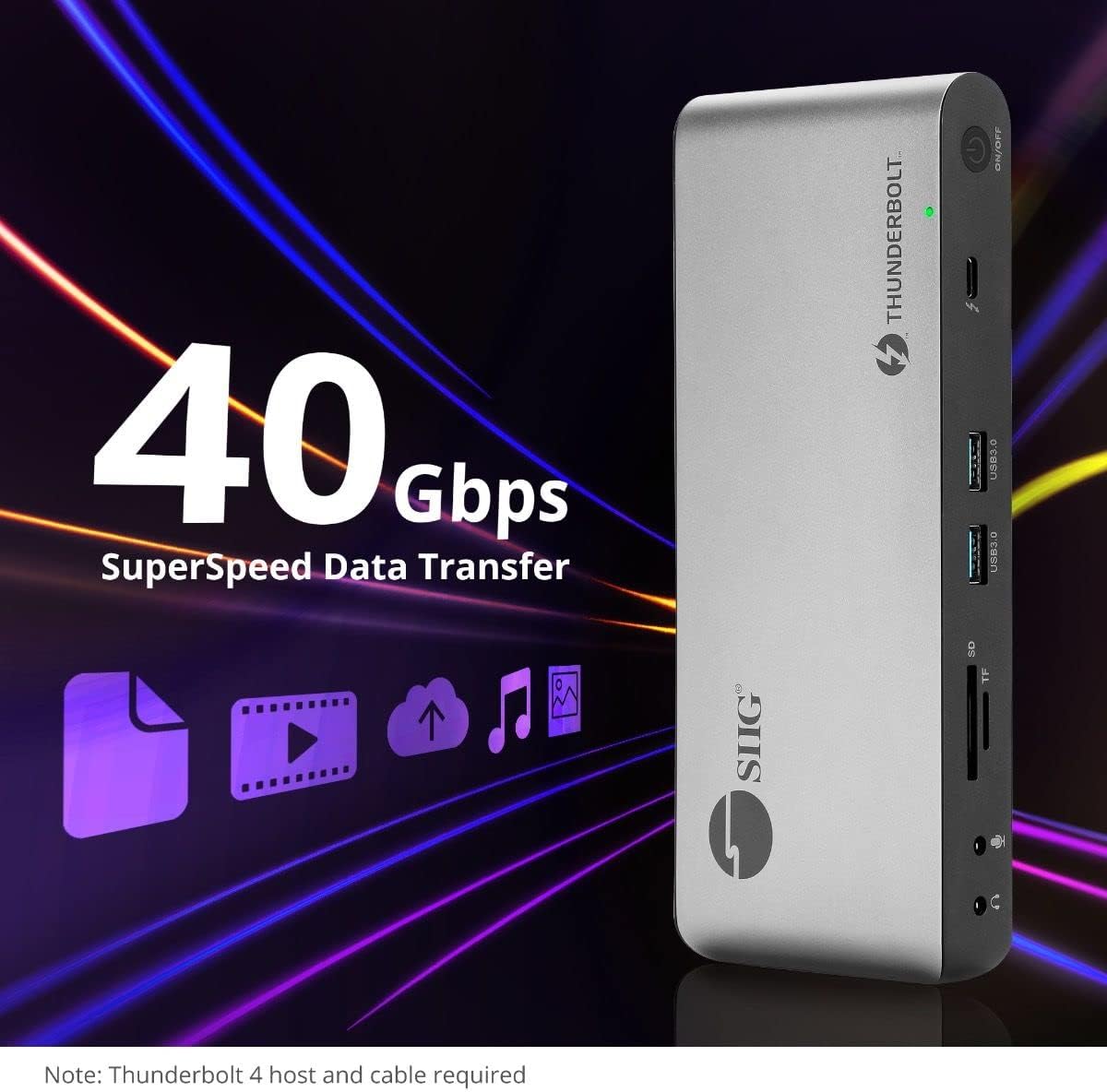
Image 5.4: High-speed data transfer capabilities.
6. Сумісність
The SIIG Thunderbolt 4 Docking Station is broadly compatible with various systems:
- Операційні системи: Mac M1/M2/M3 Pro & Max, Intel chip Macs, Windows PCs (Intel/AMD/Snapdragon), and Chromebooks.
- Зворотна сумісність: Fully compatible with Thunderbolt 3, USB4, and USB-C equipped computers.
7. Технічне обслуговування
Щоб забезпечити довговічність та оптимальну роботу вашої док-станції, дотримуйтесь цих інструкцій з технічного обслуговування:
- Прибирання: Використовуйте м’яку суху тканину для очищення зовнішньої частини пристрою. Уникайте рідких засобів для чищення або розчинників.
- Вентиляція: Переконайтеся, що док-станція розташована в добре провітрюваному приміщенні, щоб запобігти перегріву. Не блокуйте вентиляційні отвори.
- Зберігання: Зберігайте пристрій у прохолодному, сухому місці, подалі від прямих сонячних променів та екстремальних температур.
- Обробка: Уникайте падіння та сильних ударів пристрою.
8. Вирішення проблем
If you encounter issues with your SIIG Thunderbolt 4 Docking Station, refer to the following common problems and solutions:
- Немає живлення:
- Переконайтеся, що адаптер живлення надійно підключено як до док-станції, так і до справної розетки.
- Verify the power button on the docking station is pressed and the power indicator LED is on.
- Проблеми з дисплеєм (відсутність сигналу/неправильна роздільна здатність):
- Check all display cables (HDMI, DisplayPort, Thunderbolt) are securely connected to both the docking station and the monitors.
- Ensure your laptop's display settings are configured correctly to detect and extend/mirror displays.
- For multi-display setups, especially beyond two monitors, ensure DisplayLink drivers are installed and up to date on your operating system.
- Verify your monitors support the selected resolution and refresh rate.
- Периферійні пристрої не виявлені:
- Ensure USB devices are properly connected to the docking station's USB ports.
- Спробуйте підключити периферійний пристрій безпосередньо до ноутбука, щоб переконатися, що він працює.
- Перезавантажте док-станцію та ноутбук.
- Перегрів:
- Ensure the docking station is placed in an area with adequate airflow and not covered.
- Reduce the number of high-power devices connected if possible, or consider using a cooling pad if persistent.
- Повільна передача даних:
- Ensure you are using Thunderbolt 4 certified cables for Thunderbolt connections.
- Verify the connected device supports the expected transfer speeds.
9. Технічні характеристики
| Особливість | Деталь |
|---|---|
| Номер моделі | JU-DK0U11-S1 |
| Розміри продукту | 3.27 x 7.8 x 1.14 дюймів |
| Вага товару | 15.4 унції (0.96 фунта) |
| Загальна кількість портів | 15 (including 7 USB ports) |
| Підключення до хоста | Thunderbolt 4 (USB-C) |
| Відеовиходи | 1x HDMI, 1x DisplayPort, 3x Thunderbolt 4 (USB-C) |
| Максимальна роздільна здатність дисплея | Single 8K@30Hz, Quad 4K@60Hz |
| Доставка живлення (хост) | До 60 Вт |
| Power Delivery (Downstream TB4) | До 45 Вт на порт |
| Швидкість передачі даних | Thunderbolt 4: 40Gbps, USB-A 5Gbps: 5Gbps |
| Ethernet | Гігабітний Ethernet |
| Зчитувач карток | SD 3.0 UHS-1, Micro SD (TF) 3.0 UHS-1 (up to 2TB) |
| Аудіо порти | 3.5mm Stereo Out, 3.5mm Mic In |
| Сумісна ОС | Mac M1/M2/M3 Pro & Max, Intel Macs, Windows, Chromebooks |
| Колір | чорний |
| UPC | 662774045689 |
10. Гарантія та підтримка
SIIG products are designed for reliability and performance. For warranty information and technical support, please refer to the documentation included with your product or visit the official SIIG webсайт. Зберігайте чек про покупку для гарантійних претензій.