
1. Вступ
This manual provides detailed instructions for the installation, operation, and maintenance of your ASUS TUF Gaming GeForce RTX 4080 OC Edition Graphics Card. Please read this manual thoroughly before using the product to ensure proper functionality and to prevent damage.
2. Інформація про безпеку
WARNING: Always disconnect the power supply from your computer before installing or removing any components. Failure to do so may result in personal injury or damage to your system.
- Ensure your power supply unit (PSU) meets the minimum wattage requirements for this graphics card.
- Тримайте відеокарту за краї, щоб не торкатися чутливих компонентів.
- Одягайте антистатичний браслет або часто торкайтеся заземленого металевого предмета, щоб знімати статичну електрику.
- Install the graphics card in a well-ventilated computer case to prevent overheating.
3. Вміст упаковки
Перевірте наявність усіх елементів у вашій упаковці:
- ASUS TUF-RTX4080-O16G-GAMING Graphics card
- Collection card; TUF Velcro Hook & Loop
- TUF Graphics card holder; Speedsetup Manual
- Кабель -адаптер
- Подячна листівка
4. Продукт закінчивсяview
The ASUS TUF Gaming GeForce RTX 4080 OC Edition Graphics Card is designed for high-performance gaming and demanding applications. It features NVIDIA's Ada Lovelace architecture, offering significant improvements in performance and power efficiency.

Фронт view of the ASUS TUF Gaming GeForce RTX 4080 OC Edition Graphics Card, showcasing its triple Axial-tech fan design.
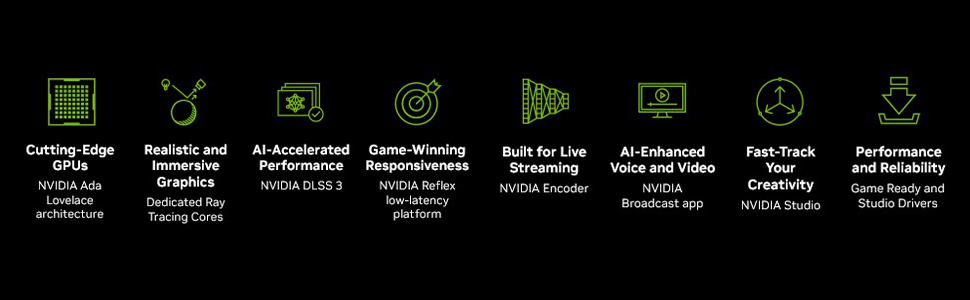
закінченоview of NVIDIA Ada Lovelace architecture features, including streaming multiprocessors, Tensor Cores, and RT Cores.
Ключові характеристики:
- Потокові мультипроцесори NVIDIA Ada Lovelace: Up to 2x performance and power efficiency.
- Тензорні ядра 4-го покоління: Up to 2X AI performance.
- RT-ядра 3-го покоління: Up to 2X ray tracing performance.
- Axial-tech fans: Scaled up for 23% more airflow.
- Dual Ball Fan Bearings: Last up to twice as long as conventional designs.
- Military-grade Capacitors: Rated for 20K hours at 105C, enhancing GPU power rail durability.
- Metal Exoskeleton: Adds structural rigidity and vents to increase heat dissipation.
- GPU Tweak III software: Забезпечує інтуїтивне налаштування продуктивності, контроль температури та моніторинг системи.

Задня view showing the display output interfaces, including DisplayPort and HDMI ports.
5. Монтаж
Виконайте такі дії, щоб встановити відеокарту:
- Підготуйте свою систему: Turn off your computer and disconnect the power cable. Open your computer case.
- Знайдіть слот PCIe: Знайдіть вільний слот PCI Express x16 на вашій материнській платі.
- Зніміть кришки слотів: Remove the necessary expansion slot covers from your computer case. Note that this card is large (13.7"L x 5.9"W) and may require multiple slots.
- Встановити відеокарту: Carefully align the graphics card with the PCIe slot and press it down firmly until it is securely seated.
- Захистіть картку: Fasten the graphics card to the case with screws.
- Підключіть живлення: Connect the appropriate power cables from your power supply to the graphics card. Ensure all connections are secure.
- Закрити справу: Закрийте корпус комп'ютера та знову підключіть кабель живлення.
- Підключення дисплея: Підключіть монітор(и) до виходів DisplayPort або HDMI відеокарти.
Video demonstrating the installation and features of the ASUS TUF Gaming RTX 4080 graphics card.
6. Software Installation & Configuration
After physical installation, install the necessary drivers and utility software:
- Встановлення драйвера: Download the latest NVIDIA GeForce drivers from the official NVIDIA webсайт (www.nvidia.com/drivers). Дотримуйтесь інструкцій на екрані для встановлення.
- ASUS GPU Tweak III: Install the ASUS GPU Tweak III software from the ASUS support webсайт (www.asus.com/support/Download-Center/). This utility allows for performance tweaking, thermal control, and system monitoring.
7. Робота з відеокартою
Your ASUS TUF Gaming GeForce RTX 4080 OC Edition is designed for optimal performance and cooling. Here are some operational aspects:
Система охолодження:
The card features advanced cooling technologies to maintain stable temperatures during heavy loads.

Close-up of the Axial-tech fan, designed for increased airflow and reduced noise.

Illustration of optimized fan rotation for enhanced cooling efficiency.

View of the large heatsink, contributing to efficient heat dissipation.
RGB Lighting (Aura Sync):
The card features customizable ARGB lighting via ASUS Aura Sync. You can synchronize lighting effects with other Aura Sync compatible components in your system.

Example of customizable ARGB lighting on the graphics card.
AI Features and Technologies:
The NVIDIA GeForce RTX 4080 leverages AI for enhanced performance and new capabilities.
Відеошоуasing NVIDIA's AI technologies, including generative AI and DLSS, and their applications in gaming and creative workflows.
8. Технічне обслуговування
Регулярне технічне обслуговування допомагає забезпечити довговічність та оптимальну продуктивність вашої відеокарти:
- Видалення пилу: Periodically clean dust from the fans and heatsink using compressed air. Ensure the fans are not spinning during cleaning.
- Оновлення драйверів: Keep your graphics drivers updated to the latest version for performance improvements and bug fixes.
- Контроль температури: Use GPU Tweak III or other monitoring software to keep an eye on GPU temperatures, especially during intensive tasks.
9. Вирішення проблем
Якщо у вас виникли проблеми з відеокартою, спробуйте виконати такі дії з усунення несправностей:
- Немає виводу на дисплей:
- Переконайтеся, що кабель монітора надійно підключений як до відеокарти, так і до монітора.
- Переконайтеся, що відеокарта повністю встановлена в слот PCIe.
- Check that all power connectors are properly attached to the graphics card.
- Якщо можливо, протестуйте з іншим кабелем дисплея або монітором.
- Нестабільність/збої системи:
- Переконайтеся, що драйвери вашої графіки оновлені.
- Monitor GPU temperatures. Overheating can cause instability.
- Verify your power supply unit (PSU) is sufficient for the graphics card's power requirements.
- Низька продуктивність:
- Переконайтеся, що драйвери вашої графіки оновлені.
- Перевірте налаштування в грі; за потреби зменште якість графіки.
- Закрийте непотрібні фонові програми.
10. Технічні характеристики
| Особливість | Специфікація |
|---|---|
| Графічний співпроцесор | NVIDIA GeForce RTX 4080 |
| Бренд | ASUS |
| Розмір оперативної пам'яті графіки | 16 ГБ |
| Тактова частота GPU | 4000 МГц |
| Інтерфейс відеовиходу | DisplayPort, HDMI |
| Тип графічної пам'яті | GDDR6X |
| Сумісні пристрої | PC |
| Максимальна роздільна здатність дисплея | 7680x4320 |
| Інтерфейс графічної карти | PCI Express |
| Тактова частота пам'яті | 4000 МГц |
| Кількість шанувальників | 3 |
| Розміри предмета Д х Ш | 13.7 дюйма завдовжки x 5.9 дюймів завширшки |
| Відео процесор | NVIDIA |
| Назва моделі | Gaming GeForce RTX 4080 16GB GDDR6X OC Edition Graphic Card |
| Вага товару | 4.2 фунта |
11. Гарантія та підтримка
Your ASUS TUF Gaming GeForce RTX 4080 OC Edition Graphics Card comes with a 3-year warranty. For warranty claims, technical support, or further assistance, please visit the official ASUS support webсайту або зв’яжіться з їхньою службою обслуговування клієнтів.
Підтримка ASUS Webсайт: www.asus.com/support/