
1. Продукт закінчивсяview
The SAKO Hybrid Solar Inverter is a high-performance device designed for home solar power systems. It integrates advanced MPPT solar charging technology, a pure sine wave inverter, and a UPS function in a compact unit. This inverter ensures efficient power conversion and reliable operation for various household applications.

This diagram illustrates the main features of the inverter, including 100A MPPT, photovoltaic input range, compatibility with LiFePO4 batteries, USB/RS232/RS485 communication, WiFi, large LCD display, and support for operation without a battery.
Ключові характеристики:
- Передові технології: Utilizes advanced MPPT technology for charging with up to 99.9% efficiency and DC to AC SPWM technology for pure sine wave power output.
- High-Level Configuration: Features an LCD screen and 3 LED indicators for dynamic display of system data and operating status. Equipped with an intelligent variable-speed fan for efficient heat dissipation.
- Кілька режимів: Offers various charging modes (solar only, utility priority, solar energy priority, hybrid utility charging) and output modes (inverter and utility).
- Комплексні функції захисту: Includes protection against short circuits, overvoltagе, підтtage, overload, and reverse polarity.
- Віддалений моніторинг: Supports WiFi remote monitoring for convenient use and improved work efficiency.
2. Встановлення та налаштування
Proper installation is crucial for the safe and efficient operation of your SAKO Hybrid Solar Inverter. Please follow these guidelines carefully.
2.1 Вміст упаковки:
- 1 х Гібридний сонячний інвертор
- 1 x кабель для підключення
- 1 х Інструкція з експлуатації
2.2 Підключення закінченоview:
The inverter features clearly labeled ports for AC input/output, battery connection, and solar input. Ensure all connections are secure and correctly polarized.

This composite image shows the front and side panels of the inverter, labeling key components such as the LCD display, status indicator, charging indicator, fault indicator, operation keys, AC input/output, battery input, solar input, overcurrent protection, USB communication interface, RS232 communication interface, and the main power switch.
2.3 System Diagram:
Refer to the system diagram below for a typical setup connecting solar panels, battery, and household loads to the inverter.

A schematic diagram illustrating a complete solar power system. It shows 300W/30V solar panels connected to a lithium battery power bank, which then connects to the hybrid solar inverter. The inverter powers various household appliances like a 200L refrigerator, 25W LED light, 50in LED TV, and a fan.
2.4 Початкове ввімкнення:
- Ensure all connections (solar, battery, AC input/output) are correctly made and secure.
- Turn on the battery breaker first, then the solar array breaker (if applicable).
- Finally, turn on the AC input breaker (if applicable) and the inverter's main power switch.
- Observe the LCD display and LED indicators for normal operation.
3. Інструкція з експлуатації
The SAKO Hybrid Solar Inverter offers flexible operating modes to suit various energy needs. Use the control panel and LCD display to configure settings.
3.1 Control Panel and Display:
The inverter features an intuitive control panel with an LCD screen and three LED indicators (AC/INV, CHG, FAULT) to provide real-time system status and data.
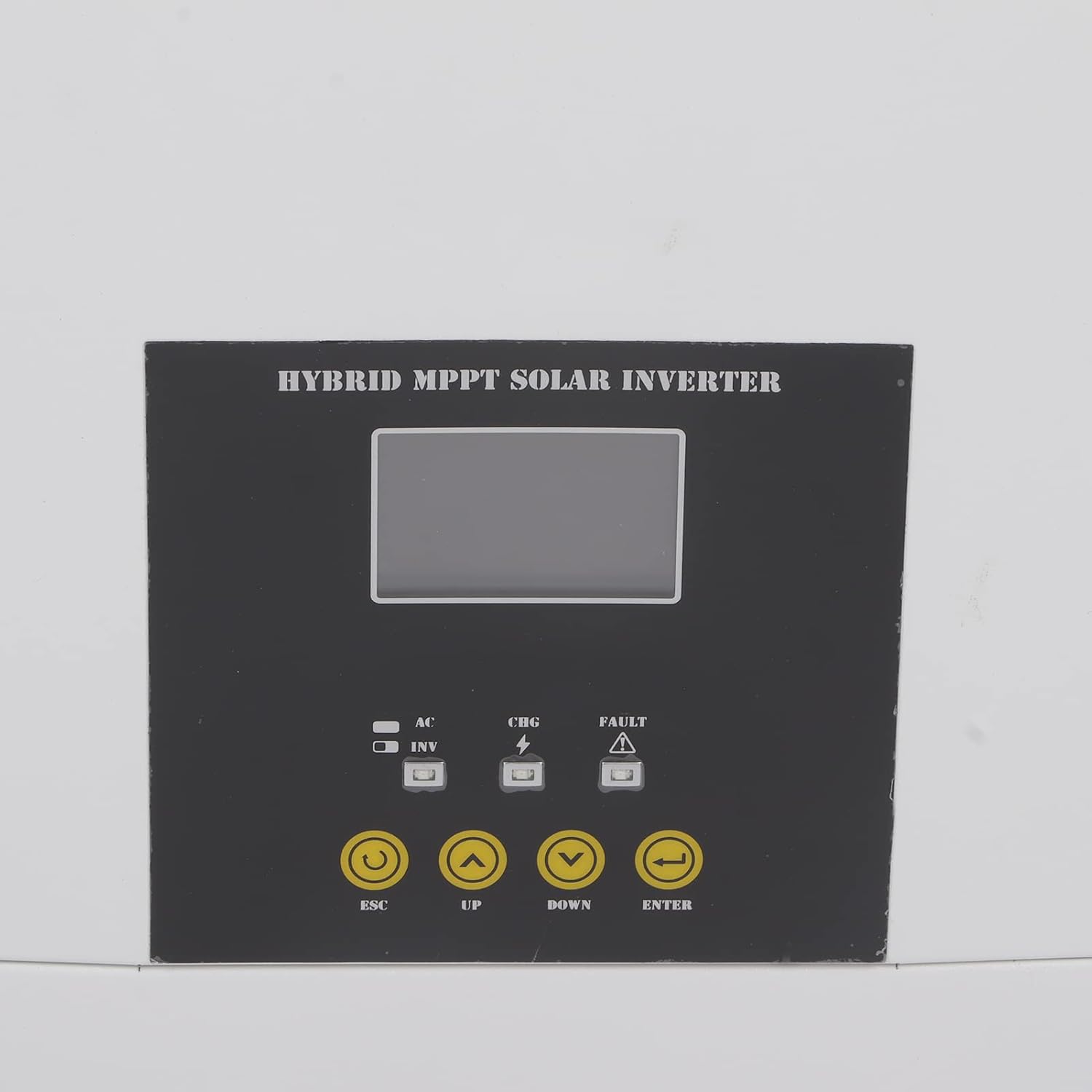
Крупний план view of the inverter's control panel, featuring the LCD screen, LED indicators (AC/INV, CHG, FAULT), and operation buttons (ESC, UP, DOWN, ENTER) for system management.
3.2 режимів роботи:
You can select from various charging and output modes to optimize energy usage:
- Режими заряджання:
- Лише сонячна батарея
- Пріоритет комунальних послуг
- Solar Energy Priority
- Hybrid Utility Charging
- Режими виведення:
- Inverter (Battery/Solar)
- Utility (Bypass)
3.3 Remote Monitoring (WiFi):
The inverter supports WiFi remote monitoring, allowing you to view system data and adjust settings from a distance. Refer to the dedicated WiFi module instruction manual for setup and application details.

A detailed shot of the communication ports on the inverter, specifically showing the Ethernet (COMM PORT) and USB ports for data transfer and remote monitoring.
4. Технічне обслуговування
Regular maintenance ensures the longevity and optimal performance of your hybrid solar inverter.
- Прибирання: Periodically clean the exterior of the inverter with a soft, dry cloth. Ensure ventilation openings are free from dust and debris to prevent overheating.
- Перевірка підключення: Annually inspect all electrical connections for tightness and signs of corrosion. Loose connections can lead to power loss or overheating.
- Умови навколишнього середовища: Ensure the inverter is operating within its specified temperature range (-10-50℃) and in a well-ventilated area, free from excessive humidity or direct sunlight.
- Оновлення прошивки: Перевірте виробника webсайт для отримання будь-яких доступних оновлень прошивки, щоб ваш інвертор мав найновіші функції та виправлення помилок.
5. Вирішення проблем
This section provides guidance for common issues you might encounter. For complex problems, please contact technical support.
5.1 Поширені проблеми та їх вирішення:
- Без вихідної потужності:
- Check if the inverter is powered on and all breakers are engaged.
- Перевірте об’єм акумулятораtage знаходиться в робочому діапазоні.
- Check for any fault indicators on the LCD or LED display.
- Спрацьовує захист від перевантаження:
- Reduce the connected load. The inverter has overload protection to prevent damage.
- Restart the inverter after reducing the load.
- Індикатор несправності увімкнено:
- Refer to the specific error code displayed on the LCD (if any) in the detailed instruction manual for diagnosis.
- Common faults include overvoltagе, підтtage, short circuit, or reverse polarity.
- WiFi Remote Monitoring Issues:
- Ensure the WiFi module is correctly installed and connected.
- Check your network connection and router settings.
- Verify the monitoring application is up to date.
6. Технічні характеристики
Detailed specifications for the SAKO Hybrid Solar Inverter.
| Специфікація | Значення |
|---|---|
| Тип елемента | Гібридний сонячний інвертор |
| матеріал | Праска, АБС |
| Ємність | 5.5 KVA, 5500 W |
| Колір | Білий і Чорний |
| Фактор потужності | 1.0 |
| Діапазон робочих температур | -10-50 ℃ |
| Inverter Mode DC Input | 48 В постійного струму, 127 А |
| Inverter Mode AC Output | 230 В змінного струму, 50/60 Гц, 23.9 А |
| Solar Charger Mode MPPT Rated Current | 100 А |
| Solar Charger Mode Rated Power | 6000 Вт |
| Solar Charger Mode Maximum Solar Input Current | 18 А |
| Solar Charger Mode Rated Operating Voltage | 240 В постійного струму |
| Solar Charger Mode Maximum Solar Voltage (VoC) | 500 В постійного струму |
| Solar Charger Mode MPPT Voltage Дальність | 120-450 В постійного струму |
| Дата першої доступності на Amazon.com.be | 2 листопада 2022 р |
| Виробник | Тефола |
| Довідка виробника | Tefolai9goq3mhkp |
| Наявність запасних частин | Інформація про запасні частини недоступна |
| Рекомендоване використання продукту | додому |
| Джерело живлення | Сонячна енергія |
| Загальна кількість розеток | 1 |
| Вхідний об'ємtage | 48 вольт |
| Вихідна потужність | 500 Вт |
| Ефективність | 99.9% |
| Вихідний випtage | 240 вольт |
7. Гарантія та підтримка
For warranty information, technical support, or service inquiries, please contact the manufacturer, Tefola, or your authorized dealer. Keep your purchase receipt as proof of purchase.
The included instruction manual provides more detailed information on specific error codes and advanced settings.