
1. Вступ
This user manual provides detailed instructions for the safe and effective use of your Yumika Ear Wax Removal Tool. This advanced device integrates a 1080P HD camera with a wireless otoscope, designed to assist in the safe and thorough removal of earwax. Please read this manual carefully before operating the device and retain it for future reference.
2. Особливості продукту
The Yumika Ear Wax Removal Tool is equipped with several key features to enhance your ear cleaning experience:
- 1080P HD камера: Features a 3M pixel HD camera and 6 powerful LED lights for clear, illuminated views of the ear canal.
- 10-кратне збільшення: Allows for detailed observation of the ear canal and tympanic membrane.
- Safe and Soft Silicone Ear Spoon: Designed with an integrated die-casting process to prevent detachment, ensuring safety. The silicone surface is treated for effective earwax removal.
- Розумний контроль температури: Maintains a gentle temperature (approx. 77°F) to prevent irritation to the ear canal.
- Водонепроникний дизайн: IP67 rated for water, dust, and fog resistance, making cleaning easy.
- Stabilized Video Image: Utilizes a 20fps transmission rate and 3-axis anti-shake technology for smooth and clear video streaming.
- Широка сумісність: Connects wirelessly via Wi-Fi to both iOS and Android devices.

Зображення: Оверview of the Yumika Ear Wax Removal Tool highlighting its core features.

Зображення: Детальне view of the 1080P HD camera lens and its internal components.
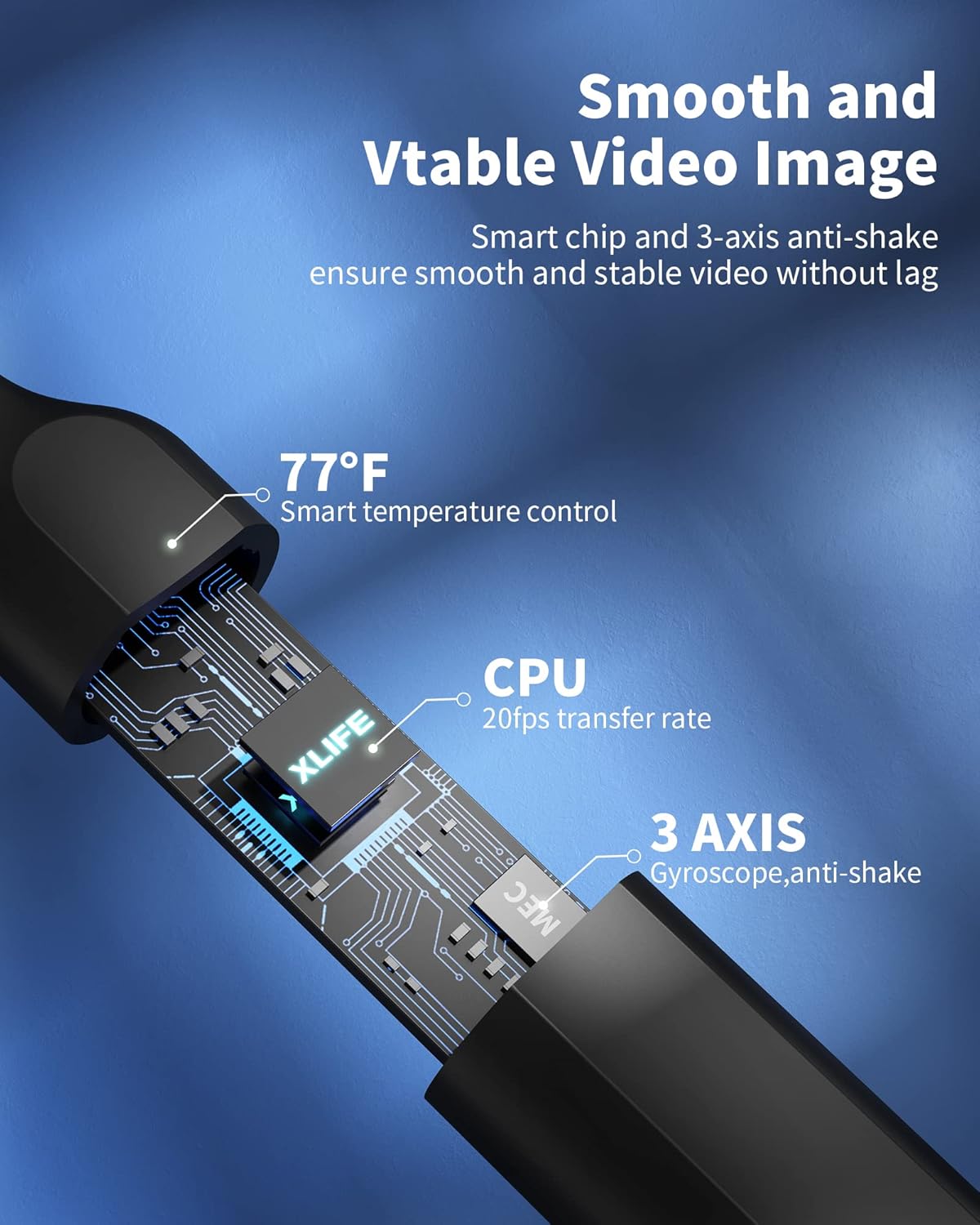
Image: Illustration of the internal smart chip and 3-axis anti-shake technology for stable video.
3. Вміст упаковки
Your Yumika Ear Wax Removal Tool package includes the following items:
- 1 x Wireless Ear Wax Remover (Otoscope)
- 3 x Silicone Ear Scoops (Replacement Tips)
- 1 x Acne Needle
- 1 x Earwax Removal 7-piece Set (various ear picks and brushes)
- 1 x Earbud Storage Bottle
- 1 x кабель для зарядки
- 1 x Інструкція з експлуатації (цей документ)
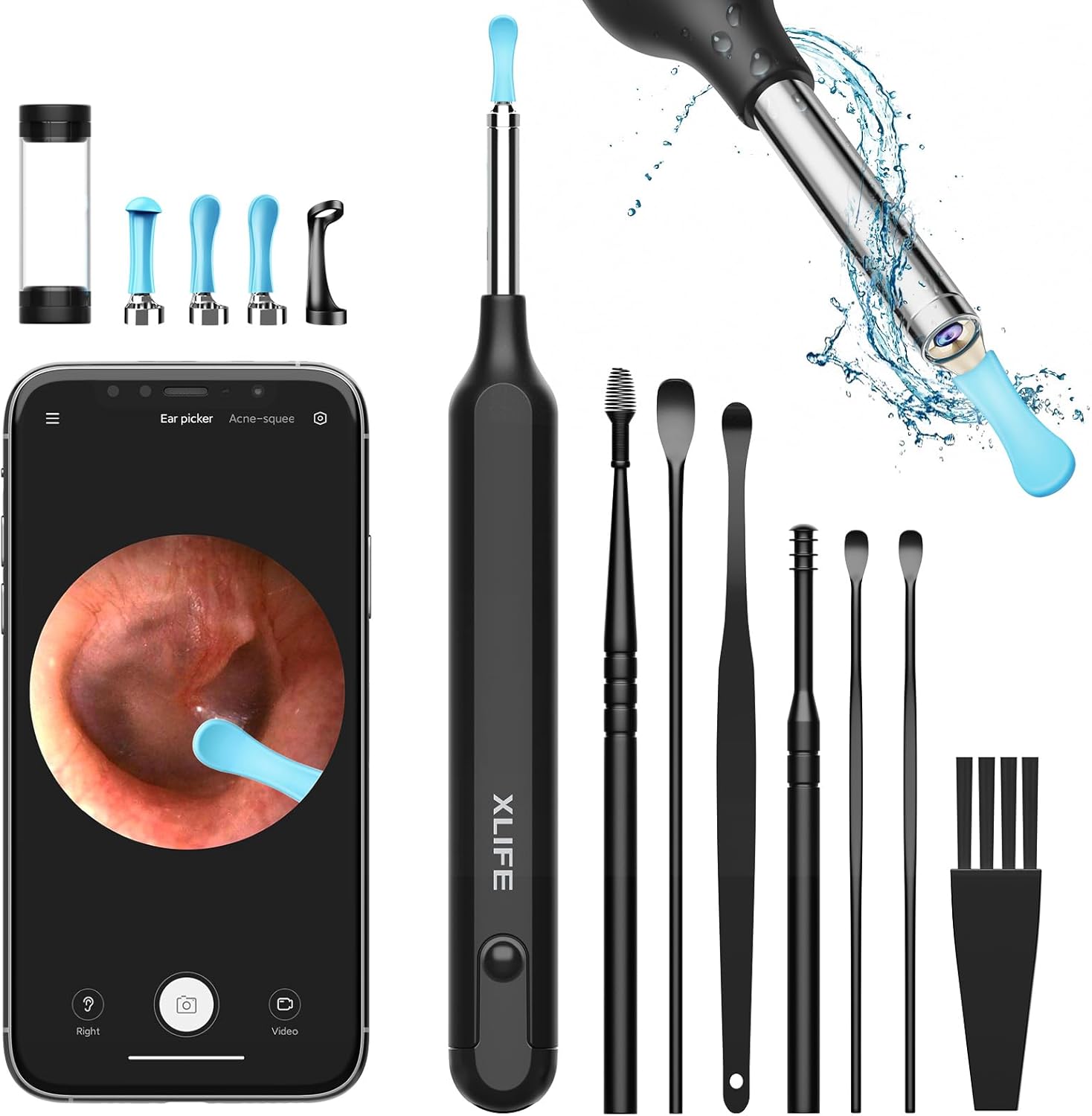
Image: All items included in the Yumika Ear Wax Removal Tool kit.
4. Посібник із налаштування
4.1 Зарядка пристрою
Before first use, fully charge the device. The power indicator light will show charging status.
- Знайдіть порт USB для зарядки на пристрої.
- Connect the provided charging cable to the device and a suitable USB power source (e.g., wall adapter, computer USB port).
- Allow the device to charge until the indicator light signals a full charge.

Image: The rechargeable otoscope showing its USB charging port and power indicator.
4.2 Встановлення програми
до view the ear canal, you need to install the companion application on your smartphone or tablet.
- Scan the QR code provided in the quick start guide (if applicable) or search for the official 'Yumika Ear' app in your device's app store (App Store for iOS, Google Play Store for Android).
- Завантажте та встановіть програму.
- Grant necessary permissions (e.g., camera, Wi-Fi) when prompted by the app.
4.3 Підключення до пристрою
The device connects to your smartphone or tablet via Wi-Fi.
- Press and hold the power button on the ear wax removal tool to turn it on. The indicator light will illuminate.
- На смартфоні або планшеті перейдіть до налаштувань Wi-Fi.
- Look for a Wi-Fi network named 'Yumika-XXXX' (where XXXX is a unique identifier).
- Connect to this network. No password is typically required.
- Open the 'Yumika Ear' app. The live view from the otoscope camera should now appear on your screen.

Image: The device demonstrating its wide compatibility with iOS and Android systems.
5. Інструкція з експлуатації
5.1 Основна операція
- Ensure the device is charged and connected to your smartphone/tablet via Wi-Fi.
- Open the 'Yumika Ear' app to see the live feed.
- Gently insert the ear spoon end into your ear canal. Observe the live image on your screen.
- Use the controls within the app to capture photos or record videos if desired.
5.2 Using the Ear Spoon for Wax Removal
The silicone ear spoon is designed for safe and effective earwax removal. Always proceed with caution.
- Select the appropriate ear scoop from the provided set. The kit includes various sizes and types for different needs.
- Attach the chosen ear scoop securely to the otoscope tip. The integrated die-casting process ensures a firm connection.
- While observing the live feed on your device, carefully guide the ear spoon into the ear canal.
- Gently scoop or dislodge earwax. Avoid pushing wax deeper into the ear canal.
- The rotational design of the ear spoon allows for flexible movement.
- If you experience any discomfort or pain, immediately stop use.

Image: Features of the safe earwax cleaning kit, including anti-dropping and rotational designs.

Image: Visual representation of the ear spoon's rotational capability during use.
6. Технічне обслуговування та очищення
Правильне обслуговування забезпечує довговічність та гігієнічність вашого пристрою.
- Cleaning the Ear Spoon: After each use, remove the silicone ear spoon and clean it thoroughly with rubbing alcohol or soap and water. Ensure it is completely dry before reattaching or storing.
- Очищення лінзи: Gently wipe the camera lens with a soft, dry, lint-free cloth. For stubborn spots, a cotton swab lightly dampened with lens cleaner can be used. Avoid abrasive materials.
- Водонепроникна функція: The device is IP67 waterproof, allowing for easy rinsing of the tip under running water. However, do not submerge the entire device.
- Зберігання: Store the device and its accessories in a clean, dry place, away from direct sunlight and extreme temperatures. Use the provided earbud storage bottle for ear scoops.

Image: The device tip being rinsed, showcasing its IP67 waterproof rating.
7. Вирішення проблем
If you encounter any issues with your Yumika Ear Wax Removal Tool, please refer to the following common problems and solutions:
| проблема | Можлива причина | Рішення |
|---|---|---|
| Пристрій не вмикається. | Низький заряд батареї. | Повністю зарядіть пристрій за допомогою кабелю, що додається. |
| No image on the app / Connection failed. | Wi-Fi не підключено або неправильна мережа. | Ensure the device is on and connected to its specific Wi-Fi network ('Yumika-XXXX') in your phone's Wi-Fi settings. Restart the app. |
| Зображення розмите або нечітке. | Lens is dirty or scratched. | Gently clean the camera lens with a soft, lint-free cloth. Ensure proper lighting. |
| App freezes or crashes. | App software issue or device memory. | Close and restart the app. Ensure your phone's operating system is up to date. |
| Ear spoon feels loose. | Неправильне кріплення. | Ensure the silicone ear spoon is securely attached to the metal tip. It should click or screw firmly into place. |
8. Технічні характеристики
| Особливість | Специфікація |
|---|---|
| Номер моделі | X1 |
| Роздільна здатність камери | 1080P HD (3M Pixel) |
| Світлодіодні ліхтарі | 6 |
| Збільшення | 10x |
| Рейтинг водонепроникності | IP67 |
| Контроль температури | Smart Temperature Control (approx. 77°F lens temperature) |
| Video Transmission Rate | 20 кадрів/с |
| гіроскоп | 3-axis anti-shake |
| Підключення | Wi-Fi (iOS & Android compatible) |
| Розміри упаковки | 6.5 x 2.6 x 0.75 дюймів |
| Вага товару | 4.16 унції |
| Виробник | Yumika |
9. Інформація про безпеку
Будь ласка, дотримуйтесь наступних запобіжних заходів, щоб запобігти травмуванню або пошкодженню пристрою:
- Do not use the device if you have an ear infection, ear pain, or any other ear condition. Consult a medical professional.
- Always use the device gently and avoid inserting it too deeply into the ear canal.
- Зберігайте пристрій у недоступному для дітей місці. Це не іграшка.
- Не намагайтеся модифікувати або розібрати пристрій.
- Використовуйте лише наданий зарядний кабель та аксесуари.
- If the device feels hot or behaves abnormally, discontinue use immediately.
- The smart temperature control helps prevent irritation, but always be mindful of your comfort.
Юридична відмова від відповідальності:
Заяви щодо дієтичних добавок не були оцінені FDA і не призначені для діагностики, лікування, лікування або запобігання будь-якій хворобі чи стану здоров’я.
10. Гарантія та підтримка
Warranty information for the Yumika Ear Wax Removal Tool is not specified in the provided product data. Please refer to the product packaging or the manufacturer's official website for detailed warranty terms and conditions, as well as customer support contact information.