
1. Вступ і даліview
The Humanscale eFloat Go is an electric height-adjustable desk designed for both home and commercial office environments. It features innovative anti-collision technology, quiet motors, and a programmable hand switch, allowing users to seamlessly adjust their working position throughout the day.
Ключові особливості:
- Electric Height-Adjustable Table for dynamic work postures.
- Programmable hand switch to store and recall preferred height settings.
- Spacious 30" Depth by 60" Width top (for this specific model).
- Designed for quick and easy setup.
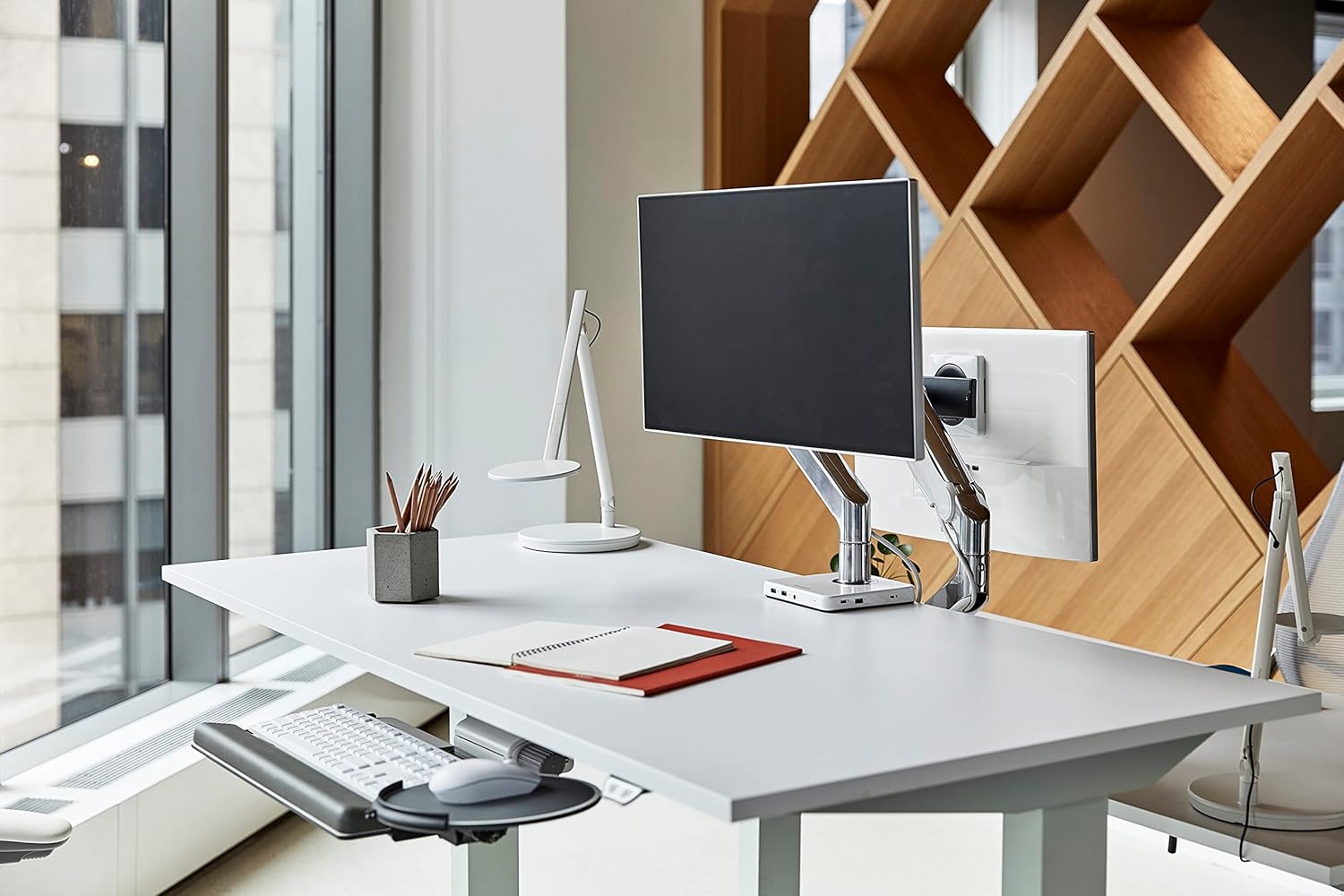
Image 1.1: The Humanscale eFloat Go desk in a modern office environment, showcasing its design and functionality with a monitor and accessories.
2. Інформація про безпеку
Please read and understand all safety instructions before operating the eFloat Go desk. Failure to follow these instructions may result in injury or damage to the product.
- Always keep hands and objects clear of all moving parts during height adjustments.
- Не перевищуйте рекомендовану максимальну вагу 250 фунта (113 кг) on the desk surface to ensure stability and safe operation.
- Ensure the power cord is properly routed to prevent tripping hazards or damage.
- Не дозволяйте дітям працювати за столом без нагляду дорослих.
- Avoid placing liquids directly on the desk surface without proper coasters or protection.
3. Налаштування та складання
The Humanscale eFloat Go desk is designed for straightforward assembly, typically taking under 5 minutes with the recommended tools. Assembly requires at least one person.
3.1 Необхідні інструменти
- Викрутка (не входить в комплект)
3.2 Етапи складання
- Розпакуйте компоненти: Carefully remove all parts from the packaging and lay them out on a clean, soft surface to prevent scratches. Verify all components are present according to the packing list.
- Attach Legs to Top: Position the desk top upside down. Align the desk legs with the pre-drilled holes on the underside of the desk top. Secure the legs using the provided screws and a screwdriver.
- Connect Control Box and Hand Switch: Locate the control box and connect the motor cables from each leg. Connect the hand switch cable to the designated port on the control box.
- Прокладка кабелів: Use the included cable management clips to neatly route all cables, ensuring they do not interfere with the desk's movement.
- Підключіть живлення: Plug the power cord into the control box, then into a standard electrical outlet.
- Initial Power-On and Reset: After connecting power, the desk may require an initial reset. Refer to Section 4.1 for first-time use and reset procedures.

Image 3.1: Dimensional diagram of the eFloat Go desk, illustrating its 29" depth, 58" width, and 26.5" height.
4. Інструкція з експлуатації
The eFloat Go desk features an intuitive programmable hand switch for easy height adjustment and memory settings.
4.1 First-Time Use and Reset
Upon initial power-on or after a power interruption, the desk may need to be reset:
- Натисніть і утримуйте ВНИЗ arrow button until the desk reaches its lowest position and then slightly rises. Release the button.
- The desk is now calibrated and ready for use.
4.2 Регулювання висоти столу
- Щоб підняти стіл, натисніть і утримуйте UP кнопка зі стрілкою.
- Щоб опустити стіл, натисніть і утримуйте ВНИЗ кнопка зі стрілкою.
- Release the button at your desired height.
4.3 Programming Memory Presets
The hand switch allows you to save up to three preferred height settings:
- Adjust the desk to your desired height using the UP/DOWN arrow buttons.
- Натисніть M (Memory) button. The display will show 'S-'.
- Протягом 3 секунд натисніть одну з пронумерованих кнопок попереднього налаштування (1, 2, або 3). На дисплеї з’явиться «S-1», «S-2» або «S-3» для підтвердження збереження налаштування.
- Repeat for other desired height settings.
4.4 Використання пресетів пам'яті
Щоб перемістити стіл на збережену висоту:
- Просто натисніть відповідну пронумеровану кнопку попереднього налаштування (1, 2, або 3). Стіл автоматично переміститься на збережену висоту.
4.5 Технологія запобігання зіткненням
The eFloat Go desk is equipped with anti-collision technology. If the desk encounters an obstruction during height adjustment, it will automatically stop and reverse slightly to prevent damage. Clear any obstructions before resuming adjustment.

Зображення 4.1: Крупний план view of the programmable hand switch, showing the up/down arrows, memory button (M), and three preset buttons (1, 2, 3).
5. Технічне обслуговування
Proper care will ensure the longevity and optimal performance of your Humanscale eFloat Go desk.
- Прибирання: Wipe the desk surface and frame with a dry, soft cloth. For stubborn marks, a slightly damp cloth with mild soap can be used, followed by drying thoroughly. Avoid abrasive cleaners or harsh chemicals.
- Умови навколишнього середовища: Avoid direct sunlight exposure for extended periods, as this may affect the laminate finish.
- Розподіл ваги: Do not place heavy objects exclusively on the edges of the desk. Distribute weight evenly across the surface.
- Управління кабелем: Periodically check that all cables are securely routed and not pinched or damaged.
6. Вирішення проблем
If you encounter issues with your eFloat Go desk, refer to the following common troubleshooting steps:
6.1 Desk Not Moving
- Перевірте живлення: Ensure the power cord is securely plugged into both the desk's control box and a functioning wall outlet.
- Процедура скидання: Perform the reset procedure described in Section 4.1.
- Захист від перевантаження: If the desk has been overloaded (exceeding 250 lbs), the motor may have temporarily shut off. Remove excess weight and wait a few minutes before attempting to operate again.
6.2 Uneven Movement or Noise
- Перевірте наявність перешкод: Ensure there are no objects impeding the legs or frame during movement.
- Рівень поверхні: Verify the desk is placed on a level floor. Adjust the leveling feet if necessary.
- Знову затягніть гвинти: Over time, some assembly screws may loosen. Carefully re-tighten all assembly screws.
6.3 Anti-Collision System Triggering Frequently
- Очистити шлях: Ensure the desk's path of movement is completely clear of any objects, cables, or walls.
- Чутливість: If the issue persists without clear obstructions, contact Humanscale support for potential sensitivity adjustments or further diagnostics.
7. Технічні характеристики
| Особливість | Деталь |
|---|---|
| Номер моделі | FTR3060BL_FG1230DS |
| Розміри продукту (Д x Ш x В) | 29 дюйма x 58 дюйма x 26.5 дюйма (73.66 см x 147.32 см x 67.31 см) |
| Верхній розмір | 30" D x 60" W (76.2 cm x 152.4 cm) |
| Рекомендована максимальна вага | 250 фунтів (113 кг) |
| Вага товару | 164 фунтів (74.39 кг) |
| Тип верхнього матеріалу | Ламінат з дерева |
| Основний матеріал | метал |
| Колір | Silver on Black |
| Підйомний механізм | Електричний |
| Необхідна збірка | так |
| Рекомендована кількість людей для складання | 1 |
| Інструменти, рекомендовані для складання | Драйвер |
8. Гарантія та підтримка
Humanscale stands behind the quality of its products.
8.1 Інформація про гарантію
The Humanscale eFloat Go desk is covered by a 10-Year, 24/7 Humanscale Warranty. This comprehensive warranty covers parts and labor for manufacturing defects under normal use. Please retain your proof of purchase for warranty claims.
8.2 Підтримка клієнтів
For technical assistance, warranty claims, or further inquiries, please contact Humanscale customer support. You can find more information and contact details by visiting the official Humanscale store: