
вступ
This manual provides detailed instructions for the installation, operation, and maintenance of your Tiandy TC-C38XS 8MP IR Turret Camera. Please read this manual thoroughly before using the product to ensure correct usage and to prevent damage.
Інформація про безпеку
- Ensure the power supply meets the camera's requirements (DC 12V or PoE).
- Не піддавайте камеру впливу екстремальних температур, вологості або агресивного середовища.
- Avoid pointing the camera directly at strong light sources for extended periods.
- Handle the camera with care to prevent physical damage.
- Встановлення має виконуватися кваліфікованим персоналом відповідно до місцевих електротехнічних норм.
Вміст упаковки
Перевірте наявність усіх компонентів в упаковці:
- Tiandy TC-C38XS IR Turret Camera
- Монтажні гвинти та дюбелі
- Водонепроникний роз'єм для кабелю Ethernet
- Короткий посібник (якщо застосовується)
- Шаблон для свердління (якщо застосовується)
Продукт закінченийview
The Tiandy TC-C38XS is an 8MP IR Turret Camera designed for outdoor surveillance, featuring a full metal housing and advanced imaging capabilities.
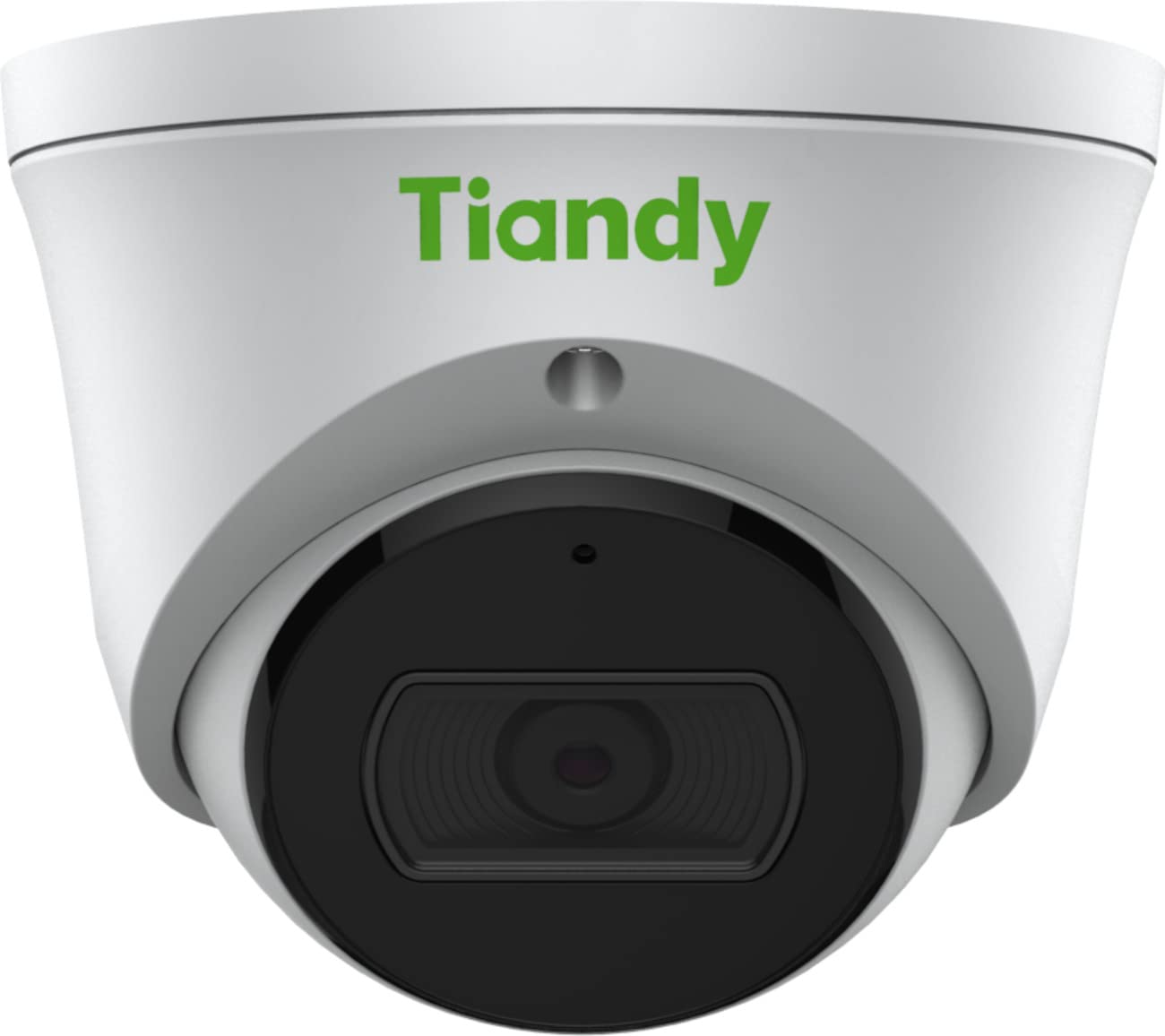
малюнок 1: Фронт view of the Tiandy TC-C38XS IR Turret Camera, showing the lens and IR illuminators.

малюнок 2: Під кутом view of the Tiandy TC-C38XS IR Turret Camera, highlighting its compact turret design.

малюнок 3: Technical drawing showing the dimensions of the Tiandy TC-C38XS IR Turret Camera (approx. 116.6mm diameter, 96mm height).
Ключові характеристики:
- Роздільна здатність 8 мегапікселів: Captures video at up to 3840x2160 at 20fps.
- 1/2.8" CMOS Sensor: Provides clear images even in low-light conditions.
- Smart IR: Infrared illumination up to 30 meters (98.42 feet) for night vision.
- 120dB WDR: Wide Dynamic Range for balanced images in high-contrast scenes.
- Вбудований мікрофон: Для аудіомоніторингу.
- Вбудована пам'ять: Supports MicroSD cards up to 512 GB.
- Full Metal Housing: Міцна конструкція для використання на відкритому повітрі.
Налаштування
1. Монтаж камери
The TC-C38XS is designed for wall mounting. Choose a suitable location that provides the desired field of view and is within reach of network and power cables.
- Use the provided drill template (if included) to mark the screw holes on the mounting surface.
- Drill pilot holes and insert wall plugs if mounting on masonry or drywall.
- Закріпіть основу камери на монтажній поверхні за допомогою наданих гвинтів.
- Adjust the camera's angle: The camera supports pan 0 to 340°, tilt 0 to 75°, and rotate 0 to 360° for optimal positioning. Loosen the adjustment screws, position the camera, and then tighten the screws to secure it.
2. Електропроводка та підключення живлення
The camera supports Power over Ethernet (PoE) or a DC 12V power supply.
- Підключення PoE: Connect a standard Ethernet cable from a PoE-enabled switch or NVR to the camera's RJ45 port. This provides both power and data connectivity. Ensure the waterproof connector is properly installed to protect the Ethernet port from moisture.
- DC 12V Connection: If PoE is not used, connect a DC 12V power adapter (not included) to the camera's power input port. Then, connect a standard Ethernet cable from your network to the camera's RJ45 port for data.
After connecting, the camera will power on and begin its startup sequence.
Операційна
1. Початкова конфігурація мережі
Щоб отримати доступ до камери web interface for configuration, you will need to find its IP address on your network. This can typically be done using a manufacturer-provided IP search tool or by checking your router's connected devices list.
- Підключіть комп’ютер до тієї ж мережі, що й камера.
- Відкрийте a web браузер і введіть IP-адресу камери.
- Log in using the default username and password (refer to the Quick Start Guide or manufacturer's documentation for default credentials). It is highly recommended to change the default password immediately for security.
2. Основні функції
- Жити View: Отримайте доступ до відео в реальному часі через web interface or compatible NVR/VMS software.
- Запис: Configure recording schedules and methods (continuous, motion-triggered) to the on-board MicroSD card (up to 512 GB) or a connected NVR.
- Виявлення руху: Set up motion detection zones and sensitivity. The camera can trigger alarms (e.g., email notifications) upon detection.
- Smart IR: The camera automatically adjusts IR intensity to prevent overexposure in night vision, ensuring clear images up to 30 meters.
- Налаштування зображення: Adjust saturation, brightness, contrast, and sharpness via the client software or web browser to optimize image quality.
- Аудіо: Utilize the built-in microphone for audio monitoring.
Технічне обслуговування
1. прибирання
Regular cleaning helps maintain optimal image quality.
- Gently wipe the camera lens with a soft, clean cloth. If necessary, use a mild lens cleaning solution.
- Do not use harsh chemicals or abrasive materials, as they can damage the lens coating or housing.
- Periodically clean the camera housing to remove dust and debris.
2. Оновлення мікропрограми
Періодично перевіряйте дані виробника website for firmware updates. Firmware updates can improve performance, add new features, and enhance security. Follow the instructions provided with the firmware update package carefully.
3. Керування картками MicroSD
If using on-board storage, regularly check the status of the MicroSD card. Format the card periodically to maintain performance and prevent data corruption. Back up important recordings before formatting.
Усунення несправностей
| проблема | Можлива причина | Рішення |
|---|---|---|
| No image/No power | Incorrect power supply; Loose cable connection; PoE issue. | Check power adapter (DC 12V) or PoE switch. Ensure all cables are securely connected. |
| Немає доступу до камери через мережу | Incorrect IP address; Network configuration error; Firewall blocking. | Verify IP address. Check network cable. Disable temporary firewall for testing. Ensure camera and computer are on the same subnet. |
| Погана якість зображення | Dirty lens; Insufficient lighting; Incorrect image settings. | Clean the lens. Adjust image settings (brightness, contrast, WDR). Ensure IR is functioning correctly at night. |
| Виявлення руху не працює | Incorrect sensitivity settings; Detection zone not configured; Obstructions. | Review налаштування виявлення руху в web interface. Adjust sensitivity and redraw detection zones. Clear any obstructions in the camera's view. |
| Карта MicroSD не записує | Card full; Card not formatted; Card faulty; Recording schedule not set. | Check card capacity. Format the MicroSD card via the camera's interface. Replace card if faulty. Verify recording schedule. |
Технічні характеристики
| Особливість | Деталь |
|---|---|
| Модель | TC-C38XS |
| Датчик зображення | 1/2.8-дюймовий КМОП |
| Макс. роздільна здатність | 3840x2160 (8 МП) |
| Частота кадрів | Up to 20fps (3840x2160), 30fps (1080p) |
| Хв. освітлення | Color: 0.003Lux@ (F1.6, AGC ON), B/W: 0Lux with IR |
| Об'єктив | Фіксований 2.8 мм |
| Поле в View (FOV) | По горизонталі: 100.1° |
| Діапазон ІЧ | Up to 30m (98.42 feet) with Smart IR |
| Широкий динамічний діапазон (WDR) | 120 дБ |
| Стиснення відео | S+265/H.265/H.264/M-JPEG |
| Аудіо | Вбудований мікрофон |
| Вбудоване сховище | Карта MicroSD до 512 Гб |
| Мережевий інтерфейс | 1 RJ45 10M / 100M самоадаптивний порт Ethernet |
| Джерело живлення | DC 12V, PoE (802.3af) |
| матеріал | Повністю металевий корпус |
| Розміри | Approx. 4.59 x 4.59 x 3.77 inches (116.6mm diameter, 96mm height) |
| вага | прибл. 0.88 фунтів (0.4 кг) |
| Умови експлуатації | Використання на відкритому повітрі |
| Протоколи | TCP/IP, HTTP, HTTPS, DHCP, DNS, RTP, RTSP, etc. |
| Тригер тривоги | Motion Detection, Mask Alarm, Disk Full, etc. |
| Відеоаналітика | Tripwire, Perimeter |
Інформація про гарантію
Tiandy products typically come with a limited manufacturer's warranty. For specific warranty terms and conditions, please refer to the warranty card included with your product or visit the official Tiandy webсайт. Зберігайте чек про покупку як підтвердження покупки для гарантійних претензій.
Підтримка
If you encounter any issues or have questions regarding your Tiandy TC-C38XS camera that are not covered in this manual, please contact your authorized Tiandy reseller or visit the official Tiandy support website for further assistance. You may also find FAQs and additional resources online.
- Виробник: Тіанді
- Номер моделі: TC-C38XS
- UPC: 785249841675