
вступ
Thank you for choosing the Yenkee YMS 5030 Wireless Ergonomic Vertical Mouse. This manual provides detailed instructions for setting up, operating, and maintaining your new mouse. Designed for comfort and precision, this vertical mouse helps promote a natural wrist posture, reducing strain during extended use.
Будь ласка, уважно прочитайте цю інструкцію перед використанням виробу, щоб забезпечити його належне функціонування та довговічність.
Вміст упаковки
Перевірте наявність усіх елементів в упаковці:
- 1 x Yenkee 1000/1600 DPI Wireless Ergonomic Vertical Mouse
- 1 x USB Nano-приймач
- 1 x Посібник користувача (цей документ)
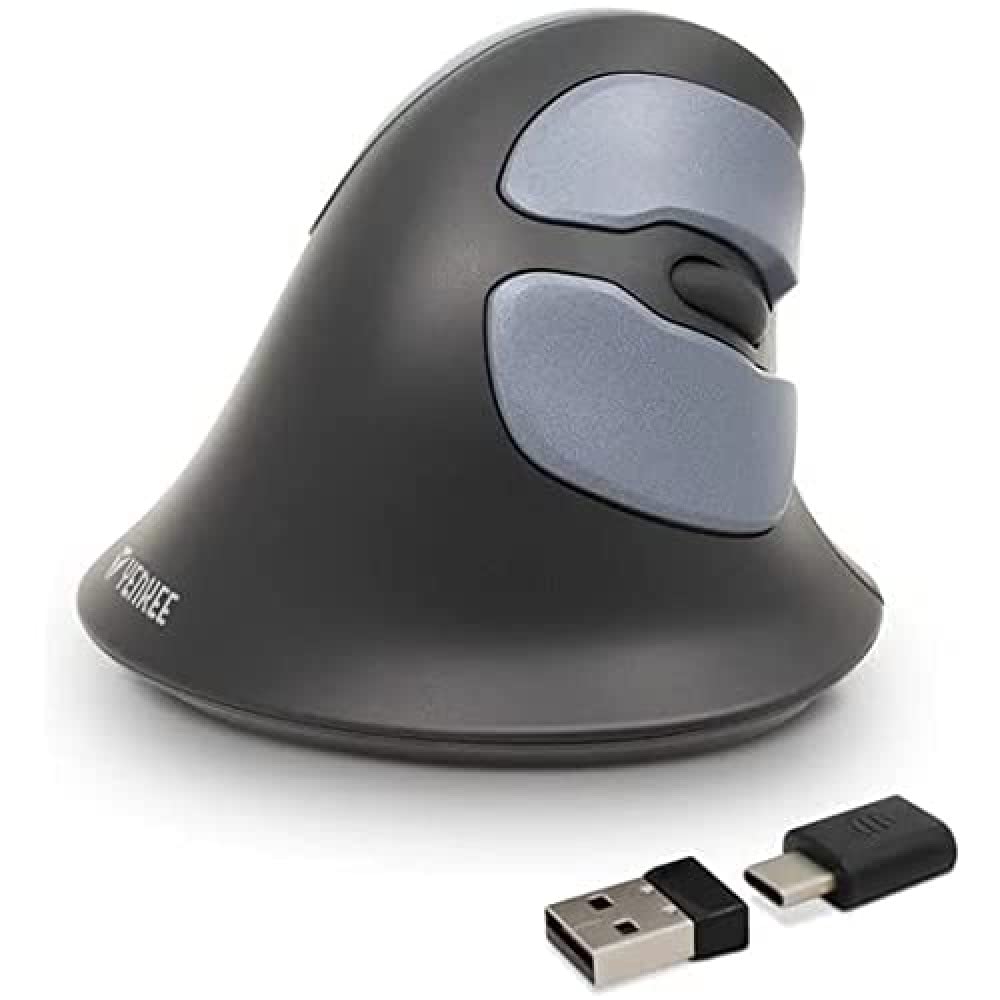
Image: Yenkee YMS 5030 Wireless Ergonomic Vertical Mouse with its USB nano receiver. The mouse is black, featuring a vertical design with multiple buttons.
Налаштування
- Встановіть акумулятори:
Locate the battery compartment on the underside of the mouse. Open the cover and insert the required batteries (not included), ensuring correct polarity (+/-). Close the battery compartment cover securely.
Зображення: Нижня сторона view of the Yenkee YMS 5030 mouse, highlighting the battery compartment and the on/off switch.
- Підключення USB Nano-приймача:
Plug the USB nano receiver into an available USB port on your computer. Your operating system should automatically detect and install the necessary drivers. This process may take a few moments.
- Увімкнення миші:
Slide the ON/OFF switch, located on the underside of the mouse, to the "ON" position. The mouse should now be active and ready for use.
Інструкція з експлуатації
The Yenkee YMS 5030 mouse features 6 buttons and adjustable DPI settings for precise control.
- Ліва кнопка миші: Стандартна функція первинного клацання.
- Клацніть правою кнопкою миші: Стандартна функція вторинного клацання.
- Колесо прокрутки: Прокручуйте документи вгору або вниз і web сторінки. Також можна натиснути для функції клацання середньою кнопкою миші.
- Кнопки «Вперед/Назад»: Розташовані збоку, ці кнопки забезпечують швидку навігацію web браузери або file дослідники.
- Кнопка регулювання DPI: Located near the scroll wheel, press this button to cycle between DPI settings (1000 DPI and 1600 DPI). Adjust the sensitivity to suit your preference and task.
Зображення: Зверху вниз view of the Yenkee YMS 5030 mouse, indicating the positions of the left/right click, scroll wheel, forward/backward, and DPI adjustment buttons.
Ергономічний дизайн
The vertical design of the YMS 5030 mouse positions your hand in a natural handshake posture, which can help alleviate wrist strain and discomfort often associated with traditional horizontal mice. This design is particularly beneficial for users seeking to reduce the risk of repetitive strain injuries like Carpal Tunnel Syndrome.
Технічне обслуговування
- Прибирання: Використовуйте м’яку суху тканину для очищення поверхні миші. Для стійкого бруду злегкаampпромийте тканину водою. Уникайте використання агресивних хімікатів або абразивних засобів для чищення.
- Заміна батареї: When the mouse performance degrades or it stops responding, it's time to replace the batteries. Follow the "Install Batteries" steps in the Setup section. Dispose of old batteries responsibly according to local regulations.
- Зберігання: When not in use for extended periods, turn off the mouse using the ON/OFF switch to conserve battery life. Store the mouse and receiver in a dry, cool place.
Усунення несправностей
| проблема | Можлива причина | Рішення |
|---|---|---|
| Миша не реагує. |
|
|
| Рух курсора нерівномірний або стрибкоподібний. |
|
|
| DPI setting does not change. | DPI button not pressed correctly or mouse not powered on. | Ensure the mouse is on and press the DPI button firmly. Observe if cursor speed changes. |
Технічні характеристики
| Особливість | Деталь |
|---|---|
| Бренд | Yenkee |
| Номер моделі | YMS 5030 |
| Колір | чорний |
| Технологія підключення | Бездротовий (Wi-Fi) |
| Технологія виявлення руху | Оптичний |
| Налаштування DPI | 1000 DPI / 1600 DPI |
| Кількість кнопок | 6 |
| Робоча відстань | До 10 метрів |
| Джерело живлення | Живлення від батарейок (батарейки не входять до комплекту) |
| Апаратна платформа | PC |
| Сумісність операційної системи | Windows 7, Windows 8, Windows Vista, Windows XP |
| Розміри продукту | 14.1 х 7.8 х 23 см |
| Вага товару | 125 г |
Гарантія та підтримка
Yenkee products are manufactured to high-quality standards. For information regarding warranty terms and conditions, please refer to the warranty card included with your purchase or visit the official Yenkee website. For technical support or service inquiries, please contact your local retailer or the Yenkee customer support team.