
вступ
This manual provides essential instructions for the safe and effective operation of your Canon XA65 Pro Camcorder. Please read this manual thoroughly before using the camcorder and retain it for future reference. The Canon XA65 is designed for professional video capture, offering 4K UHD recording, advanced optical zoom, and versatile connectivity options.

Figure 1: Canon XA65 Pro Camcorder Overview
Що в коробці
Перевірте, чи всі перелічені нижче предмети входять до вашої упаковки:
- XA65 Body
- Кришка об'єктива
- Lens Hood with Lens Barrier
- Microphone Holder Unit
- Блок ручки
- Акумулятор BP-820
- PD-E1 USB Power Adapter
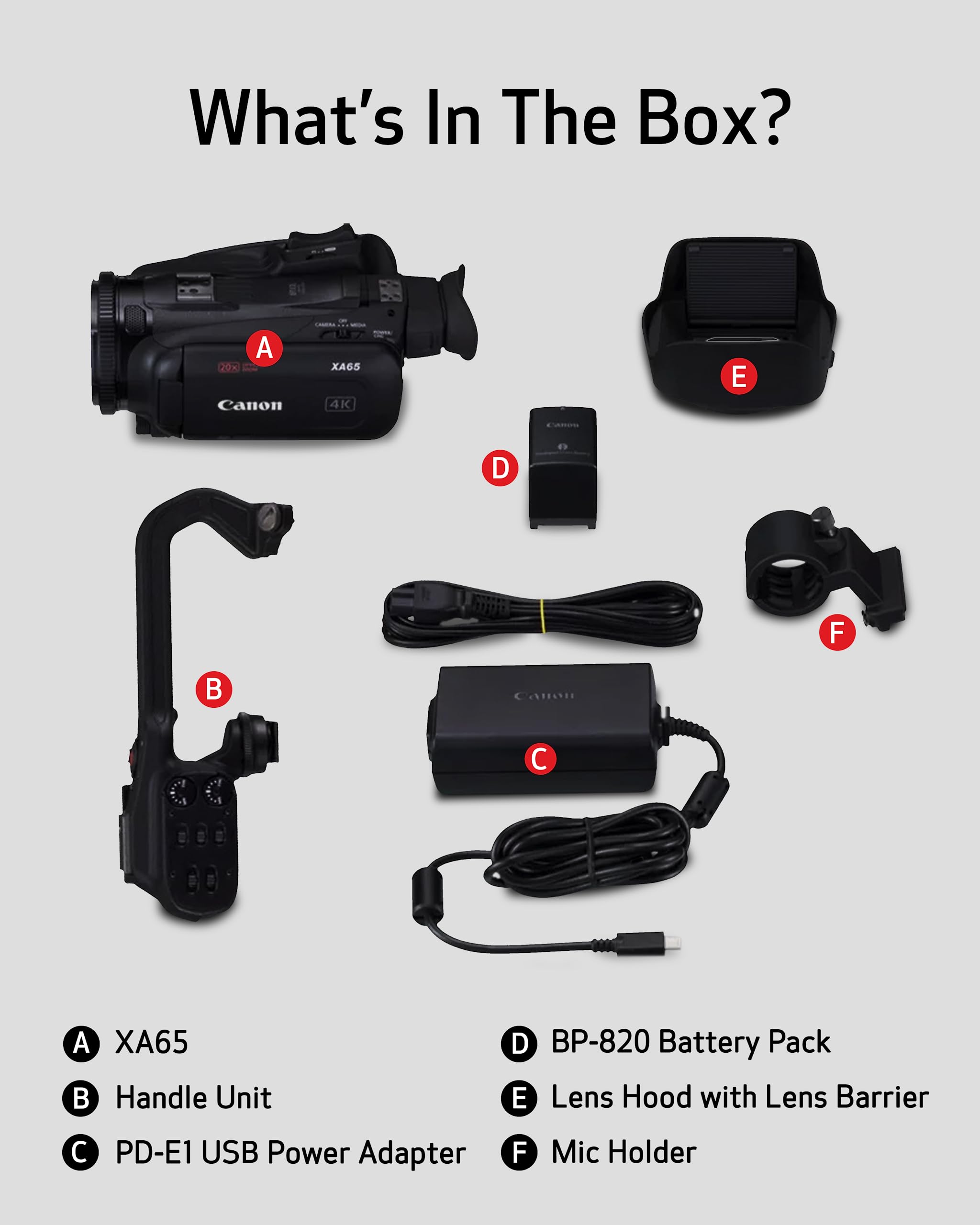
Малюнок 2: Вміст пакета
Налаштування
1. Attaching the Handle Unit
Align the handle unit with the mounting shoe on top of the camcorder body and slide it forward until it clicks into place. Secure it with the locking screw. The handle unit provides additional controls and XLR audio inputs.
2. Встановлення акумуляторної батареї
- Переконайтеся, що відеокамера вимкнена.
- Відкрийте кришку батарейного відсіку.
- Insert the BP-820 battery pack into the compartment, ensuring the contacts align. Push until it locks.
- Закрийте кришку батарейного відсіку.
3. Inserting SD Cards
The XA65 features dual SD card slots for flexible recording. Open the SD card slot cover on the side of the camcorder. Insert SD cards into slots A and B until they click. Close the cover. For optimal performance, use high-speed SD cards (UHS-I or faster) for 4K recording.
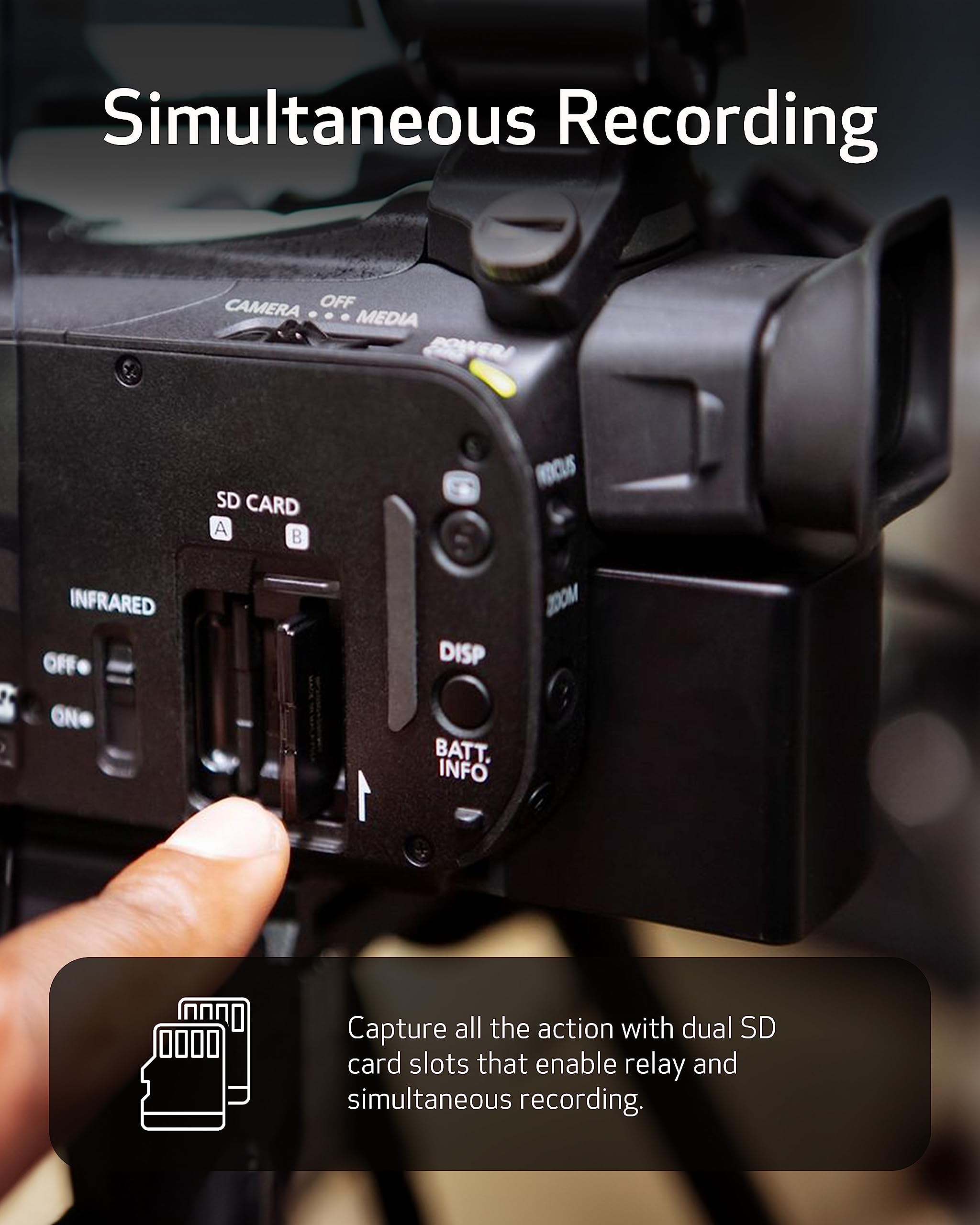
Figure 3: Inserting SD Cards
4. Attaching the Lens Hood and Microphone Holder
Attach the lens hood to the front of the lens by aligning the marks and twisting until it locks. This helps prevent glare. The microphone holder can be attached to the handle unit if an external microphone is used.
Керування відеокамерою
Увімкнення/вимкнення живлення
To power on the camcorder, slide the POWER switch to the ON position. To power off, slide it to OFF.
Запис відео
The XA65 supports 4K UHD and Full HD recording in XF-AVC and MP4 formats. Select your desired recording format and resolution via the menu system. Press the REC button to start and stop recording.

Figure 4: Recording in 4K UHD
Операція масштабування
Utilize the 20x optical zoom lens for clear magnification. The camcorder also features an 800x digital zoom for extended reach. Control zoom using the zoom rocker on the handle or the lens ring.
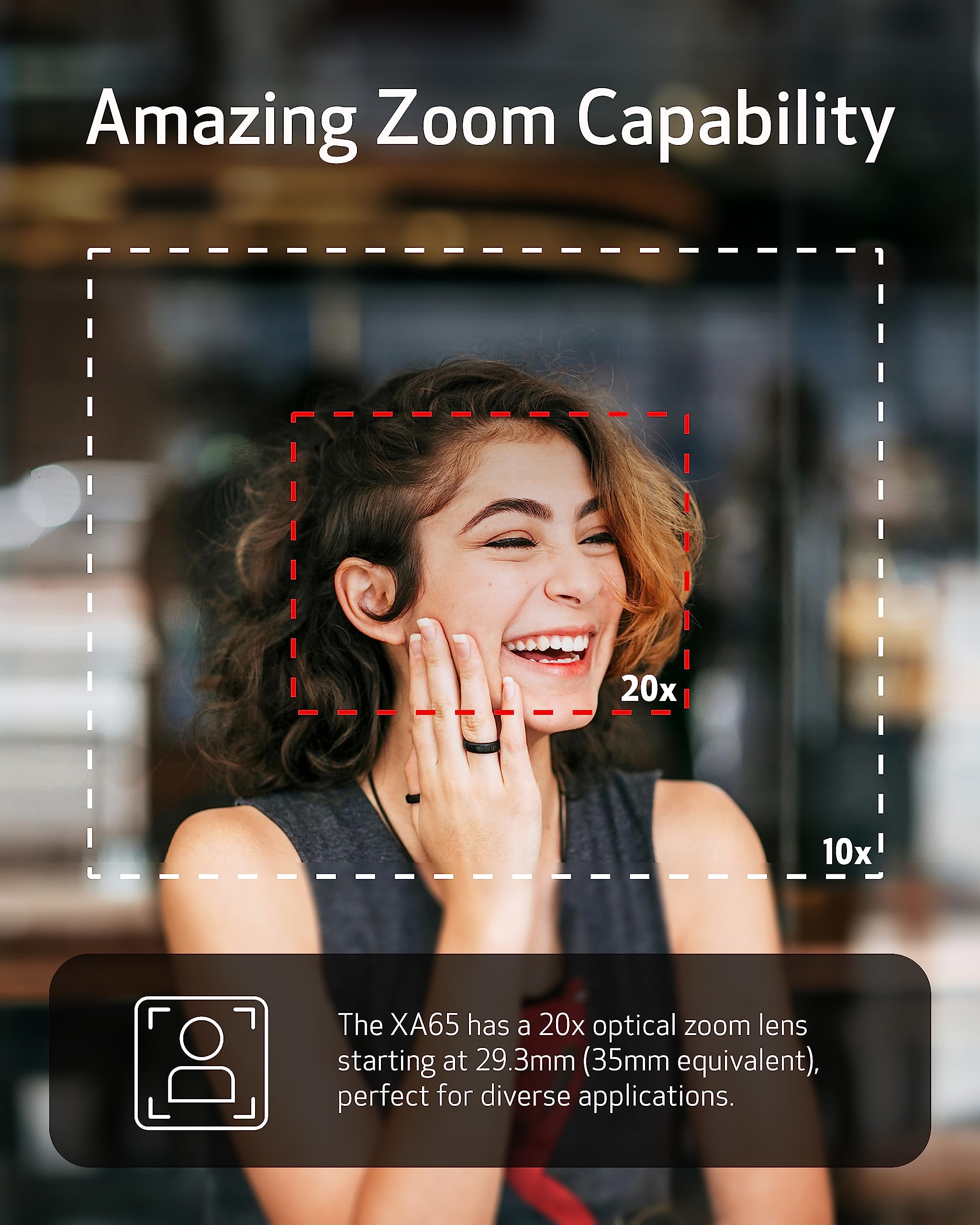
Figure 5: 20x Optical Zoom Capability
Стабілізація зображення
The Canon XA65 incorporates Dynamic IS 5-axis image stabilization to minimize camera shake, ensuring steady and clear footage even in dynamic shooting conditions. This feature is particularly useful when shooting handheld or at maximum zoom.
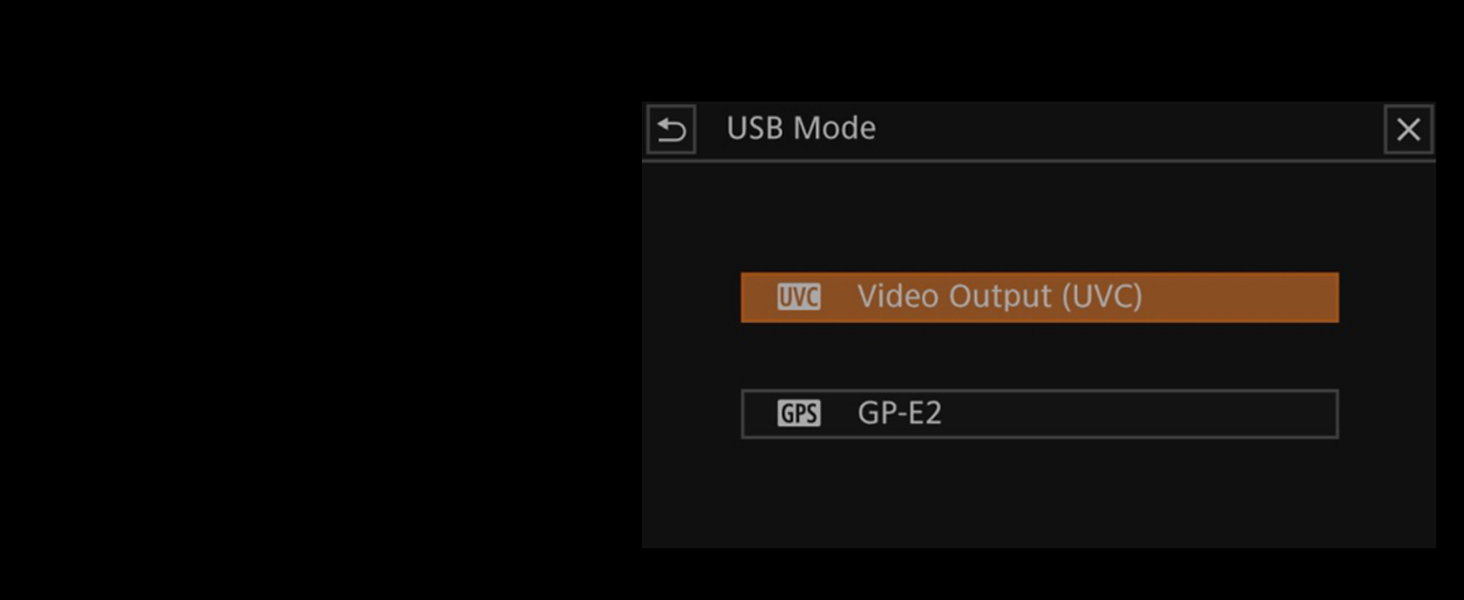
Figure 6: 5-Axis Image Stabilization
Аудіозапис
Professional audio control is available through two XLR terminals on the detachable handle. The camcorder supports 4-channel linear PCM audio, providing high-quality sound capture. Adjust audio levels using the dedicated controls.
Відображення та Viewшукач
Frame and monitor your shots using the 3.5" touchscreen LCD or the tiltable OLED EVF (Electronic Viewfinder). The touchscreen allows for intuitive menu navigation and focus adjustments.

Figure 7: Touchscreen LCD Display
Connectivity and Live Streaming
The XA65 offers mini-HDMI and 3G-SDI outputs for connecting to external monitors or professional broadcasting equipment. For live streaming, connect the camcorder to a PC or Mac via the USB Type-C output, which supports UVC (USB Video Class).

Figure 8: USB Type-C Connectivity

Figure 9: UVC Support for Live Streaming
Час свamp Запис
Utilize the On-Screen Display (OSD) Time Stamp recording feature to embed data such as date, time, and timecode directly into your video footage. This is particularly useful for documentation purposes.

Figure 10: OSD Time Stamp Запис
Slow and Fast Motion Recording
The camcorder supports both slow and fast motion recording modes, allowing for creative effects and capturing events in a unique way. Adjust the frame rate settings in the menu to achieve desired playback speeds.
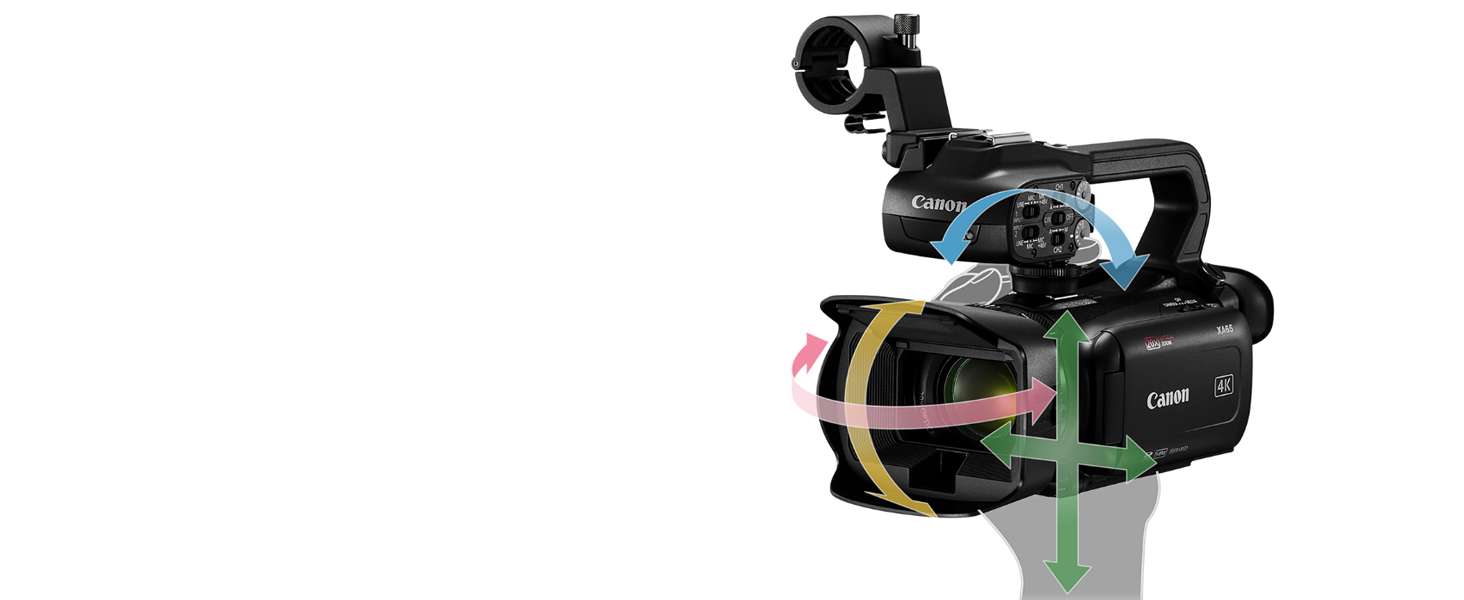
Figure 11: Slow and Fast Motion Recording Exampлес
Технічне обслуговування
Cleaning the Camcorder
- Використовуйте м’яку суху тканину для очищення корпусу відеокамери.
- For the lens, use a lens brush or blower to remove dust, then gently wipe with a lens cleaning cloth and lens cleaning solution if necessary.
- Уникайте використання сильних розчинників або абразивних засобів для чищення.
Зберігання
When not in use, store the camcorder in a cool, dry place away from direct sunlight and extreme temperatures. Remove the battery pack if storing for an extended period.
Усунення несправностей
If you encounter issues with your Canon XA65, refer to the following common solutions:
- Відеокамера не вмикається: Ensure the battery is fully charged and correctly inserted, or connect the power adapter.
- No image on screen/viewшукач: Check if the lens cap is removed. Adjust brightness settings.
- Проблеми із записом: Verify that an SD card is inserted and has sufficient free space. Check recording format settings.
- Нестабільна їжаtage: Ensure Image Stabilization is enabled in the menu.
- Проблеми зі звуком: Check microphone connections and audio input levels.
For more complex issues, consult the full Canon XA65 service manual or contact Canon customer support.
Технічні характеристики
Below are the key technical specifications for the Canon XA65 Pro Camcorder:
| Особливість | Специфікація |
|---|---|
| Розміри продукту | 7.17 x 3.94 x 3.31 дюймів |
| Вага товару | 3 унції |
| ASIN | B0BCMNSC6W |
| Номер моделі товару | 5732C002 |
| Акумулятори | Потрібен 1 літій-іонний акумулятор |
| Виробник | Canon США |
| Технологія фотосенсора | CMOS |
| Роздільна здатність захоплення відео | 4K |
| Максимальна фокусна відстань | 627 мм |
| Максимальна діафрагма | f/2.8 |
| Тип флеш-пам'яті | SD |
| Формат захоплення відео | MP4 |
| Підтримуваний аудіоформат | WAV, Linear PCM |
| Розмір екрана | 3.5 дюймів |
| Технологія підключення | HDMI, USB |
For a detailed comparison with other models, refer to the specification tables provided by Canon:

Figure 12: Detailed Specifications Table (Part 1)

Figure 13: Detailed Specifications Table (Part 2)
Гарантія та підтримка
For information regarding the product warranty, please refer to the warranty card included with your camcorder or visit the official Canon website. For technical support, service, or additional inquiries, please contact Canon customer service through their official channels.
Більше інформації та допоміжних ресурсів ви можете знайти на Магазин Canon на Amazon.