
1. Продукт закінчивсяview
The Temtop P600 is a portable air quality monitor designed to detect PM2.5 and PM10 particulate matter concentrations in both indoor and outdoor environments. It features an upgraded laser sensor for accurate measurements and a data histogram display to track air quality trends over 12 hours. The device is compact and user-friendly, providing essential information for monitoring air pollution.
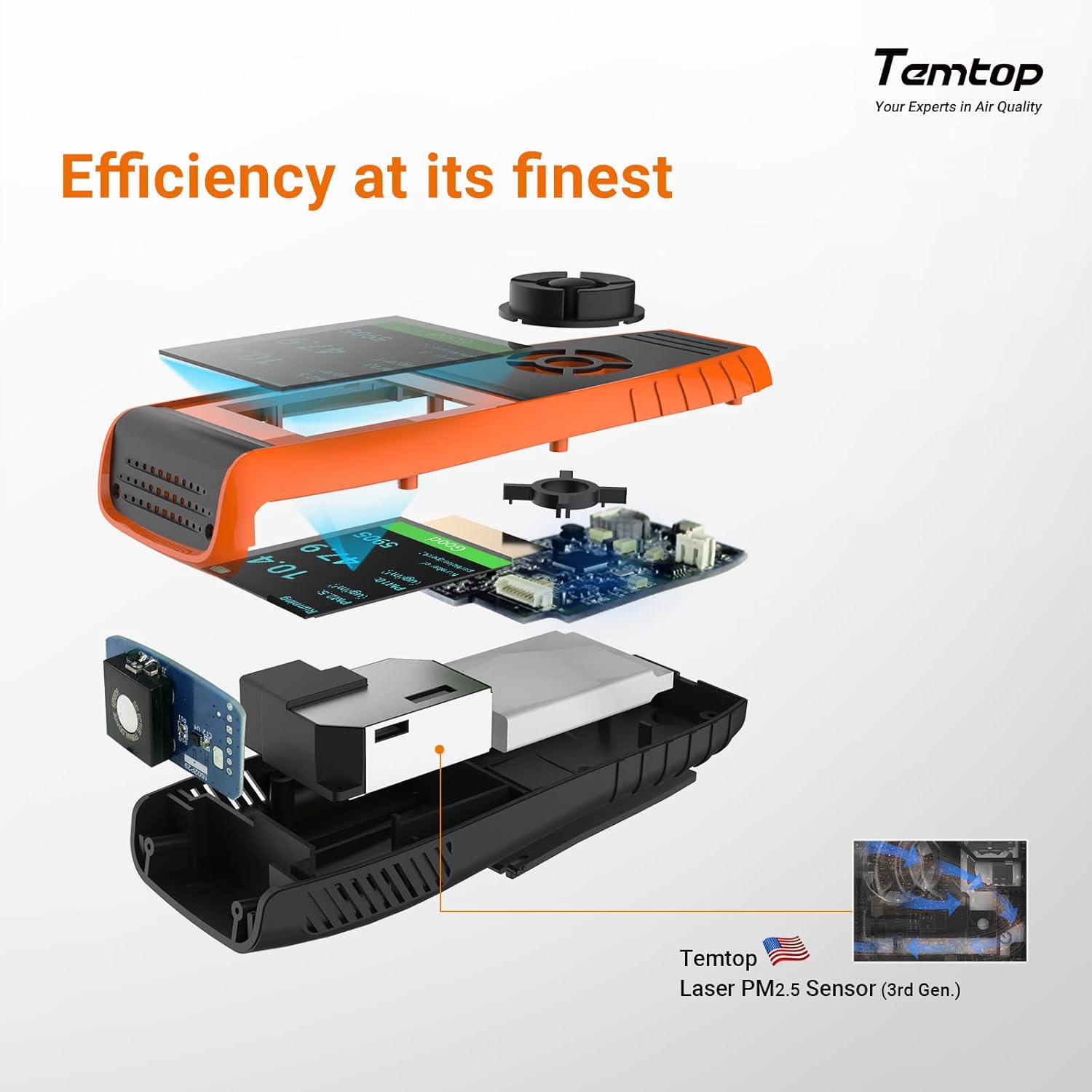
Image: The Temtop P600 monitor showing a data histogram of PM2.5 levels over time.
2. Вміст упаковки
Після відкриття упаковки перевірте наявність усіх елементів:
- Temtop P600 PM2.5 PM10 Air Quality Monitor
- USB-кабель для зарядки
- Посібник користувача

Image: The Temtop P600 monitor, USB charging cable, and user manual laid out next to the storage box.
3. Компоненти пристрою
Familiarize yourself with the key components of your Temtop P600 monitor:
- Вхід повітря: Where ambient air enters for sampлінг.
- Вихід повітря: Where processed air exits the device.
- РК-екран: Displays real-time data, historical graphs, and menu options.
- Кнопки управління: For navigation and mode selection (PM2.5, PM10, Histogram, Power/OK).
- Back Stand: Allows the device to stand upright for stable monitoring.

Image: A labeled diagram of the Temtop P600 highlighting the air inlet, air outlet, LCD screen, and control buttons for PM2.5, PM10, and histogram display.
4. Налаштування та зарядка
Початкова плата
Before first use, fully charge the device using the provided USB cable. Connect the cable to the monitor and a standard USB power adapter (not included). A full charge takes approximately 4 hours and provides 7-8 hours of standby time.
Розміщення
For accurate readings, place the monitor on a stable surface away from direct airflow sources like vents or open windows. Ensure the air inlet and outlet are unobstructed.

Image: The Temtop P600 monitor showing its display with battery icon and charging information, indicating a built-in 3000 mAh battery and 4-hour charging time.
5. Інструкція з експлуатації
Увімкнення/вимкнення живлення
Press and hold the Power/OK button to turn the device on or off.
Режими читання
The monitor displays real-time PM2.5 and PM10 concentrations. Use the dedicated buttons to switch between different display modes:
- PM2.5: Displays the concentration of particulate matter smaller than 2.5 micrometers.
- PM10: Displays the concentration of particulate matter smaller than 10 micrometers.
- Гістограма: Shows a graphical representation of PM2.5 data over the past 12 hours, allowing you to track trends.
Розуміння дисплея
The LCD screen provides numerical readings and a color-coded indicator based on EPA standards for air quality:
| Колір | Рівень якості повітря |
|---|---|
| Зелений | Good/Safe |
| Жовтий | Помірний |
| Помаранчевий | Нездоровий для чутливих груп |
| Червоний | Нездоровий |
| Фіолетовий | Дуже нездоровий |
| Бордовий | небезпечний |

Image: The Temtop P600 monitor showing current PM2.5 and PM10 readings, along with a color-coded scale indicating air quality levels from Good/Safe to Hazardous, based on EPA standards.
Відео демонстрації
Video: A demonstration of using the Temtop P600 air quality monitor for the first time, showing basic operation and display.
Відео: Оверview of the Temtop air quality monitor's application, demonstrating its use in various scenarios.
Video: A detailed look at the Temtop P600 Air Quality Monitor, showcasinйого характеристики та функціональність.
6. Important Information Regarding Air Quality
Що таке PM2.5?
PM2.5 refers to fine inhalable particulate matter with diameters that are generally 2.5 micrometers and smaller. These particles can originate from sources such as vehicle emissions, industrial processes, fires, and construction activities. Due to their small size, PM2.5 particles can penetrate deep into the lungs and bloodstream, potentially causing respiratory issues, cardiovascular problems, and other health concerns.
Variations in PM2.5 Readings
PM2.5 levels are not uniformly distributed, even within the same room. Readings from your monitor may vary depending on its exact location, proximity to sources of pollution, and air circulation patterns. Similarly, your monitor's readings reflect the specific air quality of its immediate environment, which may differ from official regional or city-wide data due to localized factors like geography, weather, and traffic.
7. Технічне обслуговування
To ensure optimal performance and longevity of your Temtop P600 monitor:
- Тримайте пристрій чистим і без пилу. Використовуйте м’яку суху тканину для очищення зовнішньої частини.
- Уникайте впливу на пристрій екстремальних температур, вологості або прямого сонячного світла.
- Не блокуйте вхідний або вихідний отвір для повітря під час роботи.
- Зберігайте пристрій у прохолодному сухому місці, коли він не використовується.
8. Вирішення проблем
If you encounter issues with your Temtop P600 monitor, consider the following:
- Пристрій не вмикається: Ensure the battery is fully charged. Connect the device to a power source using the USB cable and allow it to charge for at least 30 minutes before attempting to power it on again.
- Неточні показники: Ensure the air inlet and outlet are clear. Move the device to a different location to rule out localized pollution sources. Allow the device to stabilize for a few minutes after moving it.
- Проблеми з дисплеєм: If the screen is unresponsive or shows abnormal characters, try restarting the device.
For further assistance, refer to the warranty and support information.
9. Технічні характеристики
| Особливість | Деталь |
|---|---|
| Бренд | Темтоп |
| Модель | P600 |
| Розміри предмета (Д x Ш x В) | 6.3 x 1.97 x 2.36 дюймів |
| матеріал | Метал, пластик |
| Вага товару | 0.66 фунта |
| Максимальний об'єм подачіtage | 5 вольт (постійний струм) |
| Тип виводу | Візуальний |
| Відстань зондування | 10 футів |
| Верхня температура | 50 градусів Цельсія |
10. Гарантія та підтримка
The Temtop P600 Air Quality Monitor comes with a 12-month warranty. For customer support, including technical assistance or warranty claims, please contact Temtop via email or phone. Contact details can be found on the official Temtop webсайті або в доданому посібнику користувача.